RootMe - HTTP - Open Redirect
RootMe challenge walkthrough - HTTP - Open Redirect

RootMe – HTTP - Open Redirect
Mission
Find a way to make a redirection to a domain other than those shown on the web page.

Analysis
- The page displays 3 internal links that redirect safely to allowed domains.
- The redirect is controlled by a parameter (likely
?url=...or similar) that uses an MD5 hash of the target URL to prevent arbitrary redirects. - To exploit the open redirect, compute the MD5 hash of an external URL (e.g., https://google.com) and use it in the request.
Solution steps
- Intercept the request in Burp Suite when clicking one of the legitimate links → observe the redirect parameter contains an MD5 hash.
- The hash is the MD5 of the target URL.
Compute the MD5 hash of your desired external URL (e.g.,
https://google.com):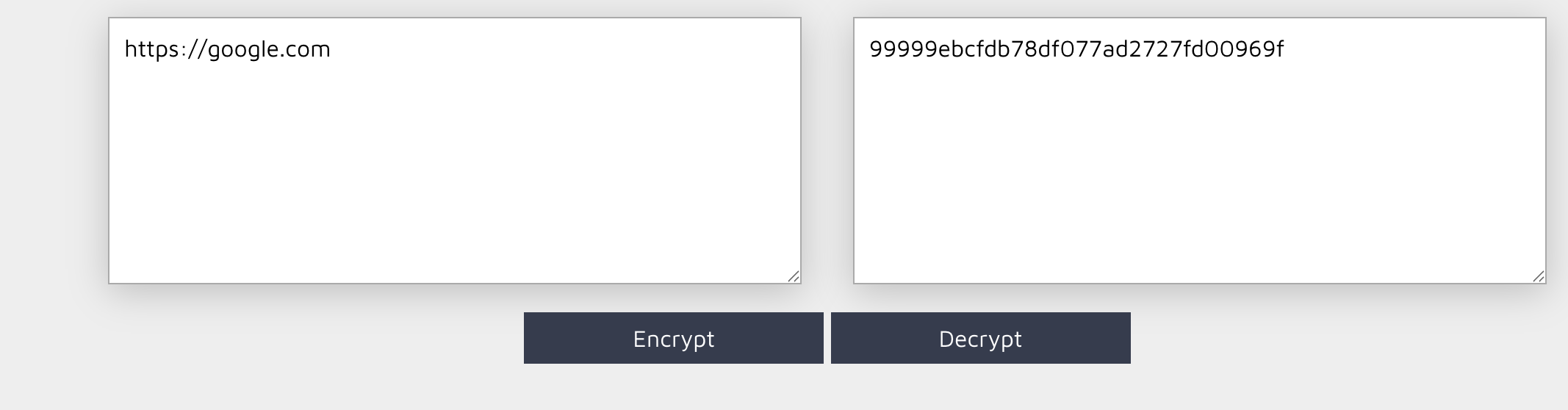
(Example: MD5(“https://google.com”) = some_hash_value)
- Replace the original hash in the request parameter with your computed MD5 hash.
Send the modified request → the page redirects to the external site, and the challenge password is revealed.
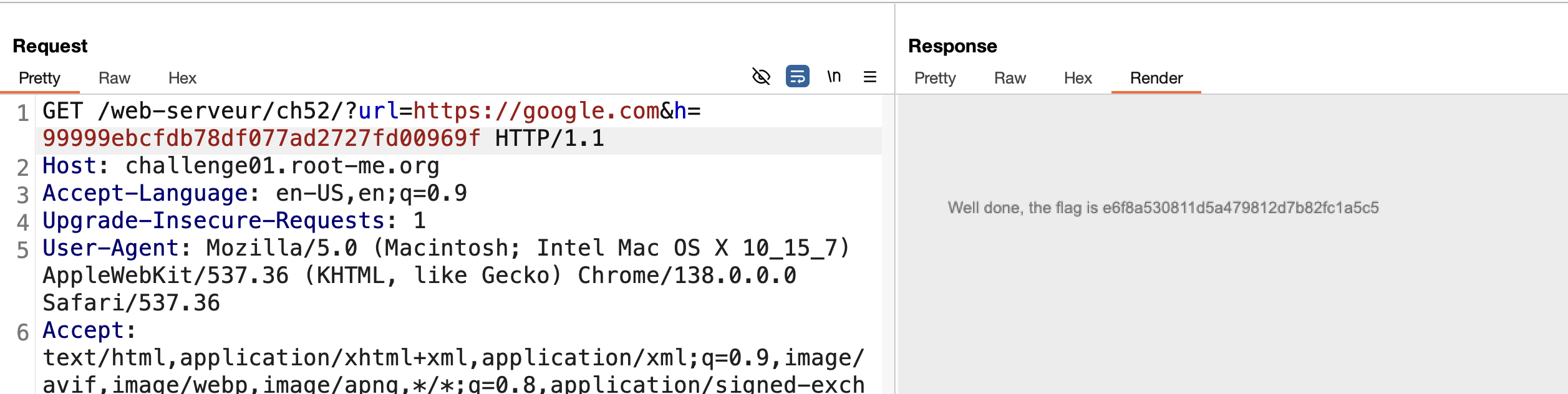
Finished. Happy Hacking!
Follow me:
This post is licensed under CC BY 4.0 by the author.