RootMe - HTTP Cookies
RootMe challenge walkthrough - HTTP - Cookies

RootMe – HTTP - Cookies
Mission
Get all emails from Bob.
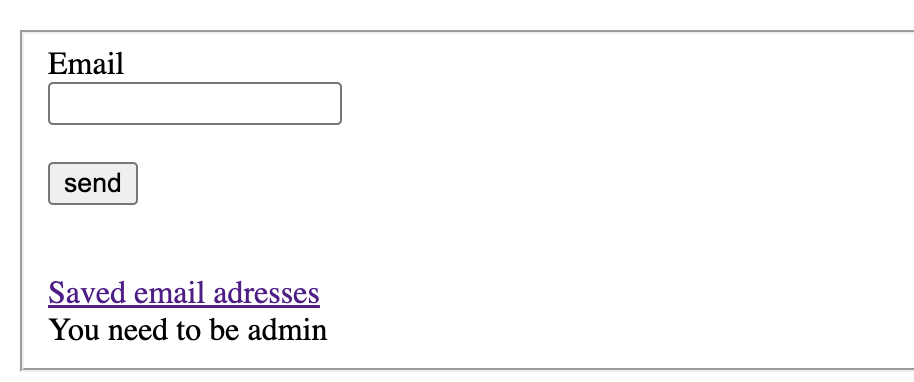
Analysis
- There’s a basic script that collects emails from users.
- Trying to access all emails fails because we are not an admin (access restricted by role).
Solution steps
- Open Developer Tools → go to the Application tab → Cookies section.
Look for the cookie that likely controls user role (value is set to
visitor).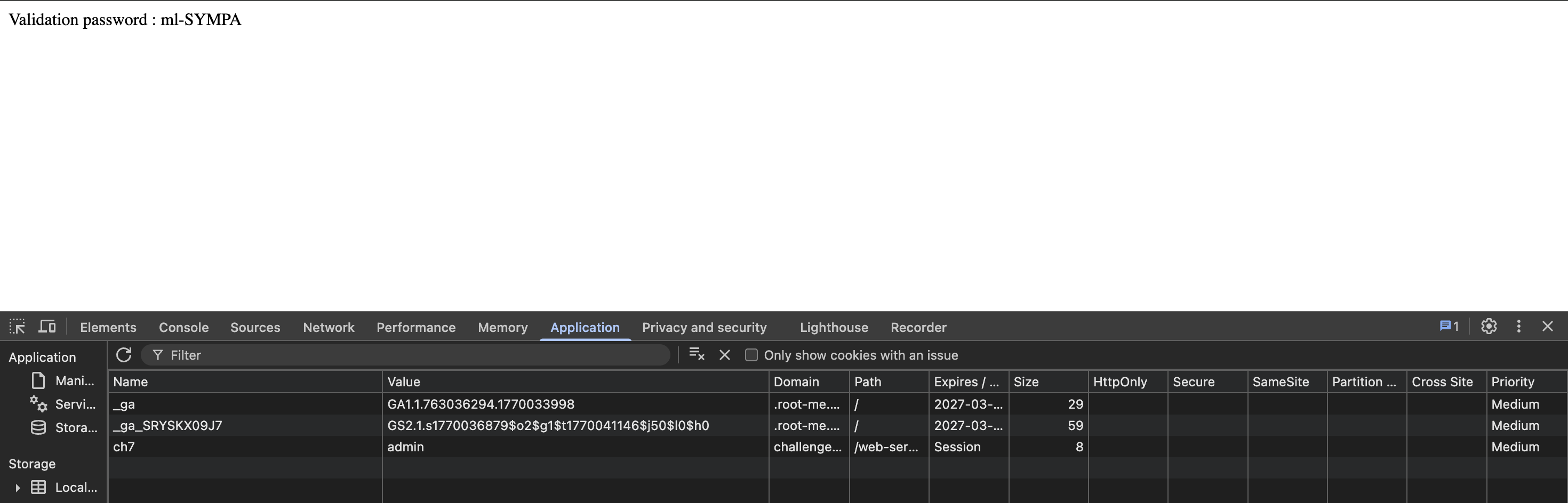
- Edit the cookie value and change it from
visitortoadmin. - Refresh/reload the page → the restricted content (all emails / password) now appears.
Finished. Happy Hacking! 🔓
Follow me:
This post is licensed under CC BY 4.0 by the author.